Website templates for Codex
Website templates for Codex are finished web designs that OpenAI's coding agent can edit: you put an index.html and an AGENTS.md in a folder, start Codex there and ask it for your business's words, photos and prices. The files work in the Codex CLI, the IDE extension and Codex Cloud, and every one is free under the MIT license.
Codex comes as a command line tool, an extension for VS Code and compatible editors, and Codex Cloud, where tasks run remotely in an environment set up with your GitHub repositories. Codex web design from a blank prompt tends to land on one centred hero and three equal cards; an HTML template for Codex avoids that because the agent changes content and leaves the decided layout, type and motion alone.
Each design is one file with inline CSS and scripts and no build step, with an AGENTS.md of editing rules, the license and a credits file beside it. The Codex CLI reads AGENTS.md on its own. The same steps for Anthropic's terminal agent are in the guide for Claude Code.
Cursor, Windsurf and the AI app builders are covered in the guide to coding agents and app builders.
At a glance, October 2026. This page lists 16 of the 101 templates in the catalog, all free under the MIT license and made by 8B, an AI website builder. Grouped by what Codex has to look after: 15 carry a form that sends nothing until it is connected, and the fitness app has none. In 13 some display lines take their size from a --len value equal to their character count, so new words need a new number; the tile designer also reads prices from data attributes.

Ceramic tile studio whose tile designer reads data-price on each size and data-extra on each inlay. Codex must keep those attributes when prices change; the designer form sends nothing.
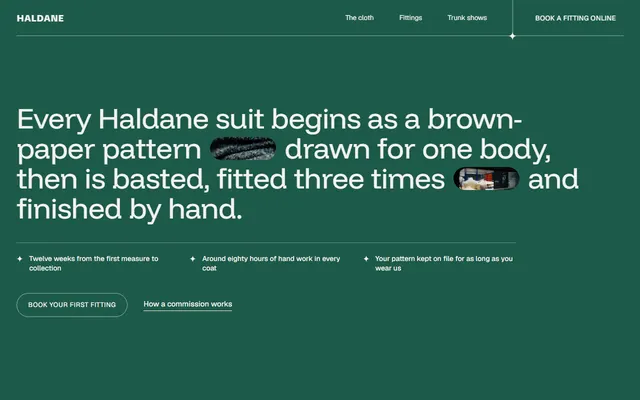
Bespoke tailor on near-black with bottle green and small gold marks. Most photos sit in pills; ask Codex for your cloths, fittings and prices, and keep the extra-wide capitals.
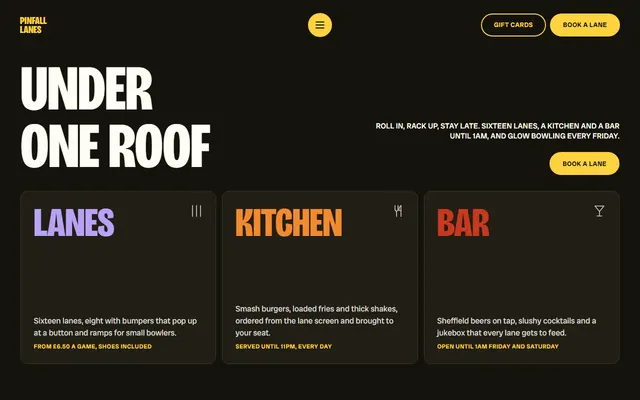
Bowling alley whose leaderboard reads each row's data-day and slides the rows into rank order. Ask Codex to keep one data-day per row when the scores change.
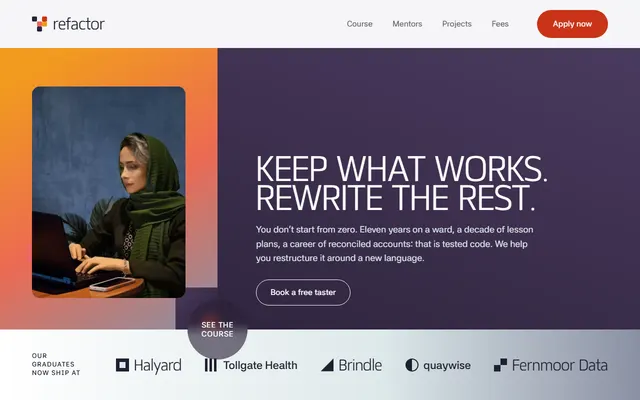
Coding school for adult career changers. At about 160 KB it is the longest file here, so give Codex one section per task; Matangi headings and orange, plum and ice planes stay.
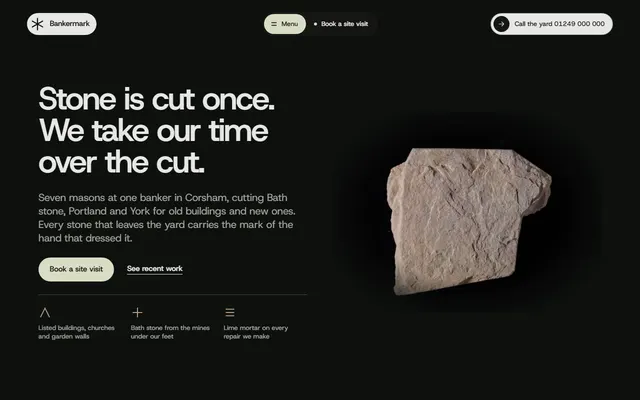
Stonemason's yard: light-grey rounded panels on a near-black page. Host Grotesk carries the text and Source Serif 4 only the inscription and quotes; Codex should keep that split.
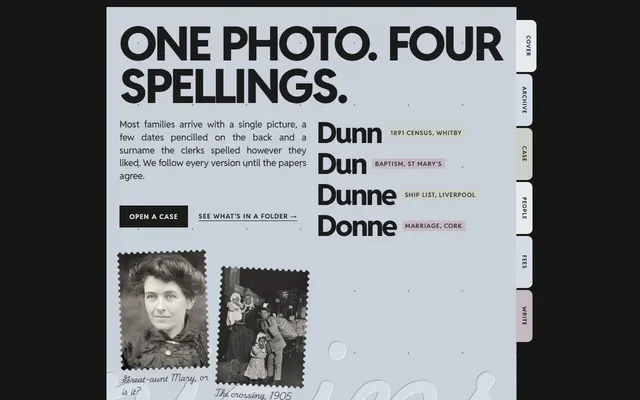
Family history firm laid out as paper sheets with coloured index tabs on a black desk. Handwritten captions carry the voice, so ask Codex to keep them short.
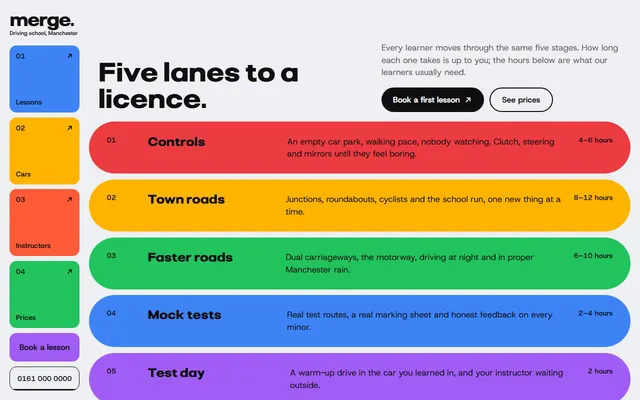
Driving school built as a bento of bright tiles with a fixed side rail on wide screens. Codex edits prices and hours inside the tiles; below 1024 px the rail becomes a bar.
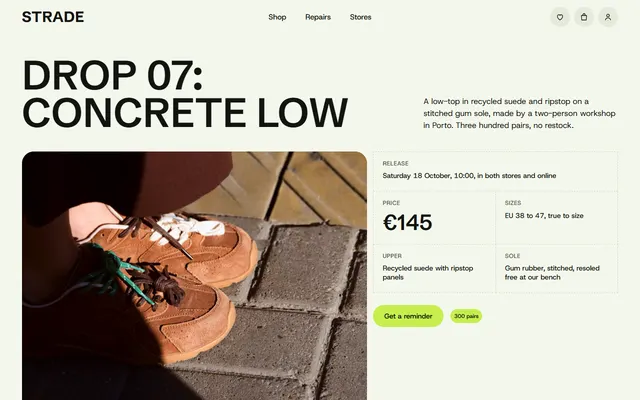
Sneaker store in a 64 KB file, the lightest here. Dashed spec rules and one lime accent stay; Codex updates look prices and store rows, and you add your shop link.
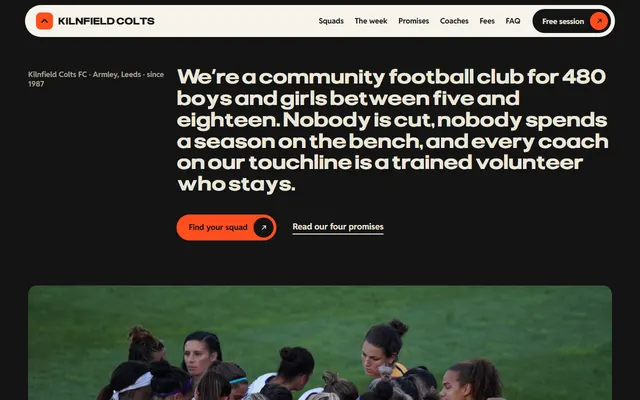
Youth football club with poster-size Pliant capitals over orange, black and cream. Each display line is sized by a --len value, so Codex must reset it whenever the words change.
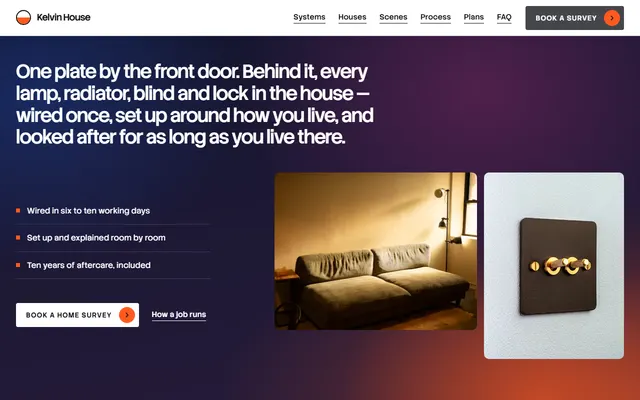
Smart home installer. Dusk-indigo bands break the white sections under one orange accent; ask Codex to change plans and scenes and to leave the pinned scroll scenes as built.
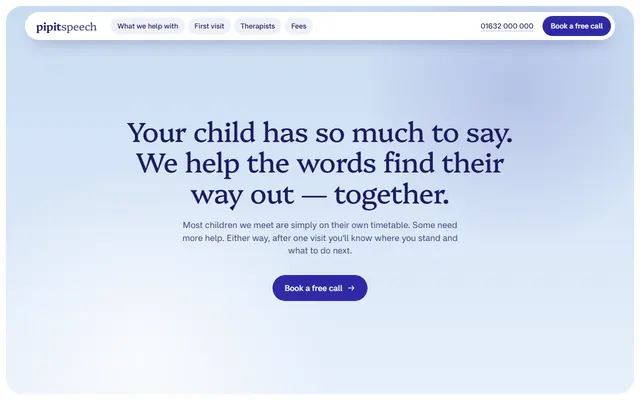
Children's speech therapy practice with arch-shaped photo windows, Platypi serif headings and deep indigo on white and sky blue. Ask Codex to change therapists and fees and keep the pinned scenes.
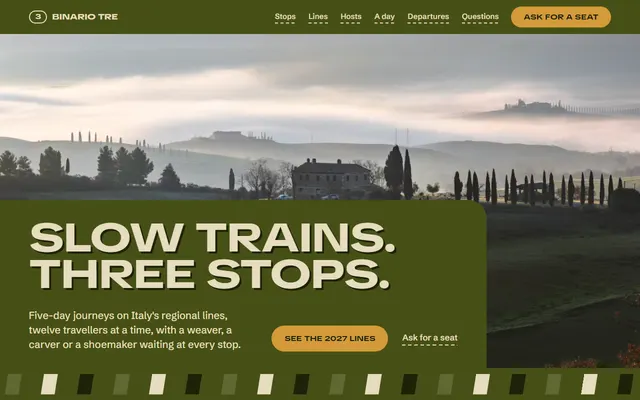
Slow-travel tour operator in olive, cream and amber. The departures table is a real HTML table, so Codex can add rows and booking links; the train window opening stays.
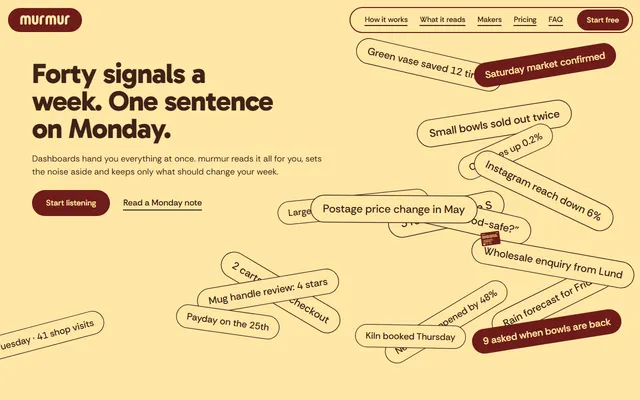
SaaS landing page. Codex keeps the five source columns, the pinned phone and the two plans while you swap the product; Gabarito headings and maroon, butter and gold carry the look.
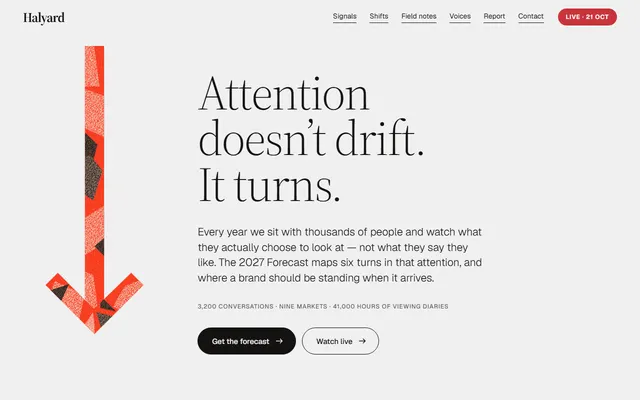
Marketing agency page led by a paper-cut arrow that returns in five sections. Light Source Serif 4 and one vermilion hold the look; Codex should reuse the arrow, not redraw it.
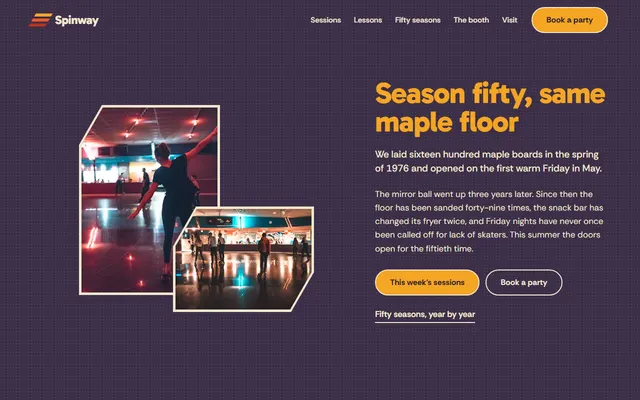
Family roller rink with a yellow, orange and red stripe band and rounded Gabarito headings. Codex updates sessions, lessons and parties; the footer wordmark's --len must match a new name.
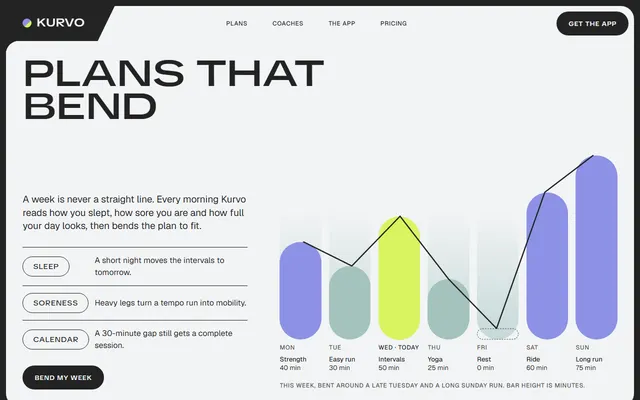
Fitness app page with no form; its Get the app buttons scroll to the plans until Codex points them at your stores. Charcoal frame, one lime accent, wide TikTok Sans.
Which website template to give Codex
Choose by business first and by weak spot second. Open the live demo first; each one is a working Codex website example of what the agent will keep. Four pairings, each with what Codex cannot fix alone:
- A software product with plans: the weekly-message app page has a pinned phone, five source columns and two plans. Weak spot: the plan prices are invented and the contact form sends nothing until you connect it.
- A mobile app: the training app page has no form, only email links and Get the app buttons. Weak spot: those buttons need your App Store and Google Play addresses before the page is useful.
- A shop with one product drop: the streetwear store page shows a lookbook of portrait cards with priced lists. Weak spot: there is no cart, so every buying button needs the link to your real shop.
- A local service that takes bookings: the driving school page puts price and hours in coloured tiles. Weak spot: the booking button needs a calendar or a form service behind it.
Using a template with the Codex CLI and IDE extension, step by step
- Install Codex and sign in. The install page for the CLI gives
curl -fsSL https://chatgpt.com/codex/install.sh | shfor macOS and Linux and lists Windows, npm and Homebrew options. On the first run choose Sign in with ChatGPT or another available method. - Make a folder and download the Codex website template. Take the repository name from the template's page; the DESIGN.md comes from this site, where the slug ends the template's address:
curl -LO https://raw.githubusercontent.com/8bsite/<repository>/main/index.html curl -LO https://raw.githubusercontent.com/8bsite/<repository>/main/AGENTS.md curl -LO https://raw.githubusercontent.com/8bsite/<repository>/main/LICENSE curl -LO https://8b.com/templates/<slug>/DESIGN.md - Commit the untouched files. Run
git initand commit. Codex's docs recommend Git checkpoints before and after a task. - Start Codex in the folder. Run
codex. It builds its instructions from AGENTS.md files, starting at the project root and walking down to the current directory, with at most one file per directory. - Check the result. The
/permissionscommand sets when Codex may edit files or run commands without asking. Open the page in a browser at desktop width and at 390 px.
The IDE extension works in VS Code and compatible editors, including Cursor, which also has an agent of its own, and Windsurf. Its page in the docs does not say whether it reads AGENTS.md, so name the file in your first message.
The DESIGN.md files for coding agents hold the colours, type scale and spacing of each template as tokens.
Codex Cloud: tasks in ChatGPT and a GitHub repository
Codex Cloud does not touch files on your computer, so ChatGPT Codex website templates have to sit in a GitHub repository. Its tasks run remotely in a cloud environment set up with the repositories you choose.
- Open the template's repository on GitHub and press Use this template. The catalog's repositories are template repositories, so this makes a copy in your own account.
- In Codex Cloud, create an environment, choose that copy and connect GitHub if asked. Review the setup and test results, save and publish, then wait for Environment published before you start a task.
- Describe the change as a task.
- Review the changes, ask for follow-ups, then commit or open a pull request.
The cloud page of the docs does not cover images or AGENTS.md, so commit the DESIGN.md next to the page and name both files in the task.
Two prompts for Codex and a website
Demo names, reviews, prices and addresses are made up, so the first pass should replace or remove every one.
Task: turn the page in this folder into the site of <business>, which <sells what, to whom, in which town>. Read AGENTS.md first. Before editing anything, list every invented name, price, review, address and phone number with the section it sits in, and ask me for the real value or whether to delete it. Keep the section order, every id and data attribute, the classes AGENTS.md names and the scripts. Do not change colours, fonts or motion. Done when the page shows only facts I gave you and I can check it at 1440 and 390 px wide.To build from the design instead of the file, give Codex the tokens and a screenshot of the template. In the CLI, codex --image passes one with the first prompt, and the composer accepts a pasted image.
Build one index.html with inline CSS and no framework for <product>. Use the attached screenshot as the visual reference and DESIGN.md for the typefaces, palette and spacing, not your defaults. Sections in order: <list>. No gradient unless DESIGN.md has one, no emoji bullets, no stock phrases. Use only the facts below; where one is missing, write [ask] and tell me at the end.Further prompts, grouped by job and tied to templates you can open, are in a separate collection.
Keeping the design when Codex rewrites the page
Told to improve a page, an agent modernises it into the average of every page it has seen. Say the task is content, not look. Colours and fonts live in :root, so a new brand colour is one line there. Read git diff --stat after each task; a copy edit that touches the CSS went too far.
In the marketing agency page a paper-cut arrow returns in five sections; tell Codex to keep such parts.
In the tile studio page the designer reads each price from a data attribute, so a price change belongs there as well as in the visible text.
The youth football club page sizes each display line with a --len value, so new words need the value set again.
A page that keeps its type and palette also avoids the habits people spot as machine made, listed in the checklist of tells people notice.
Publishing a Codex website and what Codex will not do
Codex edits files and proposes pull requests; it does not host a website. The finished folder goes to any static host. Upload index.html, LICENSE and CREDITS.md, and leave AGENTS.md, the README and the previews folder behind. A single file such as the speech therapy practice page needs nothing more.
Forms send nothing until you connect Formspree, Netlify Forms or your own backend. Demo text is invented, and a made-up rating or address left in place misleads. Fonts load from Google Fonts, GSAP, ScrollTrigger and Lenis from jsDelivr and photos from Unsplash's servers, so the page needs a connection. Keep the Design: 8B footer link unless the site owner asks to remove it.
If you would rather not touch code at all, 8B's own builder designs a site inside Claude or ChatGPT: designing is free, and publishing with hosting is $9 a month billed yearly.
Codex website template questions
Are there free website templates for Codex?
Yes. The catalog has 101 free HTML templates under the MIT license, each one file with an AGENTS.md, and this page picks 16. Any agent that edits files can use them: download one, start Codex in the folder and ask for your content.
Can Codex use an HTML template?
Yes, as a file to edit. In the CLI or the IDE extension it works on the local folder. In Codex Cloud it needs the file in a GitHub repository, so use the template repository's Use this template button first.
Does Codex read AGENTS.md?
Yes. The CLI docs say Codex builds instructions from AGENTS.md files, from the project root down to the current directory, up to 32 KiB by default, once per run, so restart after changes. The AGENTS.md files on this page are 7.2 to 9.8 KiB.
How do I stop a Codex website looking generic or AI generated?
Start from a design with decisions already made, keep its fonts and colours, and ask only for content changes. Give Codex the DESIGN.md and tell it not to modernise. The page on machine-made tells lists what to look for.
Can I publish a Codex website on my own domain?
Yes, but not from Codex, which does not host sites. Upload the finished index.html to any static host and point your domain at it. GitHub Pages, Netlify and Cloudflare Pages all serve a single HTML file, and Pages takes a custom domain in its settings.
Is it free to use these templates commercially?
Yes. They are MIT licensed, so you can use them on client and commercial sites. Keep the Design: 8B footer link unless the site owner asks to remove it.