DESIGN.md examples
A DESIGN.md file is a Markdown file that gives an AI agent the visual rules of a site: YAML tokens for colours, type, corner radii, spacing and components come first, then prose on how to apply them. Google publishes the format, still at version alpha. Each of the twenty files below was read from one working 8B template, so the page it describes is there to open.
What sets these files apart is that each describes a page you can open: a free template that runs as one index.html with a live demo. Every hex value, font size and radius in the tokens was copied from that page's CSS; where the CSS sizes text with clamp(), the token keeps the desktop value and the prose usually gives the range down to phone width. Each file also adds a Motion section, which the spec lacks.
Use one as a website DESIGN.md for Claude, Codex or Cursor to follow when you build something new in the same look, or keep it next to the template while an agent rewrites the copy, so nothing drifts. A Markdown file carries rules, not scripts, so take the HTML as well when you want the scroll animation itself. The Claude Code guide covers the project around it: the folder, CLAUDE.md and the first prompt.
At a glance, October 2026. This page holds the DESIGN.md files of 20 free MIT templates made by 8B, an AI website builder. Sorted by type system, seven run on a single family (fitness club, vet clinic, accountancy practice, accounting firm, app landing, brasserie, festival), nine pair a display face with a text face (product launch, creative agency, design studio, print studio, architecture, repair shop, brewery, coworking, construction) and four mix three faces, one of them a script or hand-drawn face (pet boarding, community, trampoline park, florist). Colour tokens run from 4 in the print studio file to 13 in the architecture file; four files declare a single radius, 0px.
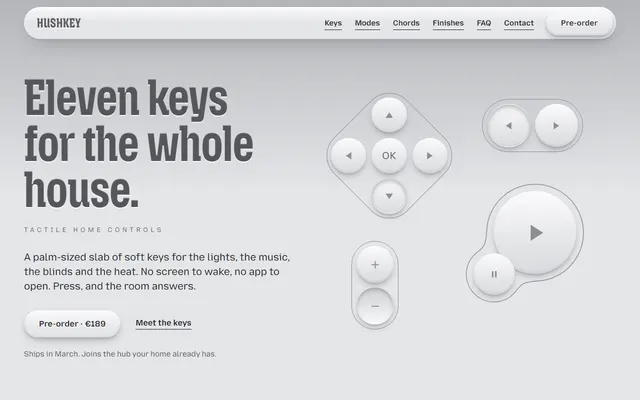
Product launch for a smart-home wall pad: monochrome neumorphism on one cool grey, raised and pressed shadows sized in em, condensed Mozilla Headline, and headings that deboss while keys sink.
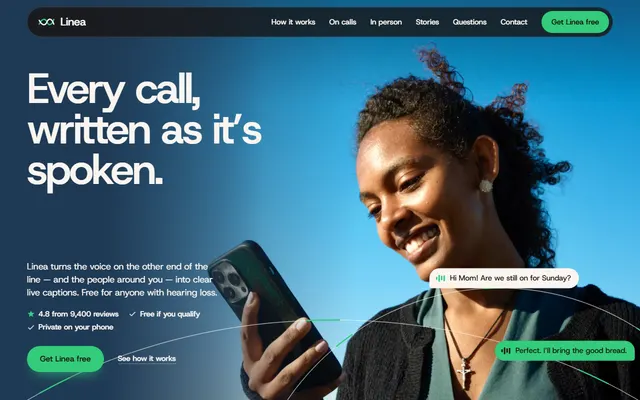
App landing in warm paper, espresso and navy, with one green for what is yours or can be tapped. Host Grotesk alone, 28px cards, speech bubbles, and spoken bars that resolve into words.
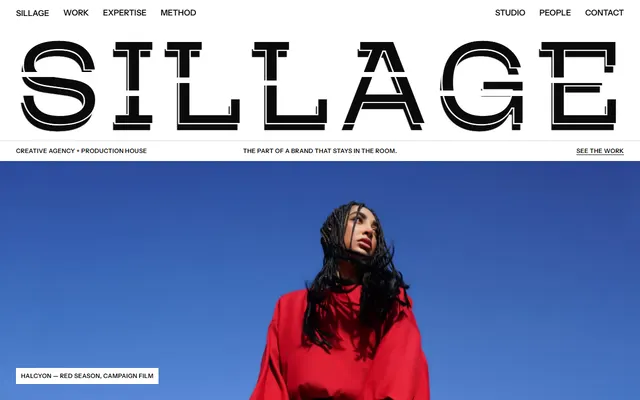
Creative agency in black on white: seven colour tokens, all black, white or grey, a hairline grid, no pills or circles, extra-wide light Mozilla Headline capitals, and an echo motion where each element trails a faint copy.
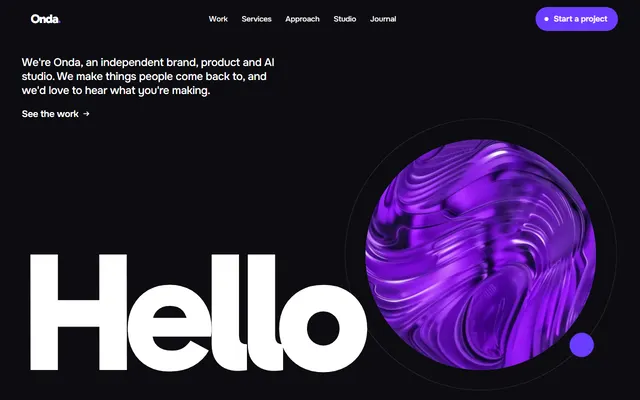
Design studio in black, white and one violet. Extra bold Gabarito headlines end in a round violet dot, and the motion moves that dot, flying a photo into the next heading.
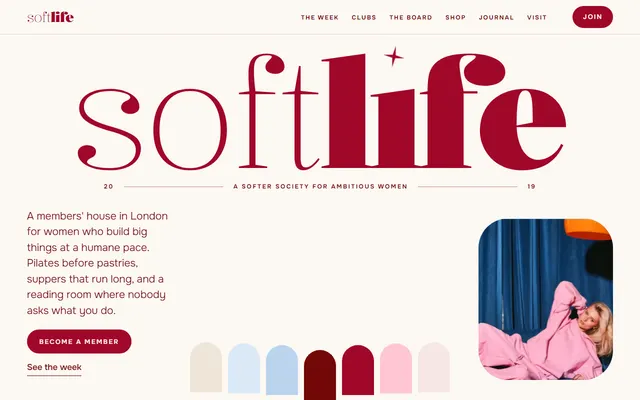
Members' club in cream, crimson, pink and powder blue, photos framed as arches. Kalnia sets each heading as a hairline phrase plus a bold one, and type thickens as it arrives.
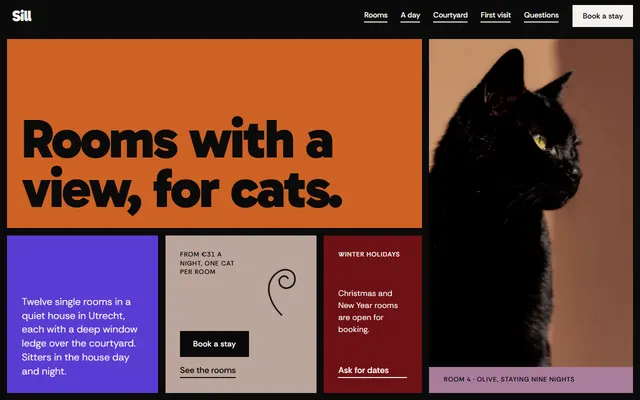
Pet boarding in flat saturated panels on 12 columns, split by thick black gutters. Heavy Gabarito, a Playwrite hand reserved for letters, and panels that shear apart like shutters as you scroll.
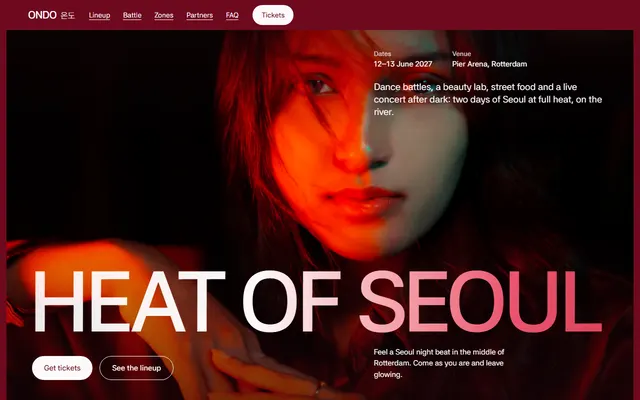
Festival in crimson, red and near-black slides. Asta Sans alone sets Latin and Hangul, uppercase headlines warm from dim to white through a gradient, and circles recur as rings and windows.
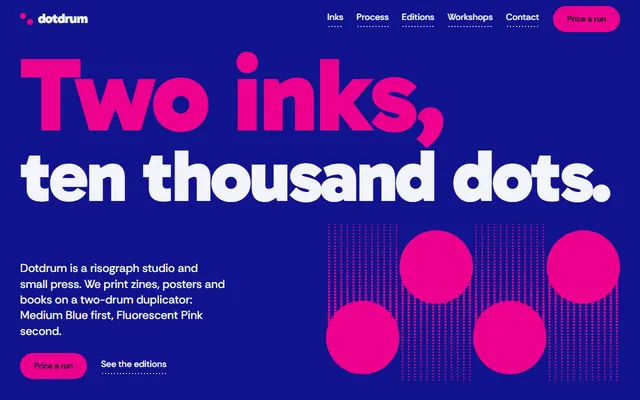
Print studio with the smallest palette, four colour tokens: ultramarine, fluorescent pink, a near-black and paper. Heavy Gabarito, halftone dots in pure CSS, and heading ghosts that slide into register.
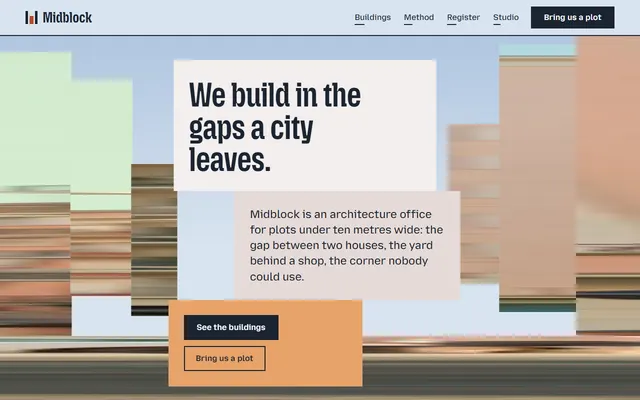
Architecture office with the largest palette, 13 colour tokens, on a pale sky ground. Square corners, no shadows, condensed Mozilla Headline, and photos that arrive as sideways streaks before they sharpen.
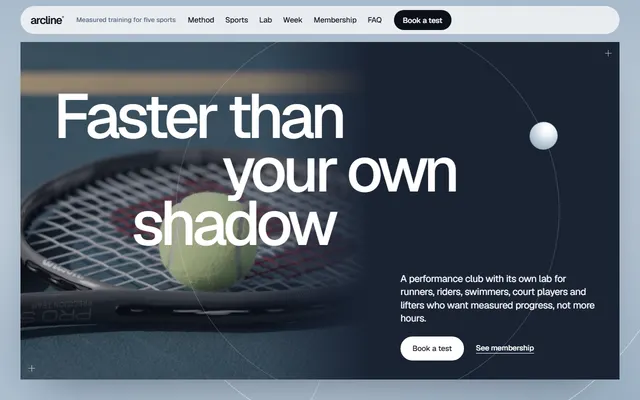
Fitness club in white, navy and pale framed slides floating over a blue-grey mist. Geist only, never in capitals; square slides, pill controls, and type that streaks sideways with a skew.
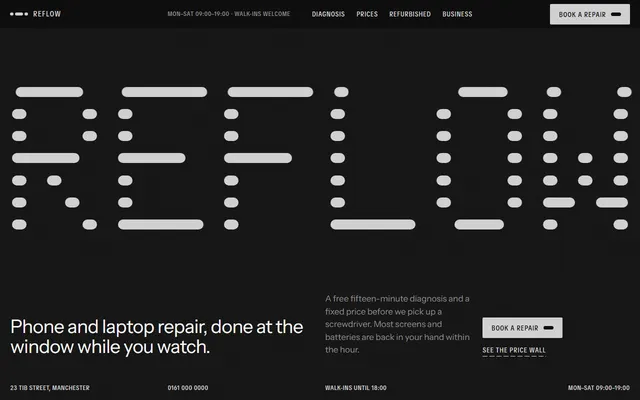
Repair shop on grained near-black and off-white, electric blue saved for what is selected. Huge Instrument Sans against tiny condensed uppercase labels, 2px corners, rounded dashes as dividers.
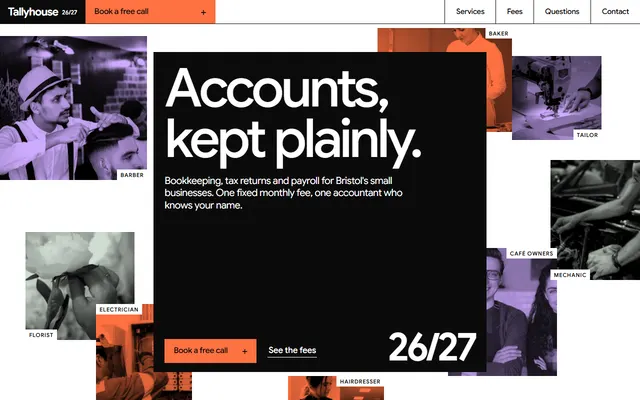
Accountancy practice styled as an annual report: hairline rules on 12 columns, square corners, orange, lavender and sage slabs, Google Sans tracked tight, and highlights that sweep over key words.
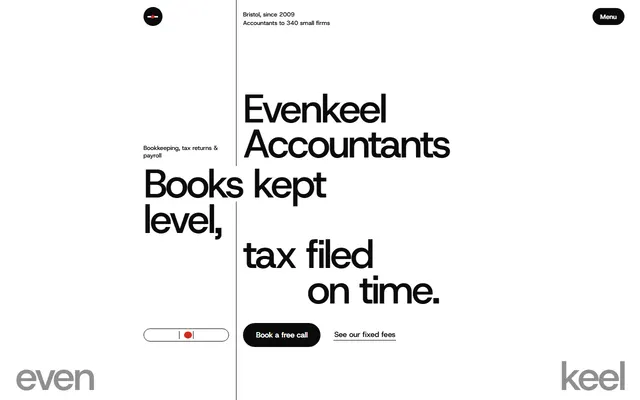
Accounting firm in black, white and grey with one red, its type hung on a vertical hairline rule just over a third of the way across. Host Grotesk only; lines slide out from that rule.
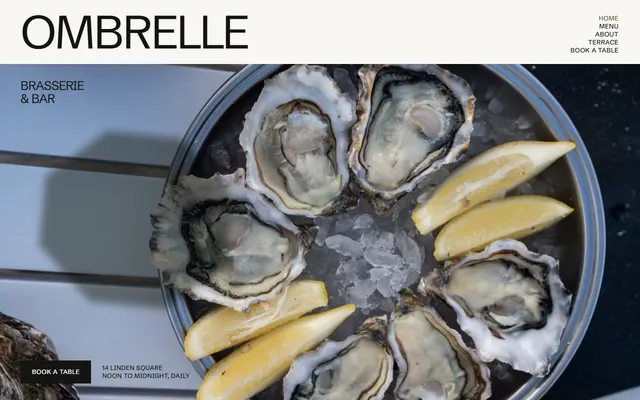
Brasserie on near-white, olive and night grounds, amber used once as light on the first photo. Schibsted Grotesk capitals sized by character count, square corners, parasol shade drifting over a table.
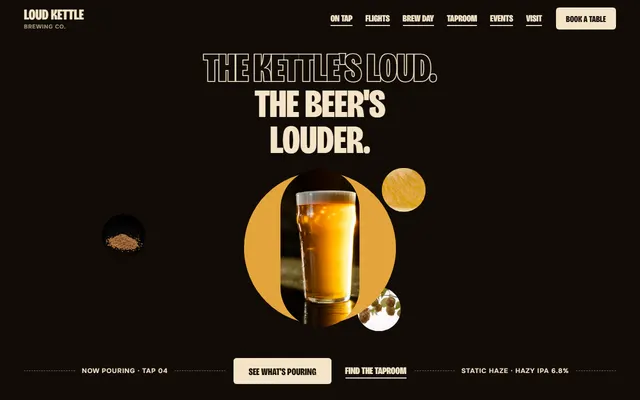
Brewery and taproom on a near-black brown ground with cream tags and one colour per beer. Condensed uppercase Bricolage Grotesque over Onest; colour pours up from the bottom of each beer card.
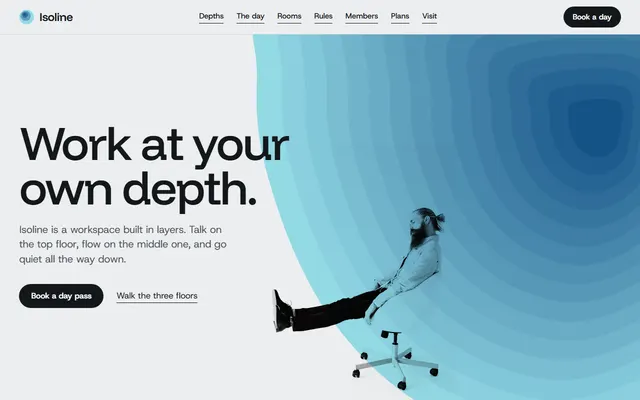
Coworking space built from stepped contour fields in orange, blue and violet depths, type and spacing tokens in rem. Funnel Display over Host Grotesk; the deeper a band sits, the further it travels.
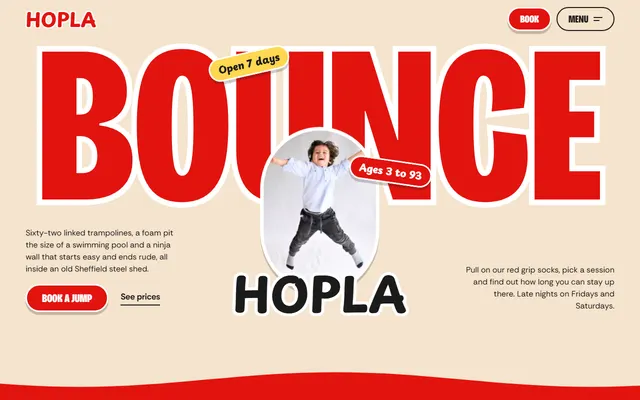
Trampoline park in red outlined capitals on wavy cream, red, yellow and black bands. Three faces, pills, tilted frames and a hard 6px offset shadow; squash and spring motion with MotionPathPlugin.
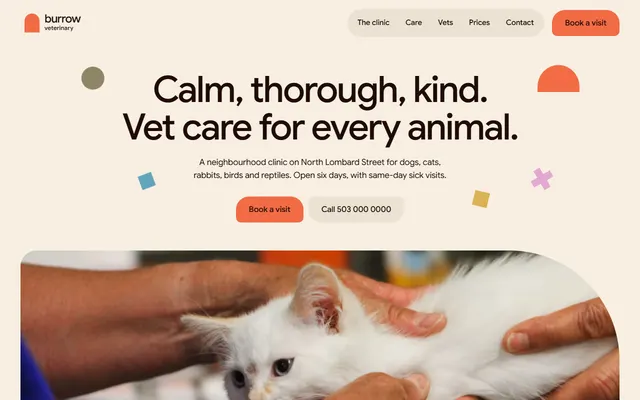
Vet clinic on warm cream with coral arches, flat shapes and one colour per group of species. Google Sans alone, radii from 10px up to a 220px corner and full rounds, and an arch that grows into a door.
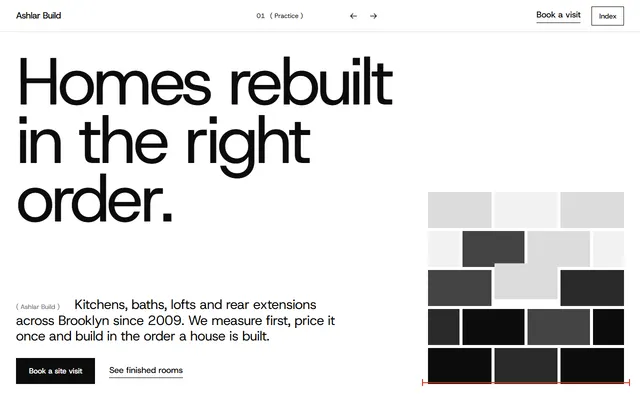
Renovation contractor drawn like a measured sheet: black, white and greys, red only for dimension marks. Host Grotesk for nearly all text, square corners, no shadows, a building going up in order.
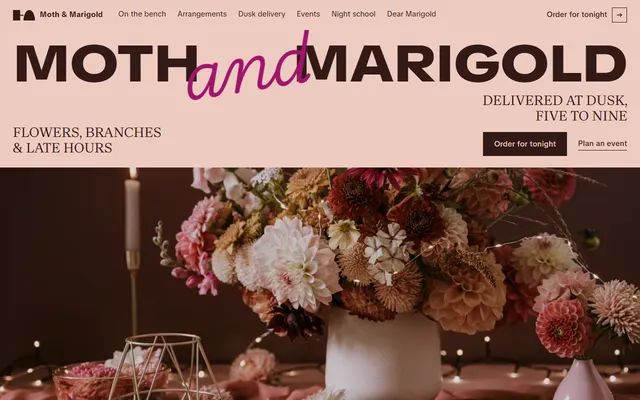
Florist in blush, chocolate, hot pink and magenta, five colour tokens in all. A wide black wordmark, uppercase Brygada 1918 headings, a thin Playwrite script, and night rising like dusk.
What a DESIGN.md file is and what goes in one
In the DESIGN.md file format, the tokens sit in YAML, either as front matter between two --- lines (as in these files) or in fenced yaml blocks: colors, typography, rounded, spacing and components. Components point to other tokens with references such as {colors.primary}, so a button is built from the palette and the type scale. Markdown sections follow in a set order, though any may be left out: Overview, Colors, Typography, Layout, Elevation & Depth, Shapes, Components, Do's and Don'ts. The tokens are the values to obey; the prose says where and why.
Google keeps the spec and its command line tool in the design.md repository under the Apache-2.0 license. Google says Stitch, its AI design tool, can export and import the format, and a coding agent reads it as plain text, so a person, a design tool and an agent can all work from the same rules.
The files here keep that order and add one heading the spec does not define, ## Motion, before Do's and Don'ts; the spec tells readers to keep an unknown section rather than reject the file. Each has 4 to 13 colour tokens, 8 or 9 type levels, 8 or 9 components and 8 to 10 do and don't rules.
The top of the print studio file shows the shape: four colours, the display level of a two-family type scale, then, much further down, one line of the Motion section.
---
version: alpha
name: "Print studio template by 8B"
description: "Two flat inks, ultramarine and fluorescent pink, with CSS halftone dots and rolling drums for a risograph studio, print shop or small press. Free HTML template by 8B, MIT."
colors:
  primary: "#11138d"
  secondary: "#ed008e"
  tertiary: "#07061f"
  neutral: "#f3f3fa"
typography:
  headline-display:
    fontFamily: Gabarito
    fontSize: 210px
    fontWeight: 900
    lineHeight: 0.86
    letterSpacing: -0.035em
  headline-lg:
    fontFamily: Gabarito
    fontSize: 84px
    fontWeight: 800
    lineHeight: 0.95
    letterSpacing: -0.025em
  headline-md:
  ...
---

## Motion

- **Inks:** the tilted blue and pink plates slide together into a 4 by 4 chart.
...Using a DESIGN.md with Claude Code, Codex, Cursor or Stitch
These files work as design system templates for Claude Code and the other coding agents. Save one in the root of your project; the slug is the last part of the template's page address.
curl -LO https://8b.com/templates/<slug>/DESIGN.md- Claude Code: add the line
@DESIGN.mdtoCLAUDE.md. Claude Code loads CLAUDE.md as each session begins, along with any file imported this way (its memory docs describe both); without that line, name the file in your prompt. - Codex: it reads
AGENTS.mdbefore it starts work, so a line there that points to DESIGN.md is the simplest hook, for example "Follow DESIGN.md for colours, type, corners, spacing and motion." - Cursor, Windsurf or Gemini CLI: name DESIGN.md in the prompt, or point to it from the instructions file you already keep for the project.
- Stitch: Google says Stitch can import DESIGN.md files, so bring the file in through Stitch's own import, then ask for screens. The spec has no motion tokens, so the Motion section stays a note for whoever writes the code.
Then ask for one new thing at a time:
Read DESIGN.md first. Build pricing.html for <my product> in this style: only the colours, type levels, radii, spacing and components DESIGN.md defines, and its Do's and Don'ts. Animate it as the Motion section describes, behind a prefers-reduced-motion check. Add no fonts, colours or shadows the file does not list. Show me the page at 1440px and 390px wide.Used as a Claude Code design system template, the file is enough for new pages. The quickest way to a DESIGN.md website, though, is the HTML it was read from: keep the template's index.html as the first page and hand the agent DESIGN.md for each page after it. The format's tool can also export the tokens as a Tailwind theme or as DTCG tokens.
The twenty DESIGN.md files grouped by what they capture
Read the tokens before the prose: they show at a glance how strict a system is.
- One family, seven files. Fitness club, vet clinic, accountancy practice, accounting firm, app landing, brasserie and festival set every level in one face, so hierarchy comes from size, weight, tracking and case alone. The accountancy practice file runs its headline from 44px on a phone to 118px wide, tracked to -0.055em. A brand font swaps in most easily here.
- A display face and a text face, nine files. The display face often runs condensed or stretched: Mozilla Headline at 75 percent width in the architecture file and at 125 percent and weight 300 for the agency. The construction file is the odd one: Host Grotesk carries nearly everything and TikTok Sans sets a single word.
- Three faces, four files. Pet boarding, community and florist add a Playwrite handwriting face for letters, a signature or large script lines; the trampoline park uses Playpen Sans for its wordmark and stickers. Each keeps the script to a few places, and the pet boarding file bars it from navigation and buttons.
- Corners. Four files, construction, architecture, agency and accountancy practice, declare a single radius,
none: 0px. Six more stay square but keep a full radius for pills, circles or drawn shapes, and the repair shop rounds to 2px. The soft end is the vet clinic file, with six radii running from 10px through a 220px corner to fully round, and arched photo frames. - Ground and depth. The brewery, repair shop, pet boarding and festival files are built on a dark or crimson ground (the repair shop alternates it with off-white sections). The print studio and design studio files alternate full bands of blue or black with paper white. The other fourteen set the page on a light ground such as paper, cream, white, grey, pale sky or blush. Fifteen build depth without soft drop shadows, from flat layers, overlaps, colour steps or hard offsets with no blur. The product launch file is the reverse: its raised and pressed shadows are the style.
- Motion. All twenty load GSAP 3.13 with ScrollTrigger and Lenis; ten add SplitText, and the trampoline park also needs MotionPathPlugin. Each Motion section names its idea in a few words (a press, a print run, pouring, dusk) and then walks the page section by section. For the techniques, see how the scroll effects are made.
Where each of the twenty DESIGN.md files lives
Each file sits next to its template's page, so the address is the page address plus DESIGN.md. Pick the business type closest to yours, or the look you want, and fetch that one.
- Accountant:
https://8b.com/templates/tallyhouse/DESIGN.md - Accounting firm:
https://8b.com/templates/evenkeel/DESIGN.md - App:
https://8b.com/templates/linea/DESIGN.md - Architecture:
https://8b.com/templates/midblock/DESIGN.md - Brewery:
https://8b.com/templates/loud-kettle/DESIGN.md - Community:
https://8b.com/templates/softlife/DESIGN.md - Construction company:
https://8b.com/templates/ashlar/DESIGN.md - Coworking:
https://8b.com/templates/isoline/DESIGN.md - Creative agency:
https://8b.com/templates/sillage/DESIGN.md - Design studio:
https://8b.com/templates/onda/DESIGN.md - Event:
https://8b.com/templates/ondo/DESIGN.md - Fitness:
https://8b.com/templates/arcline/DESIGN.md - Florist:
https://8b.com/templates/moth-marigold/DESIGN.md - Pet boarding:
https://8b.com/templates/sill/DESIGN.md - Print studio:
https://8b.com/templates/dotdrum/DESIGN.md - Product:
https://8b.com/templates/hushkey/DESIGN.md - Repair shop:
https://8b.com/templates/reflow/DESIGN.md - Restaurant:
https://8b.com/templates/ombrelle/DESIGN.md - Trampoline park:
https://8b.com/templates/hopla/DESIGN.md - Veterinary:
https://8b.com/templates/burrow/DESIGN.md
Which DESIGN.md to start from for which job
- A SaaS or mobile app marketing site: the file of the live captioning app, with one family, warm neutrals and a green kept for what is yours or can be tapped. Weak spot: its components are buttons, a nav bar, caption bubbles, a review card and a field, so pricing tables and dashboards need parts it does not define.
- A finance product or a plain B2B site: the bookkeeping firm file, in black, white, greys and one red, with square panels and fields drawn as a 1px bottom line. Weak spot: headings run from 34px to 112px on one vertical rule, so app screens need a smaller scale you set yourself.
- A dark developer tool or tech service: the phone and laptop repair file, grained near-black against off-white, with tiny condensed uppercase labels for table heads and rows. Weak spot: its one accent, pure #0000ff, marks selection and hover and doubles as the error colour, and no token covers success or warning states.
- Hardware or a calm smart-home product: the wall pad launch file, whose shadows are sized in em, so they scale with any key or card. Weak spot: the palette is greys only and its rules forbid accent colours, so a brand colour has nowhere to go.
- A playful family brand, a game or a kids' venue: the indoor jump park file, with pills, 12px to 30px corners, tilts of 2 to 12 degrees and a hard offset shadow. Weak spot: three faces to load, two of them at weight 800, and one GSAP plugin more than any other file.
- Print, zines or band merch: the risograph studio file, four colour tokens and heavy Gabarito. Weak spot: the halftone dots, duotone photos and multiply blending live in CSS, so the tokens name the inks while the effects must come from the HTML.
Limits of the DESIGN.md format and of these files
- The spec is alpha. Google says the DESIGN.md format, its token schema and the tool are under active development, so names and rules may change. These files follow version alpha as of October 2026.
- Values are desktop values. Where the CSS uses
clamp(), a token holds the wide-screen size and the prose usually gives the smaller sizes, so an agent that reads only the YAML could put 118px headings on a phone. Ask it to read the Typography section too. - Motion is our addition. The spec has no motion tokens, so the section is prose for an agent writing the GSAP or CSS, not values a tool can apply.
- Fonts come from Google Fonts. A file names families and weights, not the stylesheet link, so a new page needs the same link or falls back to system faces.
- Look, not content. A DESIGN.md carries no copy, photos or scripts, at most a few notes on the attributes the scripts read. The template's
index.htmlhas all of that, and its demo names, prices and addresses are invented.
Writing a DESIGN.md for your own site by hand
If you own the CSS, you can write the file yourself. For a DESIGN.md file template to fill in, copy the one closest to your site in structure, keep its section order and replace the values.
- List the custom properties in
:rootand every colour the page really uses, each with a role:primaryis required;surface,on-surfaceor plain names such asnightare fine. - Pick 5 to 9 type levels from real elements (hero heading, section headings, body, labels, buttons) with family, size, weight, line height and letter spacing; for
clamp(), write the desktop value and the range in prose. - Note the radii in use, the gutter, the section padding and the maximum width, then define 4 to 8 components with references such as
{typography.button}. - Write the prose in the spec's order, add a Motion section and close with 6 to 10 do and don't rules.
- Run
npx @google/design.md lint DESIGN.mdand fix what it reports.
Questions about DESIGN.md files
What is a design.md file?
It is a Markdown file that describes how a product should look, for AI tools and people at once. Tokens at its head fix colours, type, radii, spacing and components; the sections under them explain how to apply those values. Google introduced it with Stitch.
Is DESIGN.md the same as a design system?
No. A design system is usually a whole kit: coded components, design files, guidelines and the people who maintain them. A DESIGN.md is a one-file summary of a visual system, written for an agent to follow before it writes code.
Does Claude Code read DESIGN.md?
Not on its own. Claude Code opens every session with CLAUDE.md, and the line @DESIGN.md in it brings the design file along; otherwise name DESIGN.md in your prompt. Codex reads AGENTS.md by itself, so add a line there that points to DESIGN.md.
Can I use these as a Google Stitch DESIGN.md template?
They use the format Google built for Stitch: tokens in YAML front matter, then the standard sections in order. Google says Stitch can import and export DESIGN.md files, so check Stitch for the current import steps. The extra Motion section is a heading the spec does not define, and the spec tells readers to keep such sections.
Can I use these DESIGN.md files for commercial sites?
Yes. The files and the templates they describe are MIT licensed by 8B, so you can use them on your own or a client's business site and change any value. Keep the template's MIT notice with the code; the photos follow the Unsplash License.
How do I validate a DESIGN.md file?
Run npx @google/design.md lint DESIGN.md in its folder. The linter checks the structure, flags token references that point to nothing and warns when a component's text and background fall below the WCAG AA ratio of 4.5:1, with the findings printed as JSON.
Why do these files have a Motion section?
Because the pages move and the spec has no place to say how. Each Motion section names the libraries, the one motion idea, what moves in each section and the timings the code sets, plus what reduced motion switches off.
Where do I find a DESIGN.md template, GitHub or elsewhere?
On GitHub: Google's repository google-labs-code/design.md holds the spec, the command line tool and a few examples. The twenty files here are served from 8b.com beside each template page, and each template's HTML has its own repository under the 8bsite account.