Free smart home website template
Edit it by hand: it is one index.html with no build step, so you can open it in any text editor, change the words and photos, and upload it to any static host. Not a coder? Describe your business in one sentence to 8B's AI website builder and it designs a new site for you, with more pages when you need them. Designing is free; publishing with hosting is $9 a month, billed yearly. It also works inside Claude and ChatGPT.
MIT license · Made by 8B, an AI website builder · Plain text: kelvin-house.md, data: kelvin-house.json
About this smart home website template
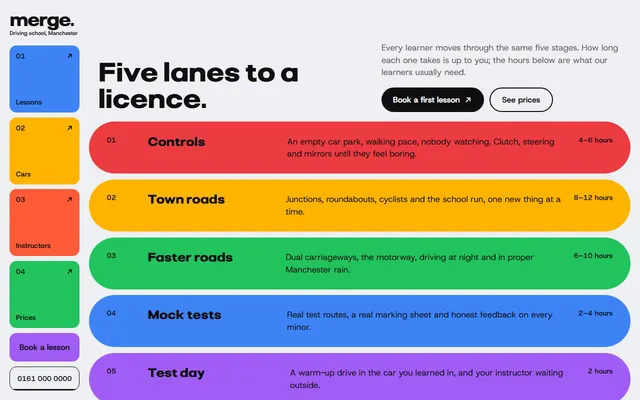
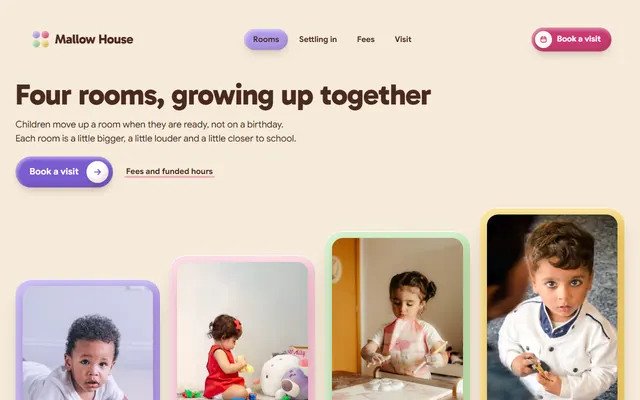
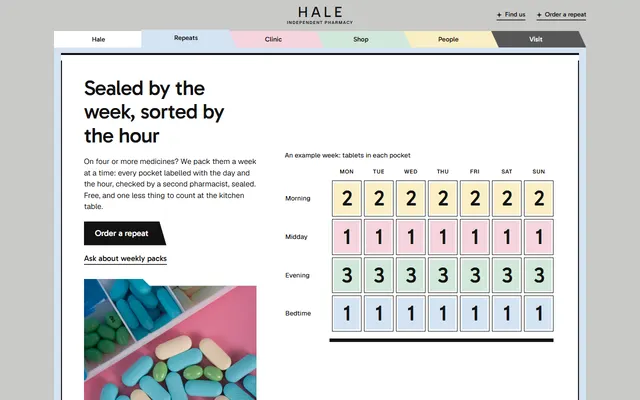
Smart home website template: one free HTML file for an installer who designs, wires and looks after homes, with five systems, four recent houses, four timed scenes, three priced plans and a survey form. Dusk-dark bands with orange accents break up white sections. AGENTS.md is included, so Claude Code, Cursor or Codex can adapt it.
At a glance, October 2026. One 113 KB index.html with its CSS and JavaScript inside, 12 sections, 28 Unsplash photos credited in CREDITS.md, Stack Sans Headline and Stack Sans Text from Google Fonts, GSAP 3.13.0 (ScrollTrigger); Lenis 1.3.4 smooth scroll loaded from jsDelivr.
Websites for electricians and installers who sell smart home automation to homeowners can use the page as it stands: what gets fitted, which houses are finished, what a day looks like, how a job runs, what it costs and who looks after it afterwards. A smart home automation website template or an electrician website template for lighting and heating control needs the same order. AV, security and heating firms can cut the five systems down to what they sell.
Vibe coding goes fastest when the agent in Claude Code, Cursor or Codex receives the facts only the firm has: prices, time on site, aftercare terms, how many homes it has finished, its area, hours and who answers the phone. The demo invents all of them, including the four houses and the five customers. Replace the wordmark and its --len together, and leave the ids, the data-8b-section, data-8b-motion and data-8b-part attributes and the listed classes alone.
Pick it for a firm that sells fixed-price plans and long aftercare in a calm, premium tone. A firm that lives on emergency call-outs will find the plumbing and heating firm template closer, and a site with many service pages or a client login needs more than one page. The weak spot is booking: every booking button jumps to one form that sends nothing yet. Owners who do not want to touch code can describe the site to a builder instead.
Good for:
Turn the smart home website template into your site with an AI agent
With an AI coding agent
Files (PowerShell: curl.exe):
curl -LO https://raw.githubusercontent.com/8bsite/smart-home-website-template/main/index.html
curl -LO https://raw.githubusercontent.com/8bsite/smart-home-website-template/main/AGENTS.md
curl -LO https://raw.githubusercontent.com/8bsite/smart-home-website-template/main/LICENSE
curl -LO https://raw.githubusercontent.com/8bsite/smart-home-website-template/main/CREDITS.mdPrompt for the agent:
Read AGENTS.md, then edit index.html. Make this the site for <my installation firm: name, area, systems fitted, plans with prices, time on site, aftercare terms, finished-job count, past houses, customers who agreed to be quoted, who answers the phone, hours, address, legal name>. Replace first the prices, systems, houses and customer quotes. Keep the ids, data-8b-section, data-8b-motion, data-8b-part and the classes AGENTS.md lists, and set the footer wordmark's --len to the new name's character count. Ask me for missing facts; never invent prices, promises, reviews or contacts.In a terminal
npx degit 8bsite/smart-home-website-template my-siteSmart home website design and motion
Palette
#ffffff page ground, navigation bar, cards and fields, and text on the dark sections#121316 body text, full-screen menu ground, the tab strip outline and the selected tab, the arrow inside the orange lamp circles and the fill that grows down the aftercare rail#f4f4f4 pale grey ground of the houses and aftercare sections, photo placeholders and the form's thank-you line#5b5d62 secondary text, tag badges and placeholders, and the grey layer that drains colour from the scenes photo#ff5a1f orange: the fill that sweeps across buttons and tabs on hover, the lamp circles, fact squares, the marker beside the times and the aftercare rail marker#e2e2e2 hairlines, card and field borders and the aftercare rail track#45464b fill of the dark square-cornered buttons#0d6a74 teal start of the daylight gradient in the contact panel#1f47a3 blue end of that daylight gradient, a night glow in the opening and the cool morning layer on the scenes photo#e6a8c6 pink glow in the contact daylight, the haze behind system names and part of the morning layer#f3b866 amber glow for the evening and night layers on the scenes photo and in the contact daylight#121630 deep indigo ground of the scenes and stories sections and of the opening night, and the shade that falls over covered house cards#57224f plum glow in the opening night, the contact night and the evening layer on the scenes photoFonts
- Stack Sans Headline: headings, the plan prices and the giant footer wordmark, at weights 500 and 600 with tight spacing
- Stack Sans Text: body text, labels, tags, form fields and the uppercase button labels, at weights 400 to 600
White and pale grey sections alternate with three dark ones: the opening, the scenes and the stories. Most sections start with a heading, a hairline under it and a short paragraph beside it. Five tall system columns share one row, house cards stack like a deck, the process steps descend a diagonal and the aftercare log hangs on a vertical rail. The contact form sits in a rounded panel, and a giant wordmark closes the page.
Colour behaves like light. Orange fills the buttons on hover and marks the list of times and the aftercare rail. Pink, amber, plum and blue appear only as glows: the opening's drifting blobs, four layers that regrade one living-room photo, and the panel behind the contact form.
Every value of this smart home website design, with the type scale, spacing and the motion rules, is in its DESIGN.md file (Google's format), ready for a coding agent or Stitch.
What is on the smart home website page
- NavigationTop bar with the brand, six section links, a Book a survey button and a Menu button; full-screen menu with links, phone and email
The bar slides out of sight after a short scroll down and returns on scroll up, and button fills sweep in from the arrow on hover; both keep running with reduced motion.
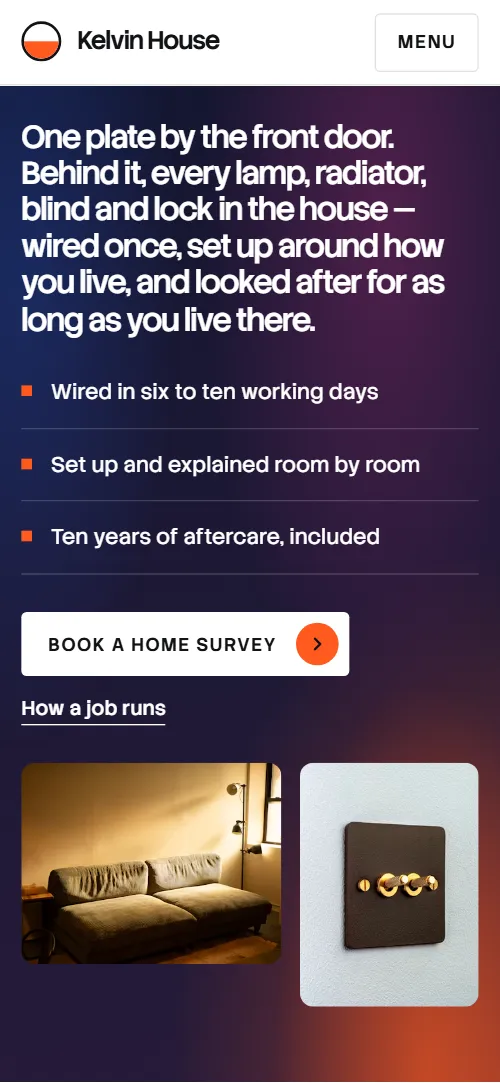
- Kelvin House, smart-home installers in Leeds and West Yorkshire. One plate by the front door. Behind it, every lamp, radiator, blind and lock in the house, wired once, set up around how you live, and looked after for as long as you live there.Dark panel with the h1 as one long statement, three facts, a booking button and two photos
On load the statement, facts, buttons and photos rise in turn, and soft glow blobs drift on the dusk background in slow loops until the section leaves the screen.
- Five systems, one plateFive tall columns, one per system, each with a photo, name, one sentence and tags
From 1024 px wide the stage pins for about 3.6 screen heights while one column opens beside a larger copy of its photo and the others narrow with their names standing upright; below that each photo opens from a strip as it rises.
- Recent housesFour recent installs as wide photo cards that stack on a sticky top
The four house cards stick below the top bar one over another, and as the next one slides over, the covered card shrinks, darkens and has its reeded glass close over the photo.
- One plate, four scenesDark section with one living-room photo and four timed scenes; an orange marker walks the list while colour layers regrade the room
The stage pins for about 3 screen heights while an orange marker steps down the four times, the active time slot stays bright, and four colour layers regrade the one photo from cool morning through grey and amber to night.
- How a job runsFour steps as cards with photos that descend like a staircase
Each step starts at the position of the one before it and slides into its place on the diagonal as its row rises.
- After the van leaves, the house stays on our list.Aftercare statement with a button and photo beside a six-entry log on a rail
A square marker rides down the rail while the rail fills, each entry fades in from faint to full strength as the marker reaches it, and the statement's words fade in one by one with the scroll.
- Ways to startThree plans in tabs, each with features, a price card and a photo
Tabs switch by click or arrow keys without animation, and the reeded glass over each photo slides back to cover half of it as it scrolls into view.
- Living with itDark band with five households as portrait cards on a horizontal track
The stage pins and the five cards slide left as one row, with each portrait's glass clearing and its quote lifting as the card nears the middle of the screen.
- QuestionsSix questions in native <details> beside a photo and a call button
- Let’s walk your houseRounded panel with a porch photo and details beside a survey request form
As the panel arrives, the dusk inside it fades to daylight, the glow blobs slide into place and the heading settles from 1.32 times its size.
- SystemsThree link cards, copyright with the Design: 8B credit, a photo and the full-width wordmark
The giant wordmark rises into view, and the reeded glass over the photo next to it slides back to half its width.
Before you publish the smart home website site
- Replace social preview image, favicon, phone number, email address and contact form (sends nothing yet) and the invented demo facts (prices, dates, addresses). AGENTS.md lists them.
- Book a survey button in the top bar, Book a home survey button in the opening, the plan buttons, Ask about aftercare and Book a survey in the footer lead to
#contactnow; point them to your booking calendar URL if you book surveys there, or keep them pointing to the survey form. - Call Ravi button in the FAQ side card lead to
a tel: link to the demo phone numbernow; point them to your own phone number in tel: form, and the name of the person who answers. - Request a survey button in the contact form lead to
nothing is sent: the form has action="#" and a script shows the thank-you linenow; point them to your form endpoint (Formspree, Netlify Forms) or your own handler. - With reduced motion the scroll scenes and Lenis are off, but the bar still hides on scroll down and links keep their hover sweep.
- The pinned systems scene works only from 1024 px wide; on phones it is replaced by a lighter reveal per photo.
- The colour layers over the scenes photo use mix-blend-mode and the reeded glass on the photos uses backdrop-filter blur, which can cost frames on weak phones.
Questions about this smart home website template
Can I use this smart home automation website template on a client's site?
Yes. The MIT licence covers the code, so a freelancer can use it on a client's domain for free. The Unsplash photos and fonts keep their own licences, listed in CREDITS.md. Keep the header comment and the 8B meta tag in the head. Keep the Design: 8B footer link unless the site owner asks to remove it.
Where does the survey request form send its data?
Nowhere yet. The script checks the fields, clears the form and shows a thank-you line that promises a call within one working day. Connect Formspree or Netlify Forms as AGENTS.md describes, or delete the form and its script, and make the promise match how fast you really ring back.
How do I get Claude Code, Cursor or Codex to adapt it for my firm?
Put index.html and AGENTS.md in one folder, using the curl lines near the start of AGENTS.md, then open the folder in the agent and paste the prompt from this page with its angle brackets filled in. Hand over the files rather than the demo address, because a fetched page reaches an agent only as a summary.
What must I keep so the scroll scenes still work?
Keep the section ids, the data-8b-section, data-8b-motion and data-8b-part attributes, the classes AGENTS.md lists for each pinned or animated section, and the wordmark with a --len equal to its character count. Systems can be added by copying a column, and the pin lengthens with the count. The scenes script pairs each time slot with one of four colour layers.
Can an electrician use it as an electrician website template?
Partly. For website design for electricians who fit lighting, heating or security controls and sell fixed plans, the structure fits. The text and prices need rewriting, and there is no emergency block or night phone line, so an electrician website design built around fault-finding must add those. The UK prices and places are demo content.
Can I get a site like this without editing code?
Yes: 8B's AI website builder turns a one-sentence description into a new site with its own design, not this template. Designing and restyling are free; publishing with hosting and SSL, full HTML export and AI edits in chat are on Pro at $9 a month billed yearly. It also runs inside Claude and ChatGPT through the 8B connector.