What comes with the drone school website template
- index.html: the pure HTML and CSS version, one single HTML file, 101 KB.
- index.gsap.html: the same design built with GSAP, ScrollTrigger and Lenis, for scroll motion in every browser, Firefox included.
- AGENTS.md: what a coding agent must keep and what to replace, so Claude Code, Codex or Cursor edit it without breaking the scenes.
- DESIGN.md: every colour, font, spacing and motion rule of this drone school website design.
- PROMPTS.md: the agent prompt and the design prompt below.
- CREDITS.md and LICENSE.md: the photos and fonts with their licenses, and the 8B license.
- Updates to this template, at no extra cost.
Yours to edit: one index.html with no build step, so you or a coding agent can change the words, prices and photos and upload it to any static host. Not a coder? Describe your business in one sentence to 8B's AI website builder and it designs a new site for you, with more pages when you need them. Designing is free; publishing with hosting is $9 a month, billed yearly. It also works inside Claude and ChatGPT.
Premium template · $39, one-time license · Made by 8B, an AI website builder · Updated November 2026 · Plain text: kestrel-drone-school.md
About this drone school website template
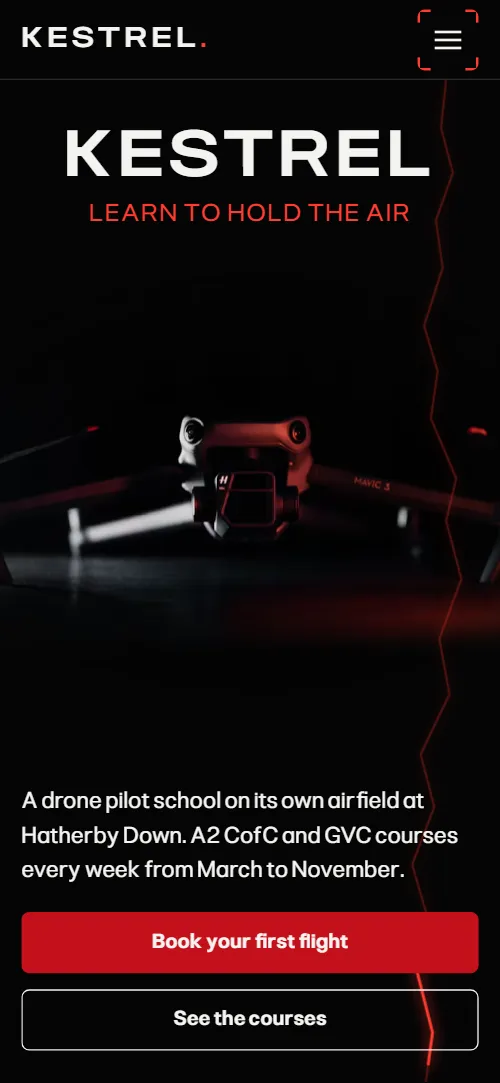
Drone school website template for a pilot training school: one HTML file with two certificate courses and their prices, a mapping module, four optional modules, three instructors by name, the school's own airfield with a pre-flight checklist, six student aerials, a short list of questions and a booking form. The first screen is a black stage with the school name over a drone on its landing pad; as you scroll, the drone climbs out of the frame and a window opens into the aerial view it sees, with the course offer inside. It is a single HTML file in pure HTML and CSS, and a GSAP version of the same page comes with it.
At a glance, November 2026. One 101 KB index.html: a single HTML file in pure HTML and CSS with a few lines of built-in JavaScript, 12 sections, 20 Unsplash photos, Pliant. A GSAP build of the same page, 84 KB, comes with it.
It suits a drone pilot school, a drone training centre, a flying school or any training business that sells a certificate in short courses and a few add-on days. Drone school websites mostly need the same things on one scroll: which certificate a visitor needs, how long it takes and what it costs, who teaches it, where the flying happens and how to book a place. This page gives each of them its own section, and it adds the proof a nervous beginner looks for: instructors who still fly for work, a field with its own rules and footage made by students in their first week.
The demo business is Kestrel, an invented school on a private airfield in Wiltshire with courses from March to November. Every name, price, certificate, instructor, place and student caption is demo copy to replace. The two courses and four modules each carry a duration and a price in the same pattern, so a school in another country swaps in its own certificates, and a school with one course or one extra module edits the cards and then the scene that holds them.
If you would rather not edit HTML at all, 8B, the AI website builder designs a site from one sentence about your school, with more pages when you need them. This template is for people who want this exact design in their own hands: one index.html with its CSS and its motion inside, which you or a coding agent can edit and host anywhere.
Good for:
What a drone school website needs
Drone pilot school websites that fill courses answer the same questions in the first minute. Here is how this template covers each of them.
- What you teach and what it costs. The first screen names the school and the opening window gives the course offer and the lowest price, and the courses section sets two certificates side by side with duration, price and a booking link each.
- A clear first lesson. A headline and four first steps explain what every course starts with, before any theory.
- The extra days after the certificate. A mapping module section and four module cards give each add-on a duration, a price and a plain description.
- Who teaches. Three instructors with a portrait, a speciality and two sentences about their own flying work.
- Where the flying happens. An airfield section shows the field as a panorama with the rule of every flight as a five-line checklist.
- Proof that students fly. A contact sheet of six student aerials with the student's name and place under each.
- Answers and a way to book. Five questions on drones, weather, which certificate pays, age and teams, then an address, phone, email, opening hours and a course request form.
What it does not have is an online booking calendar, seat counts or card payment: link the Book buttons to your booking or payment page, or connect the form to a form service and confirm dates by phone, as many small training schools do.
Drone school website design and motion
Palette
#050505 the page ground, near-black#f3f3f1 headlines, body text on the dark ground and the text of buttons#c4101a the fill and border of the main buttons#ff3b2f the signal red: the full stop after the wordmark, the slogan, the line to hold still, the short rules, the signal line, the checklist ticks, the flight line and the frame brackets#111112 the surface of cards and the form#a0a0a0 the grey of lead lines, descriptions, captions and field labels#3a0306 the deep red glows that bleed in from the edges and corners of most sections#2b2b2d hairlines, borders and the grid lines of the survey mapFonts
- Pliant: every piece of text: the wide capitals of the school name, the tight semibold headings, body text, labels and form fields
A near-black page with white type in one grotesque sans, and a single signal red used for the full stop after the wordmark in the header, the line to hold still in the headline, thin rules, the checklist ticks and the flight lines; a deeper red fills the main buttons. The school name is set very wide in capitals; section headings are tight and semibold. The large photos sit in frames with four red corner brackets, deep dark red glows bleed in from the edges and corners of most sections, and the course photos share one wide frame split by a light line. Sections are full width with generous side margins; on phones the frames stretch to the full width, the opening keeps its stage and the survey map moves below its text.
The brief behind the page treats the screen as a pilot's view: the first scroll turns the viewpoint over from the drone to what the drone sees, red appears only where something is selected, scanned or locked, and every photo that enters the frame is locked with four corner brackets as if the camera had found its subject. The page closes on the field itself, seen from above with its single oak, a landing that answers the opening's climb.
What is on the drone school website page
- NavigationHeader with the wordmark, five section links and a Book a course button; on phones a menu button opens the links
The header is fixed to the top of the page, hides when you scroll down past the first screen and comes back on a scroll up; on phones the menu button opens the section links as a full-screen popover.
- KestrelTwo screens: the name Kestrel over a drone on its pad with a red signal line, then the drone's aerial night view as a window with the course offer, price and two buttons
On load the school name rises out of a mask, the slogan and the foot row lift into place and the drone settles from slightly larger, while the drone hovers with a slow bob and tilt and a red pulse runs down the signal line on the right in a loop. On scroll the drone lifts, banks and shrinks away behind the dimming name as the slogan fades, while a window comes up slower than the page and opens from a thin slit into the aerial night view, its photo zooming out from 1.7 times to normal size, the offer rising into place and the frame's corners locking on.
- The first thing we teach is how to hold still in the wind, for sixty seconds.A five-line headline about holding still in the wind with the line to hold still in red, above a right-hand column of two paragraphs and four first steps
Each line of the headline starts pushed sideways by its own gust, skewed and faded, and the gusts die out line by line as you scroll, while the red line to hold still never moves. A short red rule draws itself from the left at the head of the side column.
- Two certificates. One field.Two certificates, the A2 CofC and the GVC, in one split frame of two photos, each with a description, duration, price and booking link
The first certificate's photo fills the frame and the second photo sweeps in from the right behind the light split line, its picture sliding the other way inside the frame, until both sit side by side; the second description slides in from the right and brightens, and the frame's corners lock on.
- Fly it in lanes. Stitch it into one map.The mapping module: a stage with text, three facts and the price beside an aerial map that is rebuilt from photo tiles with a red flight line
On desktop the stage is held while the aerial map is rebuilt from a grid of photo tiles (24, six by four; on phones 12, four by three, as the map crosses the screen) that fade and slide into place lane by lane in a serpentine order while a red flight line is drawn through the grid, and the line dims once the map is whole. Without scroll motion the single photo is shown.
- After the certificate, four modules.Four wide module cards with photo, duration, price and description, stacked under the navigation
The four cards stack under the navigation; as the next card slides over it, each one shrinks toward its top edge, darkens and its photo drifts up, and the last card stays whole.
- Three instructors who still fly for work.Three tall instructor portraits on a staggered baseline with name, role and a two-sentence bio each
Each portrait enters with four red corner brackets that converge onto it, and a thin red rule draws itself from the left under it.
- Forty hectares of our own sky.A wide panorama of the field with the heading over the sky and a five-line pre-flight checklist along the foot
The panorama is held while it pans from left to right across the stage, a red scan line sweeps across it, and each of the five checklist lines brightens and gets its red tick as the scan passes it.
- Shot in the first week.A contact sheet of six student aerial photos with the student and place under each, held while a red frame steps through them
The six photos are held on the screen while a red selection frame steps through them one by one; the sheet dims while the selected photo grows slightly and comes to the front, and at the end all six return to full brightness.
- Before you book.Five questions as native details beside the heading and a line about calling the hangar office
A red rule draws itself under the heading as you scroll; the questions open and close without any script.
- Land at the lone oak.An aerial of the field with its lone oak beside the heading, address, phone, email, office hours and the course request form
The aerial of the field zooms toward the oak while a red ring shrinks onto the tree and the frame's corners lock on.
- FooterFooter with the wordmark, a short line about the school, four links and the legal line with two links
Before you publish the drone school website site
- Replace social preview image, favicon, phone number, email address and contact form (sends nothing yet) and the invented demo facts (names, prices, areas, quotes). AGENTS.md lists them.
- Book a course button in the menu, Book your first flight and Reserve a seat buttons in the opening, Book the A2 CofC and Book the GVC links in the courses lead to
#contactnow; point them to your online booking or payment page, or keep #contact once the form is connected. - See the courses button on the first screen lead to
#tracksnow; point them to keep as it is. - Meet the instructors button in the opening lead to
#instructorsnow; point them to keep as it is. - Kestrel wordmark in the header lead to
#openingnow; point them to keep as it is. - Menu links (Courses, Mapping, Modules, Airfield, Questions) and footer links (Courses, Modules, Instructors, Contact) lead to
#tracks, #survey, #modules, #airfield, #faq, #instructors, #contactnow; point them to keep as they are. - Phone and email links in the contact section lead to
tel:+441672000000 and fly@kestrel.examplenow; point them to your office number and email, in the link and in the visible text. - Privacy and Booking terms links in the footer lead to
/privacy and /terms, pages the template does not containnow; point them to your own privacy and booking terms pages. - Scroll-driven animation runs when the browser supports it (Chrome, Edge and Safari today; Firefox does not yet) and the visitor has not asked for reduced motion. Otherwise each section shows its finished layout; the GSAP build, index.gsap.html, also plays the scroll motion in Firefox (it loads GSAP 3.13).
- The course request form sends nothing. The pure HTML and CSS version has no script that shows its thank-you line; the GSAP version shows it on submit but sends nothing either: connect it to a form service or your booking system and point it to a thank-you page.
- The module stack is built for four cards, the tracks frame for two certificates, the instructor row for three portraits, the aerials sheet for six photos and the pre-flight checklist for five lines: a different count needs its layout and scene adjusted.
- The Privacy and Booking terms links in the footer go to pages the template does not contain, and the course names, prices, airfield and certificate rules are the UK demo's: replace them with your own.
Questions about this drone school website template
What do I get for $39?
The drone school website template as a single HTML file, index.html, in pure HTML and CSS, a GSAP build of the same page as index.gsap.html, a DESIGN.md with every colour, font and motion rule, an AGENTS.md for coding agents, the agent prompt and the design prompt from this page, and CREDITS.md for the photos and fonts. Updates to this template are included.
Can I use this drone school template for client sites?
Yes. One purchase lets you build as many sites as you like with it, for yourself or for clients, and change anything. What it does not allow is selling or giving away the template itself, as a template, theme or kit, or putting its source in a public repository.
Does the booking form take course bookings?
Not yet. The form has fields for name, email, the course (A2 CofC, GVC, one of the modules or a closed course for a team) and dates or questions, but it sends nothing until you connect a form service such as Formspree or Netlify Forms, or your own booking system. The pure HTML and CSS version has no script that shows its thank-you line, so point the form at a thank-you page or add one; the GSAP version shows the line on submit, but sends nothing either.
How do I change the courses, modules and prices?
The two certificates sit in the courses section and the four modules in their own card stack, each with a duration, a price and a short description, so you rename them and set your own. The mapping section has its own module line and three facts. The scenes are built for two courses and four modules; a different count needs the layout and its scene adjusted, which the agent prompt tells a coding agent to do.
Will it work with Claude Code, Codex or Cursor?
Yes. Put index.html and AGENTS.md in your project and give the agent the prompt that comes with the template. AGENTS.md says which attributes the scroll motion reads, what to keep and what to replace, so the agent changes copy, prices, photos and colours without breaking the scenes.
What do visitors see in Firefox or with reduced motion?
Firefox does not support scroll-driven animations yet, so it shows every section in its finished layout, as does any browser when the visitor asks for reduced motion. If the scroll motion must also play in Firefox, use the GSAP build, index.gsap.html, which loads GSAP, ScrollTrigger and Lenis from a CDN.
More templates for schools and courses
Other designs for businesses that teach a skill in lessons, levels or terms.
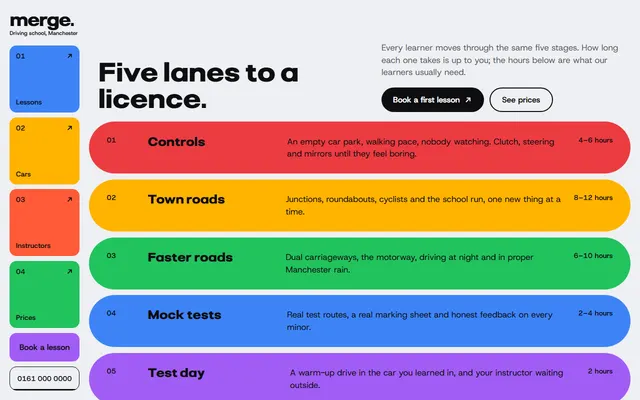
Driving school: five lesson stages, what the price includes, instructors with free slots, three lesson packages and a booking form.
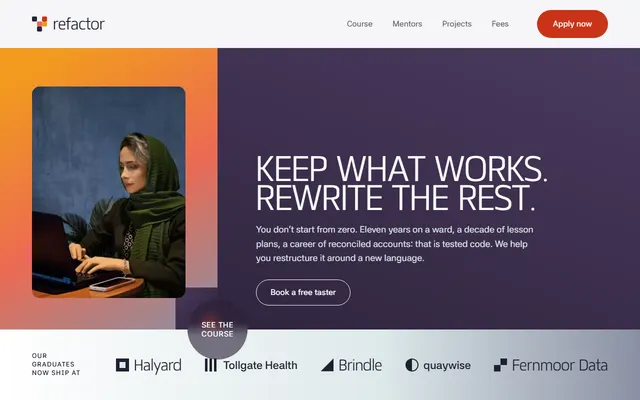
Coding school: a five-module course on a sideways track, the weekly timetable, mentors, taster dates, three fee plans and a contact form.
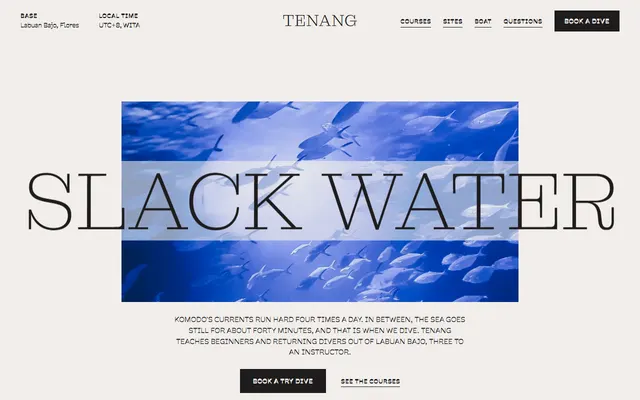
Scuba diving school: dive sites, courses with prices, the boat, instructors and a booking form.

Cookery school: a seven-course catalogue, teachers, a termly timetable, public and private doors and contacts.
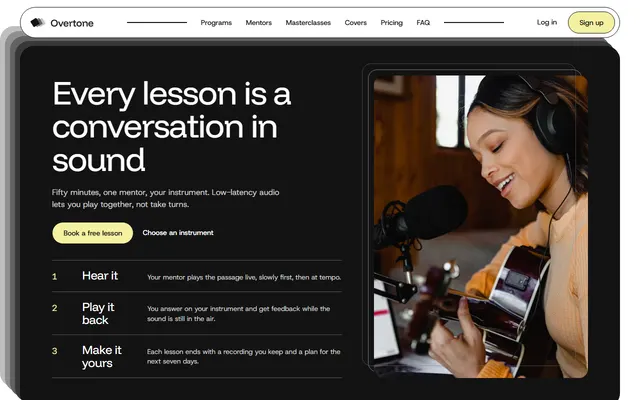
Online music school: instrument programs, mentors, three plans, reviews and a booking form.
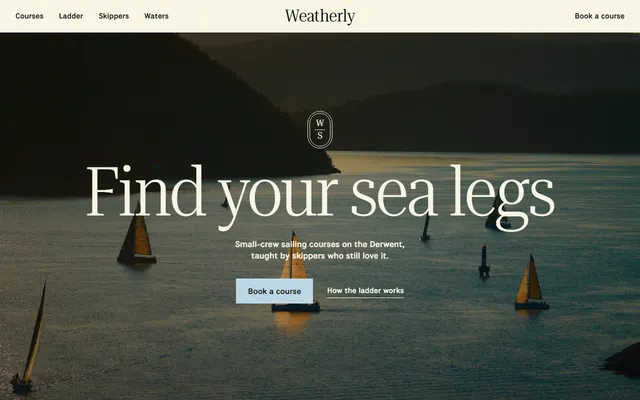
Sailing school: season course list, four-step course ladder, skippers, three waters and an enquiry form.
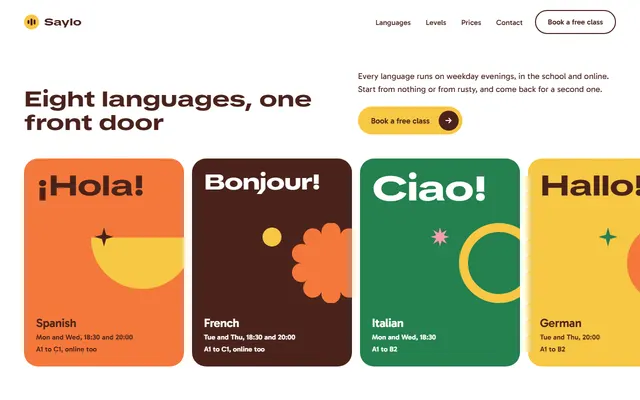
Language school: eight languages on a sideways track, five levels, a week of classes and a free-class offer.

Children's swim school: six levels with prices, the pool, a timetable, a free trial and a booking form.