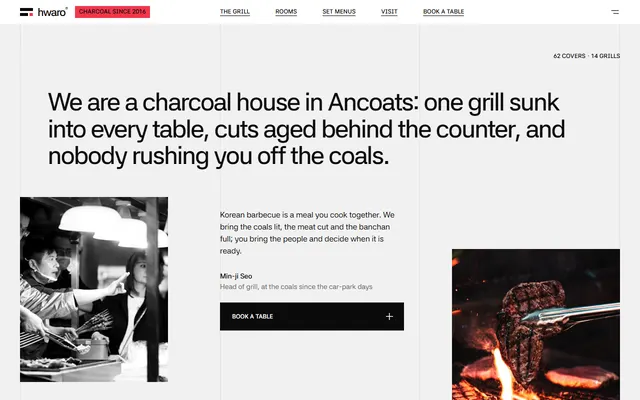
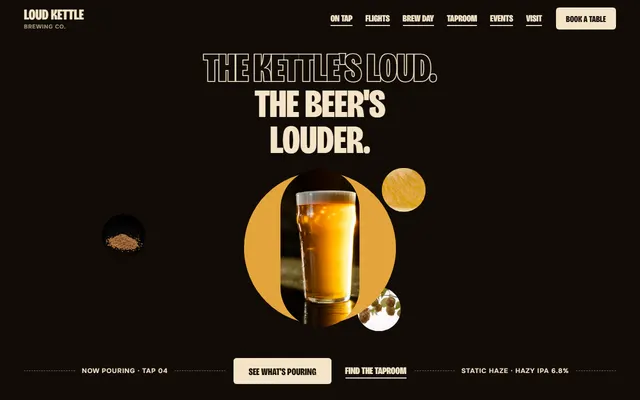
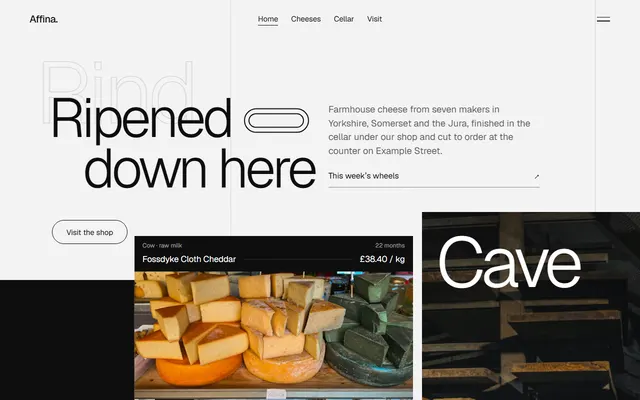
Free cooking school website template
Edit it by hand: it is one index.html with no build step, so you can open it in any text editor, change the words and photos, and upload it to any static host. Not a coder? Describe your business in one sentence to 8B's AI website builder and it designs a new site for you, with more pages when you need them. Designing is free; publishing with hosting is $9 a month, billed yearly. It also works inside Claude and ChatGPT.
MIT license · Made by 8B, an AI website builder · Plain text: grist.md, data: grist.json
About this cooking school website template
Cooking school website template: one free HTML page for a cookery school that sells places on dated classes and hires out its kitchens. It has a seven-course catalogue, an eight-date timetable with places left, four teachers and a notebook, set in chocolate brown, white and one cobalt blue. One file, with AGENTS.md for an AI agent.
At a glance, October 2026. One 81 KB index.html with its CSS and JavaScript inside, 12 sections, 23 Unsplash photos credited in CREDITS.md, Hedvig Letters Serif and Kalnia from Google Fonts, GSAP 3.13.0 (ScrollTrigger); Lenis 1.3.4 smooth scroll loaded from jsDelivr.
A cooking class website template must say what is taught, show dates and show places left. This page puts a seven-course catalogue with codes and prices first, then an autumn timetable, with private kitchen hire beside public classes. Pastry and bread workshops and pottery or wine schools that sell dated places can reuse it. As a cooking school theme or among cooking class templates, this is the one-page kind, a cooking school website template for Claude Code or Cursor.
If you vibe code the site in Claude Code, Cursor or Codex, give the agent what only the school knows: course names, codes, lengths and prices, term dates, teachers, places left, class size, hours, diet and allergy rules, cancellation rules and voucher terms. The demo invents all of it, along with the 1924 history and the Dundee address. Replace the school name in the header, title, footer wordmark and copyright line. Keep the section ids, and update each display heading's --len when its text changes.
This template fits a school that sells places by the term and also lets a room out. If you serve meals rather than teach, a barbecue restaurant template is closer. A school with dozens of classes a week needs filters, search and checkout, which a static eight-row table does not give. Booking is the weak spot: every Book link jumps to the timetable or contact section until you connect a booking system. Owners who prefer no code can use the 8B builder.
Good for:
Turn the cooking school website template into your site with an AI agent
With an AI coding agent
Files (PowerShell: curl.exe):
curl -LO https://raw.githubusercontent.com/8bsite/cooking-school-website-template/main/index.html
curl -LO https://raw.githubusercontent.com/8bsite/cooking-school-website-template/main/AGENTS.md
curl -LO https://raw.githubusercontent.com/8bsite/cooking-school-website-template/main/LICENSE
curl -LO https://raw.githubusercontent.com/8bsite/cooking-school-website-template/main/CREDITS.mdPrompt for the agent:
Read AGENTS.md, then edit index.html. Make this the site for <my school: name, address, year founded, kitchens, courses with codes, lengths and prices, this term's dates, teachers, opening hours, how people book, private hire terms>. Replace first the school name, the Dundee details, the courses, the timetable rows and the teachers. Keep the section ids, the classes AGENTS.md lists and one photo per catalogue row, and set each display heading's --len to its character count. Ask me for missing facts and never invent prices, dates, diet claims or contacts.In a terminal
npx degit 8bsite/cooking-school-website-template my-siteCooking school website design prompt for any AI tool
Use this prompt to build a cooking school or workshop site from scratch in Claude Code, Codex, Cursor, Lovable, v0 or Bolt, or to brief a designer. It is this template's design written as decisions; with the template itself, the short prompt above is enough.
Build a one-page website for a cookery school that sells places on dated classes and also hires out its kitchens. It should read like a small, old, serious institution's printed prospectus. Sections in order: header bar, a full-screen opening in one cobalt colour, the school's history, a catalogue of seven courses with codes and prices beside a sticky photo, two photo cards (classes and kitchen hire), four teachers, a timetable of eight dates with places left and an email form, a notebook of four notes, questions, a house photo, contact. Type: Kalnia regular, wide uppercase capitals, for the big headings and the wordmark; Hedvig Letters Serif regular for everything else; no bold, no sans-serif. Colours: #ffffff ground, #472600 brown for text and solid buttons, #d4d1c8 for rules and empty frames, #858276 for hairlines, #36619c cobalt as the only accent. Square corners and hairline rules; no shadows, no rounded cards, no gradients, no icons, no centred body copy. Motion idea: slow reveal; lines draw, words gather into place, photos wipe up; nothing bounces; switch it off under prefers-reduced-motion. Copy: calm and plain. Ask me for course names, prices, term dates, teachers, places left, hours, allergy and cancellation rules; never invent them; keep placeholders and list them. One primary action, Book, repeated in the catalogue, the timetable and contact. Mobile: Menu button under 860 px, timetable as stacked rows, tap targets at least 44px. Checks: no console errors, works at 390 px, keyboard focus visible.Cooking school website design and motion
Palette
#ffffff page ground, header bar, text and outlined buttons on the cobalt and brown grounds#472600 text, solid buttons, footer ground, the phone menu overlay and the hover fill of outlined buttons#d4d1c8 header bar's bottom line, empty photo frames, footer text and its top rule#858276 hairlines between catalogue rows, timetable rows, questions and contact rows; teacher names before they are read#36619c first screen ground, button hover fill, the lit course code, the block behind the house photo and the faviconFonts
- Kalnia: wide uppercase capitals, regular weight, for the five big headings, the header wordmark and the footer wordmark
- Hedvig Letters Serif: everything else in one regular weight: the first-screen sentence, body text, small tracked uppercase labels, buttons, table and questions
Small uppercase labels hang in a narrow left column and the large text starts indented beside them; on phones the label sits above. The four main headings are justified edge to edge. The catalogue splits into ruled rows on the left and a sticky photo frame on the right, a short strip held at the foot of the screen on phones. The timetable is a table with hairline rules, and the footer ends in a huge wordmark over the year.
Colour is rationed, so the page avoids the usual purple gradient. Cobalt fills the first screen, the button fill on hover, the lit course code and the block behind the house photo; the rest is brown. Wide Kalnia capitals carry the headings, a book serif the rest.
Every value of this cooking school website design, with the type scale, spacing and the motion rules, is in its DESIGN.md file (Google's format), ready for a coding agent or Stitch.
What is on the cooking school website page
- NavigationWordmark, five links, a Menu button and a Book a class button
The bar slides out of sight on a scroll down past the first 120 px and returns on a short scroll up; on screens up to 860 px wide the Menu button opens a full-screen brown overlay.
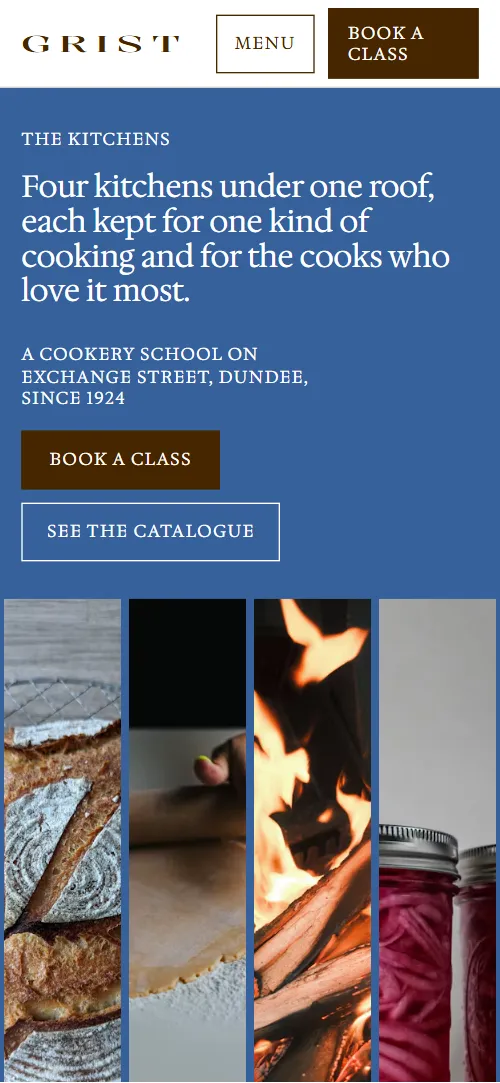
- Four kitchens under one roof, each kept for one kind of cooking and for the cooks who love it most.A blue screen: label, the h1, a line, two buttons and four kitchen photos with captions
On load the heading and the button row rise into place and the four photo frames open upward one after another; nothing in this section moves on scroll.
- Since 1924The school's history in a large paragraph, with a photo and a note about the archive
The history paragraph and the archive photo rise into view once, as they reach the lower tenth of the screen.
- The CatalogueSeven catalogue rows with codes, prices and a sticky photo that changes row by row
The heading's words gather into place and the row lines draw in; as each row crosses the reading line its photo wipes up over the last one in the sticky frame and its code turns cobalt.
- DoorsTwo photo doors: public classes and private kitchen hire
The two photo cards start pushed toward the middle, one low and one high, with zoomed photos, then part into their columns as they scroll up.
- Who TeachesOne sentence introducing four teachers, each with a small portrait that opens into a window
Each portrait opens from a thin pill to a full window as its line passes the middle of the screen, the photo zooms out and the name darkens from taupe to brown.
- Autumn TermAutumn timetable table with eight dated classes and places left
The heading's words gather into place and the timetable's row lines draw in one after another.
- The NotebookA pinned sideways track of four dated notes from the teachers
Pinned: the section holds while the four notes slide left, and each photo drifts sideways inside its frame.
- Before you comeFive questions and answers (native details)
Row lines draw in once; opening a question turns its plus into a cross.
- The houseThe building, seen from close to far, and a note about the shop
The facade photo starts zoomed in on one window and pulls back to the whole front while the cobalt block slides from behind the frame to its offset.
- Find UsThree contact rows: the school, the shop, private hire
The heading's words gather into place and the three contact rows draw their lines.
- FooterTimetable email form, link columns, legal column and a large wordmark with the year
Before you publish the cooking school website site
- Replace social preview image, favicon, phone number, email address, contact form (sends nothing yet) and social media links and the invented demo facts (prices, dates, addresses). AGENTS.md lists them.
- Book a class button in the top bar and in the first screen lead to
#term, the timetablenow; point them to your booking system or a course page, or keep it on the timetable. - See the catalogue button in the first screen lead to
#coursesnow; point them to keep it, or link a PDF catalogue. - Book links in the seven catalogue rows lead to
#termnow; point them to the booking link for each course (Eventbrite, Stripe, your booking system). - Ask for a place button, seven Book links and the Waiting list link in the timetable lead to
#contactnow; point them to a booking link per date and a waiting list form, or keep them on the contact section. - The two photo links in the doors section lead to
#term (public classes) and #contact (private hire)now; point them to your class listing and your private hire enquiry page. - Read the note links in the notebook lead to
#notebook, the same sectionnow; point them to the page of each note, or remove the links. - Instagram and YouTube links in the footer lead to
the home pages of instagram.com and youtube.comnow; point them to your own profile and channel. - Privacy and Terms of booking links in the footer lead to
#footernow; point them to your policy pages. - The timetable email form in the footer lead to
a script stops the submit and shows a thank-you line, nothing is sentnow; point them to a mailing-list form endpoint (Mailchimp, Buttondown, Formspree) and remove the preventDefault script. - The notebook pins while its track slides, about 1,150 px of extra scroll on a 375 px phone, and its Read the note links only jump back to the notebook until you set them.
- The timetable is a six-column table that restacks each row into a small block below 760 px; check both widths if you add a column.
- The Book links, the footer form and the policy links point to the page itself until you set them.
- gsap, ScrollTrigger and Lenis load from a CDN near the end of the body, and the motion scripts after them wait for those files.
Questions about this cooking school website template
Is this a free cooking class website I can use for a baking or pottery school?
Yes. It is one index.html that holds the whole school, under the MIT license, free for client work. Swap the four kitchens and seven courses for your own rooms and classes; a baking, pastry, wine or pottery school keeps the same structure. Photos are Unsplash images listed in CREDITS.md, and the fonts are open-licensed Google Fonts.
Does it take bookings or payments?
No. The Book links, the Ask for a place button and the Waiting list link jump to the timetable or the contact section. Point them at your booking system or at Eventbrite or Stripe links, one per course or date. Places left are plain text in an eight-row table that you edit by hand.
Where does the timetable email form send its messages?
Nowhere. A script stops the submit, shows a thank-you line and clears the field. Connect Mailchimp, Buttondown or Formspree and remove that script. With JavaScript off, the form just reloads the page, and the phone Menu button cannot open its overlay.
How do I hand it to Claude Code, Cursor or Codex?
Put index.html and AGENTS.md in a folder with the curl lines from AGENTS.md, then have the agent read it first. Give it the files, not the page address, and paste this page's prompt. Without the file, use the cooking school website design prompt below in Lovable, v0 or Bolt, or let Base44 rebuild the live demo.
Which parts of the file break if I change them?
Keep the section ids, the data-8b-section, data-8b-motion and data-8b-part attributes and the classes AGENTS.md lists. Keep one photo per catalogue row, in the same order. Keep the header comment and the 8B meta tag in the head. Keep the Design: 8B footer link unless the site owner asks to remove it.
Can I get a site like this without editing code?
Yes. 8B's AI website builder makes a site from one sentence; its engine designs a new site of its own, not this template. Designing and restyling are free. Publishing with hosting and SSL, full HTML export and AI edits in chat are on Pro at $9 a month billed yearly. It also runs inside Claude and ChatGPT.