What comes with the swim school website template
- index.html: the pure HTML and CSS version, one single HTML file, 152 KB.
- index.gsap.html: the same design built with GSAP, ScrollTrigger and Lenis, for scroll motion in every browser, Firefox included.
- AGENTS.md: what a coding agent must keep and what to replace, so Claude Code, Codex or Cursor edit it without breaking the scenes.
- DESIGN.md: every colour, font, spacing and motion rule of this swim school website design.
- PROMPTS.md: the agent prompt and the design prompt below.
- CREDITS.md and LICENSE.md: the photos and fonts with their licenses, and the 8B license.
- Updates to this template, at no extra cost.
Yours to edit: one index.html with no build step, so you or a coding agent can change the words, prices and photos and upload it to any static host. Not a coder? Describe your business in one sentence to 8B's AI website builder and it designs a new site for you, with more pages when you need them. Designing is free; publishing with hosting is $9 a month, billed yearly. It also works inside Claude and ChatGPT.
Premium template · $39, one-time license · Made by 8B, an AI website builder · Updated November 2026 · Plain text: bloop.md
About this swim school website template
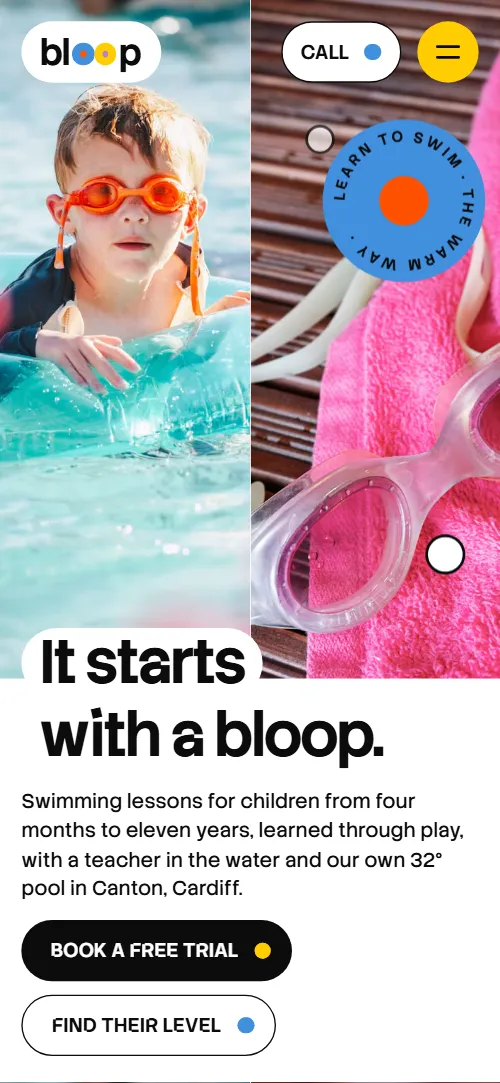
Swim school website template for a children's swimming school or learn-to-swim programme: one HTML file with six colour-coded levels and term prices, the teaching pool, four ways to join, a timetable with a level filter, parent quotes, a free trial in four steps, questions and a booking form. It opens on a split first screen, a child's portrait beside goggles on a towel with a round badge, and the six level discs pour out from behind the badge into their row. It is a single HTML file in pure HTML and CSS, and a GSAP version of the same page comes with it.
At a glance, November 2026. One 152 KB index.html: a single HTML file in pure HTML and CSS with a few lines of built-in JavaScript, 12 sections, 12 Unsplash photos, Stack Sans Notch and Stack Sans Text. A GSAP build of the same page, 95 KB, comes with it.
It suits a children's swim school with its own pool, a baby and toddler swimming class, a swimming club that teaches in terms, or any children's activity school with levels and a free trial, such as dance, gymnastics or tennis. Swim school websites mostly need four things on one scroll: the levels with ages and prices, the pool and how warm it is, when lessons run and a way to book a free trial, and this page gives each its own section. A swim school website built from it also answers what parents worry about: what if my child won't get in, do I get in the water too, what should they wear.
The demo business is Bloop, an invented swim school in Canton, Cardiff, with a 32 degree pool. Every price, time, address, teacher approach and quote is demo copy to replace. The six levels carry an age range, group size and a price per ten-week term, so a school in any city fills in its own levels; prices are in pounds and the term dates are for an autumn term, which you change to your own market and calendar.
If you would rather not edit HTML at all, 8B, the AI website builder designs a site from one sentence about your school, with more pages when you need them. This template is for people who want this exact design in their own hands: one index.html with its CSS and its motion inside, which you or a coding agent can edit and host anywhere, next to the booking system or the lesson software you already use.
Good for:
What a swim school website needs
Parents choosing a swim school look for the same answers quickly. Here is how this template covers each of them.
- Levels with ages and prices. Six level discs right after the first screen, each with an age range, group size and the price of a ten-week term.
- Where and how warm. A pool section with the water temperature, the size, the depth, family changing rooms, a viewing window and parking, as six short pills.
- Who teaches and how. Three principles beside a large portrait: games before strokes, small groups, and moving up when ready, with the teacher in the water.
- When lessons run. A timetable of seven day columns with time pills coloured by level and a filter that dims the other levels, so a parent sees only their child's slots.
- A free trial with no surprises. Four steps from booking to picking a level, each with a photo, so a nervous parent knows what the first thirty minutes look like.
- Proof from other parents. Three quotes with the child's level, and answers to the six questions parents ask most, from a child who will not get in to missing a lesson.
- An easy way to ask for a place. A booking form with the child's age, level, best day and the parent's contact, beside the address, phone, email and office hours. Connect the form before you go live.
What it does not have is online payment, live class availability or a parent login: it is built for a school that takes a trial request, rings the parent back and keeps registers in its own system. The honest way around it is to link the Book a trial button to your booking software and keep this page as the front door.
Swim school website design and motion
Palette
#ffffff page ground, cards and the pills that carry text over photos#0b0b0c near black: all text, the drawn line and the main button#4190de blue: the first level, the badge and the contact section ground#fe5100 orange: the second level#ffcd01 yellow: the third level and the hover fill of the main button#b680d2 lilac: the fourth level#00b241 green: the fifth level and the Book a trial pill in the menu#eb6fbd pink: the sixth level#f1f3f6 pale grey: the firsts section ground, timetable day columns, fact pills and question pills#55595f grey: ages, prices and captionsFonts
- Stack Sans Notch: headings, level names, labels, buttons, timetable slots, quotes and the wordmark
- Stack Sans Text: body text, leads, ages, captions and form fields
A white page with near-black text, rounded pills for the navigation, buttons, filters and fact badges, and six candy colours that belong to the six levels: blue, orange, yellow, lilac, green and pink. The first screen is split in two photos with a round badge floating over the goggles photo and the heading set on white pills; the second screen is a row of six level discs, each with its name, ages and price. The teaching principles sit beside a large portrait, the four classes are tall capsule photos, the timetable is a week of columns of time pills, and the free trial is a row of four coloured fields. On phones the two opening photos stay side by side above the heading, the levels become a grid of three columns by two, the timetable days stack and the trial fields are most of the screen wide.
The idea behind the page is that every level owns a colour, like a swim cap or a disc on the poolside wall. The same six colours colour the level discs, the timetable slots, the filter buttons, the marks behind parents' words and the two o's of the footer wordmark, so a parent who learns that Float is yellow can read the whole page by colour.
What is on the swim school website page
- NavigationHeader with the bloop wordmark, five pill links, a call button and a menu button on small screens
The header hides as you scroll down and comes back when you scroll up; on small screens the pills open from a menu button.
- It starts with a bloop.Two screens: a split first screen with a boy in a swim ring, goggles on a towel, a badge and the heading It starts with a bloop, then six level discs with ages, group size and term price
On load the photos settle, the heading pills rise one after another, the badge pops in and then keeps bobbing, and three small bubbles rise over the goggles photo. On scroll the six level discs pour out from behind the badge and land in their row on the second screen, the portrait's frame rounding as it leaves, and each level's text appears after its disc lands.
- Taught from in the waterA large portrait of a girl at the pool edge and three teaching principles with colour discs
The heading and the lead rise out of their own waterline, and the three colour discs pop up one after another with a small squash.
- Thirty-two degrees, all yearThe teaching pool photo that arrives as lanes, with six fact pills: temperature, size, depth, changing rooms, viewing window and parking
The heading rises, then the pool photo arrives as six horizontal lanes (four on phones) that slide in from alternating sides at different speeds and lock into one picture as the photo reaches the middle of the screen; the six fact pills pop up in turn.
- Play with the waterFour ways to join in capsule photos: weekly lessons, holiday weeks, one to one and pool parties
Each photo starts as a small round bubble low in its frame; as you scroll the bubbles rise at their own speeds and each stretches into its tall capsule.
- Six firsts we make a fuss aboutOne drawn line with six discs dropped at six firsts, from the first bubble to the first length
The stage is held while one rounded line draws itself across it and the six discs ride along and drop off at their stations, one by one, with each label appearing as its disc lands.
- What parents tell usThree parent quotes with colour marks behind key words and the child's level disc
The heading rises and the three quotes drift a short way in from alternating sides; as each one passes, colour marks draw in behind its key words and the child's disc grows beside the name.
- This term’s timetableA week of time pills coloured by level, Monday to Sunday, with a level filter
The heading rises and the seven day columns pop up in turn along the week. Choosing a level dims the slots of the other levels.
- Your first splashA free trial lesson in four steps on a track that slides sideways, each step with a photo
The stage is held while the four steps slide sideways on a track of coloured fields, and each step's photo drifts inside its capsule.
- Questions parents askSix parent questions as pill accordions
The heading rises out of its own waterline; the questions open and close as plain pill accordions.
- Book a free trial splashBooking form with child's name, age, level, best day, parent contact and a note, beside the pool address, phone, email and office hours, on a blue ground that swells
The heading rises, the booking card lifts into place and a blue disc swells from the bottom edge until it becomes the whole ground of the section.
- SwimFooter with a newsletter field, three link columns, the bloop wordmark with two level discs and the company line
The three link columns pop up in turn, and the two discs in the bloop wordmark float up and down.
Before you publish the swim school website site
- Replace social preview image, favicon, phone number, email address, contact form (sends nothing yet) and social media links and the invented demo facts (names, prices, areas, quotes). AGENTS.md lists them.
- Book a free trial in the opening, Book a trial in the menu lead to
#contactnow; point them to keep it once the booking form is connected. - Find their level, See the timetable, the logo, menu and footer links lead to
#levels, #timetable, #classes, #parents, #pool, #trial, #contact, #opening (the logo)now; point them to keep them, they point to sections of the same page. - Request a trial button of the booking form and Sign up of the newsletter field lead to
submit to # (nothing is sent)now; point them to your form service or mailing list. - Call button in the header and the phone number in the contact section lead to
a tel: link to a placeholder numbernow; point them to your own number. - Email address in the contact section lead to
a mailto: link to a placeholder addressnow; point them to your own address. - Instagram and Facebook links in the footer lead to
the networks' home pagesnow; point them to your own profiles, or remove them. - Privacy and Terms links in the footer lead to
#main, the top of the pagenow; point them to your own policy pages. - Scroll-driven animation runs when the browser supports it (Chrome, Edge and Safari today; Firefox does not yet) and the visitor has not asked for reduced motion. Otherwise each section shows its finished layout; the GSAP build, index.gsap.html, also plays the scroll motion in Firefox.
- The booking form and the newsletter field send nothing: connect them to a form service, your CRM or your mailing list. Without a page script there is no thank-you line after sending.
- The timetable is plain HTML and the level filter only dims the other levels; there is no live availability or online payment. The Privacy and Terms links point to the top of the page.
- The opening and the firsts line are built for six levels and six firsts, the parent quotes for three, the trial track for four steps and the class capsules for four: a different count needs its layout and scene adjusted.
Questions about this swim school website template
What do I get for $39?
The swim school website template as a single HTML file, index.html, in pure HTML and CSS, a GSAP build of the same page as index.gsap.html, a DESIGN.md with every colour, font and motion rule, an AGENTS.md for coding agents, the agent prompt and the design prompt from this page, and CREDITS.md for the photos and fonts. Updates to this template are included.
Can I use this swim school template for client sites?
Yes. One purchase lets you build as many sites as you like with it, for your own school or for clients, and change anything. What it does not allow is selling or giving away the template itself, as a template, theme or kit, or putting its source in a public repository.
How do I change the levels, prices and timetable?
Each level is one short block with a colour disc, a name, an age range and a price line, and each timetable slot is one line with a time and a level. With Claude Code, Codex or Cursor you say it in a sentence, such as change Float to 130 pounds a term and move Kick on Tuesday to 16:00, and the agent edits the blocks; by hand you copy a line and change the words. The page is built for six levels, so a school with four or eight asks the agent to adjust the opening row, the filter buttons and the form's level list too. The timetable is plain HTML with no live availability: if you take bookings in a lesson system, link the Book a trial button there and keep this page as the school's front door. If you want a site with more pages that you edit without code, 8B's AI website builder makes one from a sentence about your school.
Does the booking form send trial requests?
Not yet. The form asks for the child's first name, age, level, best day, the parent's name, phone and email and a note, but it sends nothing until you connect a form service such as Formspree or Netlify Forms, or your CRM. The newsletter field in the footer is the same. The pure HTML and CSS version shows no thank-you line after sending, so point the form at a thank-you page or add one.
Will it work with Claude Code, Codex or Cursor?
Yes. Put index.html and AGENTS.md in your project and give the agent the prompt that comes with the template. AGENTS.md says which attributes the scroll motion reads, what to keep and what to replace, so the agent swaps levels, prices, times, quotes and photos without breaking the scenes.
What do visitors see in Firefox or with reduced motion?
Firefox does not support scroll-driven animations yet, so it shows every section in its finished layout, as does any browser when the visitor asks for reduced motion. If the scroll motion must also play in Firefox, use the GSAP build, index.gsap.html, which loads GSAP, ScrollTrigger and Lenis from a CDN.
More templates for schools, classes and family venues
Other designs for pools, lessons, classes and family venues.
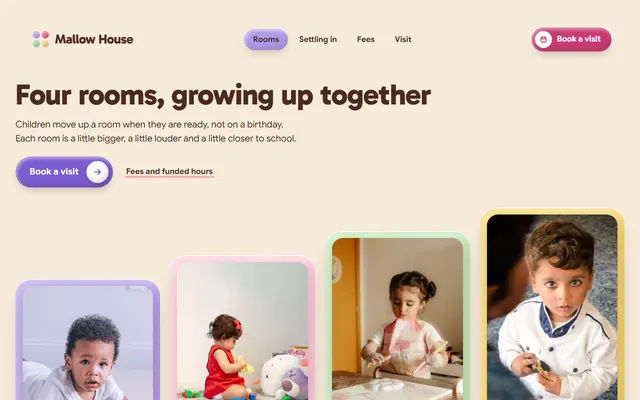
Day nursery: four rooms by age, a settling-in plan, a weekly lunch menu, fees and an open-morning booking form.
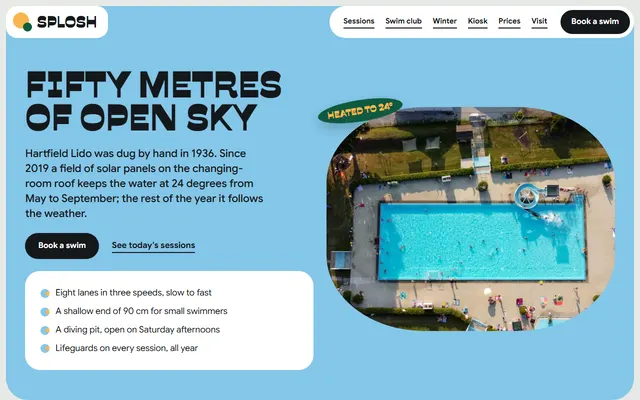
Community outdoor pool: lane sessions, a swim club with four levels, a kiosk menu, ticket prices and a visit board.
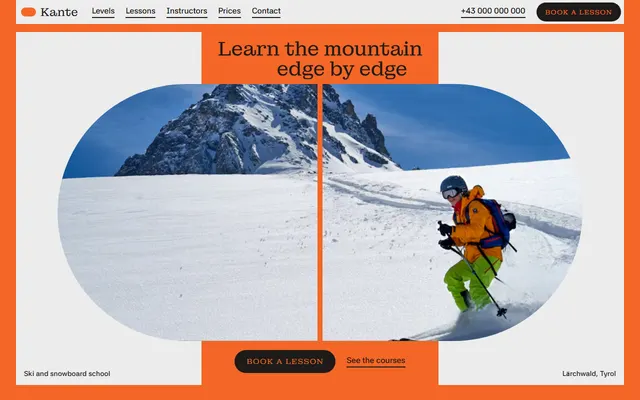
Ski and snowboard school: levels, courses, instructors, a week plan, prices and a booking form.
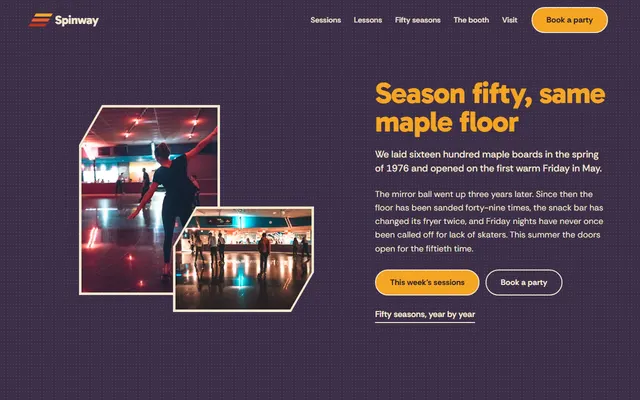
Family roller rink: a weekly session list, eight-week skate lessons, rental sizes and three party packages.
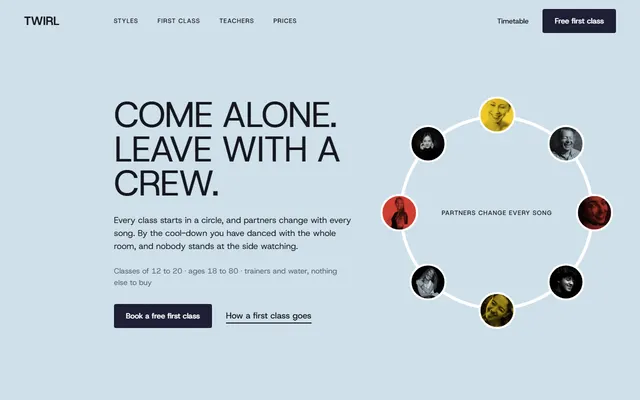
Dance studio for adult beginners: six styles, a step-by-step first class, a weekly timetable, four passes and a booking form.
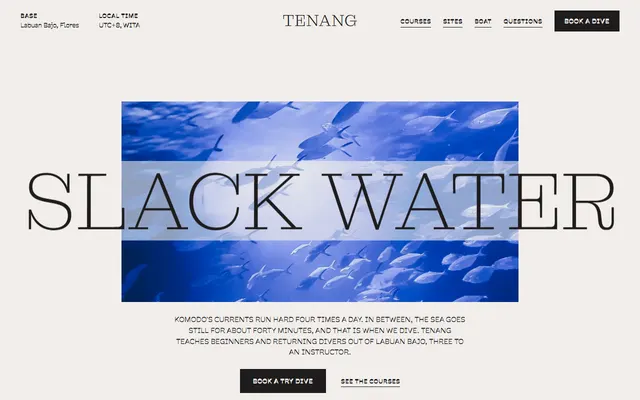
Scuba diving school: dive sites, courses with prices, the boat, instructors and a booking form.
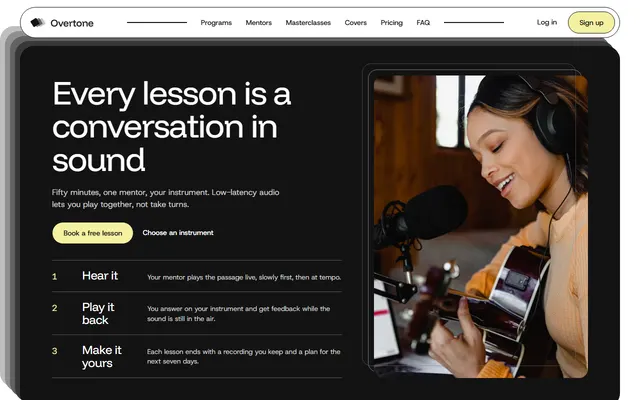
Online music school: three steps of a lesson, five instrument programs, three plans and a booking form.
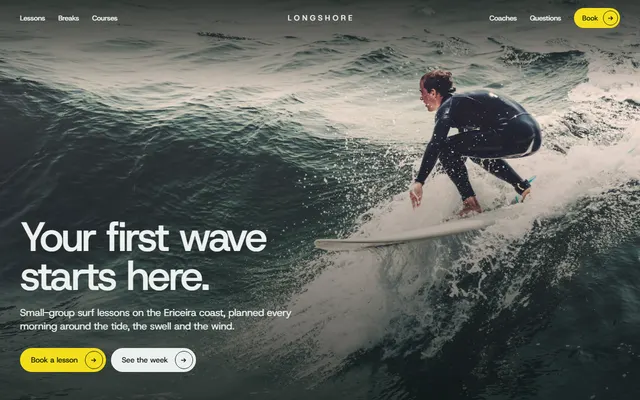
Surf school: skills by day, beaches with levels, the day by the tide, a week grid with prices and a booking form.