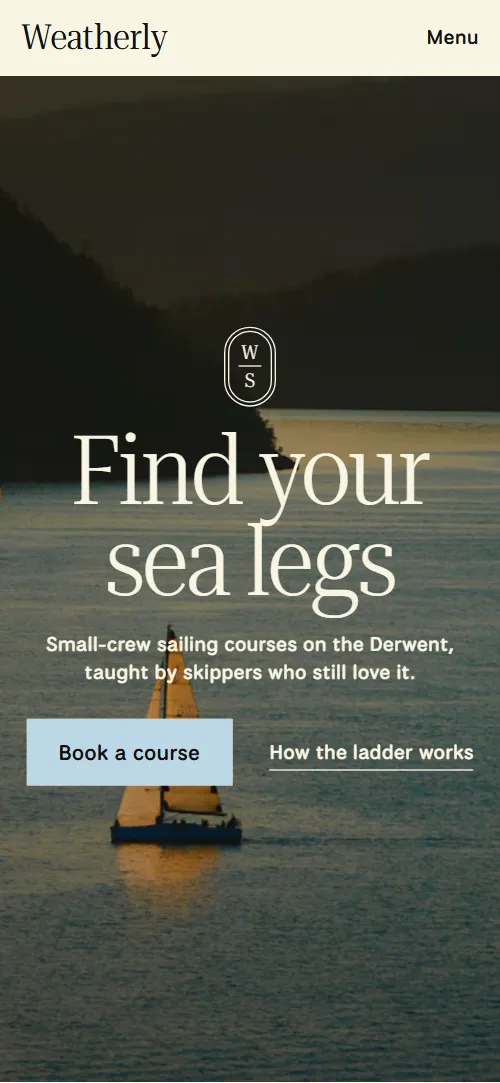
What comes with the sailing school website template
- index.html: the pure HTML and CSS version, one single HTML file, 107 KB.
- index.gsap.html: the same design built with GSAP, ScrollTrigger and Lenis, for scroll motion in every browser, Firefox included.
- AGENTS.md: what a coding agent must keep and what to replace, so Claude Code, Codex or Cursor edit it without breaking the scenes.
- DESIGN.md: every colour, font, spacing and motion rule of this sailing school website design.
- PROMPTS.md: the agent prompt and the design prompt below.
- CREDITS.md and LICENSE.md: the photos and fonts with their licenses, and the 8B license.
- Updates to this template, at no extra cost.
Yours to edit: one index.html with no build step, so you or a coding agent can change the words, prices and photos and upload it to any static host. Not a coder? Describe your business in one sentence to 8B's AI website builder and it designs a new site for you, with more pages when you need them. Designing is free; publishing with hosting is $9 a month, billed yearly. It also works inside Claude and ChatGPT.
Premium template · $39, one-time license · Made by 8B, an AI website builder · Updated November 2026 · Plain text: weatherly.md
About this sailing school website template
Sailing school website template for a small-crew school that teaches from first knot to offshore: one HTML file with a season list of courses, a four-step ladder with days and prices, six skippers, handwritten student notes, three waters, a Wednesday taster and an enquiry form. It opens on a full-bleed dusk photo of a fleet, and a pale blue panel rises over it heeled like a boat and rights itself as you scroll. It is a single HTML file in pure HTML and CSS, and a GSAP version of the same page comes with it.
At a glance, November 2026. One 107 KB index.html: a single HTML file in pure HTML and CSS with a few lines of built-in JavaScript, 12 sections, 29 Unsplash photos, National Park, Playwrite US Modern and Roboto Serif. A GSAP build of the same page, 90 KB, comes with it.
It suits a sailing school, a yacht training centre, a dinghy club with a youth programme, a skippered charter school or a watersports school with levels and a handful of instructors. Sailing school websites mostly need the same few things on one scroll: which courses run and when, how the levels build, what each costs, who teaches and where you sail. This page gives each its own section, and a sailing school website built from it also carries what makes a small school different: four to a boat, the helm handed over by morning tea, and notes from students in their own handwriting.
The demo business is invented: Weatherly Sailing School at Sandy Bay in Hobart, with its dates, prices in Australian dollars, instructors, students and phone number all demo copy to replace. The three waters, the water codes and the berth tags are plain text, so a school on a lake, a Solent marina or a Florida bay swaps in its own venues, its own currency and its own course names without touching the layout.
If you would rather not edit HTML at all, 8B, the AI website builder designs a site from one sentence about your school, with more pages when you need them. This template is for people who want this exact design in their own hands: one index.html with its CSS and its motion inside, which you or a coding agent can edit and host anywhere, next to the booking system you already use.
Good for:
What a sailing school website needs
People choosing a sailing school want a few answers fast: what can I book, what will it cost, who teaches me and will I be safe. Here is how this template covers each of them.
- A clear list of what runs and when. A season list of six courses with the date, the water, a short description and a berth tag such as Two berths left, Booking open or Waitlist.
- A path from beginner to skipper. A four-step ladder, Start Crewing to Offshore Skipper, each with a photo, the days it takes, the price and what you can do after.
- Prices stated plainly. Each ladder step shows its price, and the twilight taster shows its fee and when it is credited to a course.
- Who will teach me. Six skippers with a name and a role in one column, beside a portrait frame that shows each of them in turn as you scroll.
- Proof from students. Six handwritten log notes, each with the student, the course and the month.
- Where you sail and how it gets harder. Three waters, from a sheltered estuary to open sea, each with a plate that says who sails there.
- Answers about gear, weather and booking. Eight questions on experience, what to bring, bad weather, students per boat, sleeping aboard, age, booking and deposit, and changing dates.
What it does not have is a live calendar, online payment or a student login: it is built for a school that sells berths by form or phone and keeps its dates as text it updates each season. A booking link or a payment page can be added to any course arrow.
Sailing school website design and motion
Palette
#f8f5e3 cream: the page ground, the ladder and logbook panels and light text on the dark sections#121212 ink: text, hairlines, the waters and contact sections and the shade over photos#bcd6e4 pale blue: the opening panel, the manifesto, the skippers, twilight and footer panels, the first plate of the waters and the button over photos#fd6f45 vermilion: the season list ground, the middle plate of the waters and the outline of some log notes#f6e534 yellow: the questions panel, the last plate of the waters and the outline of some log notes#5c5a55 warm grey: the names of skippers waiting their turnFonts
- Roboto Serif: the narrow light and bold serif for headings, the wordmark and the footer links
- National Park: body text, labels, dates, buttons, navigation and form fields
- Playwrite US Modern: the handwriting of the student log notes, nothing else
Colour panels with rounded top corners slide over each other: a full-bleed photo, a pale blue panel, a pale blue manifesto held on screen, a vermilion season list, a cream ladder, a pale blue skippers stage, a cream logbook, a dark waters section, a yellow questions panel, a pale blue twilight panel, a dark contact section over a dusk photo and a pale blue footer. Headings are a narrow light serif. The season is a list of rows with a thumbnail and a berth tag, a date, a title with a water code, a description and an arrow. The ladder is four steps with a photo, days and price, the skippers are a column of names beside one portrait frame, and the logbook is a staggered three-column grid of outlined notes. On phones the header shrinks to the wordmark and a Menu button that opens a full-screen overlay, the rows stack and the grids become one column.
The idea behind the page is weather and the boat's attitude: a boat heels, tacks and rides a swell, and the page moves that way. The panel rises heeled and rights itself, the manifesto lines come about from alternate sides, a swell passes down the season list, and the logbook notes and the footer emblem heel in. The same panel-over-panel shape carries through every section, which is why the page reads as one ladder of courses rather than a stack of blocks.
What is on the sailing school website page
- NavigationHeader with four links, the wordmark and Book a course, and a Menu overlay on phones
The header bar hides as you scroll down and returns when you scroll up; on phones the Menu button opens a full-screen overlay with the links.
- Find your sea legsTwo screens: a dusk photo of a fleet with Find your sea legs, then a pale blue panel with a sentence, a short paragraph and a strip of five rope photos
On load the emblem drops in, the heading rises and the subline and buttons follow, while the photo rides a slow swell. On scroll the pale blue panel rises heeled and rights itself, the photo rolls the other way and dims, the two heading lines move apart, and the strip of five rope photos drifts across and levels.
- Four to a boat. Real wind, real tide. The helm is yours by morning tea.Four heavy lines on four to a boat, real wind and the helm by morning tea, with the emblem, on pale blue
The four lines are held on screen and come about from alternate sides to the centre as the section scrolls past.
- This season on the waterSix courses this season as list rows with date, water code, description and a berth tag, on vermilion
A swell passes down the season list: each row lifts as it crosses the middle of the screen, its thumbnail pitches bow-up then bow-down, and its tag lags behind before everything settles flat.
- From first knot to open oceanFour steps from Start Crewing to Offshore Skipper, each with a photo, days, price and what you can do after
The four steps start level with the first, lowest step, and the other three rise one after another to their own heights as you scroll. On phones, where the steps stack, each slides in from the left edge to its own indent as it enters.
- Your skippersSix skippers as names in one column beside a single portrait frame
The stage holds while each next portrait rises over the last inside the round-topped frame, and that skipper's name turns from grey to ink.
- Notes from the school logSix handwritten student notes in outlined cards with the student, course and month
Each note enters heeled over, to alternate sides, and a little low, then rises and rights itself to its resting angle as it scrolls in.
- Three waters, one schoolThree waters, the Derwent, the Channel and Storm Bay, with a plate for each, on a dark ground
The three waters sit one inside the other, and scrolling zooms through the frames from the Derwent into the Channel and out to Storm Bay until the last photo fills the screen.
- Questions from the jettyEight questions from the jetty as open and close rows on yellow
The heading comes about from the side to its place as it enters.
- Not sure yet? Come out on a Wednesday.A Wednesday twilight sail with when, price and place, three fanned prints and a booking button
The three prints start as one pile in the middle and fan out to their angles as the section scrolls in.
- Come down to the jettyAddress, office hours, phone and email beside an enquiry form with a course picker, over a dusk photo
- FooterFooter with six links, back to the top, three social links, the emblem and the wordmark across the full width
The emblem heels in and rights itself as the footer arrives.
Before you publish the sailing school website site
- Replace social preview image, favicon, phone number, email address, contact form (sends nothing yet) and social media links and the invented demo facts (names, prices, areas, quotes). AGENTS.md lists them.
- Book a course in the header, the menu and the opening, the arrows and Ask about dates in the season list, Book a Wednesday lead to
#courses or #contact on the same pagenow; point them to keep them once the enquiry form is connected, or link to your booking system. - How the ladder works and See the ladder lead to
#laddernow; point them to keep. - Privacy and Terms in the footer lead to
/privacy and /terms, pages the template does not containnow; point them to your own legal pages. - Instagram, Facebook and YouTube links in the footer lead to
the networks' home pagesnow; point them to your own profiles, or remove them. - Phone and email in the contact section lead to
a tel: and a mailto: link with neutral demo valuesnow; point them to your own number and address. - Scroll-driven animation runs when the browser supports it (Chrome, Edge and Safari today; Firefox does not yet) and the visitor has not asked for reduced motion. Otherwise each section shows its finished layout; the GSAP build, index.gsap.html, also plays the scroll motion in Firefox.
- The enquiry form sends nothing: connect it to a form service, your email or your booking system. Without a page script there is no thank-you line after sending, and the course picker is a fixed list of seven demo options (the four ladder steps, Dinghy Days, Women at the Helm and the Wednesday sail) that you edit to match your courses.
- It is one page: the Privacy and Terms links point to pages the template does not contain, and there is no live calendar or payment, so the dates, berth tags and prices are text you edit.
- The ladder is built for four steps, the skippers' roll call for six skippers with six portraits, the waters zoom for three waters and the twilight fan for three prints: a different count needs its scene adjusted.
Questions about this sailing school website template
What do I get for $39?
The sailing school website template as a single HTML file, index.html, in pure HTML and CSS, a GSAP build of the same page as index.gsap.html, a DESIGN.md with every colour, font and motion rule, an AGENTS.md for coding agents, the agent prompt and the design prompt from this page, and CREDITS.md for the photos and fonts. Updates to this template are included.
Can I use this sailing school template for client sites?
Yes. One purchase lets you build as many sites as you like with it, for your own school or for clients, and change anything. What it does not allow is selling or giving away the template itself, as a template, theme or kit, or putting its source in a public repository.
How do I change the courses, dates and prices?
Each course is one row of HTML with a thumbnail, a berth tag, a date, a title with a water code, a description and an arrow, and each ladder step is one block with days and a price. With Claude Code, Codex or Cursor you say it in a sentence, such as move Day Skipper to March and mark it Booking open, and the agent edits the row; by hand you change the words in place. The berth tags are plain text, so they show what you type and do not read a live calendar. The ladder holds four steps and the roll call six skippers; a school with another number asks the agent to adjust the scene as well, and the course picker in the form is a plain list you edit to match.
Does the enquiry form take bookings?
Not yet. The form asks for a name, an email, a course from a list and dates and questions, and it sends nothing until you connect a form service such as Formspree or Netlify Forms, or point it at your email or booking system. The pure HTML and CSS version shows no thank-you line after sending, so send the visitor to a thank-you page or add one. There is no payment on the page: the demo asks for a deposit by phone or form, and you write your own booking terms in the questions section.
Will it work with Claude Code, Codex or Cursor?
Yes. Put index.html and AGENTS.md in your project and give the agent the prompt that comes with the template. AGENTS.md says which attributes the scroll motion reads, what to keep and what to replace, so the agent swaps courses, prices, skippers, waters and photos without breaking the scenes.
What do visitors see in Firefox or with reduced motion?
Firefox does not support scroll-driven animations yet, so it shows every section in its finished layout, as does any browser when the visitor asks for reduced motion. If the scroll motion must also play in Firefox, use the GSAP build, index.gsap.html, which loads GSAP, ScrollTrigger and Lenis from a CDN.
More templates for boats, lessons and the outdoors
Other designs for schools and outdoor businesses.
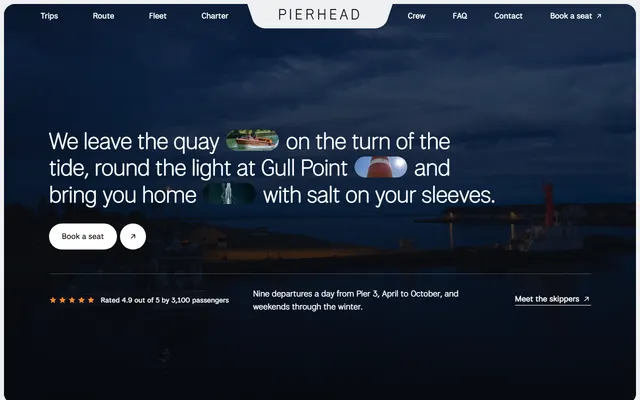
Harbour boat firm: trips with fares and times, places along the route, boats, skippers and charter.
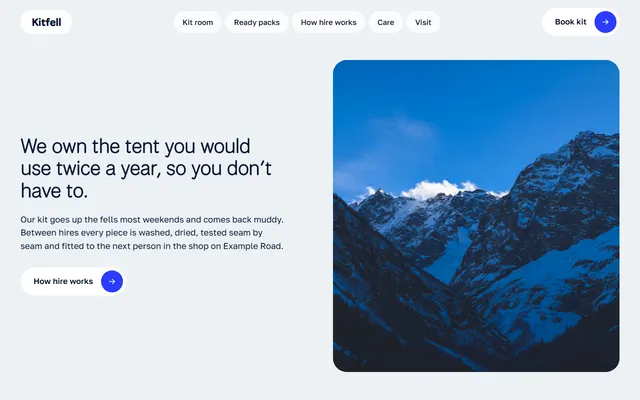
Mountain-town kit hire: shelves of kit with nightly prices, ready packs and hire steps.
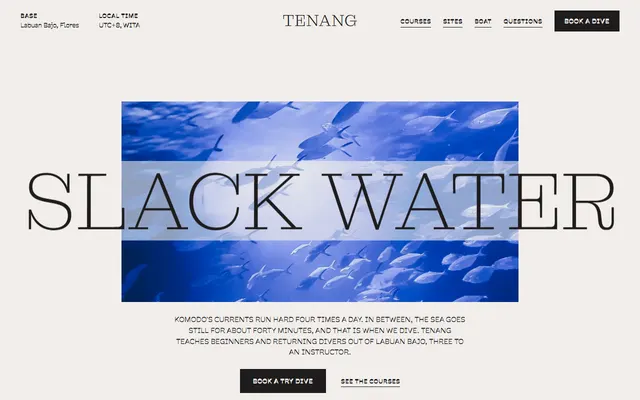
Scuba diving school: dive sites, courses with prices, the boat, instructors and a booking form.

Evening language school: a syllabus as week cards, languages with schedules and teachers.
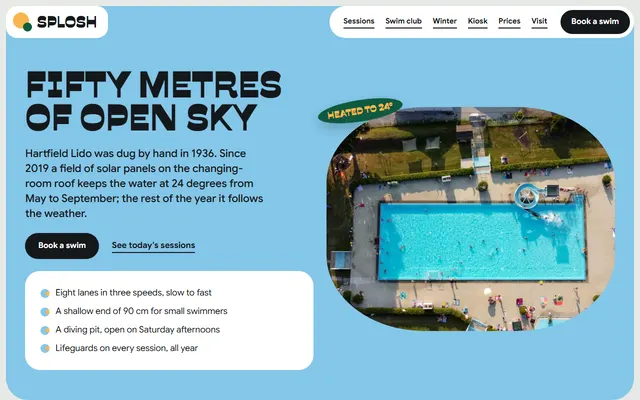
Community outdoor pool: lane sessions, a swim club with four levels and winter swimming.
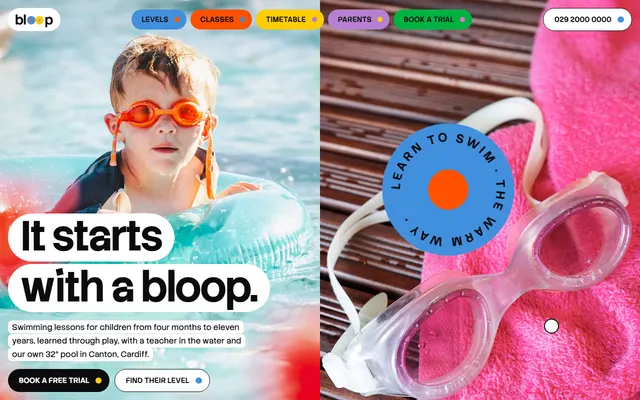
Children's swim school: six levels with prices, the pool, a timetable, a free trial and a booking form.
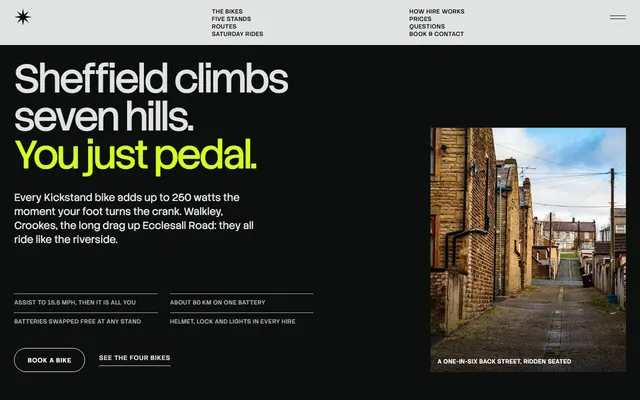
E-bike hire: bikes shown one at a time, routes, booking steps and a price table.
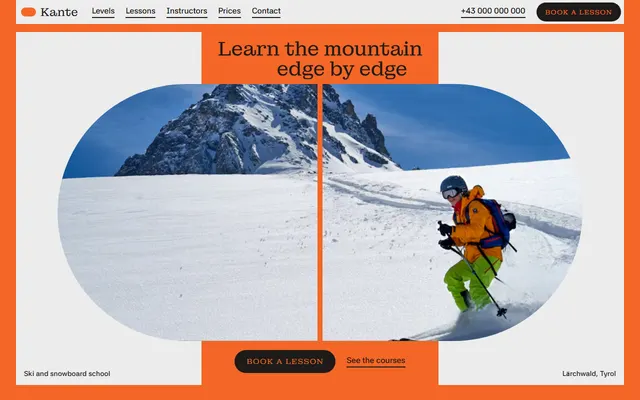
Ski and snowboard school: levels, courses, instructors, a week plan, prices and a booking form.