What comes with the e-signature app landing page template
- index.html: the pure HTML and CSS version, one single HTML file, 89 KB.
- index.gsap.html: the same design built with GSAP, ScrollTrigger and Lenis, for scroll motion in every browser, Firefox included.
- AGENTS.md: what a coding agent must keep and what to replace, so Claude Code, Codex or Cursor edit it without breaking the scenes.
- DESIGN.md: every colour, font, spacing and motion rule of this e-signature app landing page design.
- PROMPTS.md: the agent prompt and the design prompt below.
- CREDITS.md and LICENSE.md: the photos and fonts with their licenses, and the 8B license.
- Updates to this template, at no extra cost.
Yours to edit: one index.html with no build step, so you or a coding agent can change the words, prices and photos and upload it to any static host. Not a coder? Describe your business in one sentence to 8B's AI website builder and it designs a new site for you, with more pages when you need them. Designing is free; publishing with hosting is $9 a month, billed yearly. It also works inside Claude and ChatGPT.
Premium template · $39, one-time license · Made by 8B, an AI website builder · Updated November 2026 · Plain text: kamara.md
About this e-signature app landing page template
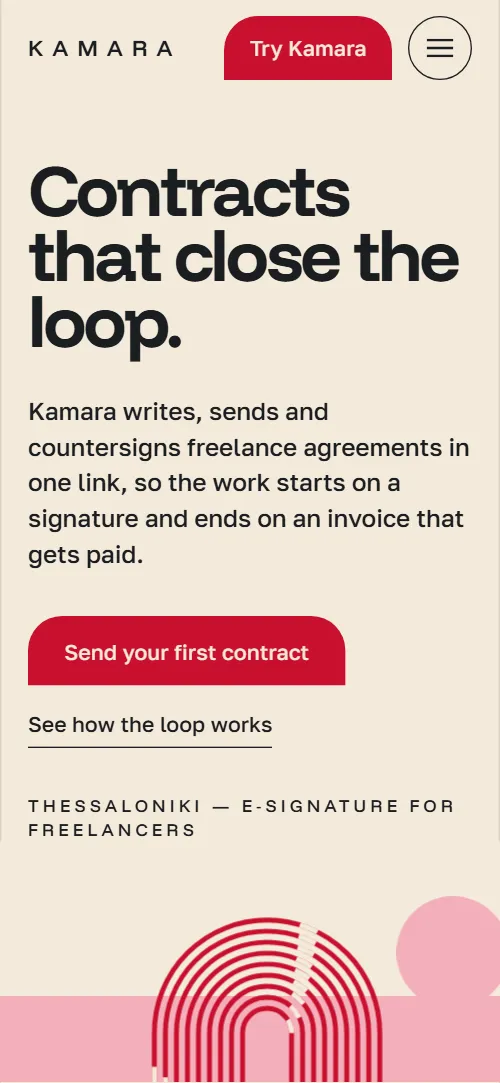
E-signature app landing page template for a tool with one clear workflow: one HTML file with a four-step product loop, a feature sheet with margin notes, a signing story, three plans, customer quotes, an FAQ and a contact form. It opens like a poster, a cream and pink field with a bundle of red stripes that bends into an arch, and the stripes keep running through the page until they close over the form. It is a single HTML file in pure HTML and CSS, and a GSAP version of the same page comes with it.
At a glance, November 2026. One 89 KB index.html: a single HTML file in pure HTML and CSS with a few lines of built-in JavaScript, 12 sections, 4 Unsplash photos, Funnel Display and Golos Text. A GSAP build of the same page, 73 KB, comes with it.
It suits a startup or a small software company selling a tool that has a before and after: contracts, invoices, bookings, documents or anything a customer does in steps. Landing pages for an e-signature app or any SaaS mostly need the same things on one scroll: the problem, the workflow in a few steps, proof in the features, plans with prices, quotes and straight answers, and this page gives each its own section. App websites built from it also get a look that is not a gradient and a screenshot: the one line, the arch and the two-colour field belong to the product.
The demo business is invented: a contract and e-signature tool for freelancers made in Thessaloniki. Every name, price, clause, quote and contact is demo copy to replace. The clauses, the steps and the plans are plain blocks of text, so a product in any market keeps the structure and swaps the words, the currency and the legal wording of its own country.
If you would rather not edit HTML at all, 8B, the AI website builder designs a site from one sentence about your product, with more pages when you need them. This template is for people who want this exact design in their own hands: one index.html with its CSS and its motion inside, which you or a coding agent can edit and host anywhere, next to the app that lives on its own address.
Good for:
What an e-signature app landing page needs
An app landing page has a few seconds to answer the same questions. Here is how this template covers each of them.
- What it does, in one line. The heading and a one-sentence lead on the first screen say what the product does, with a button to start and a link to how it works.
- The problem it solves. Four loose ends of the customer's work in dark rows, each with a short example, tied together by one closing line.
- How it works in few steps. A four-arch loop, Draft, Send, Sign, Paid, each with a short sentence, and an example card that goes from draft to signed.
- Proof in the features. A feature sheet with five specific clauses and a note beside each, instead of a grid of icons.
- Clear plans and prices. Three plan arches, a free one, a monthly one and a team one, with a line of text, a button and a note about VAT and yearly billing.
- Trust and people. Three customer quotes with name, job and city, the team story with three photos and six answers about legality, accounts, languages and data.
- A way to talk to a person. A contact section with address, email, phone and hours beside a short message form; connect the form before you go live.
What it does not have is a sign-up flow, a login, a product demo or a pricing calculator: the buttons link to the pricing section and the form, and you point them to your own app's sign-up or checkout, so the page stays a separate file next to the product.
E-signature app landing page design and motion
Palette
#f4eadb the cream half of the field, the paper of the contract sheet and text on the dark sections#f4afbb the pink half of the field, the contract section, the circles and the loop arch fills#c8102e signal red: the stripes, the main buttons, the middle plan and the status marks#1b1e21 ink: text, the dark blueprint sections and the team plan#6a5852 secondary text on the cream#aaa09b secondary text on the dark sectionsFonts
- Funnel Display: the heavy headings, prices, quotes and the wide-spaced uppercase labels
- Golos Text: body text, captions, navigation and form fields
A poster-like field split at a horizon: cream above and pink below, with near-black blueprint sections for the problems and the quotes. The first screen puts the heading, lead and two actions on the cream half and the stripe arch on the right; the second sets the draft-to-signed text and an example contract card at left while the stripes run down into a U on the right. Sections sit inside hairline column rules. The loop is four arches in a row, the feature sheet is one paper sheet with a note beside each clause, the plans are three arch columns of rising height, and the studio photos are three arch windows. On phones the stripe art moves under the actions, the loop and the plans stack, and the menu becomes a full-screen overlay.
The idea behind the page is the signed line: a contract is a loop that has to close, so one bundle of red stripes carries the whole page. It arches over the first screen, turns through a U, becomes the four arches of the loop and bends once more over the contact form. Buttons take a rounded shoulder, photos and plans take the arch, and the circles swap colours between the cream and the pink.
What is on the e-signature app landing page page
- NavigationHeader with the wordmark, five links, a Try button and a full-screen menu on phones
- Contracts that close the loop.Two screens: Contracts that close the loop on a cream and pink field with a stripe arch, then an example contract card from draft to signed beside the stripes running down into a U
On load the heading block and the stripe arch settle into place and a pink circle drifts in a slow loop while small light pulses run along the stripes. On scroll the stripes draw on into a U, the pink field rises, the pink circle sinks and turns cream while the cream circle rises, and the three lines of the contract card light up one after another.
- Where freelance money slips away.Dark blueprint with four loose ends of freelance work, each a row with a red bar, tied into one at the end
The four rows start pushed to the left or right with short red bars; as you scroll they slide into line and the bars grow to full length. The heading rises line by line.
- One loop, four arches.One loop in four arches: Draft, Send, Sign, Paid, each with a short step text
On desktop the stage holds in place while each of the four arches draws its six stripes and fills pink in turn, and its step number, name and text light up from faint to full; on phones each arch draws as its step crosses the screen.
- Clauses your client will actually read.A contract sheet with five clauses and a margin note beside each
A highlighter band travels down the contract sheet, and the margin note beside each clause slides out as the band reaches it; on phones the notes slide in from the side.
- Your client signs on the walk to a meeting.A tall arch photo window with the signing story and three facts
The photo window opens from a flat cut into its full arch while the photo drifts slowly inside it; the heading rises.
- Built in Thessaloniki, two streets from the arch.The studio story with three arch photo windows of the city
The three arch windows rise at three different speeds and their tops open from a flat cut into arches, while the photos drift inside them.
- Pay for the contracts you send, not for seats.Three plan arches, Solo, Studio and Collective, with prices and a yearly note
The three plan columns open from a flat cut into arches as they come into view; the heading rises.
- Freelancers who stopped chasing.A pink and a cream circle that meet under the heading, then three freelancer quotes on a dark ground
The pink and cream circles move in from the two edges until they overlap in the middle, above the quotes; on desktop the three quotes rise from staggered heights into one even row.
- Questions before you sign up.Six questions as a hairline list of native details elements
The heading rises; the questions open and close as native details elements.
- Come and say hello under the arch.Stripes bending into an arch over the studio details and a message form
The straight stripes above the form bend into an arch as you scroll, which closes the loop.
- FooterFooter with the wordmark, a drawn rule, three link columns and the company line
A hairline rule draws out from its left end under the wordmark.
Before you publish the e-signature app landing page site
- Replace social preview image, favicon, email address, phone number and contact form (sends nothing yet) and the invented demo facts (names, prices, areas, quotes). AGENTS.md lists them.
- Try Kamara in the header, Send your first contract, and the Solo, Studio and Collective plan buttons lead to
#pricing and #contactnow; point them to your sign-up or checkout page. - See how the loop works, the menu links and the footer product, company and FAQ links lead to
#loop, #contract, #studio, #pricing, #faq and #contact on the pagenow; point them to keep them, or point to your docs and company pages. - Terms of service, Privacy policy and Signature validity in the footer lead to
#colophon, the footer itselfnow; point them to your legal pages. - Email and phone in the contact section lead to
mailto: and tel: links with demo contactsnow; point them to your own contacts. - Scroll-driven animation runs when the browser supports it (Chrome, Edge and Safari today; Firefox does not yet) and the visitor has not asked for reduced motion. Otherwise each section shows its finished layout; the GSAP build, index.gsap.html, also plays the scroll motion in Firefox.
- The contact form sends nothing and shows no thank-you line: connect it to a form service or your CRM. The plan buttons point to #contact until you link them to your sign-up or checkout.
- It is one page: the footer legal links point to the footer itself, and the template has no sign-up, login, docs or pricing calculator pages.
- The loop is built for four steps, the studio photos for three windows and the plans for three arches: a different count needs its layout and scene adjusted.
Questions about this e-signature app landing page template
What do I get for $39?
The e-signature app landing page template as a single HTML file, index.html, in pure HTML and CSS, a GSAP build of the same page as index.gsap.html, a DESIGN.md with every colour, font and motion rule, an AGENTS.md for coding agents, the agent prompt and the design prompt from this page, and CREDITS.md for the photos and fonts. Updates to this template are included.
Can I use this e-signature app landing page template for client sites?
Yes. One purchase lets you build as many sites as you like with it, for your own product or for clients, and change anything. What it does not allow is selling or giving away the template itself, as a template, theme or kit, or putting its source in a public repository.
How do I change the plans, prices and the four loop steps?
Each plan is one block with a name, a price, a line of text and a button, and each loop step is one block with a number, a title and a sentence. With Claude Code, Codex or Cursor you say it in a sentence, such as rename Studio to Team and make it 19 a month, and the agent edits the blocks; by hand you change the words. The plans and the loop are built for three and four items, so a different count needs the layout and the scene adjusted, which an agent can do when you ask for it. Point the plan buttons to your checkout or sign-up page.
Does the contact form send messages, and where do sign-ups go?
The form asks for a name, an email and a short message, but it sends nothing until you connect a form service such as Formspree or Netlify Forms, or your own endpoint, and the pure HTML and CSS version shows no thank-you line, so point it to a thank-you page or add one. The page has no sign-up form of its own: the buttons link to your app's sign-up or checkout, which you set in a sentence, and the landing page stays a separate file next to the app.
Will it work with Claude Code, Codex or Cursor?
Yes. Put index.html and AGENTS.md in your project and give the agent the prompt that comes with the template. AGENTS.md says which attributes the scroll motion reads, what to keep and what to replace, so the agent swaps your copy, plans and photos without breaking the scenes.
What do visitors see in Firefox or with reduced motion?
Firefox does not support scroll-driven animations yet, so it shows every section in its finished layout, as does any browser when the visitor asks for reduced motion. If the scroll motion must also play in Firefox, use the GSAP build, index.gsap.html, which loads GSAP, ScrollTrigger and Lenis from a CDN.
More templates for apps and online products
Other designs for products and the people who make them.
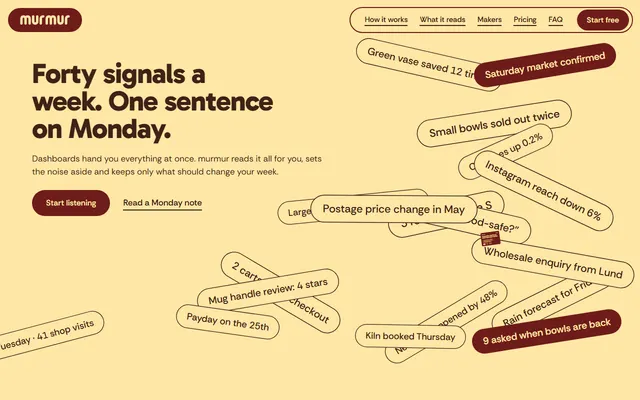
A weekly-advice app: a field of signal chips, five source columns and a phone showing the weekly note.
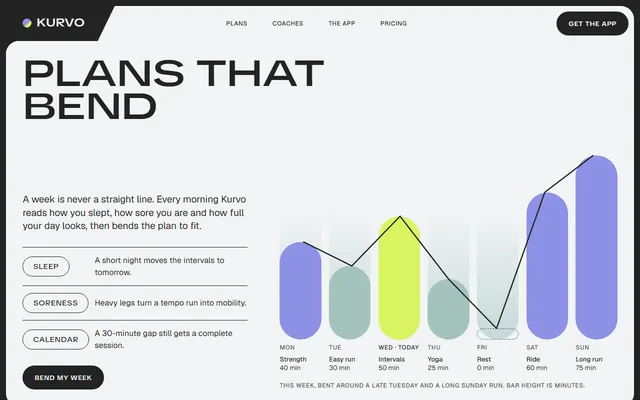
A training app: an adaptive weekly plan with a seven-day chart, coaches, the app on a phone and member stories.
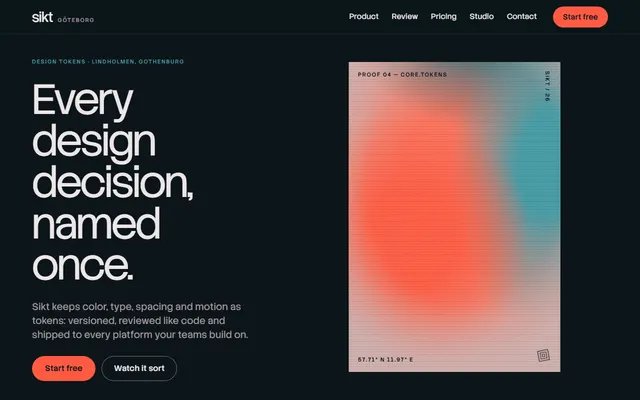
Developer tool or SaaS: a tilting product panel, a sorting scene, outputs, a review diff and pricing.
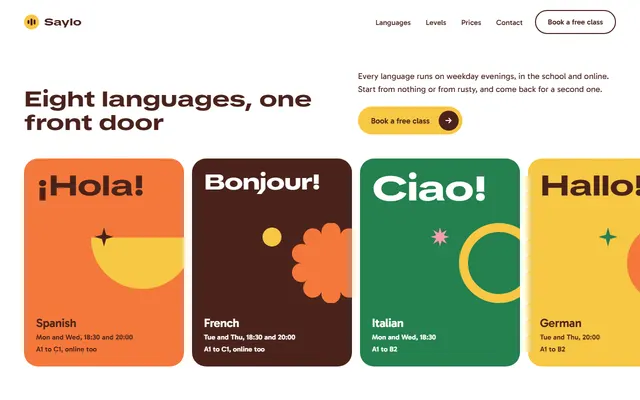
A language school: eight languages on a sideways track, five levels as rising bars and a week of classes.
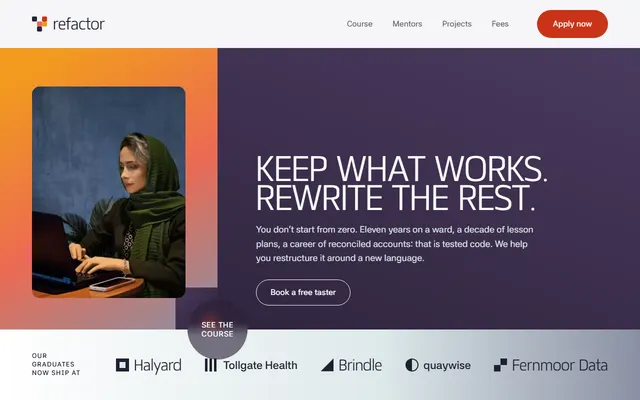
A coding school for career changers: before-and-after careers and a five-module course on a sideways track.
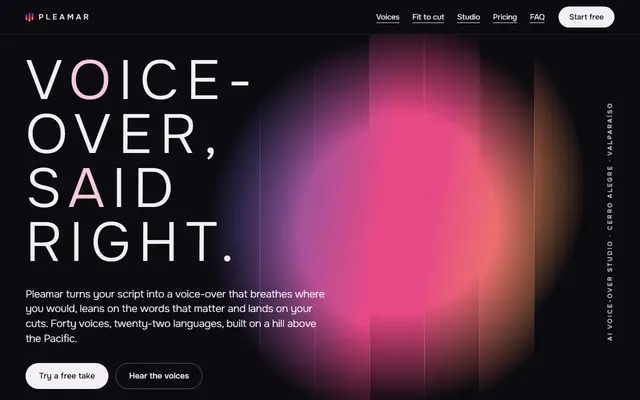
Voice-over or audio app: studio window, voice list, cut fitting, plans and a contact form.
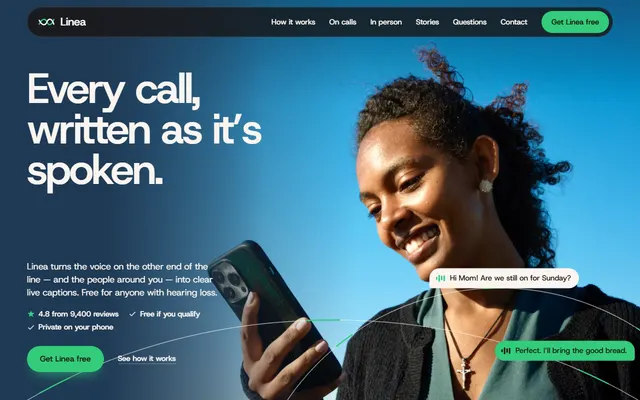
App for a mobile app or SaaS: a phone fills with a call as you scroll, under half the code.
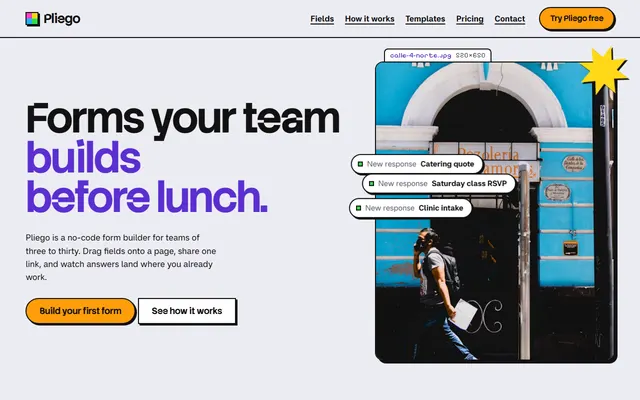
Form builder or no-code tool: field kit, build and share steps, form templates, three plans, contact form.