What comes with the voice over app landing page template
- index.html: the pure HTML and CSS version, one single HTML file, 140 KB.
- index.gsap.html: the same design built with GSAP, ScrollTrigger and Lenis, for scroll motion in every browser, Firefox included.
- AGENTS.md: what a coding agent must keep and what to replace, so Claude Code, Codex or Cursor edit it without breaking the scenes.
- DESIGN.md: every colour, font, spacing and motion rule of this voice over app landing page design.
- PROMPTS.md: the agent prompt and the design prompt below.
- CREDITS.md and LICENSE.md: the photos and fonts with their licenses, and the 8B license.
- Updates to this template, at no extra cost.
Yours to edit: one index.html with no build step, so you or a coding agent can change the words, prices and photos and upload it to any static host. Not a coder? Describe your business in one sentence to 8B's AI website builder and it designs a new site for you, with more pages when you need them. Designing is free; publishing with hosting is $9 a month, billed yearly. It also works inside Claude and ChatGPT.
Premium template · $39, one-time license · Made by 8B, an AI website builder · Updated November 2026 · Plain text: pleamar.md
About this voice over app landing page template
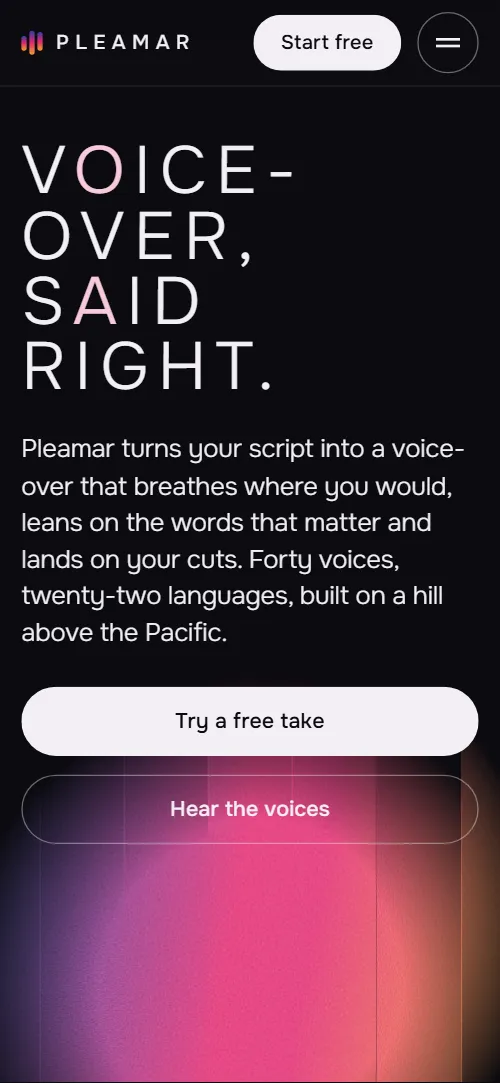
Voice over app landing page template for an AI voice-over studio for video creators: one HTML file with a studio window that shows the product, a script sheet that gets directed as you scroll, a casting list of six voices, a stage where the voice locks onto the video's cuts, a four-step workflow, three plans and a contact form. The first screen sets a broken uppercase heading over a grainy orb cut into seven vertical strips; as you scroll the strips part into bars and the studio window rises out of the page and lies flat. It is a single HTML file in pure HTML and CSS, and a GSAP version of the same page comes with it.
At a glance, November 2026. One 140 KB index.html: a single HTML file in pure HTML and CSS with a few lines of built-in JavaScript, 13 sections, 5 Unsplash photos, Onest. A GSAP build of the same page, 101 KB, comes with it.
It suits a voice-over app, a text-to-speech or dubbing tool, a podcast or audio editor, or any creative software sold by the month that has to show its own interface and explain a short workflow. Voice over app landing pages mostly need four things on one scroll: what the product does in one line, a look at the interface, the options a buyer can choose from and what each plan costs. This page gives each of them its own scene, and adds the parts that make a creator trust an audio tool with their channel: where the voices come from, who owns a cloned voice and how a script is kept.
The demo business is Pleamar, an invented studio in Valparaiso: forty voices, twenty-two languages, three plans from $0 to $59 a month, every name, quote, count and address is demo copy to replace. The voice list, the script lines, the export formats and the plan minutes describe a voice product, so a different kind of app swaps in its own options, steps and limits. Photos are placeholders from a stock source and the studio story can become your team's story or be cut.
If you would rather not edit HTML at all, 8B, the AI website builder designs a site from one sentence about your product, with more pages when you need them. This template is for people who want this exact design in their own hands: one index.html with its CSS and its motion inside, which you or a coding agent can edit and host anywhere.
Good for:
What a voice over app landing page needs
Landing pages for voice and audio apps that turn visitors into users answer the same questions in the first minute. Here is how this template covers each of them.
- What it does in one line. The first screen says that a script becomes a voice-over that breathes where you would and lands on your cuts, with the number of voices and languages, beside two buttons.
- A look at the product. A studio window drawn in HTML shows the script, the voice settings, the waveform and the render button, so the product is seen before it is explained.
- What makes it better than plain text to speech. A script sheet is directed as you scroll: filler is struck, stressed words gain weight and breath marks open.
- The voices to choose from. A list of six voices with a note and the languages of each, and an orb that changes colour and shape for the voice in front of you.
- How it fits the creator's workflow. A stage where the voice phrases lock onto the cut markers, and four steps from pasting a script to exporting audio, captions and project files.
- Trust in how voices and scripts are handled. A section on consent, licence and deletion, plus quotes from creators and the story of the studio behind the voices.
- Plans and a way to ask. Three plans with included minutes shown as level meters, six questions and a contact form with the studio's address, email, phone and hours.
What it does not have is a working demo player, sign-up or checkout: link the plan buttons to your own, add an audio sample to each voice if you have one, and connect the form before you go live.
Voice over app landing page design and motion
Palette
#0c0b10 page ground and the text colour on the pink paper#f3eff4 text and outlines on the dark ground#f7cadb pink paper of the script sheet and the contact section#a8a1b0 secondary text and dimmed voice names#f3a227 amber, the warm right end of the orb and the top of the plan meters#e2276f magenta, the middle of the orb, the script's direction band and stress lines#2b3fa3 cobalt, the cool left end of the orb and the bottom of the plan meters#17151d panels such as the studio window and the plans#2e2a36 hairlines, borders and the empty part of the plan meters#5b344f deep plum for notes and secondary text on the pink paperFonts
- Onest: every text on the page, from the light wide-tracked uppercase headings to the interface labels, buttons, quotes and form fields; weight does the work, including the stressed words in the script sheet
A near-black page with light, widely tracked uppercase headings that break across lines with hyphens, and a plain grotesque for the interface and body text. The first screen holds the heading at the left, a vertical studio line on the right edge and the orb behind; the second screen is a studio window with a script, voice settings and a waveform. The script sheet and the contact section are pink paper. Voices and workflow use a held visual, the orb and a command bar, beside or under a scrolling list. On phones the orb sticks at the top as a short band above the voice list and the studio photo arrives in four strips instead of six.
The idea behind the page is that a voice is a colour field cut into strips. The orb is the waveform: its strips drift on their own in the first screen, part into bars as the studio window opens, take a new pattern for each voice, stand as the meters of the plans and close into one circle beside the contact form. The Valparaiso photo is cut into the same kind of strips, so the product, the plans and the studio all use one shape.
What is on the voice over app landing page page
- NavigationHeader with a three-bar mark and wordmark, five links and a Start free button; under 860 px the links open as a full-screen menu from a round Menu button
- V o ice- over, s a id right.Two screens: the broken heading Voice-over, said right over a seven-strip orb with lead, two buttons and a vertical edge line, then a studio window with script, voice settings and waveform and a render button
On load the heading block rises a little and the orb grows into place, and the seven orb strips drift up and down on their own, each at its own pace. On scroll the strips spread sideways, shift up and down against each other, narrow into bars and dim, the heading drifts up, and the studio window rises from a tilted, smaller state to flat and full size while its waveform bars reach their levels.
- Direct it.A pink script sheet of five lines with a legend, directed by a colour band that strikes filler, weights stressed words and opens breath marks
A translucent colour band travels down the sheet; as it crosses each line the filler words are struck and fade, the stressed word darkens and gains weight, and the breath marks open. The sheet ends directed, as it rests without motion.
- Cast it.A held orb beside a list of six voices, each with a note and its languages; the voice at the middle of the screen sets the orb's hue and pattern
The orb stays in view while the list scrolls. The voice nearest the middle of the screen takes the stage: the orb changes hue and its seven strips slide into that voice's own pattern, and the other names dim.
- Heard on.A portrait photo, a heading with a lead and small level marks, and a continuous row of five creator quotes below
The heading rolls in word by word, the portrait opens from a vertical slit, and the quotes run past in an endless row that stops under the pointer or keyboard focus and when the section is off screen. Small level marks under the heading rise from their baseline.
- Fit it.A held stage with a frame photo, five phrase blocks on a voice track and a playhead, locking onto the cut markers
The stage holds while the section scrolls. The five voice phrases start drifted off their shots and stretched or squeezed, then slide and resize onto the cut markers as the playhead crosses the track, and the label changes from raw take to fitted.
- Made on Cerro Alegre.A Valparaiso aerial photo cut into vertical strips, a vertical edge line, the studio story and a second photo of the stairs
The aerial photo arrives as six vertical strips shifted up and down, four on phones, and they slide into line as the photo rises to the middle of the screen. The heading rolls in word by word and the stairs photo opens from a slit.
- Ship it.Four step rows, Paste, Direct, Cast and fit, Export, above a docked command bar with progress and status
The command bar stays docked at the bottom of the section. As the four steps pass, its progress line fills and its status changes to the step in front of you, and that step's verb lights while the others dim.
- Your voice stays yours.A statement on consent, licence and deletion with a microphone photo and three commitments with rule bars
The heading rolls in word by word, the microphone photo opens from a slit and the rule bars beside the three commitments rise from their baseline one after another.
- Plans.Three plans, $0, $19 and $59 a month, each standing on a level meter of included minutes
The heading rolls in, then each plan's meter climbs from empty to the share of minutes that plan includes, one plan after another.
- Quest- ions.Six questions as native details beside the heading
The heading rolls in word by word; the questions open and close without any script.
- Send us a script.Send us a script on pink paper with the studio address, email, phone, hours, a four-field form and the orb beside it
The orb's strips arrive scattered sideways, shifted and thin, and close into one whole circle beside the form as it scrolls in.
- ProductFooter with the broken wordmark Plea-mar, a short line, three link columns and the company line
Before you publish the voice over app landing page site
- Replace social preview image, favicon, email address, phone number, contact form (sends nothing yet) and social media links and the invented demo facts (names, prices, areas, quotes). AGENTS.md lists them.
- Wordmark, five menu links and the Start free button in the header lead to
wordmark to #opening; Voices, Fit to cut, Studio, Pricing, FAQ to #voices, #fit, #studio, #pricing, #faq; Start free to #pricingnow; point them to keep as they are; point the header button at your sign-up page. - Try a free take button on the first screen lead to
#pricingnow; point them to your sign-up or app page. - Hear the voices button on the first screen lead to
#voicesnow; point them to keep as it is. - Start with Draft, Choose Creator and Choose Studio buttons under the plans lead to
#contactnow; point them to your checkout or sign-up page for each plan. - Footer links Director pass, Voice library, Exports, The house on the hill, Voice rights, Contact lead to
#script, #voices, #workflow, #studio, #rights, #contactnow; point them to keep as they are, or point to your docs and legal pages. - YouTube, Instagram and TikTok links in the footer lead to
the home pages of the three networksnow; point them to your own channel addresses. - Email and phone links in the contact section lead to
hola@pleamar.example and tel:+56320000000now; point them to your support email and number, in the link and in the visible text. - Scroll-driven animation runs when the browser supports it (Chrome, Edge and Safari today; Firefox does not yet) and the visitor has not asked for reduced motion. Otherwise each section shows its finished layout; the GSAP build, index.gsap.html (GSAP 3.13), also plays the scroll motion in Firefox.
- The contact form sends nothing in either version. The pure HTML and CSS version shows no thank-you line; the GSAP version shows one under the button without sending. Connect it to a form service or your sign-up flow, and add a thank-you page or line.
- The studio window, the script sheet and the command bar are drawn in HTML and CSS as a picture of the product, not working controls; the plan buttons point to the contact section until you link your checkout.
- The voice list is built for six entries with seven orb strips, the script sheet for five lines, the cut stage for five phrases, the workflow for four steps and the plans for three: a different count needs its layout and scene adjusted.
- Plan meter heights come from the included minutes of each plan, with a minimum so the smallest plan still shows a stub.
Questions about this voice over app landing page template
What do I get for $39?
The voice over app landing page template as a single HTML file, index.html, in pure HTML and CSS, a GSAP build of the same page as index.gsap.html, a DESIGN.md with every colour, font and motion rule, an AGENTS.md for coding agents, the agent prompt and the design prompt from this page, and CREDITS.md for the photos and fonts. Updates to this template are included.
Can I use this voice over app template for client sites?
Yes. One purchase lets you build as many sites as you like with it, for yourself or for clients, and change anything. What it does not allow is selling or giving away the template itself, as a template, theme or kit, or putting its source in a public repository.
Does the page have a working sign-up or a demo player?
No. The studio window, the script sheet and the command bar are drawn in HTML and CSS to show the product, and there is no audio on the page. The plan buttons point to the contact section until you link them to your sign-up or checkout, and the voice list does not play anything. To add sample audio, put an audio element in each voice row, or link each voice to a hosted sample.
Does the contact form send messages?
Not yet. The form has fields for name, email, channel or project and the script or question, but it sends nothing until you connect a form service such as Formspree or Netlify Forms, or your own backend. The pure HTML and CSS version shows no thank-you line; the GSAP version shows one under the button but still sends nothing, so point the form at a thank-you page or add one.
Will it work with Claude Code, Codex or Cursor?
Yes. Put index.html and AGENTS.md in your project and give the agent the prompt that comes with the template. AGENTS.md says which attributes the scroll motion reads, what to keep and what to replace, so the agent changes copy, plans, photos and colours without breaking the scenes.
What do visitors see in Firefox or with reduced motion?
Firefox does not support scroll-driven animations yet, so it shows every section in its finished layout, as does any browser when the visitor asks for reduced motion. If the scroll motion must also play in Firefox, use the GSAP build, index.gsap.html, which loads GSAP, ScrollTrigger, SplitText and Lenis from a CDN.
More templates for apps and products
Other designs for software and products that are explained one scroll at a time.
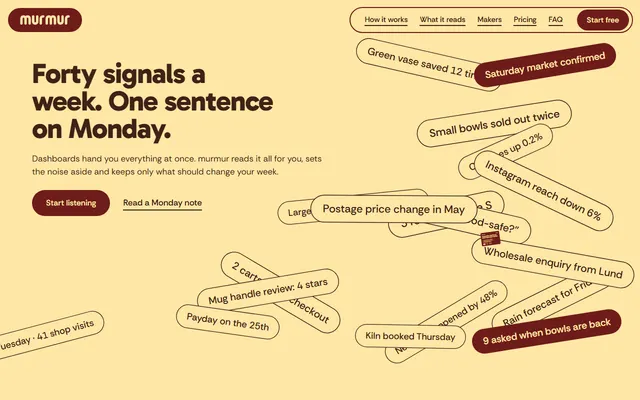
A weekly-advice app: signal chips, source columns, a phone showing the note, maker portraits, four claims and two plans.
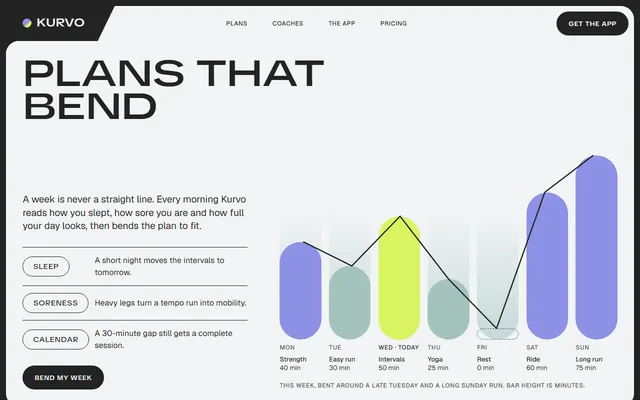
A training app: an adaptive weekly plan with a seven-day chart, coaches, the app on a phone, three plans and contact.
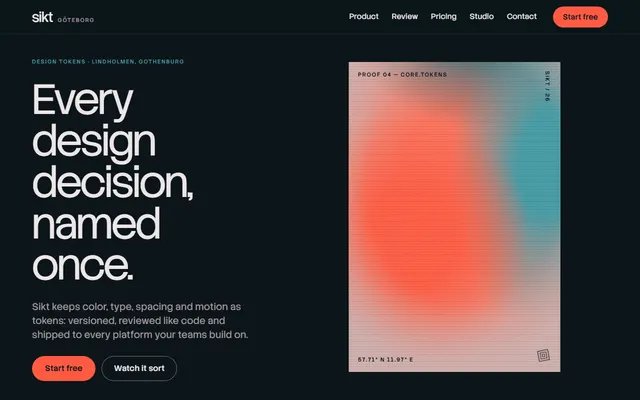
Developer tool or SaaS: a tilting product panel, a sorting scene, outputs, a review diff and pricing.
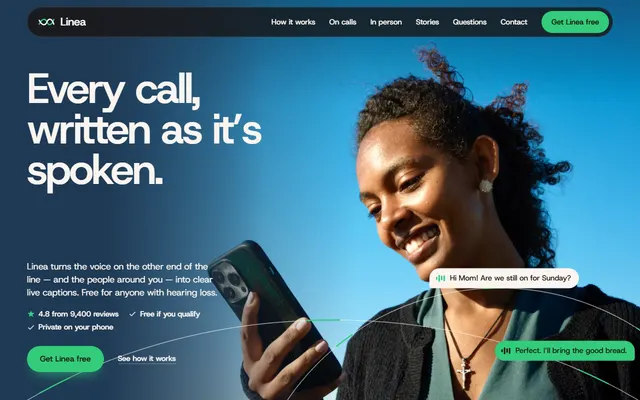
A captions app: warm bands that stack as you scroll, a waveform turning into caption bubbles and a phone that builds its transcript.
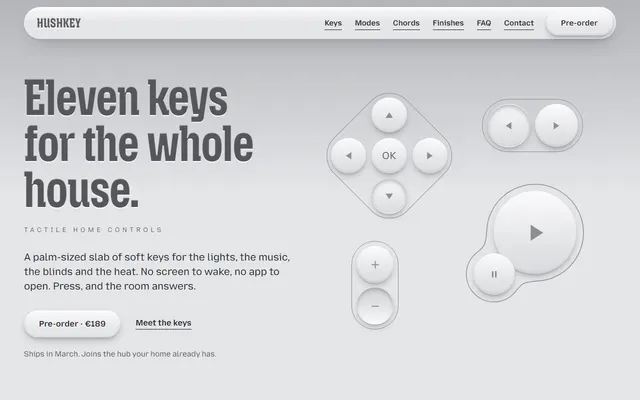
A product launch: a palm-sized remote whose keys are drawn in HTML and CSS and press and swell as you scroll.
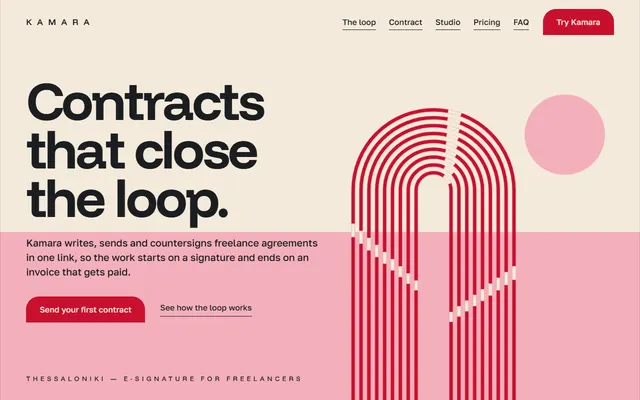
E-signature or SaaS app: product loop, feature sheet, three plans, quotes, FAQ and a contact form.
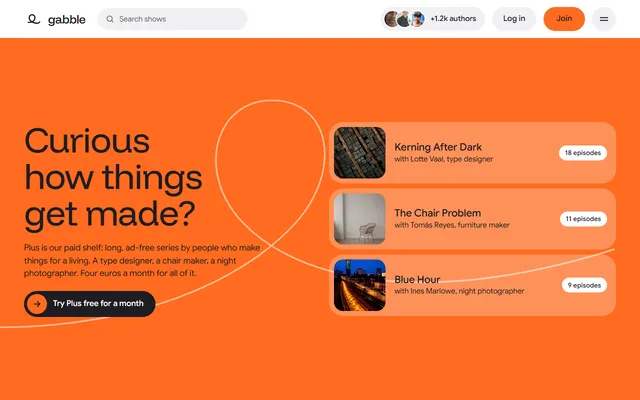
A podcast network: a featured episode with a scrolling transcript, a shelf of shows, an authors grid and a submission path.
Form builder or no-code tool: field kit, build and share steps, form templates, three plans, contact form.