What comes with the school website template
- index.html: the pure HTML and CSS version, one single HTML file, 109 KB.
- index.gsap.html: the same design built with GSAP, ScrollTrigger and Lenis, for scroll motion in every browser, Firefox included.
- AGENTS.md: what a coding agent must keep and what to replace, so Claude Code, Codex or Cursor edit it without breaking the scenes.
- DESIGN.md: every colour, font, spacing and motion rule of this school website design.
- PROMPTS.md: the agent prompt and the design prompt below.
- CREDITS.md and LICENSE.md: the photos and fonts with their licenses, and the 8B license.
- Updates to this template, at no extra cost.
Yours to edit: one index.html with no build step, so you or a coding agent can change the words, prices and photos and upload it to any static host. Not a coder? Describe your business in one sentence to 8B's AI website builder and it designs a new site for you, with more pages when you need them. Designing is free; publishing with hosting is $9 a month, billed yearly. It also works inside Claude and ChatGPT.
Premium template · $39, one-time license · Made by 8B, an AI website builder · Updated November 2026 · Plain text: portico.md
About this school website template
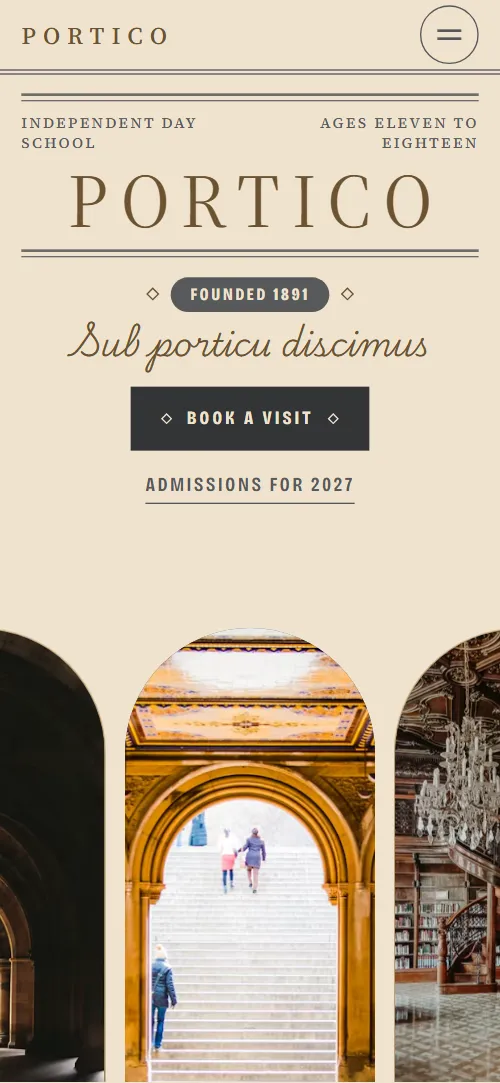
School website template for an independent day school for ages 11 to 18: one HTML file with two schools under one roof, a walk through four rooms of the building, a letter from the Head, clubs, a board of open mornings, two ways in at 11+ and 16+, parents' questions and a visit request form. It opens on a printed-programme masthead above an arcade of three arch windows, and as you scroll the middle arch opens into the whole view. It is a single HTML file in pure HTML and CSS, and a GSAP version of the same page comes with it.
At a glance, November 2026. One 109 KB index.html: a single HTML file in pure HTML and CSS with a few lines of built-in JavaScript, 12 sections, 34 Unsplash photos, Bricolage Grotesque, Playwrite US Trad and Source Serif 4. A GSAP build of the same page, 103 KB, comes with it.
It suits an independent day school, a private secondary or grammar school, a sixth form college, or a school with a lower and an upper section under one roof. School websites mostly need the same things on one scroll: what kind of school it is, the buildings and daily life, the Head's voice, the dates of open mornings, how a child joins, the fees and a way to book a visit. This page gives each its own section, so a family sees the school, the route in and the next date without hunting through menus.
The demo school is Portico School, an invented school founded in 1891 in the invented town of Halbrook. Every name, date, fee, result, address and the Head's letter is demo copy to replace. The structure adapts to another town or system: the two schools can be a junior and a senior school, the entry points at 11+ and 16+ can become the ages and exams of your country, and the rooms can be your own halls, workshops or fields.
If you would rather not edit HTML at all, 8B, the AI website builder designs a site from one sentence about your school, with more pages when you need them. This template is for people who want this exact design in their own hands: one index.html with its CSS and its motion inside, which you or a coding agent can edit and host anywhere, next to the term dates, parent portal or admissions system you already use.
Good for:
What a school website needs
Families visiting a school website look for the same answers quickly. Here is how this template covers each of them.
- What kind of school it is. A short founding story under the first screen, the ages and the number of pupils, and two schools, Lower and Upper, each with a portrait and a note on forms, tutors and subjects.
- The place itself. A walk through four rooms of the building, the Cloister, the Library, the Laboratory and the Theatre, each with two photos and a paragraph on what happens there.
- The Head's voice. A printed letter with three paragraphs and a handwritten signature, beside an arched portrait of the Head.
- Life outside lessons. Nine clubs with the day and the room, a count of all the clubs, and eight photographs of school life from leavers' day to an expedition.
- Open mornings and dates. A board of five events with date, time, what happens, who it is for and a link to reserve a place, or to register for the assessment morning.
- How a child joins, and what it costs. Two ways in, at 11+ and at 16+, each with its route, deadlines and three facts under a line that bursaries are on every route, and questions on fees, bursaries, travel, lunch, learning support and care before and after school.
- A way to book a visit. The contact section has an address card with telephone, email and hours, and a visit request form. Connect the form before you go live.
What it does not have is a prospectus download, term dates, a news page, staff profiles, a parent portal or an online application: it is built as the school's front door, and the buttons can link to the pages and systems the school already runs.
School website design and motion
Palette
#f0e3cf cream: the page ground, the framed cards and the text on the slate sections#58595b slate: body text, the double rules on cream, the pills on cream, the second opening screen, the plinths, the dark rooms, the club, notebook and questions panels and the footer#c3a677 sand-gold: the frames of arches, photos and cards, the rules of the open mornings board, the questions and the footer, the pills on slate and button hovers#6b5230 bronze: the wordmark, the motto, the room names and the signature on cream, side labels, dates and focus rings#333436 charcoal: buttons and the shade over the opening photoFonts
- Source Serif 4: the wordmark in wide-tracked capitals, the body text and small capitals for side labels, captions and dates
- Bricolage Grotesque: condensed capitals for statements, subheadings, buttons, pills, links and form labels
- Playwrite US Trad: a school handwriting script for the motto, the room names and the Head's signature
A cream page with slate panels that alternate with it, and double rules, thin sand-gold frames and small pills that give the feel of a printed programme. The opening is a masthead band (double rules, side labels, the wordmark, the founding year and a Latin motto in script) above an arcade of three arch windows standing on the bottom edge. Every photo is framed as a round-headed arch. The two schools stand on slate plinths, the rooms form a row of covers and panels, the open mornings are rows between double rules, and the two ways in are two arched portraits with framed cards overlapping them. On phones the rooms stack, the side arches of the opening are cut by the screen edges and the cards sit under the admissions portraits.
The idea behind the page is a school told as one building you walk through, with the stone portico as its door: arch windows, a printed programme and a handwritten voice. So the opening arch opens as if you step inside, the rooms are walked sideways one by one with their names written beneath them, a pile of photographs settles into a sheet, and a single doorway parts into the two ways in.
What is on the school website page
- NavigationA thin programme bar with the wordmark, five links and Book a visit that hides on the way down, and a full-screen menu on phones
The programme bar hides as you scroll down and returns when you scroll up, and it slides back into view whenever a link in it takes the keyboard focus.
- PorticoTwo screens: a cream masthead with double rules, the wordmark, the founding year and the Latin motto above an arcade of three arch windows, then a slate screen with We learn in the open and a framed card introducing the school
On load the double rules extend from their centre and the arcade lifts into place, while the photos in the three arches pan slowly up and down. On scroll the middle window opens from its arch into the full screen, the side arches part outward, the view inside pans up from the floor to the arcade and moves closer, a dark shade settles over it, and the line We learn in the open is written across it from left to right while the framed card rises onto it.
- Two schools, one porticoTwo schools, one portico: two arched portraits on slate plinths for the Lower School (ages 11 to 14) and the Upper School (14 to 18), each with a short note
The two portraits start low, sunk into their plinths; as the pair rises to the middle of the screen the plinths grow and raise the portraits to full height, the Lower School a beat ahead of the Upper School.
- The building teachesThe building teaches: an introduction and four chapters, the Cloister, the Library, the Laboratory and the Theatre, each with an arch photo, a handwritten room name, a framed photo and a short text
On desktops the section holds while the introduction and the four rooms travel sideways past, a pinned scroll of a little over three screen widths. Each room's photo pans sideways inside its arch, and its name is written in script beneath it as the room reaches the middle. On phones the rooms stack and the same pan and writing run as each one rises.
- From the HeadA printed letter from the Head between double rules, three paragraphs and a handwritten signature, beside an arched portrait
The double rules of the letterhead draw out from the centre and the Head's portrait opens upward from its sill like an arch window.
- After four o'clockAfter four o'clock: a held title with the club count and a link, between two columns of nine club photos captioned with the day and the room
On desktops the title holds in the middle while two columns of club photos pass each other, one climbing and one sinking, and rest through the middle of the passage so the captions can be read.
- Open morningsA board of five open mornings between double rules: date and time, event and what happens, who it is for, and a link to reserve a place or register
The double rules above and below the heading and the rule above each of the five rows draw out from the centre as they come into view.
- Life under the porticoLife under the portico: eight captioned school photographs on a slate panel
The eight photographs start as a turned heap in the middle of the slate panel and settle into an ordered contact sheet of four columns by two rows (two columns on phones); on desktops the panel holds while the pile settles.
- Two ways inTwo ways in: two arched portraits for joining at 11+ and at 16+, each with a framed card of the route, a paragraph, three facts and an Apply button
The double rules above and below the heading draw out from the centre; the two portraits start pressed together as one round-headed doorway and part into two arches while the framed cards rise onto them.
- Questions parents askQuestions parents ask: six questions on fees, bursaries, travel, lunch, learning support and care before and after school, beside a heading with a link to the admissions office
- Come on an ordinary morningThe wordmark across the full width, a small arched photo of the building, an address card with phone, email and hours, and a visit request form
The letters of the wordmark start spread across the width and close up into the word as the section rises, and the photo of the building opens upward from its sill like an arch window.
- FooterSlate footer with the wordmark, the motto line, four links and the legal line with the charity number
Before you publish the school website site
- Replace social preview image, favicon, phone number, email address and contact form (sends nothing yet) and the invented demo facts (names, prices, areas, quotes). AGENTS.md lists them.
- Book a visit in the header, the menu and the first screen lead to
#contactnow; point them to your visit booking page, or keep #contact once the form is connected. - Admissions for 2027 on the first screen and How to register in the Assessment Morning row lead to
#entrynow; point them to keep as it is, or your admissions page. - Walk through the building on the second screen lead to
#roomsnow; point them to keep as it is. - Reserve a place in the open mornings board, Apply at 11+ and Apply at 16+ in the admissions section, Ask for the full list in the clubs section and Ask the admissions office in the questions section lead to
#contactnow; point them to your event booking and application pages, or keep #contact once the form is connected. - Phone and email links in the contact section lead to
tel:+441632000000 and admissions@portico.examplenow; point them to your admissions office number and email, in the link and in the visible text. - Scroll-driven animation runs when the browser supports it (Chrome, Edge and Safari today; Firefox does not yet) and the visitor has not asked for reduced motion. Otherwise each section shows its finished layout; the GSAP build, index.gsap.html, also plays the scroll motion in Firefox.
- The visit request form sends nothing: connect it to a form service or your admissions system. Without a page script there is no thank-you line after sending. Its Joining at menu offers 11+, 13+, 16+ and Not sure yet, while the page itself shows two routes, 11+ and 16+.
- It is one page: the open mornings, the Apply buttons and the clubs link point to #contact or #entry, so there are no separate event, application, term dates, news or staff pages.
- The arcade is built for three arch windows, the two schools for two plinths, the rooms walk for four rooms, the notebook for eight photographs in two rows of four and the admissions doorway for two routes: a different count needs its layout and scene adjusted. On desktops the rooms walk holds the section for a pinned scroll of a little over three screen widths.
- The fees, dates, results, charity number, address and the Head's name are invented demo content: replace every one with your own.
Questions about this school website template
What do I get for $39?
The school website template as a single HTML file, index.html, in pure HTML and CSS, a GSAP build of the same page as index.gsap.html, a DESIGN.md with every colour, font and motion rule, an AGENTS.md for coding agents, the agent prompt and the design prompt from this page, and CREDITS.md for the photos and fonts. Updates to this template are included.
Can I use this school template for client sites?
Yes. One purchase lets you build as many sites as you like with it, for your own school or for clients, and change anything. What it does not allow is selling or giving away the template itself, as a template, theme or kit, or putting its source in a public repository.
Where do fees, open mornings and admissions dates go, and how do I change them?
Fees and bursaries are answers in the questions section, the open mornings are five rows of one board, and the two routes in are two cards, each with its dates and three facts. With Claude Code, Codex or Cursor you say it in a sentence, such as move the open morning to 21 November and set the 11+ deadline to 1 December, and the agent edits the rows; by hand you change the words in place. There are no separate term dates, news, staff or prospectus pages and no parent portal: link the buttons to the pages and systems your school already has, and use this page as the school's front door. If you want a site with more pages that you edit without code, 8B's AI website builder makes one from a sentence about your school.
Does the visit request form send requests?
Not yet. The form asks for name, email, telephone, the entry point, when the visit would suit and a message, and it sends nothing until you connect a form service such as Formspree or Netlify Forms, or your admissions system. The pure HTML and CSS version shows no thank-you line after sending, so point the form at a thank-you page or add one. Its Joining at menu lists 11+, 13+, 16+ and Not sure yet, while the page shows routes only for 11+ and 16+, and the visit menu lists a weekday tour and three of the five events: match both to your own entry points and events.
Will it work with Claude Code, Codex or Cursor?
Yes. Put index.html and AGENTS.md in your project and give the agent the prompt that comes with the template. AGENTS.md says which attributes the scroll motion reads, what to keep and what to replace, so the agent swaps names, dates, fees, rooms and photos without breaking the scenes.
What do visitors see in Firefox or with reduced motion?
Firefox does not support scroll-driven animations yet, so it shows every section in its finished layout, as does any browser when the visitor asks for reduced motion. If the scroll motion must also play in Firefox, use the GSAP build, index.gsap.html, which loads GSAP, ScrollTrigger and Lenis from a CDN.
More templates for learning, childcare and the arts
Other designs for places where people learn and grow.
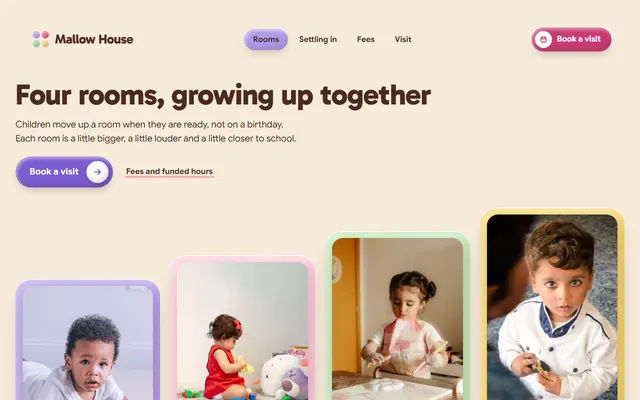
Day nursery: four rooms by age, a settling-in plan, a weekly lunch menu, fees and an open-morning booking form.
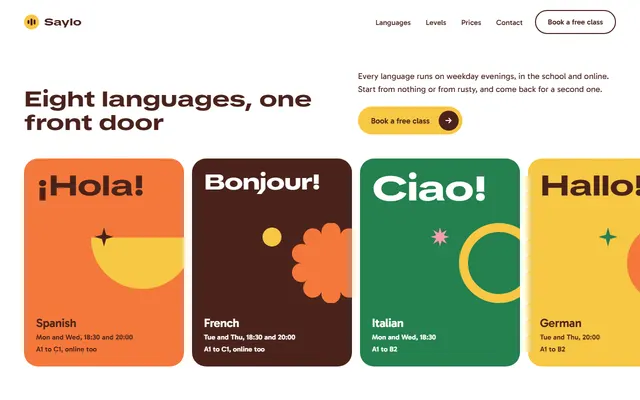
Language school: eight languages on a sideways track, five levels, a week of classes and a free-class offer.

Children's swim school: six levels with prices, the pool, a timetable, a free trial and a booking form.
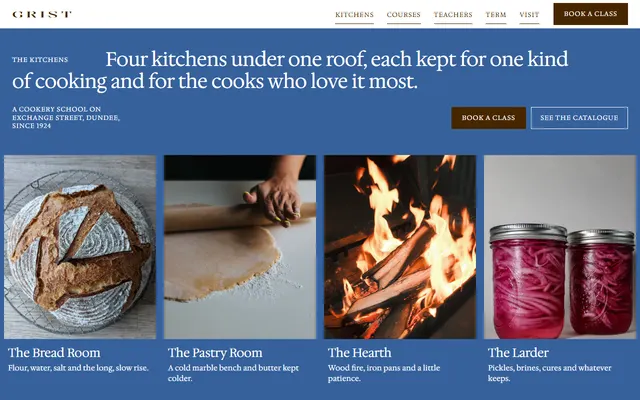
Cookery school: four kitchens, a seven-course catalogue, a termly timetable and public and private doors.
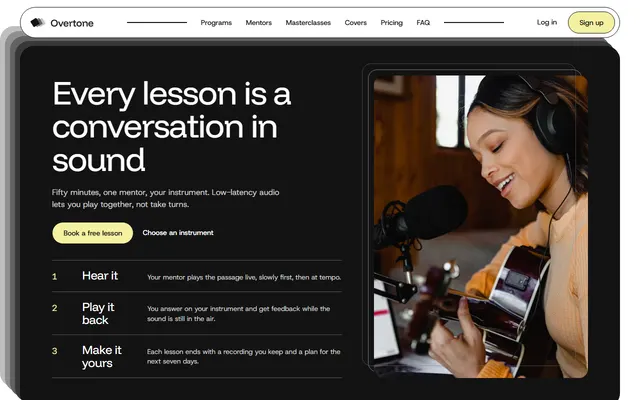
Music school: five instrument programs, mentors, masterclass tickets, three plans and a booking form.
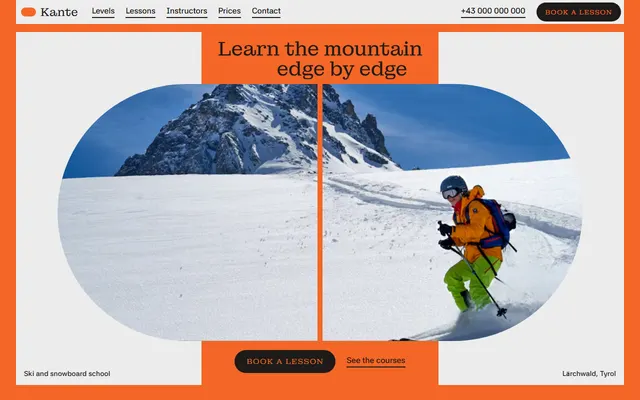
Ski and snowboard school: levels, courses, instructors, a week plan, prices and a booking form.
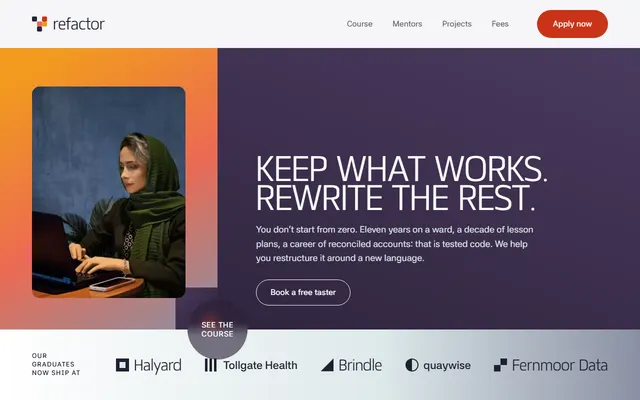
Coding school for career changers: a five-module course on a sideways track, a weekly timetable, mentors and taster dates.

Drone pilot school: courses with prices, modules, instructors, an airfield checklist and a booking form.