What comes with the avatar maker app landing page template
- index.html: the pure HTML and CSS version, one single HTML file, 93 KB.
- index.gsap.html: the same design built with GSAP, ScrollTrigger and Lenis, for scroll motion in every browser, Firefox included.
- AGENTS.md: what a coding agent must keep and what to replace, so Claude Code, Codex or Cursor edit it without breaking the scenes.
- DESIGN.md: every colour, font, spacing and motion rule of this avatar maker app landing page design.
- PROMPTS.md: the agent prompt and the design prompt below.
- CREDITS.md and LICENSE.md: the photos and fonts with their licenses, and the 8B license.
- Updates to this template, at no extra cost.
Yours to edit: one index.html with no build step, so you or a coding agent can change the words, prices and photos and upload it to any static host. Not a coder? Describe your business in one sentence to 8B's AI website builder and it designs a new site for you, with more pages when you need them. Designing is free; publishing with hosting is $9 a month, billed yearly. It also works inside Claude and ChatGPT.
Premium template · $39, one-time license · Made by 8B, an AI website builder · Updated November 2026 · Plain text: kocka.md
About this avatar maker app landing page template
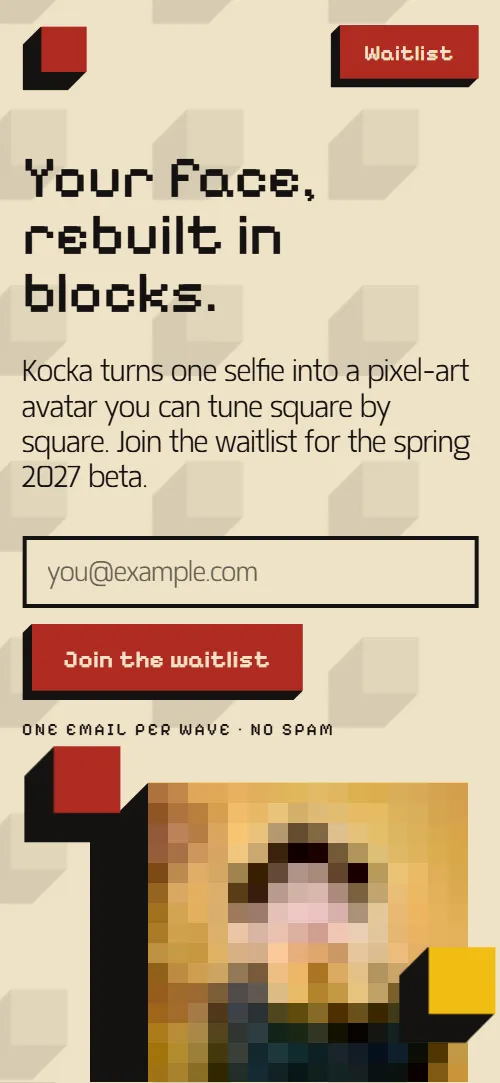
Avatar maker app landing page template for an indie app or a creative tool that is collecting a waitlist: one HTML file with a waitlist form on the first screen, a held pixel portrait, eight looks of one face, a grid of twelve features, three steps, five export sizes, a studio story, early-waitlist perks, quotes and questions. It opens on a heading and an email field beside a portrait built from 16 blocks, which sharpens to 32 and 64 blocks as you read about the grid. It is a single HTML file in pure HTML and CSS, and a GSAP version of the same page comes with it.
At a glance, November 2026. One 93 KB index.html: a single HTML file in pure HTML and CSS with a few lines of built-in JavaScript, 12 sections, 3 Unsplash photos, Matangi and Pixelify Sans. A GSAP build of the same page, 76 KB, comes with it.
It suits an app in closed beta, a pixel-art or avatar tool, a small studio launching a consumer product, or any simple product that is easiest to show by what it turns one input into. Avatar maker app landing pages need a few things on one scroll: what the product does in one picture, how many options it gives you, how it works, what you get out of it and a reason to join the list now. This page gives each its own section, so the waitlist form is on the first screen and again at the end.
The demo business is invented: Kocka, a studio in Osijek, Croatia. Every name, quote, date, price and address is demo copy to replace. The portrait and the looks are drawn from one photo, so swap in a picture of your own product or output and keep the 16, 32 and 64 steps if they fit, or change the notes to the stages of your own product. Prices are in euros, so change them and the dates to your own market.
If you would rather not edit HTML at all, 8B, the AI website builder designs a site from one sentence about your product, with more pages when you need them. This template is for people who want this exact design in their own hands: one index.html with its CSS and its motion inside, which you or a coding agent can edit and host anywhere, next to the app you are building.
Good for:
What an app landing page needs
An app landing page with a waitlist has to answer a few questions fast. Here is how this template covers each of them.
- A way to join on the first screen. The heading, one line about the product and an email field with a Join the waitlist button sit in the first screen, and a second form closes the page.
- The product in one picture. A held portrait steps from 16 to 32 to 64 blocks as you scroll, so the promise is seen before it is read.
- What you can change. A poster grid of twelve blocks names twelve things to tweak, and eight looks of one face show how far a single input can go.
- How it works. Three steps as blocks of rising height: snap, pick a grid, tune and export.
- What you get out of it. Five export sizes from 512 to 16 px, each with what it is for, from print to favicons.
- Who is behind it. A studio chapter with the story of the team and two photos.
- A reason to join now. Three early-waitlist perks, five quotes from the closed alpha and six answers about the waitlist, the photo and ownership.
What it does not have is a live demo, a sign-up flow, pricing tables or an account area: it is built to collect a waitlist and show one product idea, and the app itself is yours to link when it is ready.
Avatar maker app landing page design and motion
Palette
#efe2c6 cream paper of the page and the faces of light blocks#141211 ink: text, the black depth of the blocks and the quotes chapter, where the depths turn cream#b02b22 red: buttons, the shape-shift and waitlist chapters and one third of the blocks#f2bd12 yellow: the export sizes chapter, the link hover and one third of the blocks#0a5bab blue: the studio chapter and one third of the blocksFonts
- Pixelify Sans: headings, the giant chapter words, labels, buttons and block titles
- Matangi: body text, leads, quotes and form fields
A cream page with ink text and three full-width chapters in red, yellow and blue. Every square, photo, step, button and form is a block with a black depth falling down and to the left. The first screen is split: heading, lead and email field on one side, an extruded portrait with three small blocks on the other, over a faint pattern of tiles. Three chapters carry one giant word each, split by a hyphen across two lines (shape-shift, pocket-sized, osijek). The features are a three by four poster grid, the steps are blocks of rising height, the export sizes are squares in a row (a column on phones), the perks are three tall columns and the quotes are blocks on a black chapter. On phones the portrait sits between the two opening screens, the strip and grids get smaller and the header keeps only the mark and the Waitlist button.
The idea behind the page is that every pixel is a block. The product is a grid of squares, so the page is a grid of squares too: each one has a black depth that grows as it arrives, the portrait gets sharper block by block, and the giant words are set in a pixel face and cut in two like a poster headline. The palette is the three primaries on cream, so the blocks stay readable and the photos bring the rest of the colour.
What is on the avatar maker app landing page page
- NavigationHeader with a red block mark, four links and a Waitlist button; it scrolls away with the page
- Your face, rebuilt in blocks.Two screens: the heading, an email field and a held pixel portrait on a drifting block pattern, then three grid notes (16, 32, 64) beside the portrait
On load the heading and the form slide up a little and the portrait is uncovered from the top down in one smooth wipe; the tile pattern drifts along the diagonal and the three small blocks hop in turn. As you scroll, the held portrait steps from 16 to 32 to 64 blocks as each grid note reaches the reading line, its black depth grows, the three small blocks slide into a row beneath it and the pattern shifts up a little. On wide screens each note also brightens as it reaches that line.
- shape- shiftRed chapter with the giant word shape-shift and eight looks of one portrait on a rising diagonal strip
The eight looks start stacked on the first tile and fan out along a rising diagonal, their depths growing, while the two halves of the giant word slide apart to the edges.
- Twelve things you can tweak.Poster grid of twelve red, yellow and blue blocks, each naming one thing to tweak, beside the copy
The twelve flat squares rise into blocks in a wave along the diagonals, then every colour steps one place along into its resting order.
- Three steps, no drawing skills.Three steps (snap, pick a grid, tune and export) as blocks of rising height
The heading is uncovered left to right in one quick wipe as it comes into view, and each step block rises as its black depth grows from flat.
- pocket- sizedYellow chapter with the giant word pocket-sized and five export sizes, 512 to 16 px, with what each is for, in a row (a column on phones)
The five export squares start as one stack of nested squares on the largest and slide apart into a row ordered by size (a column on phones) as their labels fade in.
- osijekBlue chapter with the giant word osijek, the studio story and two photo blocks
The word osijek is uncovered left to right in one quick wipe and the two photo blocks rise as their depths grow.
- Line up early.Three early-waitlist perks as tall red, yellow and blue columns
The three columns fill with red, yellow and blue from a rising diagonal edge, one after another, and each column's depth grows as its colour arrives.
- Heard in the closed alpha.Five closed-alpha quotes as blocks on an ink chapter
The heading is uncovered left to right in one quick wipe and the row of quote blocks slides against the scroll across the black chapter.
- Before you join.Six questions about the waitlist, the photo, ownership and the beta, as blocks on a stair
The questions arrive on a diagonal stair, each one set further right and lower, and straighten into one column before they reach the middle of the screen, so they stay still while read.
- Save your square.Red chapter with a waitlist form (email and the name you go by) and the studio address, phone, email and visiting days
The form block rises as its black depth grows from flat.
- FooterFooter with four links, a one-line tagline, a giant kocka wordmark and the company line
The giant kocka wordmark is uncovered left to right in one quick wipe.
Before you publish the avatar maker app landing page site
- Replace social preview image, favicon, contact form (sends nothing yet), email address, phone number and social media links and the invented demo facts (names, prices, areas, quotes). AGENTS.md lists them.
- Waitlist in the header and the footer lead to
#contactnow; point them to keep it once the waitlist form is connected. - Looks, How it works, Studio and FAQ links in the header, Waitlist and FAQ in the footer lead to
#shapeshift, #how, #studio, #faq, #contactnow; point them to keep them, they point to sections of the same page. - Back-to-top block in the header lead to
#topnow; point them to keep it. - Instagram link in the footer lead to
Instagram's home pagenow; point them to your own profile, or remove it. - Privacy link in the footer lead to
#footer, no privacy pagenow; point them to your privacy page. - Both waitlist forms lead to
action="#", nothing is sentnow; point them to a form service or your mailing list. - Scroll-driven animation runs when the browser supports it (Chrome, Edge and Safari 26.2 and later; Firefox does not yet) and the visitor has not asked for reduced motion. Otherwise each section shows its finished layout; the GSAP build, index.gsap.html, also plays the scroll motion in Firefox.
- Both waitlist forms send nothing: connect them to a form service or your mailing list. In the pure HTML and CSS file the browser only checks the email field and no confirmation line appears; the GSAP build, index.gsap.html, shows the confirmation line after a valid email.
- The portrait is one photo loaded at 16, 32 and 64 px wide with pixelated rendering; the eight looks are the same photo with CSS filters or a smaller source, and the five export squares use 350, 350, 64, 32 and 16 px images under the 512 to 16 px labels. They show your own avatar once you replace the images, and the app itself is not part of the template.
- The scenes are built for fixed counts: three grid notes, eight looks, twelve tweak blocks and five export sizes; a different count needs its layout and scene adjusted.
- The footer Privacy link points to the footer itself: add your privacy page before launch.
Questions about this avatar maker app landing page template
What do I get for $39?
The avatar maker app landing page template as a single HTML file, index.html, in pure HTML and CSS, a GSAP build of the same page as index.gsap.html, a DESIGN.md with every colour, font and motion rule, an AGENTS.md for coding agents, the agent prompt and the design prompt from this page, and CREDITS.md for the photos and fonts. Updates to this template are included.
Can I use this app landing page template for client sites?
Yes. One purchase lets you build as many sites as you like with it, for your own product or for clients, and change anything. What it does not allow is selling or giving away the template itself, as a template, theme or kit, or putting its source in a public repository.
Do the waitlist forms collect emails?
Not yet. Both forms send nothing until you connect a form service such as Formspree or Netlify Forms, or your mailing list. The first form asks for an email only, the second also for the name people go by online, so the field names are easy to map. In the pure HTML and CSS file the browser checks the email field and nothing more appears; the GSAP version also shows a confirmation line after a valid email. Connect both before you share the page.
How do I show my own product instead of the pixel portrait?
The portrait is one photo loaded three times, 16, 32 and 64 px wide, drawn with pixelated rendering; the eight looks are the same photo with colour filters or a smaller source, and the five export squares are image files of it too. Swap in your own images, or ask Claude Code, Codex or Cursor to do it in a sentence such as replace the portrait with screenshots at three stages of the app. The page has no live demo or sign-up flow: it is the front door for the app, and the product itself lives wherever you build it. If you want a site with more pages that you edit without code, 8B's AI website builder makes one from a sentence about your product.
Will it work with Claude Code, Codex or Cursor?
Yes. Put index.html and AGENTS.md in your project and give the agent the prompt that comes with the template. AGENTS.md says which attributes the scroll motion reads, what to keep and what to replace, so the agent swaps the product name, steps, features, sizes, perks and quotes without breaking the scenes.
What do visitors see in Firefox or with reduced motion?
Firefox does not support scroll-driven animations yet, so it shows every section in its finished layout, as does any browser when the visitor asks for reduced motion. If the scroll motion must also play in Firefox, use the GSAP build, index.gsap.html, which loads GSAP, ScrollTrigger and Lenis from a CDN.
More templates for apps and products
Other designs for app and product launches.
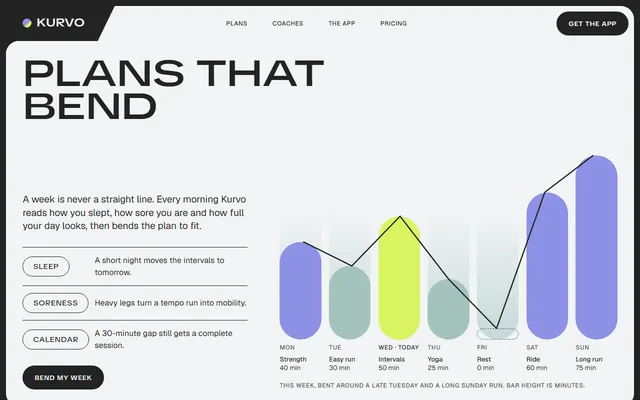
A training app: an adaptive weekly plan with a seven-day chart, coaches, three plans and a monthly challenge.
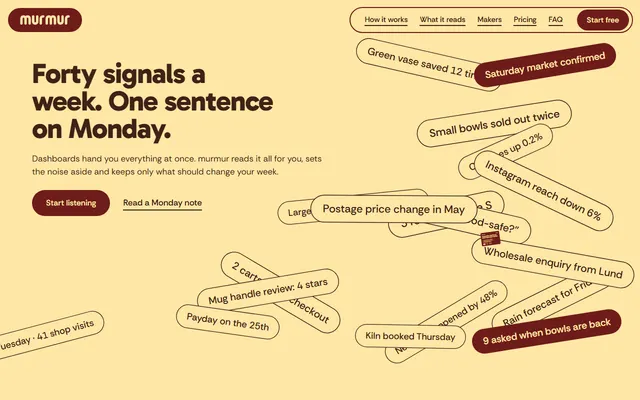
A weekly-advice app: a field of signal chips, a phone showing the weekly note, makers and four large claims.
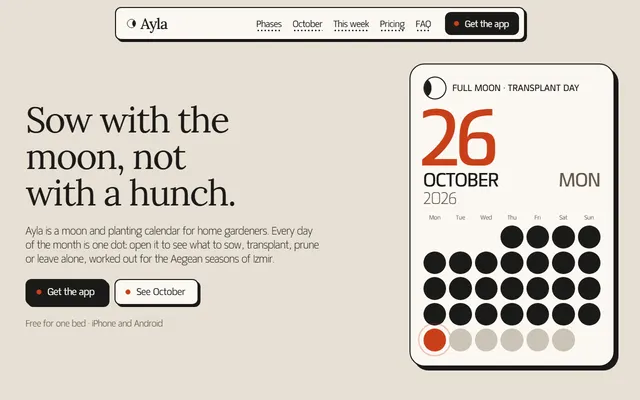
Gardening or planting calendar app: moon phases, a month of dots, plans, reminders and FAQ.
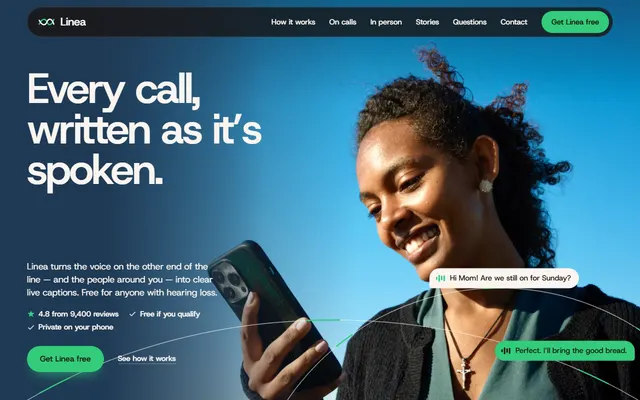
A free app that turns conversations into live captions, with warm paper and espresso bands.
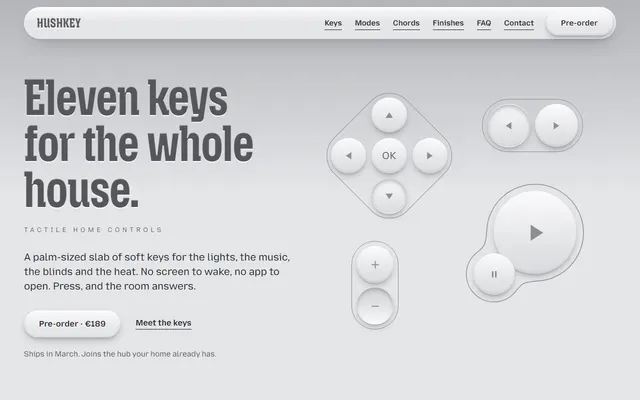
A launch site for a palm-sized smart-home remote with soft keys that press and melt into each other.
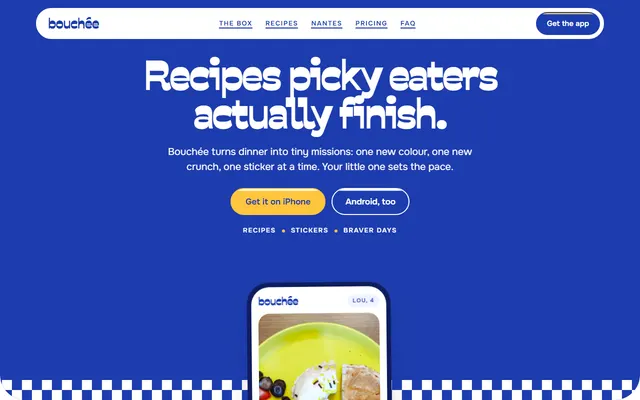
Recipe app: tasting ladders, swaps, this week's recipes, a sticker sheet, plans and FAQ.
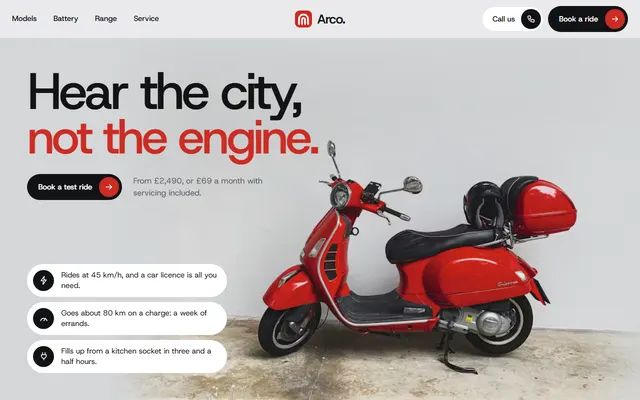
Electric moped: three models, plans, a ride form.
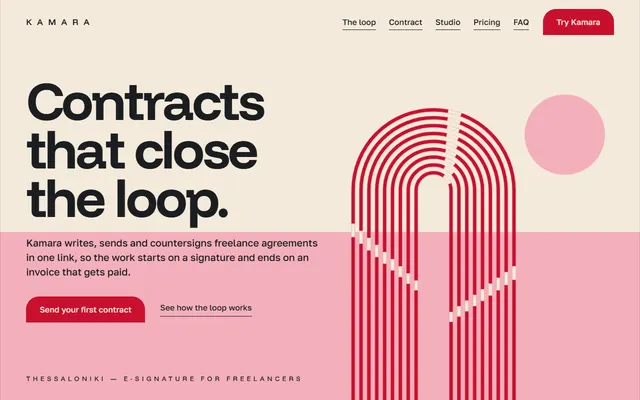
E-signature or SaaS app: product loop, feature sheet, three plans, quotes, FAQ and a contact form.