What comes with the gardening app landing page template
- index.html: the pure HTML and CSS version, one single HTML file, 105 KB.
- index.gsap.html: the same design built with GSAP, ScrollTrigger and Lenis, for scroll motion in every browser, Firefox included.
- AGENTS.md: what a coding agent must keep and what to replace, so Claude Code, Codex or Cursor edit it without breaking the scenes.
- DESIGN.md: every colour, font, spacing and motion rule of this gardening app landing page design.
- PROMPTS.md: the agent prompt and the design prompt below.
- CREDITS.md and LICENSE.md: the photos and fonts with their licenses, and the 8B license.
- Updates to this template, at no extra cost.
Yours to edit: one index.html with no build step, so you or a coding agent can change the words, prices and photos and upload it to any static host. Not a coder? Describe your business in one sentence to 8B's AI website builder and it designs a new site for you, with more pages when you need them. Designing is free; publishing with hosting is $9 a month, billed yearly. It also works inside Claude and ChatGPT.
Premium template · $39, one-time license · Made by 8B, an AI website builder · Updated November 2026 · Plain text: ayla.md
About this gardening app landing page template
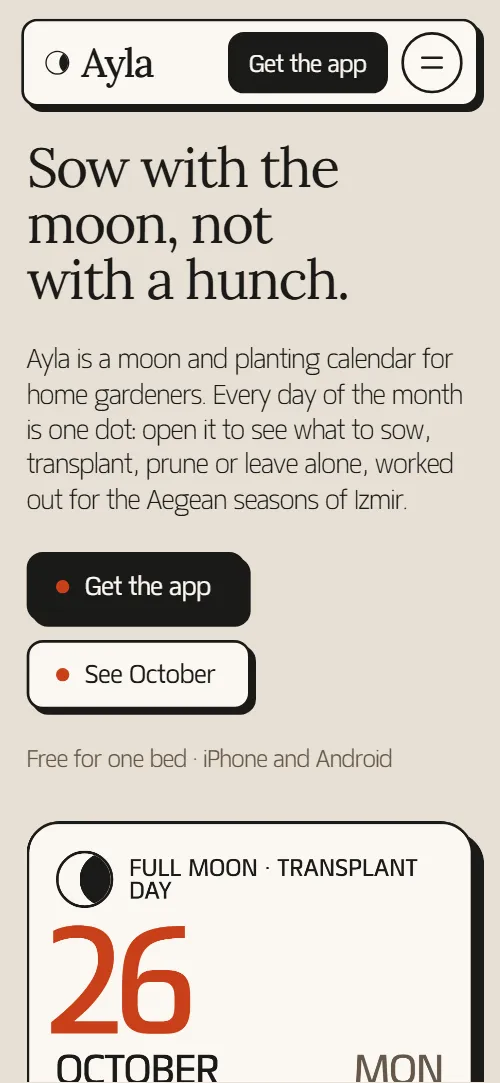
Gardening app landing page template for a planting or moon calendar app: one HTML file with four moon phases as stacking folders, a month drawn as a grid of dots, this week's crops, gardener reviews, two plans, morning reminders, six questions and a contact form. It opens on a calendar card with a huge orange date, then zooms into today's dot until the orange fills the screen and becomes the second screen. It is a single HTML file in pure HTML and CSS, and a GSAP version of the same page comes with it.
At a glance, November 2026. One 105 KB index.html: a single HTML file in pure HTML and CSS with a few lines of built-in JavaScript, 13 sections, 3 Unsplash photos, Lora and Matangi. A GSAP build of the same page, 90 KB, comes with it.
It suits a gardening app, a planting calendar, a moon calendar or any consumer app that gives people one instruction a day. Gardening app landing pages mostly need four things on one scroll: what the app tells you today, how it works over a month, what it costs and how to get it, and this page gives each its own section. The month as a grid of dots is the page's own device: every day is a dot, the moon is a dot too, and the app's main idea is understood before a word is read.
The demo business is Ayla, an invented app from a studio in Izmir, for gardens on the Aegean coast. Every date, crop, price, review and address is demo copy to replace. The calendar shows October 2026 with its jobs and the prices are in lira with VAT, so an app for another climate or country fills in its own season, crops, currency and terms.
If you would rather not edit HTML at all, 8B, the AI website builder designs a site from one sentence about your product, with more pages when you need them. This template is for people who want this exact design in their own hands: one index.html with its CSS and its motion inside, which you or a coding agent can edit and host anywhere, next to the app and the store listings you already have.
Good for:
What a gardening app landing page needs
Gardening app landing pages that get installs answer the same questions quickly. Here is how this template covers each of them.
- What the app tells you today. The first screen is a calendar card with today's date, the phase of the moon and the day's job, then an orange screen with tonight's jobs, so the product is shown, not described.
- Why the moon and not a hunch. Four folders, one for each moon phase, and a two-column comparison of a gardener's notebook against the moon plan.
- How a whole month looks. October as a grid of 31 dots coloured by the day's job, with a legend and five notes on the moon's spans.
- What to plant this week. Six crop strips around a garden photo, each saying when to sow, plant or transplant that crop.
- Proof from real gardeners. Six short reviews with the name, the kind of plot and the town, in a row that keeps drifting.
- Plans and prices. Two folder-tab plans, one at 0 lira and one with a monthly and a yearly price, and a note on VAT.
- Where to get the app and who made it. App Store and Google Play buttons, the studio's address and hours, and a message form, with the studio story and its climate facts earlier on the page.
What it does not have is a sign-up flow, a screenshot gallery of the real app or a download counter: it is built for an app that tells its story in a calendar, and the store buttons carry people to the listing where the install happens.
Gardening app landing page design and motion
Palette
#E7E0D4 warm beige: the page ground#1B1A18 ink: text, borders, hard shadows, past days, the studio and footer fields#C9401A hot orange: today's dot, the huge date, the orange flood and second screen of the opening, fruit days, the risen moon and the button dots#8C84D2 lavender: the crops and contact fields, the phone menu and the flower days#1F4521 garden green: the hunch against moon plan field, the leaf days and the waning folder tab#E9B92C yellow: the reminders field, folder tabs and the first colour of the rising moonFonts
- Lora: headings, review quotes, label strips, folder tabs and the wordmark, in regular and medium weight
- Matangi: body text, dates, labels, navigation, buttons and form fields
A warm beige page with near-black ink, a book serif for headings, review quotes, label strips and folder tabs, and a heavy sans for body text, dates, labels and buttons. A floating bar with a 2 px ink border and a hard offset shadow sits at the top. Sections are whole colour fields: the beige opening, a green field for the hunch against the moon plan, a lavender field for the crops, an ink field for the studio story, a yellow field for the reminders and a lavender field for the contact. Short facts sit on paper label strips, cards have an ink border and a hard shadow, and the phases and plans are file folders with coloured tabs. On phones the calendar card sits under the headline and the folders, plans and strips stack in one column.
The idea behind the page is that a calendar can be made of circles. The month is a field of dots whose fill says past, today or to come, and the moon is a disc with a second disc sliding across it. So the opening zooms into one dot, the four folders each sweep a moon into its phase, the October cursor walks the grid day by day, and the contact section runs eight moons through a lunar month.
What is on the gardening app landing page page
- NavigationFloating bordered bar with the moon-disc logo, five links, Get the app, and a phone menu with the same links plus Contact
The bar hides as you scroll down past the first 140 pixels and comes back when you scroll up; the menu opens as a full-screen overlay on phones.
- Sow with the moon, not with a hunch.Two screens: a serif headline with a calendar card showing today's date and a month of dots, then an orange field with a garden photo cut as a moon and three tags
On load the headline and the calendar card rise into place, the phase disc in the card loops a moon sliding across it and a ring pulses around today's dot. On scroll the card zooms toward the orange dot, the dot grows until it floods the screen, and the orange second screen rises into the flood while its photo-moon goes from a dark crescent to full.
- Four phases, four kinds of garden work.Four folders that stack: new moon, waxing, full moon and waning, each with a moon disc and the jobs for that phase
The four folders slide up and stick over each other like a drawer of files; as each arrives its moon disc sweeps into that phase, and the folder beneath shrinks slightly and darkens.
- Gardening by hunch is a maze of almosts.A green field with a two-way switch that lights the hunch notebook or the moon plan, four strips in each list
The heading rises line by line and each label strip unrolls from its left edge; the switch lights one of the two lists while both stay readable.
- October in Izmir, one dot a day.October in Izmir as a grid of 31 dots coloured by job (leaf, root, fruit, flower, rest), a legend and five notes on the moon's spans
A ring walks October day by day while each dot fills from pale grey to its job colour behind it and the matching note on the moon's span lights up. On wide screens the grid holds on a sticky stage while the walk plays; on phones the walk follows the grid as it passes.
- What goes in the ground this week.An aerial garden photo with six crop strips around it over a rising moon on a lavender field
A huge moon rises behind the garden photo and warms from yellow to orange while the six crop strips fly in from tilted positions and settle by the photo.
- Gardeners from Karşıyaka to Urla.A drifting row of six gardener reviews with name, plot and town
The row of reviews drifts sideways without end and pauses on hover and focus; with reduced motion the cards wrap into a grid.
- Made in Alsancak, for Aegean soil.The studio story with the Izmir bay photo in a circular window and four climate facts as strips
The Izmir bay photo opens from a small circle into a wide window while the picture settles inside, and the climate facts unroll as strips.
- One bed free. A whole garden for less than a seed tray.Two folder-tab plans: Seedling at 0 lira for one bed and Orchard with a monthly and a yearly price
The heading rises line by line and the dot rule under it fills with ink from left to right.
- A nudge at sunrise, never at midnight.A deck of five dated morning reminder cards with a short copy column and a Compare plans link
The five reminder cards start as one tilted pile and are dealt out one by one into a readable column as the section scrolls.
- Asked over the garden wall.Six questions in native details elements
- Come by the studio, or write from the garden.A strip of eight moon phases, the studio address, hours, email, phone, store buttons and a message form
Eight moons run through a lunar month as the section arrives: each shade slides off its disc in turn, from new moon to full and back to a thin crescent.
- FooterInk footer with a dot rule, the giant Ayla wordmark, three links and the legal line
A dot rule fills with ink from left to right and the giant wordmark rises into place.
Before you publish the gardening app landing page site
- Replace social preview image, favicon, email address, phone number and contact form (sends nothing yet) and the invented demo facts (names, prices, areas, quotes). AGENTS.md lists them.
- Get the app in the header and the opening, Contact in the menu, See October, Compare plans, Start free, Try 30 days free lead to
#contact, #month or #pricing on the same pagenow; point them to your store listing or sign-up page once it exists. - App Store and Google Play buttons in the contact section lead to
the stores' home pages (apps.apple.com and play.google.com/store)now; point them to your own app listings. - Email and phone links in the contact section lead to
mailto: and tel: with example contactsnow; point them to your own email and phone, or remove the phone. - Footer links Phases, Pricing and Contact lead to
#phases, #pricing and #contactnow; point them to keep them, and add privacy and terms pages the template does not contain. - Scroll-driven animation runs when the browser supports it (Chrome, Edge and Safari today; Firefox does not yet) and the visitor has not asked for reduced motion. Otherwise each section shows its finished layout; the GSAP build, index.gsap.html, also plays the scroll motion in Firefox.
- The contact form sends nothing: connect it to a form service or your own mail address. Without a page script there is no thank-you line after sending.
- The App Store and Google Play buttons point to the stores' home pages, and the plan buttons and Get the app link to the contact section, so connect them to your real listings and sign-up. There are no privacy or terms pages.
- The month scene is built for one month of 31 days starting on a Thursday, with five job colours and five notes on the moon's spans; the phase scene for four folders, the reminder deck for five cards and the contact strip for eight moons. A different month or count needs its grid, cursor and scene adjusted.
Questions about this gardening app landing page template
What do I get for $39?
The gardening app landing page template as a single HTML file, index.html, in pure HTML and CSS, a GSAP build of the same page as index.gsap.html, a DESIGN.md with every colour, font and motion rule, an AGENTS.md for coding agents, the agent prompt and the design prompt from this page, and CREDITS.md for the photos and fonts. Updates to this template are included.
Can I use this app landing page template for client sites?
Yes. One purchase lets you build as many sites as you like with it, for your own app or for clients, and change anything. What it does not allow is selling or giving away the template itself, as a template, theme or kit, or putting its source in a public repository.
How do I change the calendar, the phases and the plans for my own app?
Each phase, plan, reminder and review is one block of HTML, and each day of the month is one list item with a job class. With Claude Code, Codex or Cursor you say it in a sentence, such as make the plans Free and Pro at 5 dollars a month and rename the phases to my four seasons, and the agent edits the blocks; by hand you edit the words. The month grid is drawn for a 31-day month that starts on a Thursday, so another month or another kind of calendar needs the grid and its cursor adjusted, which an agent can do from the AGENTS.md notes. If you want a site with more pages that you edit without code, 8B's AI website builder makes one from a sentence about your app.
Do the store buttons and the form work?
The App Store and Google Play buttons link to the stores' home pages until you point them at your listings, and the plan buttons scroll to the contact section. The contact form asks for name, email and a message but sends nothing until you connect a form service such as Formspree or Netlify Forms, or your own mail handler. The pure HTML and CSS version shows no thank-you line after sending, so point the form at a thank-you page or add one.
Will it work with Claude Code, Codex or Cursor?
Yes. Put index.html and AGENTS.md in your project and give the agent the prompt that comes with the template. AGENTS.md says which attributes the scroll motion reads, what to keep and what to replace, so the agent swaps dates, crops, plans, reviews and photos without breaking the scenes.
What do visitors see in Firefox or with reduced motion?
Firefox does not support scroll-driven animations yet, so it shows every section in its finished layout, as does any browser when the visitor asks for reduced motion. If the scroll motion must also play in Firefox, use the GSAP build, index.gsap.html, which loads GSAP, ScrollTrigger and Lenis from a CDN.
More templates for apps and gardens
Other designs for apps and for businesses that grow things.
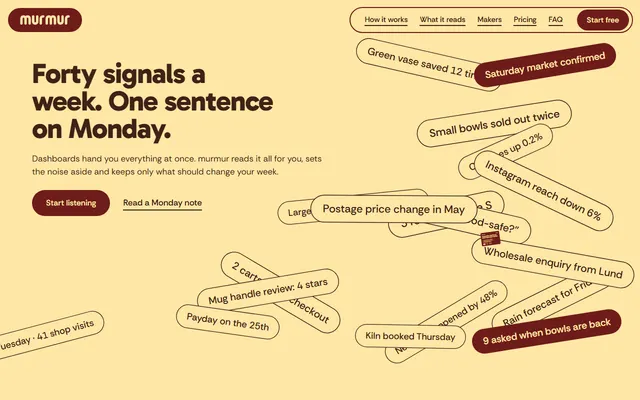
A weekly-advice app: signal chips, a phone showing the weekly note, two plans and a contact form.
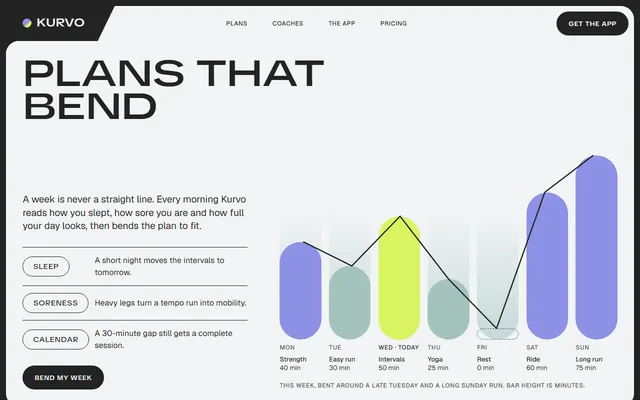
A training app: an adaptive weekly plan with a seven-day chart, coaches, member stories and a monthly challenge.
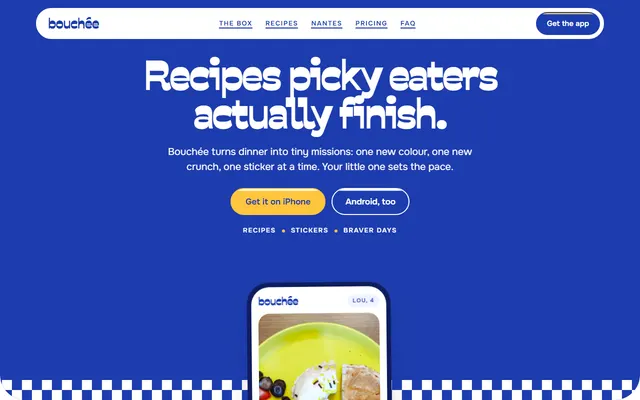
Recipe app: tasting ladders, swaps, this week's recipes, a sticker sheet, plans and FAQ.
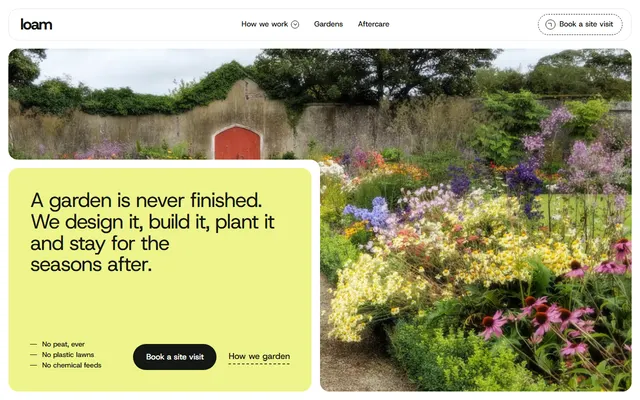
A landscape gardening firm: a garden photo with a promise, a four-stage process and finished gardens.
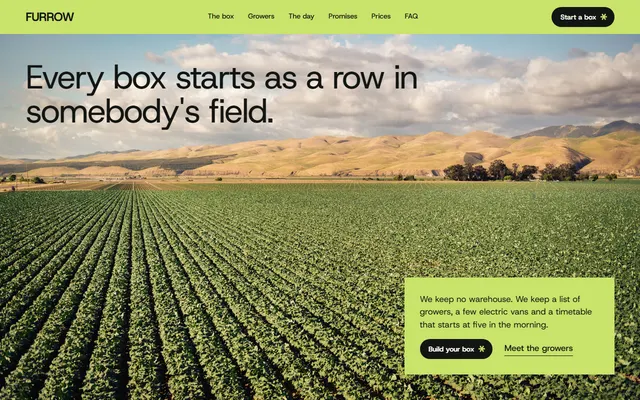
A veg box scheme: this week's seven vegetables, the growers, one delivery day and returnable crates.
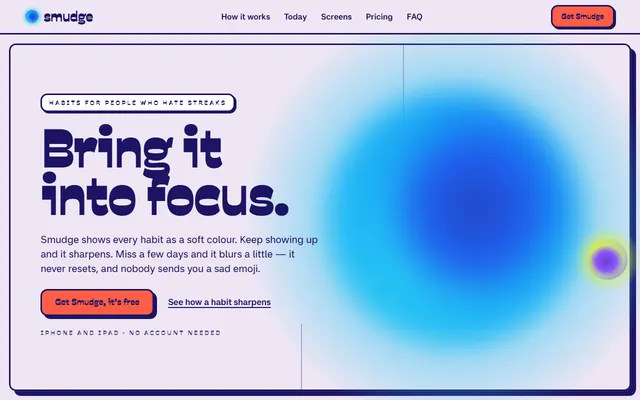
IPhone habit app: how it works, app screens, pricing, reviews and FAQ.

App for a mobile app or SaaS: a phone fills with a call as you scroll, under half the code.
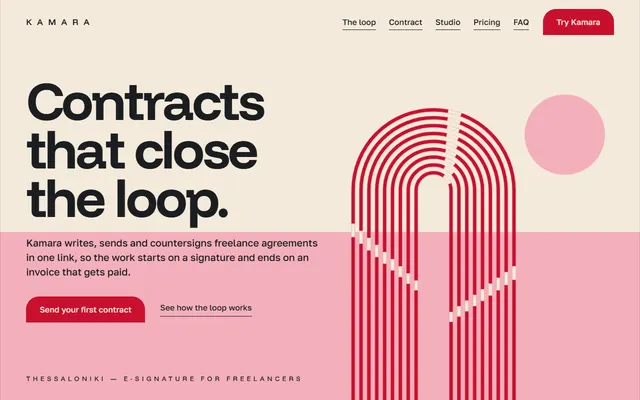
E-signature or SaaS app: product loop, feature sheet, three plans, quotes, FAQ and a contact form.