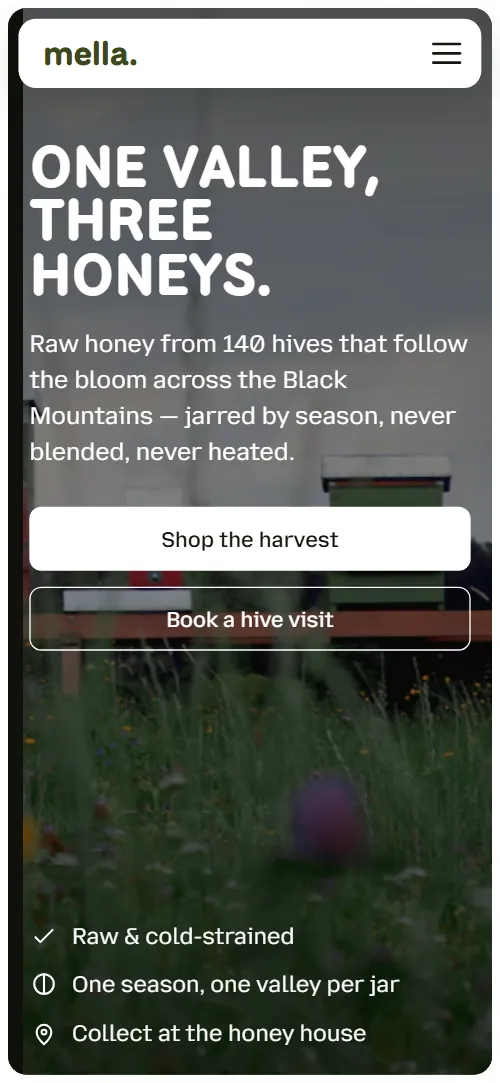
What comes with the beekeeper website template
- index.html: the pure HTML and CSS version, one single HTML file, 130 KB.
- index.gsap.html: the same design built with GSAP, ScrollTrigger and Lenis, for scroll motion in every browser, Firefox included.
- AGENTS.md: what a coding agent must keep and what to replace, so Claude Code, Codex or Cursor edit it without breaking the scenes.
- DESIGN.md: every colour, font, spacing and motion rule of this beekeeper website design.
- PROMPTS.md: the agent prompt and the design prompt below.
- CREDITS.md and LICENSE.md: the photos and fonts with their licenses, and the 8B license.
- Updates to this template, at no extra cost.
Yours to edit: one index.html with no build step, so you or a coding agent can change the words, prices and photos and upload it to any static host. Not a coder? Describe your business in one sentence to 8B's AI website builder and it designs a new site for you, with more pages when you need them. Designing is free; publishing with hosting is $9 a month, billed yearly. It also works inside Claude and ChatGPT.
Premium template · $39, one-time license · Made by 8B, an AI website builder · Updated November 2026 · Plain text: mella.md
About this beekeeper website template
Beekeeper website template for a family apiary or a small honey producer: one HTML file with three seasonal honeys, how the bees are kept, a five-step walk from frame to jar, a range of honey, comb and candles with prices, hive adoption, a batch table, hive visits and an order form. It opens on a summer meadow in an inset frame under the heading One valley, three honeys, and as you scroll the photo divides into three columns that travel into the three harvest panels while the page falls dark. It is a single HTML file in pure HTML and CSS, and a GSAP version of the same page comes with it.
At a glance, November 2026. One 130 KB index.html: a single HTML file in pure HTML and CSS with a few lines of built-in JavaScript, 13 sections, 18 Unsplash photos, Mozilla Text and National Park. A GSAP build of the same page, 108 KB, comes with it.
It suits a beekeeper who sells at markets and online, a honey farm, an apiary that offers hive visits or adoption, or any small producer whose product changes with the season. Beekeeper websites mostly need a few things on one scroll: what the honeys are and what they cost, how the bees are kept, proof of where each jar came from and a way to order or visit, and this page gives each of them its own section. A honey website built from it also gets what sets a small apiary apart from a supermarket shelf: one season per jar, a code on every lid and a calendar set by the bloom.
The demo business is Mella, an invented apiary of 140 hives on the Welsh border. Every farm, price, batch code and quote is demo copy to replace. The three honeys carry a season, a tasting note and a price, and the batch table lists codes, hives, dates and jar counts, so an apiary anywhere fills in its own harvests; prices are in pounds, which you change to your own currency, and the flowers, hills and farms change with your region.
If you would rather not edit HTML at all, 8B, the AI website builder designs a site from one sentence about your business, with more pages when you need them. This template is for people who want this exact design in their own hands: one index.html with its CSS and its motion inside, which you or a coding agent can edit and host anywhere, next to the shop or checkout you already use.
Good for:
What a beekeeper website needs
Beekeeper websites that sell honey answer the same questions quickly. Here is how this template covers each of them.
- The honeys and their prices up front. Three harvest panels right after the first screen, each with season, tasting note, jar size and price, and an order link.
- Proof the honey is what you say it is. A ledger of four facts: cold-strained, one season per jar, a code on every lid, glass and tin only.
- How the bees are kept. Three columns of cards on moving hives with the bloom, keeping only the surplus and straining without filtering, with a frosted chat about which hives made a jar.
- How a jar is made. Five steps from lift to jar, each with a photo and a check line that says what it promises.
- Other things the bees make. A range of raw honey, cut comb and beeswax candles with a starting price each, and a button for trade and gift boxes.
- A reason to visit or come back. A year's hive adoption, three hive visit options with prices and a booking button, and opening hours in the contact section.
- Questions, quotes and a way to order. Five questions, four star-rated quotes with a marked phrase each, and an order form with the address, hours, phone and email.
What it does not have is a cart, checkout, stock count or shipping calculator: it is built for an apiary that takes orders by form or links to its own shop, and the batch table is a plain list of harvests.
Beekeeper website design and motion
Palette
#ffffff page ground and text on dark sections#15160f near-black ink for text and headings#3d481d deep olive for buttons, the wordmark, headings on white, ticks and stars on light cards#f2f3ef light grey surface for the cards on white#0d0e0a night ground for the opening panels, the range and the process#eaa936 amber accent on night grounds and photos: seasons and prices, the process rule and ticks, the marked phrases in the quotes and the glowsFonts
- National Park: the heavy uppercase heading, section headings, the wordmark and prices
- Mozilla Text: body text, captions, labels, table cells, navigation and form fields
A white page with near-black text, deep olive for the buttons and headings, light grey cards, and a night ground for the harvest panels, the range and the process. Section headings are sentences set in a heavy geometric sans, with no labels above them. The first screen is a photo inside an inset rounded frame with the heading, two buttons, a frosted review card and a row of three trust points; the second screen is three tall harvest panels with photo, season, tasting note and price. The keeping section is three columns of unequal cards, the honey house a framed photo beside a text card over a ruled ledger, the range three tall product cards, the process a dark panel beside a photo, and the batches a five column table. On phones the panels become rows with the photo at the left, the columns stack and the batch table scrolls sideways inside its frame.
The idea behind the page is that bees keep the calendar: one valley becomes three honeys, and the page follows the day into night. So the opening photo divides into the three harvests, the ground falls from white to dark for the range, each product lights up in turn like windows coming on, and the process holds one stage while the five steps replace each other in place with a checklist building in the corner of the photo.
What is on the beekeeper website page
- NavigationHeader with the mella. wordmark, five links and an Order honey button; a menu button on phones
The header hides when you scroll down past the top of the page and returns when you scroll up; on phones the menu opens from its button.
- One valley, three honeys.Two screens: a meadow photo in an inset frame with One valley, three honeys, two buttons, a review card and a trust row, then a night ground with three harvest panels and the statement Three harvests a year
On load the photo settles from slightly larger and the heading, lead, buttons and trust row rise in turn while the review card slides in from the side; the meadow sways slowly and a warm glow drifts across the sky. On scroll the copy rises away, the white rim falls to night, the photo divides into three columns that narrow and travel into the photo slots of the harvest panels, and each panel's own photo wipes up over its column.
- Kept the slow way, moved with the bloom.Three columns of unequal cards: a tall text card on moving hives, a photo with a frosted chat about a jar's batch, and two stacked cards
The three columns of cards stand at different heights and slide past each other until they sit as a flush grid; the three bubbles of the frosted chat arrive one by one as you scroll.
- Extracted by hand, a few frames at a time.A framed photo of capped comb beside a text card with a button, and a ledger of four facts about the honey house
The photo opens from its lower edge and drifts inside its frame against the scroll, the heading rises and the four ledger rows arrive one after another.
- What leaves the honey house.Three tall product cards, raw honey, cut comb and beeswax candles, with icons and prices, and a trade and gift box button
The section arrives white with dimmed photos; night comes down over it from the top, the heading and lead turn light as the edge passes, and each product photo brightens in turn while a warm glow rises from the foot of its card.
- A hive with your name on it.A wide hive photo with a frosted card offering a year's hive adoption
The frame opens from its lower edge, the photo drifts inside it and the heading on the frosted card rises.
- From frame to jar in five steps.Five steps from frame to jar, each with a panel, a photo and a check line
The section holds one stage for about three and a half screens of scroll: each step slides out for the next, its photo wipes up over the last, the rule under the current step fills and one check line is added over the photo per step.
- Every lid has a code. Look yours up.A batch code field and a table of six batches with code, honey, hives, lifted date and jars
The heading rises as it comes into view.
- Spend a morning in a veil.A beekeeper photo beside three hive visit options with prices and a booking button
A frosted veil covers the photo and lifts from the bottom up as you scroll while the photo settles from a slight zoom; the three visit rows slide in one after another.
- Questions from the market stall.Five native disclosure rows with questions from the market stall
The heading rises and the five rows arrive one after another.
- Neighbours, regulars and a few bakers.A honey loaf photo beside four star-rated quotes with a marked phrase each
The photo pans across its frame while the four quotes pass, and an amber highlight draws across the marked phrase of each quote as it crosses the middle of the screen.
- Come up to the honey house.A mountain landscape band with Come up to the honey house, then address, hours, phone, email and an order form
The landscape starts as three separated columns and rejoins into one photo as it reaches the middle of the screen, and the contact details arrive one after another.
- HoneysFooter with the wordmark, three link columns and the small print
The brand and the three link columns arrive one after another.
Before you publish the beekeeper website site
- Replace social preview image, favicon, contact form (sends nothing yet), phone number, email address and social media links and the invented demo facts (names, prices, areas, quotes). AGENTS.md lists them.
- Shop the harvest on the first screen lead to
#honeysnow; point them to your online shop, or keep it as it is. - Book a hive visit on the first screen lead to
#visitsnow; point them to your booking page, or keep it and connect the form. - Order links on the three honeys, Trade & gift boxes, Adopt a hive, Book a visit and Order honey in the menu lead to
#contactnow; point them to your shop or checkout pages, or keep #contact once the form is connected. - Send an order button in the contact band and Seasonal letter in the footer lead to
#contact-formnow; point them to keep as it is, or point Seasonal letter to your newsletter sign-up. - How a jar is made button in the honey house lead to
#processnow; point them to keep as it is. - Menu links (Honeys, Our bees, Adopt a hive, Visits, Find your batch), the wordmark and the footer link columns lead to
#honeys, #keeping, #adopt, #visits, #batches, #range, #contact and #openingnow; point them to keep as they are. - Delivery & returns and Trade enquiries in the footer small print lead to
#faq and #contactnow; point them to your delivery and trade pages, or keep them. - Instagram link in the footer lead to
instagram.com home pagenow; point them to your own profile, or remove it. - Phone and email links in the contact details lead to
tel:+441870000000 and hello@mella.examplenow; point them to your own number and email, in the link and in the visible text. - Scroll-driven animation runs when the browser supports it (Chrome, Edge and Safari 26.2 and later; Firefox does not yet) and the visitor has not asked for reduced motion. Otherwise each section shows its finished layout; the GSAP build, index.gsap.html (GSAP 3.13.0 with ScrollTrigger and Lenis 1.3.4 from a CDN), also plays the scroll motion in Firefox.
- The order form sends nothing in either version and shows no thank-you line in the pure HTML and CSS version: connect it to a form service or your shop. The batch code lookup that marks the matching row and names the batch works only in the GSAP version; in the pure HTML and CSS version the field has no script and the line under it still says rows are marked as you type, so add the lookup or change that line. The six batches stay readable in the table either way.
- It is one page with in-page links only: there is no cart, checkout or shop, so the order links point to the contact form until you link your own shop.
- The process scene is built for five steps and the reviews for four quotes: a different count needs its scene adjusted. The opening's split follows the number of honeys by itself, but the honeys and the range sit in three-column grids, so a fourth honey or product needs its grid adjusted.
Questions about this beekeeper website template
What do I get for $39?
The beekeeper website template as a single HTML file, index.html, in pure HTML and CSS, a GSAP build of the same page as index.gsap.html, a DESIGN.md with every colour, font and motion rule, an AGENTS.md for coding agents, the agent prompt and the design prompt from this page, and CREDITS.md for the photos and fonts. Updates to this template are included.
Can I use this beekeeper template for client sites?
Yes. One purchase lets you build as many sites as you like with it, for your own apiary or for clients, and change anything. What it does not allow is selling or giving away the template itself, as a template, theme or kit, or putting its source in a public repository.
How do I add or change honeys, prices and batches?
Each honey is one block with a photo, a name, a season line, a tasting note and a price link, and each batch is one row of the table. With Claude Code, Codex or Cursor you say it in a sentence, such as add a lime honey for June at 9 pounds and remove the September heather batch, and the agent edits the blocks; by hand you copy a block and change the words. The opening's split follows the number of honeys by itself, but the honeys sit in a three-column grid, so a fourth means adjusting that grid. There is no cart or checkout: link the price lines to your own shop or order page, or keep them pointing at the order form. If you want a site with more pages that you edit without code, 8B's AI website builder makes one from a sentence about your apiary.
Does the order form send orders, and does the batch lookup work?
Not yet. The order form asks for a name, an email and what the visitor would like, but it sends nothing until you connect a form service such as Formspree or Netlify Forms, or your shop. The pure HTML and CSS version shows no thank-you line after sending, so point the form at a thank-you page or add one. The batch lookup works in the GSAP version, which marks the matching row and names the batch as you type. In the pure HTML and CSS version the field has no script and the line under it still says rows are marked as you type, so add the lookup or change that line; the six batches stay readable in the table either way.
Will it work with Claude Code, Codex or Cursor?
Yes. Put index.html and AGENTS.md in your project and give the agent the prompt that comes with the template. AGENTS.md says which attributes the scroll motion reads, what to keep and what to replace, so the agent swaps honeys, prices, batches, visits and photos without breaking the scenes.
What do visitors see in Firefox or with reduced motion?
Firefox does not support scroll-driven animations yet, so it shows every section in its finished layout, as does any browser when the visitor asks for reduced motion. If the scroll motion must also play in Firefox, use the GSAP build, index.gsap.html, which loads GSAP, ScrollTrigger and Lenis from a CDN.
More templates for food, farms and shops
Other designs for small producers and independent shops.
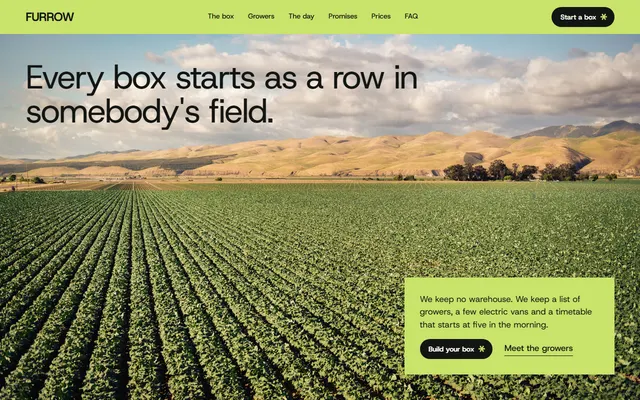
Veg box scheme: this week's seven vegetables, delivery and a sign-up.
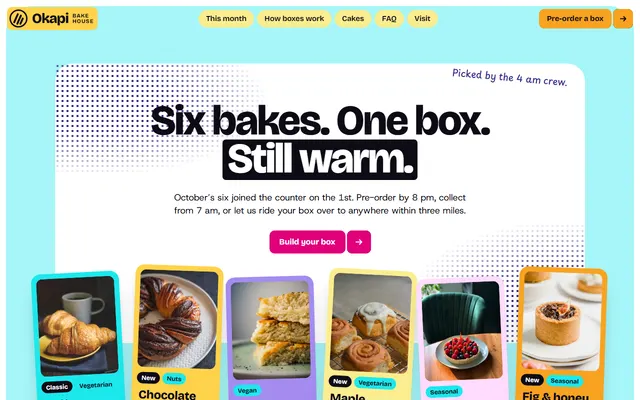
Bakery: a monthly box of six bakes with prices and a long list of morning bakes.
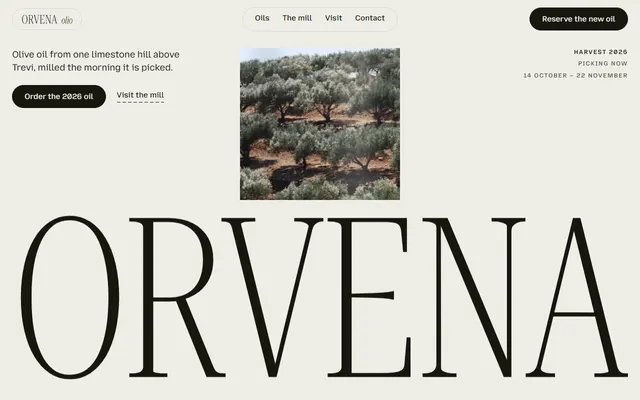
Olive oil estate or mill: six oils with prices, the mill in four steps, tasting, tree adoption and visits.
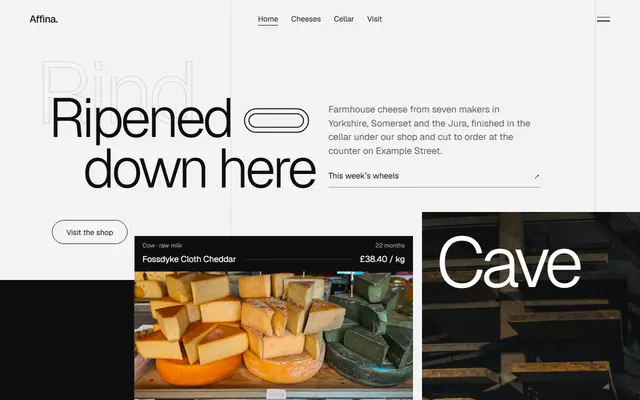
Cheesemonger: cheese matured in a cellar under the shop.
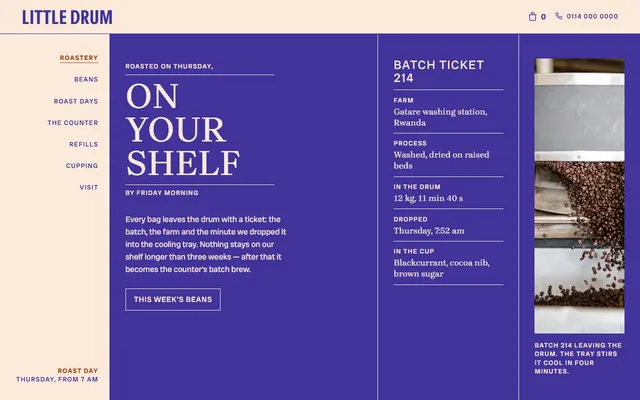
Coffee roaster: a roast-day ticket and a counter.
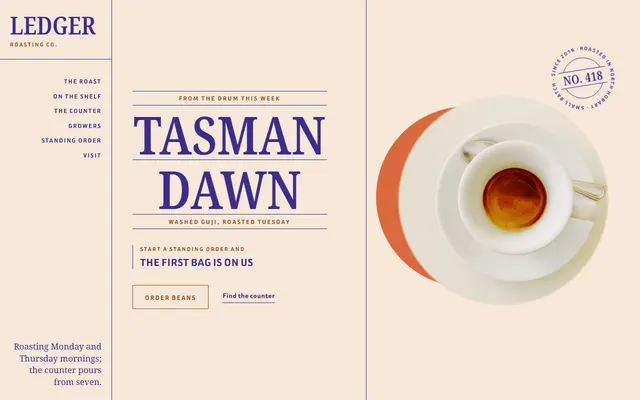
Coffee roaster and espresso counter: the week's batch, a roast timeline, bags, a drinks board, cupping and orders.
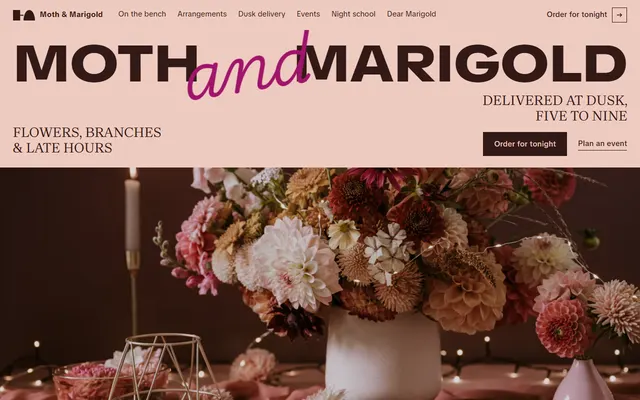
Flower shop: stems of the week, arrangements and evening delivery.
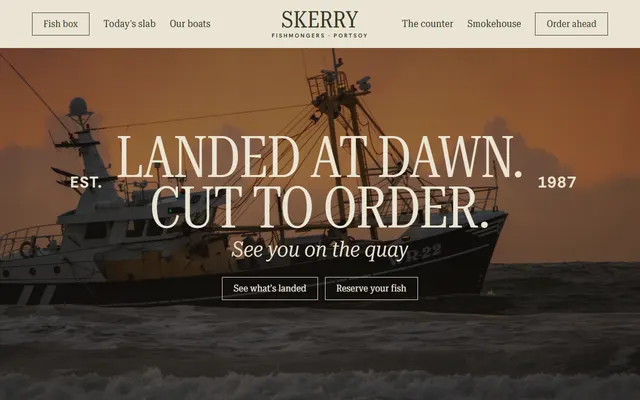
Fishmonger or fish market: daily catch prices, day boats, counter jobs, smokehouse and a Friday box.