What comes with the coffee shop website template
- index.html: the pure HTML and CSS version, one single HTML file, 94 KB.
- index.gsap.html: the same design built with GSAP, ScrollTrigger and Lenis, for scroll motion in every browser, Firefox included.
- AGENTS.md: what a coding agent must keep and what to replace, so Claude Code, Codex or Cursor edit it without breaking the scenes.
- DESIGN.md: every colour, font, spacing and motion rule of this coffee shop website design.
- PROMPTS.md: the agent prompt and the design prompt below.
- CREDITS.md and LICENSE.md: the photos and fonts with their licenses, and the 8B license.
- Updates to this template, at no extra cost.
Yours to edit: one index.html with no build step, so you or a coding agent can change the words, prices and photos and upload it to any static host. Not a coder? Describe your business in one sentence to 8B's AI website builder and it designs a new site for you, with more pages when you need them. Designing is free; publishing with hosting is $9 a month, billed yearly. It also works inside Claude and ChatGPT.
Premium template · $39, one-time license · Made by 8B, an AI website builder · Updated November 2026 · Plain text: ledger-roasting-co.md
About this coffee shop website template
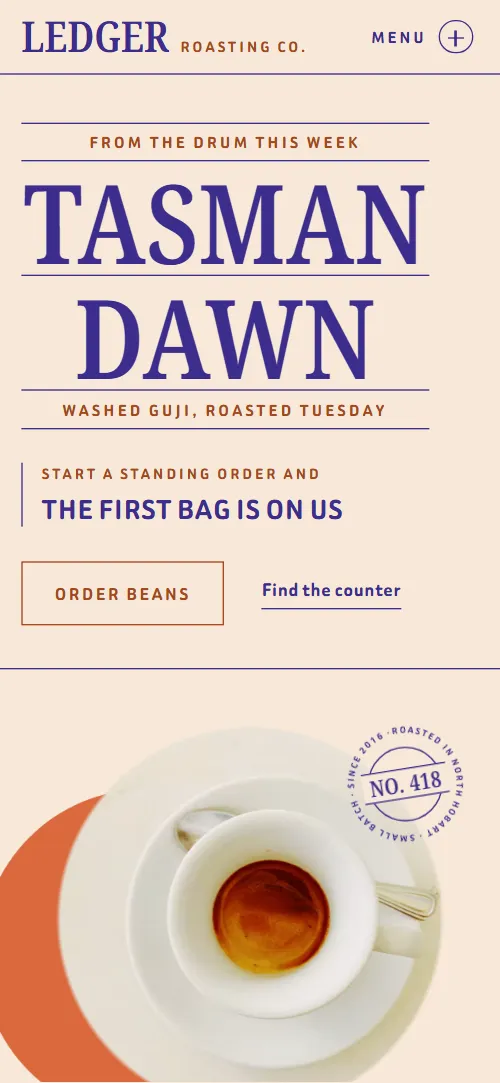
Coffee shop website template for a small-batch roaster with a counter: one HTML file with this week's batch written into a ledger, a five-stage roast, four bags on a shelf with prices, a drinks price board, three growers, a Saturday cupping, three standing orders, a trade section for cafes and offices, opening hours and a note form. The first screen sets an espresso cup on a rust disc, and as you scroll the cup turns like a dial while the batch is written line by line into the book, as if the page were the roaster's logbook. It is a single HTML file in pure HTML and CSS, and a GSAP version of the same page comes with it.
At a glance, November 2026. One 94 KB index.html: a single HTML file in pure HTML and CSS with a few lines of built-in JavaScript, 12 sections, 9 Unsplash photos, Beiruti and Noto Serif. A GSAP build of the same page, 82 KB, comes with it.
It suits a coffee roaster with a counter, an espresso bar that sells beans, a coffee subscription or any specialty cafe that wants one page for the cup, the bag and the trade account. Coffee shop websites mostly need five things on one scroll: what is in the cup today, what a bag costs, what the counter serves and when it is open, how to get beans on a rhythm, and who grew them. This page gives each of them its own ruled section, so a visitor can find the price of a flat white, the bag for their grinder or the Saturday tasting without hunting. The batch ledger, the growers and the cupping carry the trust a small roaster sells on.
The demo business is Ledger Roasting Co., an invented roaster and counter in North Hobart, Tasmania. Every name, price, farm, date and place is demo copy to replace. The shelf holds four coffees and the price board three lists of drinks and food, so a cafe with a longer list adds rows to the same layout; the shipping rules, hours and cupping dates are written for Hobart and change to your city, currency and calendar.
If you would rather not edit HTML at all, 8B, the AI website builder designs a site from one sentence about your business, with more pages when you need them. This template is for people who want this exact design in their own hands: one index.html with its CSS and its motion inside, which you or a coding agent can edit and host anywhere.
Good for:
What a coffee shop website needs
Coffee shop and roaster websites that bring people through the door and sell bags answer the same questions in the first minute. Here is how this template covers each of them.
- What is in the cup today. The first screen names this week's coffee, then the batch book lists where it grew, how it was dried, roasted and rested and how it tasted.
- The beans and their prices. Four bags sit as ledger rows with origin, tasting notes, a 250 g price and an order link.
- The menu and the hours. A price board of three lists sits beside the counter photo, and the visit section has an hours table with phone and email.
- Why this coffee is different. A five-stage roast timeline and three named growers with their farms and years show the work behind the bag.
- A reason to come in. An open cupping on Saturdays with three dated seats and the places left.
- Orders on a rhythm. Three standing-order bags, weekly, fortnightly and monthly, with prices and delivery rules.
- Trade accounts. A block for cafes and offices with three lines on roasting to their week, training and tins.
What it does not have is a cart, checkout or booking engine: link the order and seat buttons to your own shop or ticket page, as most roaster sites do.
Coffee shop website design and motion
Palette
#f7e8d8 the cream paper of the page, the ground of the seal cores and the text on violet fills#3b2d8c violet ink: every rule, heading and line of body text, the footer ground, the filled roast stages and the button hover#a3471e rust ink for the small tracked labels, the button outlines and the focus rings#f0dcc8 a quiet peach fill for cells that step back from the page: the trade lines' block, the faint rules between price lines and the ground behind the grower photos#d9693c bright rust for large fields only: the disc behind the cup and the heat line across the roastFonts
- Noto Serif: the tall condensed capitals of headings, labels and bag names, and the plain small serif of prices, notes and hours
- Beiruti: body text, the tracked label capitals, buttons, navigation and form fields
A warm cream page that reads like a ruled book: on large screens the menu is a fixed column on the left, and the main headings are label stacks of small tracked rust capitals and tall condensed serif capitals, each line between thin violet rules. The first screen keeps the label stack on the left and a photo cell on the right that stays in place on large screens while the second screen, the batch ledger, scrolls beside it. Below it the roast is five columns in a row, the shelf heading sits beside a photo above a list of ledger rows, the counter is a tall photo next to a price board of three lists, and the growers sit beside a frame of photos that stays on screen. Round seals with short phrases on a circle sit on the first screen, the shelf rows, the cupping, the trade block and the footer. On phones everything stacks in one column: the cup cell sits under the first-screen label and above the batch book, the roast stages become rows, the counter and cupping photos come before their text and the growers' photo frame stays at the top of the screen above the entries.
The brief behind the page treats the whole site as the book behind the counter: its lists are ledgers whose lines are written in from the left, every label sits between rules, and a round seal stamps what has been recorded. The cup on the first screen turns like a dial while the batch is logged, and the footer closes on violet with a seal that rolls along the rule to its place, so the last thing a visitor sees is the stamp of the roaster.
What is on the coffee shop website page
- NavigationOn large screens a fixed left column with the wordmark, six section links and a line about roasting days and counter hours; on phones a top bar whose Menu button opens the same list
On phones Menu opens a list of the six sections with a line about roasting days and counter hours, its round icon turns into a cross, and picking a link closes it.
- From the drum this week Tasman Dawn Washed Guji, roasted TuesdayTwo screens: the label stack From the drum this week / Tasman Dawn with an espresso cup, a rust disc and a numbered seal, then The batch book with five ruled entries from grown to tasted
On load the label lines rise into place, their rules draw from the left and the cup turns into place from a tilt, while the rust disc drifts in a small circle behind the cup and the ring of the round seal turns slowly without stopping. On scroll the cup turns a little over half a revolution and shrinks, the disc grows, the seal slides down and across the cell while turning, and the five entries of the batch book are written in from the left one after another.
- Twelve minutes in the drumTwelve minutes in the drum: a heading, a photo of roasted beans and five roast stages from charge to drop with their times
On large screens the stage stays on screen while a rust heat line crosses the five columns, and each stage fills with violet ink and turns its text cream as the line reaches it. On phones each stage row fills on its own as it comes up the screen.
- On the shelf Four bags Roasted to orderA label heading, a line on roasting and posting and a photo, then four coffees as ledger rows with origin, tasting notes, a 250 g price, an order link and a seal each
The heading lines are ruled in from the left one by one, the four rows are written in from the left, and each round seal lands on its row from a larger, tilted state like a stamp.
- At the counterA tall counter photo beside a price board of three lists (from the machine, slow and cold, on the bench), with the opening hours in the text
The counter photo opens from a small circle to the full cell while it settles from a slight zoom, the three price columns slide in from alternating sides, and the leader rule in each line draws itself.
- The first names in the bookThree growers with their farms and years with the roaster, beside a sticky frame of three photos
The frame of three photos stays on screen while the grower entries scroll past: the top photo slides up out of the frame to show the second, then the second goes to show the third.
- Saturdays at ten Open cupping Twelve seats, forty minutesOpen cupping on Saturdays at ten: a wide photo, a label stack, three dated seats with places left and a Book a seat button
The heading lines are ruled in from the left, the three dated seats are written in line by line and the round seal is pressed onto the section.
- The standing orderThree standing-order bags (weekly 250 g, fortnightly 500 g, monthly 1 kg) with prices and start buttons
The three bags start as a tilted pile over the middle one and spread out to their places in the row as the section scrolls in.
- For cafés and officesA trade block for cafes and offices with three lines (roasted to your week, training at your bar, tins) and a button
The three trade lines are written in from the left and the round seal is pressed beside the button.
- Asked at the counterFive questions as native details under the heading Asked at the counter
The heading's words arrive scattered above and below the line, tilted, and drop onto one baseline as the section scrolls in; the questions are written in and open and close without any script.
- Visit the counter 14 Example Lane North Hobart, Tasmania 0000The counter's address as a label stack, a shopfront photo, an hours table, phone, email and a note form
The address label's lines are ruled in from the left and the rows of the hours table are written in from the left.
- FooterViolet footer with a round seal on the rule, the line Written up in Hobart, four links and the copyright line
The round seal rolls along the footer rule from the right edge to the left, turning as far as it travels, and rests as the page ends.
Before you publish the coffee shop website site
- Replace social preview image, favicon, phone number, email address, contact form (sends nothing yet) and social media links and the invented demo facts (names, prices, areas, quotes). AGENTS.md lists them.
- Order beans button on the first screen and the Order links on each bag row lead to
#shelf and #visitnow; point them to your online shop or order page, or keep #visit once the note form is connected. - Find the counter link on the first screen lead to
#visitnow; point them to keep as it is. - Book a seat button in the cupping section lead to
#visitnow; point them to your booking page or ticket link for the cupping. - Start weekly, Start fortnightly and Start monthly buttons on the standing-order bags lead to
#visitnow; point them to your subscription checkout, or keep #visit once the note form is connected. - Ask for a trade sample button in the trade section lead to
#visitnow; point them to your trade enquiry form or email. - Phone and email links in the visit section, and the Email us link in the footer lead to
tel:+61360000000 and counter@ledgerroasting.examplenow; point them to your counter's number and email, in the link and in the visible text. - Section links in the menu, the wordmark, and the Trade enquiries and Questions links in the footer lead to
#roast, #shelf, #counter, #growers, #standing, #visit, #opening, #wholesale and #faqnow; point them to keep as they are. - Instagram link in the footer lead to
Instagram's home pagenow; point them to your own profile, or remove it. - Scroll-driven animation runs when the browser supports it (Chrome, Edge and Safari 26.2 and later; Firefox does not yet) and the visitor has not asked for reduced motion. Otherwise each section shows its finished layout; the GSAP build, index.gsap.html, also plays the scroll motion in Firefox.
- The note form sends nothing: connect it to a form service or your shop. Without a page script there is no thank-you line after sending (the GSAP build shows one); add one or send the visitor to a thank-you page. The bag Order links, Book a seat, the Start buttons and Ask for a trade sample all go to the form section, so there is no cart, checkout or subscription system until you point those links at yours.
- The roast section is built for five stages, the growers for three growers with three photos and the standing order for three bags: a different count needs its layout and scene adjusted.
- The prices, delivery rules, hours, cupping dates and places left are demo copy for Hobart in dollars: replace them with your own city, currency and calendar. The demo names its roasting days differently in four places (Tuesday on the first screen, Monday and Thursday in the menu and on the shelf, four mornings a week in the roast section): set your own days in all of them.
Questions about this coffee shop website template
What do I get for $39?
The coffee shop website template as a single HTML file, index.html, in pure HTML and CSS, a GSAP build of the same page as index.gsap.html, a DESIGN.md with every colour, font and motion rule, an AGENTS.md for coding agents, the agent prompt and the design prompt from this page, and CREDITS.md for the photos and fonts. Updates to this template are included.
Can I use this coffee shop template for client sites?
Yes. One purchase lets you build as many sites as you like with it, for yourself or for clients, and change anything. What it does not allow is selling or giving away the template itself, as a template, theme or kit, or putting its source in a public repository.
Can customers order beans on this page?
Each bag on the shelf has a price and an order link, and the three standing-order bags have start buttons, but they all go to the note form at the bottom for now. There is no cart or checkout, and the form itself sends nothing yet; in the pure HTML and CSS version it shows no thank-you line, while the GSAP version shows one. Point those links at your own shop page, a payment link or a subscription service, or keep the form and take orders by email.
How do I change the menu, the bags and the roast?
Edit the text in place: the drinks board is three short lists, each line a name and a price, and the shelf is four rows with an origin, notes and a price. The roast is built for five stages and the growers for three, so keep those counts or adjust the layout with your agent. The batch book takes the story of whatever you are pouring this week.
Will it work with Claude Code, Codex or Cursor?
Yes. Put index.html and AGENTS.md in your project and give the agent the prompt that comes with the template. AGENTS.md says which attributes the scroll motion reads, what to keep and what to replace, so the agent changes copy, prices, photos and colours without breaking the scenes.
What do visitors see in Firefox or with reduced motion?
Firefox does not support scroll-driven animations yet, so it shows every section in its finished layout, as does any browser when the visitor asks for reduced motion. If the scroll motion must also play in Firefox, use the GSAP build, index.gsap.html, which loads GSAP, ScrollTrigger and Lenis from a CDN.
More templates for coffee, food and drink
Other designs for makers and counters that sell by the bag, the box or the pour.
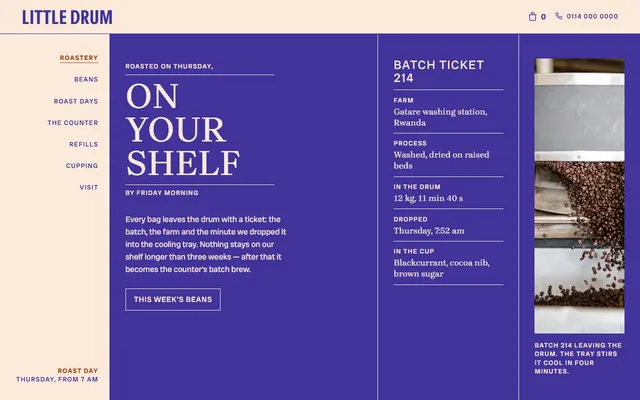
Micro-roastery: a roast-day ticket, five bean listings beside a turning round photo frame, four steps of roast day and a drinks board.
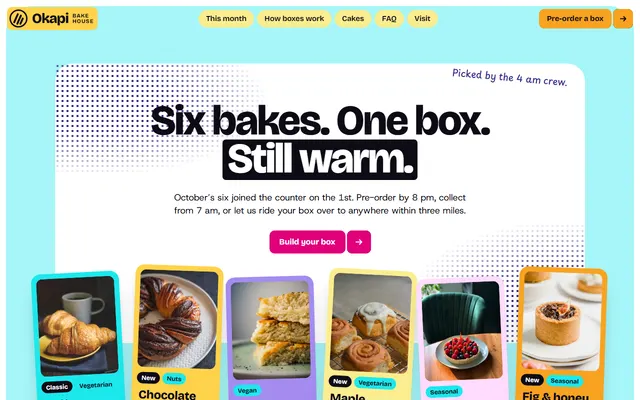
Bakery: a monthly box of six bakes with prices, a long list of morning bakes and four pre-order steps.
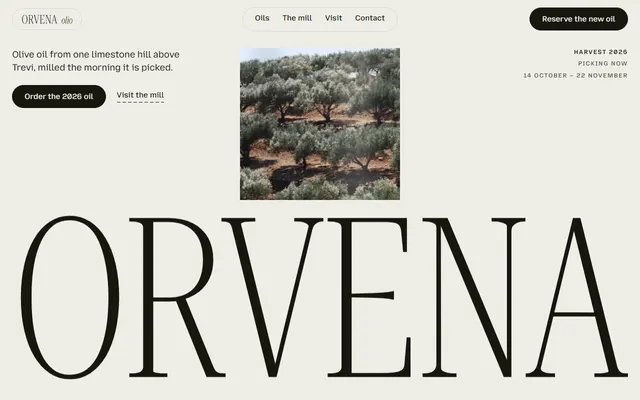
Olive oil estate or mill: six oils with prices, the mill in four steps, tasting, tree adoption and visits.
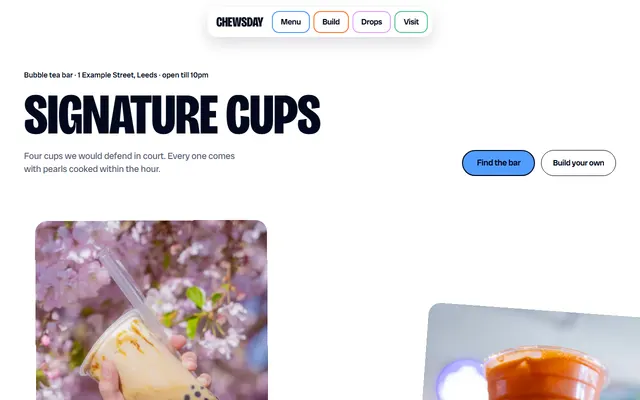
Bubble tea bar: four signature cups, a five-layer drink builder and a three-step ordering ritual.
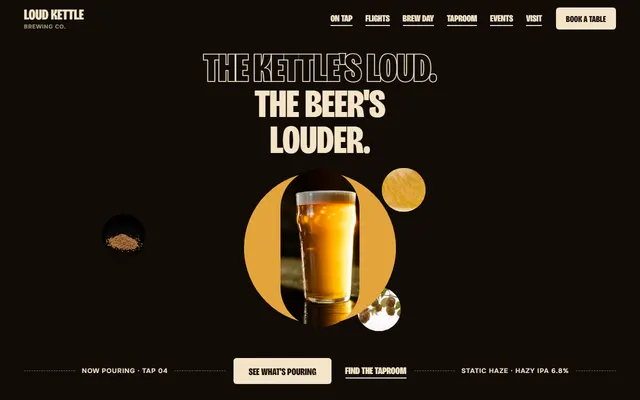
Craft brewery taproom: a tap list, a flight builder, brew day, events and a booking form.
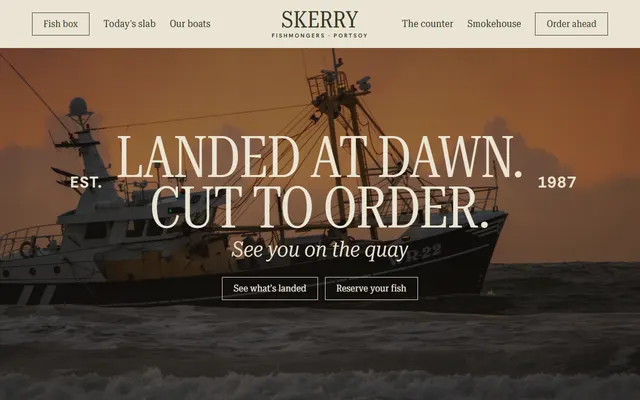
Fishmonger or fish market: daily catch prices, day boats, counter jobs, smokehouse and a Friday box.
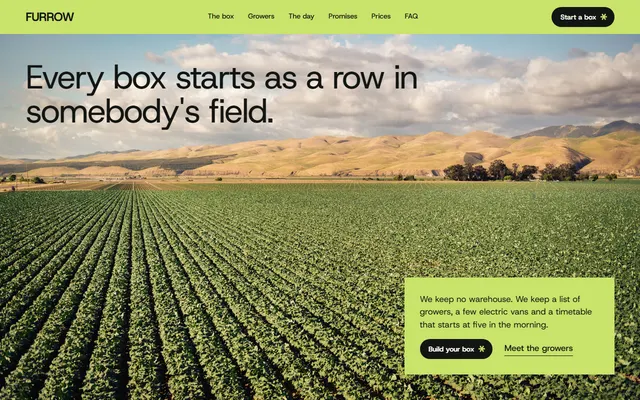
Veg box scheme: this week's vegetables, the growers and one delivery day.
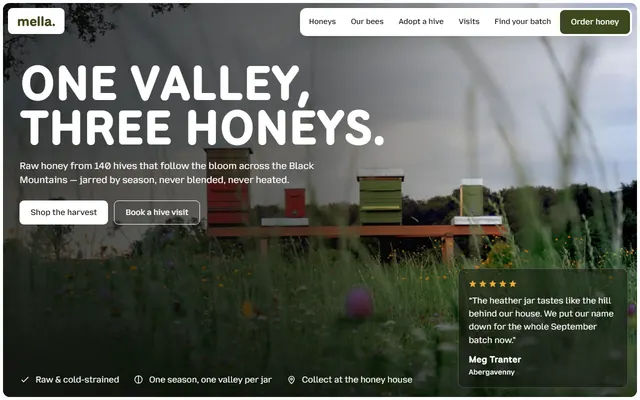
Beekeeper or honey producer: seasonal honeys, how a jar is made, batch codes, hive visits and an order form.