What comes with the community garden website template
- index.html: the pure HTML and CSS version, one single HTML file, 110 KB.
- index.gsap.html: the same design built with GSAP, ScrollTrigger and Lenis, for scroll motion in every browser, Firefox included.
- AGENTS.md: what a coding agent must keep and what to replace, so Claude Code, Codex or Cursor edit it without breaking the scenes.
- DESIGN.md: every colour, font, spacing and motion rule of this community garden website design.
- PROMPTS.md: the agent prompt and the design prompt below.
- CREDITS.md and LICENSE.md: the photos and fonts with their licenses, and the 8B license.
- Updates to this template, at no extra cost.
Yours to edit: one index.html with no build step, so you or a coding agent can change the words, prices and photos and upload it to any static host. Not a coder? Describe your business in one sentence to 8B's AI website builder and it designs a new site for you, with more pages when you need them. Designing is free; publishing with hosting is $9 a month, billed yearly. It also works inside Claude and ChatGPT.
Premium template · $39, one-time license · Made by 8B, an AI website builder · Updated November 2026 · Plain text: halfacre.md
About this community garden website template
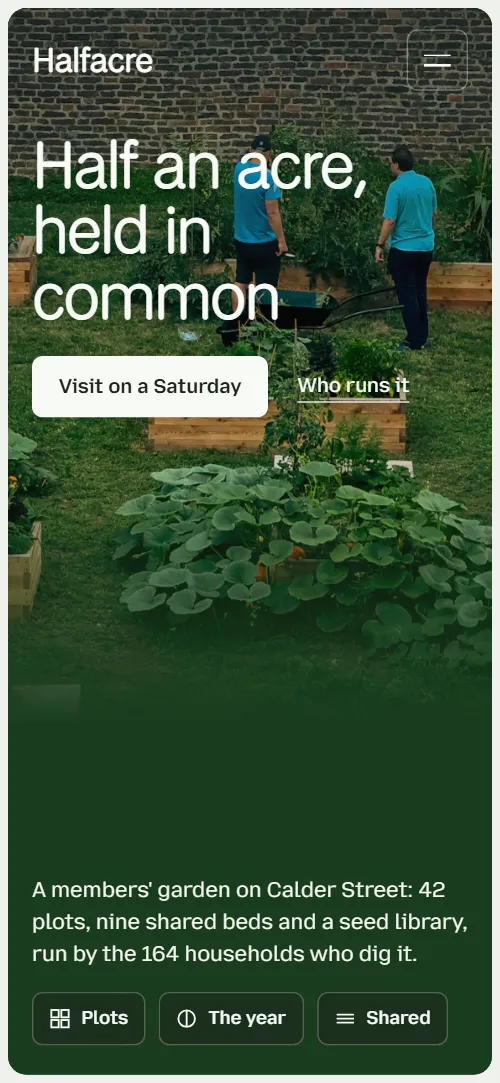
Community garden website template for a members' garden, allotment association or neighbourhood growing project: one HTML file with the yearly dues, four ways to take part and their yearly prices, a year of five dates, the things the garden shares, Saturday work mornings, elected stewards, four joining steps and a form to put your name down. The first screen is the garden itself in a thin frame, and as you scroll the photo splits into twelve plots that slide apart as the story comes up. It is a single HTML file in pure HTML and CSS, and a GSAP version of the same page comes with it.
At a glance, November 2026. One 110 KB index.html: a single HTML file in pure HTML and CSS with a few lines of built-in JavaScript, 12 sections, 27 Unsplash photos, Mozilla Text and National Park. A GSAP build of the same page, 95 KB, comes with it.
It suits a community garden, an allotment association, a city farm, a school or neighbourhood growing project, or a friends-of-the-park group that grows food and welcomes volunteers. Community garden websites mostly answer the same questions for a stranger at the gate: what can I do here, what does it cost, how long is the wait, when do you meet and how do I join. This page gives each of them a section, from the four ways to grow to the five dates every member knows and the steps from a first Saturday to your own key.
The demo garden is invented: Halfacre, a members' association on a former rubble lot behind a laundry, with 42 plots, nine shared beds and 164 households. Every name, price, date, plot number and quote is demo copy to replace. Prices are in pounds, the monthly meeting is on a Tuesday and the stewards are elected in October, so you swap in your own currency, rules and calendar and the page adapts to a garden in any city or climate.
If you would rather not edit HTML at all, 8B, the AI website builder designs a site from one sentence about your garden, with more pages when you need them. This template is for people who want this exact design in their own hands: one index.html with its CSS and its motion inside, which you or a coding agent can edit and host anywhere, next to the sign-up sheet or membership tool the garden already uses.
Good for:
What a community garden website needs
Community garden websites that fill their waiting list and their Saturday mornings answer the same questions quickly. Here is how this template covers each of them.
- What a newcomer can do. Four ways to take part as four cards, from a full plot to a Saturday share with no plot at all, each plot card with its size, its waiting time and its yearly price, and the share free for two work mornings a month.
- What it costs and how long the wait is. Plot size, the wait in months and the yearly price (£42, £24 or £12) sit on each card, the membership dues of £18 a year or twelve hours of shared work are in the facts under the first screen, and a question lower down says what the dues pay for.
- When and where to turn up. Saturday work mornings as four hour cards from 9:00 to 12:00, the gate hours, the address and the way in, so a first visit needs no email.
- How the place is run. Four elected stewards with names, terms and what each keeps, a monthly meeting with one vote per household, and five plain facts under the first screen.
- How to join. Four steps, from a visit on a Saturday to a gate key, and a form where a person says whether they want a plot, a half, a shared bed or just Saturdays.
- What the garden shares. A bento of six things held in common: the tool shed, seeds, compost bays, an orchard, rainwater and a polytunnel.
- Proof from members. Three members' quotes with a portrait, a name and the plot or share they hold, read in word by word as they scroll in.
What it does not have is a member login, an online waiting-list system or payment for dues: the form is a request and the committee keeps the list. For a garden of this size that is usually enough, and the form can feed a spreadsheet or an inbox you already use.
Community garden website design and motion
Palette
#eef2ec pale sage page ground#f8faf5 card surfaces, and text over photos and dark panels#1d241e text, and the shade over photos#1a3d1f deep green: buttons, the summer panel, the visit panel and the filled spine#c8e26a new-leaf lime: hover fills, the spring panel and the step numbers#d6e4e3 the late-winter panel#a3461f rust: the autumn panel, the only warm colour#1b2932 night: the midwinter panel and the footer's shadeFonts
- National Park: the light display voice: headline, section headings, card titles, quotes, hours and the wordmark
- Mozilla Text: body text, labels, buttons, navigation and form fields
A pale sage page with near-white cards, one deep green for the buttons on light ground, the dark panels and the filled spine of the joining steps, and a lime accent for hover fills, the step numbers and the stewards' marker. The first screen is a full photo inside a thin margin of ground with rounded corners, the headline bottom left and a lead with three chips bottom right; the second screen sets a heading across the top, the story, a tall portrait and five ruled facts. The four ways to grow are tall cards with frosted size and waiting-time tags, the shared things are a bento of photos and icon cards of different spans, and the stewards are a list of four roles beside one sticky portrait frame. The footer repeats the framed window with an evening photo and ends with the garden's name set across the width. On phones the plot cards stack, the bento becomes one column and the portrait frame moves above the list of stewards.
The idea behind the page is ground held in common, so the garden is shown whole and then divided into plots. The framed photo splits into twelve plots that part and slide away, headings grow up from their bottom edge like shoots, and the year is a sideways walk through five colour fields, from late-winter blue-green through spring lime and summer green to autumn rust and midwinter night. Everything calm in between, such as the bento and the questions, uses only the small growing and drawing effects.
What is on the community garden website page
- NavigationHeader with the wordmark, five links and Join the list, hiding as you scroll down, and a full-screen green menu on phones
The header sits clear over the first photo, turns into a pale bar with dark text as you scroll, and hides on the way down, coming back when you scroll up.
- Half an acre, held in commonTwo screens: a framed window photo of raised beds with the headline Half an acre, held in common, a lead and three chips, then the story, a portrait and five plain facts
On load the window opens from a slightly smaller rounded inset, the two headline lines rise inside their masks and the photo pans slowly across the beds in a loop. On scroll the photo splits into twelve plots (four by three, three by four on phones) that shrink and slide apart, while the headline, the buttons and the lead lift away. On the second screen the heading grows up, the portrait opens from a small window in its middle and settles, and the five fact rows draw their hairlines and rise.
- Four ways to get your hands in the soilFour cards for a full plot, half plot, shared bed and Saturday share, each with two tags (size and waiting time; No plot and Start this week on the share), a yearly price (Free with your hours on the share) and an Apply link
The four cards start fanned like a hand of cards, overlapping and turned about a pivot below the row, and straighten into a row as the section rises; on phones each card swings in from alternating sides.
- The year, as the members keep itFive season panels on a sideways track: seed swap in February, plant-out in April, harvest table in July, squash and accounts in October, beds to sleep in December
The section holds while the five season panels travel sideways as one track, so the page colour changes from month to month; in each arriving panel the big month word slides in faster than the track and the photo settles from slightly enlarged.
- What belongs to everyoneA bento of six shared things: tool shed, seeds, compost bays, orchard, rainwater and polytunnel
Each card grows up from its bottom edge as it comes into view, and the photos inside settle into their frames from slightly above and larger.
- Saturdays, nine till twelveFour hour cards from 9:00 to 12:00, stacked one over another
The four hour cards stick one after another near the top of the screen; as each later card slides over, the one beneath tips back, shrinks and darkens its photo, so the four hours pile into one morning.
- Four stewards, elected every OctoberFour elected roles with names and what each keeps, beside a sticky portrait frame
As each role crosses the middle of the screen it takes the bright marker and a heavier name while the others dim, and the portrait frame wipes upward to that steward over the one before.
- From the gate to your own keyFour joining steps on a vertical spine, with a photo
A spine beside the four steps fills from the top as they pass the middle of the screen, and each step's number fills with the leaf colour and swells when the line reaches it.
- In the members' own wordsThree members' quotes with a portrait, a name and a plot or share
Each quote starts faint and darkens word by word as it rises to the middle of the screen, while the speaker's portrait lifts beside it.
- Good to know before the gateFive questions in an accordion of native details elements
The heading grows up and the hairline under each question draws across as the list comes into view; the answers open as native accordions.
- Come through the gateTwo panels: gate hours, address, email and phone on deep green, and a name-down form on a light card
The visit panel and the form start turned away on hinges at their outer edges, like two open gate leaves, and swing flat side by side as the section arrives; on phones each panel swings down from its top edge.
- Come and dig on SaturdayFooter with a framed evening photo, a call to action, link columns, the association line and a giant wordmark
The letters of the wordmark grow up out of the bottom of the footer one by one as the page reaches its end, and the evening photo settles into its frame from slightly above and larger.
Before you publish the community garden website site
- Replace social preview image, favicon, email address, phone number and contact form (sends nothing yet) and the invented demo facts (names, prices, areas, quotes). AGENTS.md lists them.
- Visit on a Saturday, Come to a meeting, Join the list in the menu, and the footer's How to join lead to
#joinnow; point them to keep them: the joining steps are on the same page. - Put your name down, Apply on each of the four cards, Ask us something, Plan your visit, Find the gate lead to
#contactnow; point them to keep them once the form is connected. - Who runs it lead to
#opening-story, the story under the first screennow; point them to keep it, or point it to a page about your committee. - Header links, chips and footer columns lead to
#opening (the wordmark), #grow, #year, #shared, #saturdays, #stewards, #join, #voices, #faq and #contact (Visit) on the same pagenow; point them to keep them, or remove a link together with its section. - Email and phone in the contact section lead to
mailto: and tel: links with example contactsnow; point them to your own email and phone number. - Scroll-driven animation runs when the browser supports it (Chrome, Edge and Safari today; Firefox does not yet) and the visitor has not asked for reduced motion. Otherwise each section shows its finished layout; the GSAP build, index.gsap.html (GSAP 3.13), also plays the scroll motion in Firefox.
- The name-down form sends nothing: connect it to a form service, your own inbox or your membership list. Without a page script there is no thank-you line after sending, and the form's status line stays empty.
- It is one page. There is no member login, waiting-list system or payment for dues: the form is a request, and the dues and the plot list are handled by the committee.
- The opening splits its photo into twelve plots (data-8b-copies="12", four by three, three by four on phones from --opening-c and --opening-r), and the scenes of the year (five panels), the Saturday stack, the stewards and the joining steps (four each) are built for those counts; the four ways to grow fill a row of four columns and the shared bento is laid out for six. A different count needs the layout, and where there is a scene the scene, adjusted.
Questions about this community garden website template
What do I get for $39?
The community garden website template as a single HTML file, index.html, in pure HTML and CSS, a GSAP build of the same page as index.gsap.html, a DESIGN.md with every colour, font and motion rule, an AGENTS.md for coding agents, the agent prompt and the design prompt from this page, and CREDITS.md for the photos and fonts. Updates to this template are included.
Can I use this community garden template for client sites?
Yes. One purchase lets you build as many sites as you like with it, for your own garden or for clients, and change anything. What it does not allow is selling or giving away the template itself, as a template, theme or kit, or putting its source in a public repository.
How do I change the plots, dues and dates?
Each way to grow is one card with a photo, two tags, a short text and a yearly price, the membership dues (£18 a year or twelve hours of shared work) are one row of the facts under the first screen, and each date in the year is one panel with a month, a title, a text and a photo. With Claude Code, Codex or Cursor you say it in a sentence, such as make the half plot 30 dollars and add a September apple day, and the agent edits the block; by hand you change the words in place. The page is built for four ways to grow and five dates, so a different count needs the layout and the scene adjusted, which the agent can do from AGENTS.md. If you want a site with more pages that you edit without code, 8B's AI website builder makes one from a sentence about your garden.
Does the name-down form send requests?
Not yet. The form asks for a name, an email, what the person would like (a full plot, a half plot, a shared bed, Saturday mornings or just a visit) and a note, but it sends nothing until you connect a form service such as Formspree or Netlify Forms, or your own inbox. The pure HTML and CSS version shows no thank-you line after sending, so point the form at a thank-you page or add one. The waiting list itself stays wherever your committee keeps it, such as a spreadsheet.
Will it work with Claude Code, Codex or Cursor?
Yes. Put index.html and AGENTS.md in your project and give the agent the prompt that comes with the template. AGENTS.md says which attributes the scroll motion reads, what to keep and what to replace, so the agent swaps plots, prices, dates, stewards and photos without breaking the scenes.
What do visitors see in Firefox or with reduced motion?
Firefox does not support scroll-driven animations yet, so it shows every section in its finished layout, as does any browser when the visitor asks for reduced motion; the year then stands as five stacked panels and the steward frame shows its last portrait beside the full list. If the scroll motion must also play in Firefox, use the GSAP build, index.gsap.html, which loads GSAP, ScrollTrigger and Lenis from a CDN.
More templates for community places
Other designs for neighbourhood groups and places that run on members and volunteers.
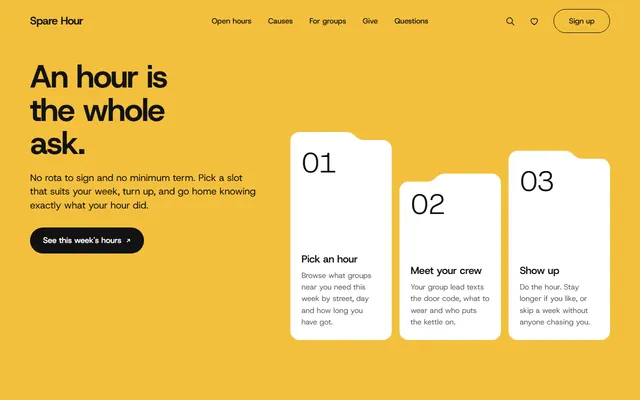
City volunteering network: open volunteer hours, causes, a Saturday morning at a food larder, a donation picker and a sign-up form.
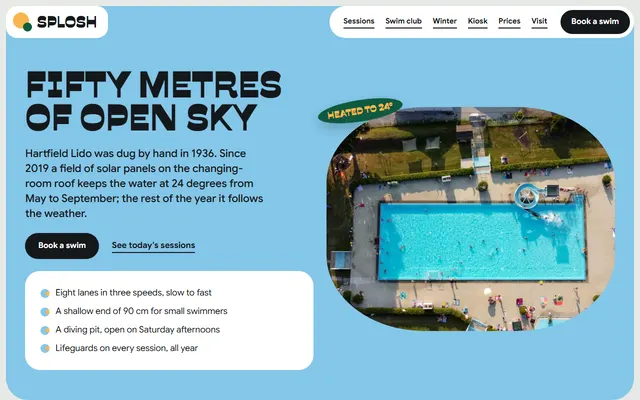
Community outdoor pool: lane sessions, a swim club, winter swimming, a lawn, events and ticket prices.
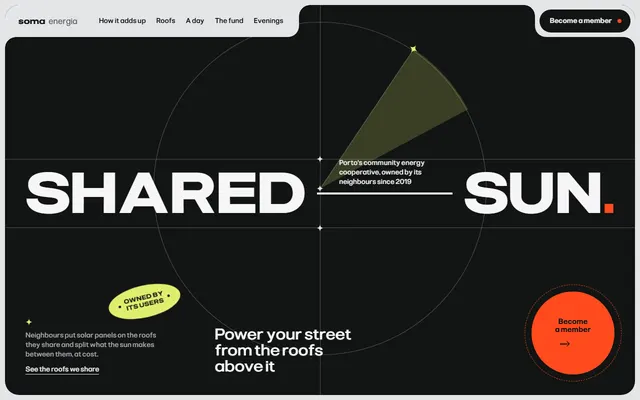
Energy cooperative: how a share works, shared roofs, a day of solar power, one member one vote and a join form.
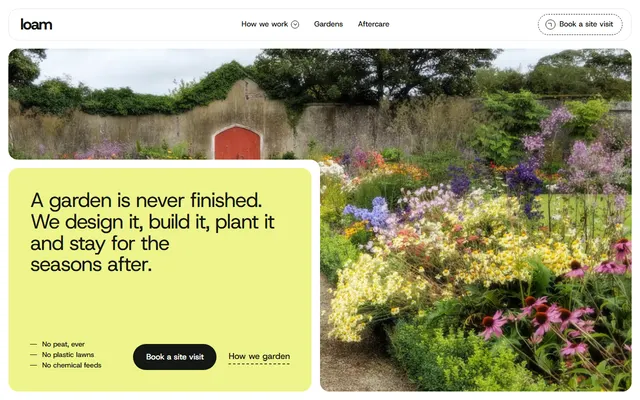
Landscape gardening firm: four principles, a four-stage process, finished gardens and a site-visit form.
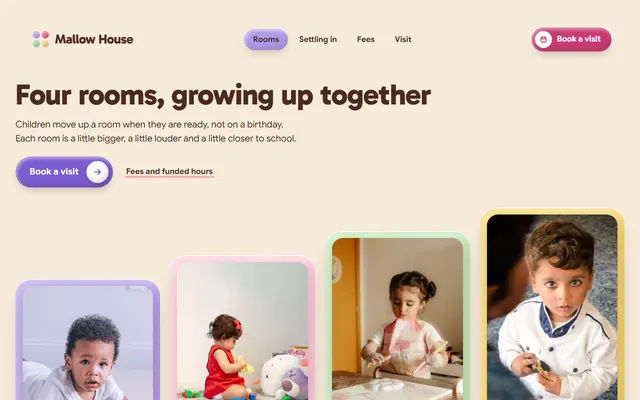
Small day nursery: rooms by age, the garden, a settling-in plan, fees and an open-morning booking form.

Community radio station: today's shows, hosts, open decks, dedications and memberships.
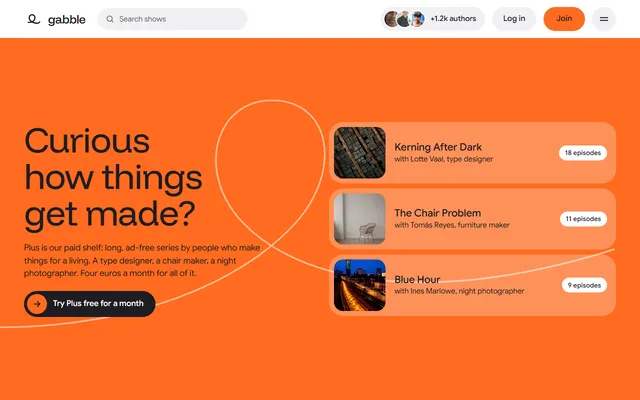
Podcast for networks: shows, authors, live dates.
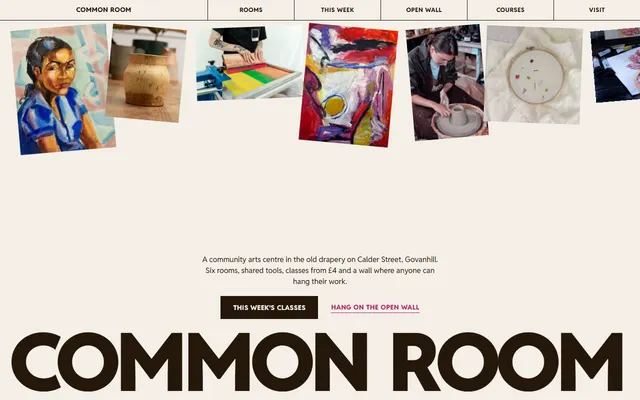
Community arts centre: rooms, weekly classes, a members' open wall, courses and visiting details.