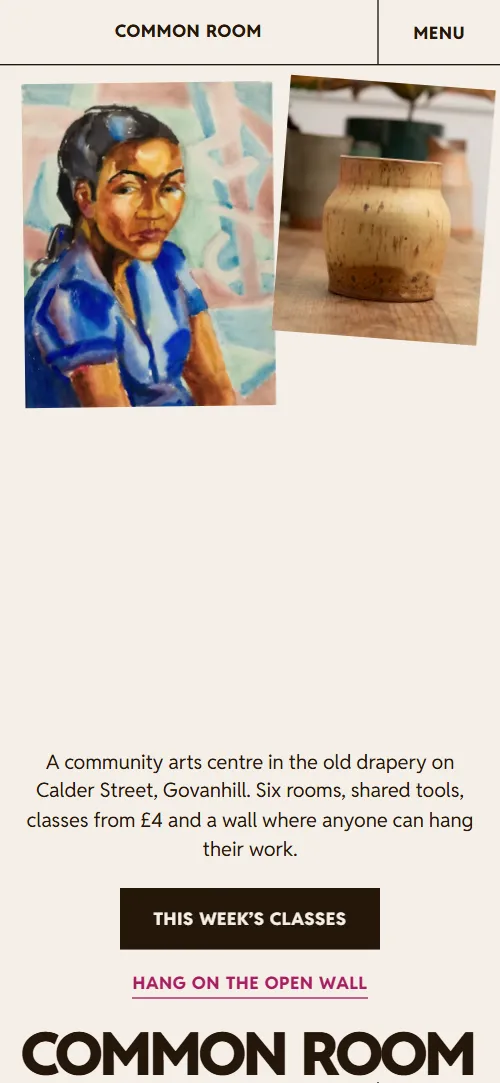
What comes with the community art center website template
- index.html: the pure HTML and CSS version, one single HTML file, 99 KB.
- index.gsap.html: the same design built with GSAP, ScrollTrigger and Lenis, for scroll motion in every browser, Firefox included.
- AGENTS.md: what a coding agent must keep and what to replace, so Claude Code, Codex or Cursor edit it without breaking the scenes.
- DESIGN.md: every colour, font, spacing and motion rule of this community art center website design.
- PROMPTS.md: the agent prompt and the design prompt below.
- CREDITS.md and LICENSE.md: the photos and fonts with their licenses, and the 8B license.
- Updates to this template, at no extra cost.
Yours to edit: one index.html with no build step, so you or a coding agent can change the words, prices and photos and upload it to any static host. Not a coder? Describe your business in one sentence to 8B's AI website builder and it designs a new site for you, with more pages when you need them. Designing is free; publishing with hosting is $9 a month, billed yearly. It also works inside Claude and ChatGPT.
Premium template · $39, one-time license · Made by 8B, an AI website builder · Updated November 2026 · Plain text: common-room.md
About this community art center website template
Community art center website template for an arts centre, studio collective or art school that runs classes and shows its members' work: one HTML file with a directory of six rooms, a ruled week of classes with prices, an Open Wall of twelve works, three courses, pay-what-you-can prices, a children's Saturday club, questions and visiting details. It opens on a rail of works hung from one line above the name COMMON ROOM, and the two words part like a door to open a photo of someone painting. It is a single HTML file in pure HTML and CSS, and a GSAP version of the same page comes with it.
At a glance, November 2026. One 99 KB index.html: a single HTML file in pure HTML and CSS with a few lines of built-in JavaScript, 12 sections, 41 Unsplash photos, Playwrite US Modern and Reddit Sans. A GSAP build of the same page, 88 KB, comes with it.
It suits a community arts centre, an art school with classes in several media, a studio collective, a makerspace or a charity that runs workshops and wants a place to show what its members make. Community art center websites mostly need the same things in one scroll: what is in the building, what is on this week, how to join in, what it costs and when the door is open. This page gives each its own section, and it adds what makes a place like this feel open: a wall anyone can hang one piece on, three prices for every class and a club for children.
The demo business is Common Room, an invented arts centre in a former drapery in Govanhill, Glasgow. Every room, class, price, maker, date, address and the charity line is demo copy to replace. The rooms carry a floor and one line each, the classes a time, a room and a price, so a centre in any city fills in its own studios, kilns, darkrooms or workshops; prices are in pounds with a pay-what-you-can idea, which you change to your own currency and policy.
If you would rather not edit HTML at all, 8B, the AI website builder designs a site from one sentence about your centre, with more pages when you need them. This template is for people who want this exact design in their own hands: one index.html with its CSS and its motion inside, which you or a coding agent can edit and host anywhere, next to the booking or ticketing service you already use.
Good for:
What a community art center website needs
Arts centre websites that fill classes and bring people in answer the same questions in the first minute. Here is how this template covers each of them.
- What is in the building. A directory of six rooms by floor, each with one line on what is there and a photo that appears in the frame as you reach it.
- What is on this week. Six ruled day columns with twelve classes, each with a time, a room and a price, and a Book a place link.
- Courses with dates and prices. Three cells with a photo, start date, times and a price, each with a booking link.
- A way for members to show their work. The Open Wall: twelve works with the maker's name, age and medium, and a link that explains how to hang a piece.
- Prices people can afford. A pay-what-you-can section with three prices per class and a Become a friend button for regular givers.
- Something for children and families. A Saturday Club section with ages, hours, the price and what to bring, beside two columns of photos.
- Access, room hire and opening hours. Six questions that answer access and room hire, and a visit section with the address, hours, phone, email and directions.
What it does not have is online booking, payment, a members' login or an upload form for the wall: it is a front door for a centre that takes bookings by its own service, phone or desk. The booking buttons are links, so you point them at the service you use.
Community art center website design and motion
Palette
#f4efe8 warm off-white page ground and text on the dark sections#24170a near-black brown: text, hairlines, buttons and the ground of the opening's second screen, the Open Wall, the quote and the footer#e8559c hot pink: small links on the dark grounds and the fill that opens across buttons on hover#f8c6e0 pale pink: the footer wordmark, the Saturday Club ground and the makers' labels on the Open Wall#a81f62 deep pink: small links, class times and the active room name on the light ground#6e5c4a warm taupe: secondary text and captionsFonts
- Reddit Sans: everything except the signature: capitals for headings, a light weight for the large paragraphs, small bold capitals for labels, body text and buttons
- Playwrite US Modern: the handwritten name under the member's quote
A warm off-white page with near-black brown text, dark brown grounds for the opening's second screen, the Open Wall, the quote and the footer, a pale pink Saturday Club, and pink for small links and button hovers. The header is a bar of ruled cells with the name and five links. Headings are heavy grotesque capitals; the large paragraphs are set light. The rooms are ruled rows beside a sticky photo frame, the week is six ruled day columns, the Open Wall is a salon hang of twelve works of different sizes, and the courses are three ruled cells. The footer is dark brown with a drifting row of works and the name in pale pink across the width. On phones the header becomes the name and a Menu button, the day columns become rows, and the rooms frame sits at the top of the screen above the rows.
The idea behind the page is a building with the door open: works hang from one line like a salon wall, every room is a ruled cell, and the name opens and shuts like a door. So the opening words part to let a photo through, the rail of works sways on its hanging points, the Open Wall pulls back from one portrait to the whole wall, and in the footer the two words close together again as the page ends.
What is on the community art center website page
- NavigationHeader bar of ruled cells with the name and five links, and on phones a Menu button that opens the full list
The header bar slides up out of view as you scroll down and comes back when you scroll up; on phones the Menu button opens the full list of links.
- Common RoomTwo screens: a rail of eleven works hung from one line, a short statement and COMMON ROOM across the width, then a dark paragraph with a door-shaped photo of a painter and a Plan a visit link
On load the works drop onto the rail, the name rises into place and the statement follows; each work then sways slowly on its hanging point. On scroll the rail slides left and its works swing in alternating directions, COMMON and ROOM part to the sides and the door-shaped photo opens from a slit between them and settles, while the dark paragraph rises into place.
- Six rooms, one front doorA lobby directory of six rooms by floor beside one photo frame that changes as each row passes
As each room row crosses the middle of the screen its photo wipes up into the frame over the previous one, and the room's name steps right in deep pink, then falls back in line.
- This weekThis week's classes in six ruled day columns, two classes a day with room and price, and a Book a place link
The hairline of each day opens from its centre outward as the week comes into view.
- The Open WallThe Open Wall: twelve members' works of different sizes with maker, age and medium, pulled back from one portrait
The wall starts magnified on one portrait that fills the screen, then pulls back until all twelve works are in view and holds there. On a desktop the stage stays pinned while it pulls back; on phones it pulls back from the first piece as it enters.
- Starting soonThree courses in ruled cells, each with a photo, dates, times, price and a booking link
Each course photo drops a short way and swings to rest around its top edge, as if hung on a nail.
- VoicesOne member's quote in large capitals over a full-bleed workshop photo, with her name in handwriting
The workshop photo starts as a band across the middle of the screen and opens towards the edges to full bleed while the quote's words drift in from the sides and settle into the sentence.
- Pay what you canPay what you can: three ruled sentences at 4, 8 and 12 pounds and a Become a friend button
The hairline above each of the three prices opens from its centre outward.
- Saturday ClubThe Saturday Club for ages 5 to 15, with copy held beside two columns of six children's photos on a pale pink ground
The two photo columns slide against each other, one rising from below and one dropping from above, and settle in their staggered places as the section reaches the top of the screen, while on a desktop the copy stays held beside them.
- QuestionsSix questions in ruled rows that open: ability, materials, the Open Wall, access, room hire and free places
The hairline above each question opens from its centre outward.
- VisitThe address in large capitals, opening hours, phone, email, directions and a photo of the front door
The three address lines start as a staircase, each lower and further right than the one above, and climb into one flush block while the front door photo drops onto its nail.
- FooterA drifting row of nine wall works, footer links, email, social links, COMMON ROOM across the width and the charity line
A row of nine works from the wall drifts sideways in a loop and stops under the pointer. As the page ends the two words of the name arrive apart at the sides and close together into the wordmark.
Before you publish the community art center website site
- Replace social preview image, favicon, email address, phone number and social media links and the invented demo facts (names, prices, areas, quotes). AGENTS.md lists them.
- Plan a visit, Book a place, Save a place, the three Book this course buttons, the Visit links and Privacy lead to
#visitnow; point them to your booking page or ticketing service for classes and courses, or keep #visit once the contact details are yours. - This week's classes, See the whole week and This week links lead to
#weeknow; point them to keep as they are. - Hang on the Open Wall and Open Wall links lead to
#wallnow; point them to keep as they are. - How to hang a piece, Access and Room hire lead to
#faqnow; point them to keep, or point Access and Room hire to their own pages. - Become a friend button lead to
an email link to the centre with the subject Becoming a friendnow; point them to your membership or donation page. - Rooms and Courses links in the header and footer, and the Common Room name in the header lead to
#rooms, #courses and #openingnow; point them to keep as they are. - Phone and email links in the visit section, and the email in the footer lead to
tel:+441410000000 and hello@commonroom.examplenow; point them to your front desk's number and email, in the link and in the visible text. - Instagram and Facebook links in the footer lead to
the networks' home pagesnow; point them to your own profiles, or remove them. - Scroll-driven animation runs when the browser supports it (Chrome, Edge and Safari today; Firefox does not yet) and the visitor has not asked for reduced motion. Otherwise each section shows its finished layout; the GSAP build, index.gsap.html, also plays the scroll motion in Firefox.
- There is no booking or payment: Book a place, Book this course and Save a place jump to the visit section, and the Become a friend button opens an email. Point them at your own booking or membership page.
- It is one page: Access, Room hire and Privacy link to the questions or the visit section, not to pages of their own, and the social links go to the networks' home pages.
- The rooms directory is built for six rooms, each row paired with one photo in the frame, and the week for six day columns; the Open Wall pull-back zooms in on one marked portrait and is laid out for twelve works in two rows on a desktop: a different count needs its layout and scene adjusted.
Questions about this community art center website template
What do I get for $39?
The community art center website template as a single HTML file, index.html, in pure HTML and CSS, a GSAP build of the same page as index.gsap.html, a DESIGN.md with every colour, font and motion rule, an AGENTS.md for coding agents, the agent prompt and the design prompt from this page, and CREDITS.md for the photos and fonts. Updates to this template are included.
Can I use this arts centre template for client sites?
Yes. One purchase lets you build as many sites as you like with it, for your own centre or for clients, and change anything. What it does not allow is selling or giving away the template itself, as a template, theme or kit, or putting its source in a public repository.
How do I change the classes, courses and prices?
Each class is one line in a day column with a time, a name, a room and a price; each course is one cell with a photo, dates and a price. With Claude Code, Codex or Cursor you say it in a sentence, such as move the wheel drop-in to Wednesday at 11:00 and make it 10 pounds, and the agent edits the line; by hand you change the words. There is no admin panel and no booking engine: the booking buttons jump to the visit section, so point them at your own booking or ticketing page. If you want a site with more pages that you edit without code, 8B's AI website builder makes one from a sentence about your centre.
How do members get their work on the Open Wall?
The wall is twelve works, each a photo with a title, the maker's first name, age and medium. Swap the photos and captions for your members' work, and the questions section explains your own rule for hanging a piece. Members cannot upload from the page: you or your agent replace the photos each month, or link the section to the social account where you show new work. The pull-back zooms in on one marked portrait and the wall is laid out for twelve works in two rows on a desktop, so a different count needs its layout and the pull-back scene adjusted.
Will it work with Claude Code, Codex or Cursor?
Yes. Put index.html and AGENTS.md in your project and give the agent the prompt that comes with the template. AGENTS.md says which attributes the scroll motion reads, what to keep and what to replace, so the agent swaps rooms, classes, prices and photos without breaking the scenes.
What do visitors see in Firefox or with reduced motion?
Firefox does not support scroll-driven animations yet, so it shows every section in its finished layout, as does any browser when the visitor asks for reduced motion. If the scroll motion must also play in Firefox, use the GSAP build, index.gsap.html, which loads GSAP, ScrollTrigger and Lenis from a CDN.
More templates for studios, classes and galleries
Other designs for places that teach, make and show.
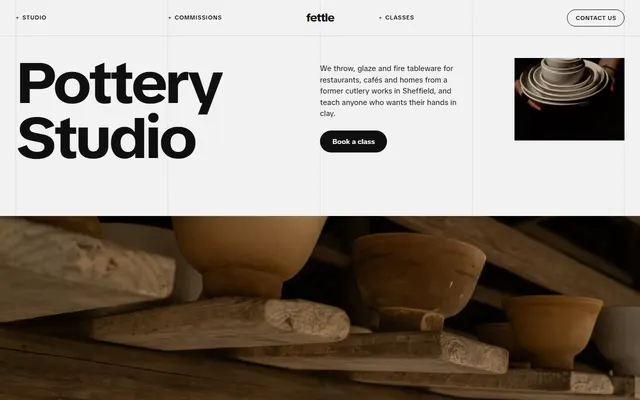
Pottery studio: commissions, a six-step process, glazes, classes with prices and an open studio membership.
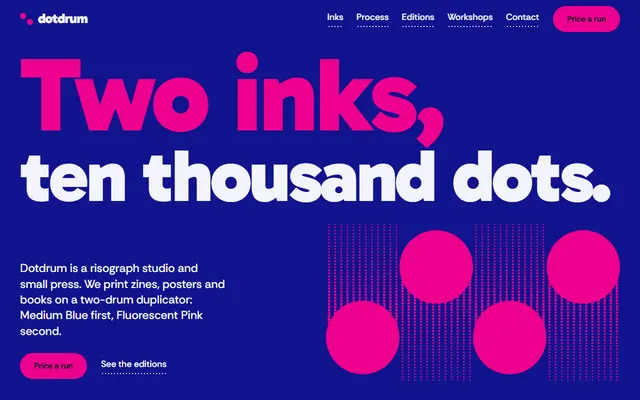
Risograph print studio: zines and posters, its own editions and workshops.
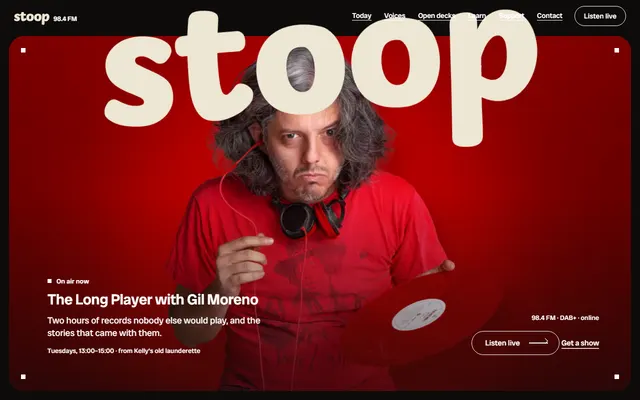
Community radio station: today's shows, hosts, open decks, dedications and memberships.
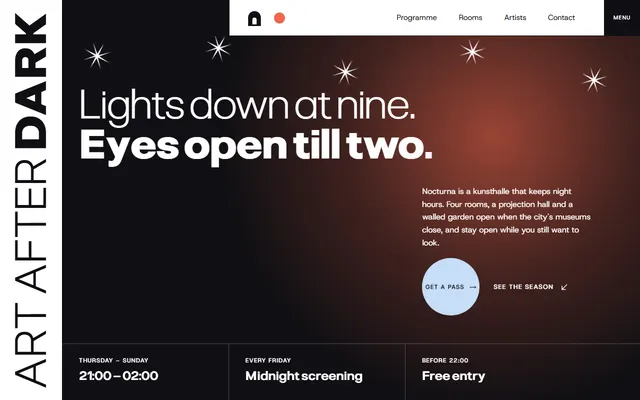
Kunsthalle that opens after dark: a night programme, rooms, resident artists and passes.
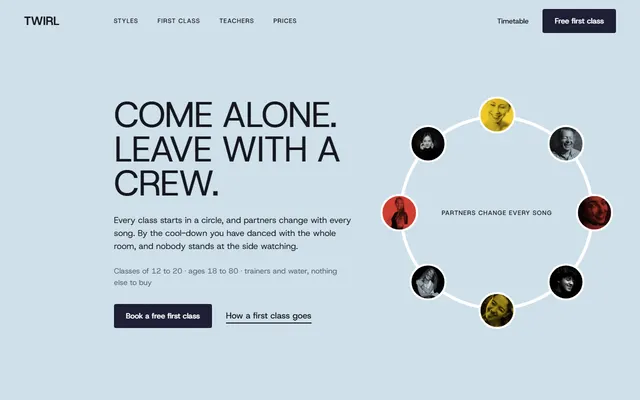
Dance studio for adult beginners: styles, a first class, a weekly timetable and passes.
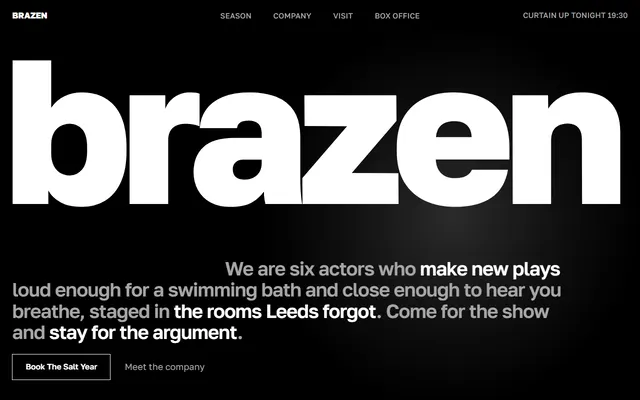
Theater company: current show, season board, company, rehearsal weeks, venues and box office.
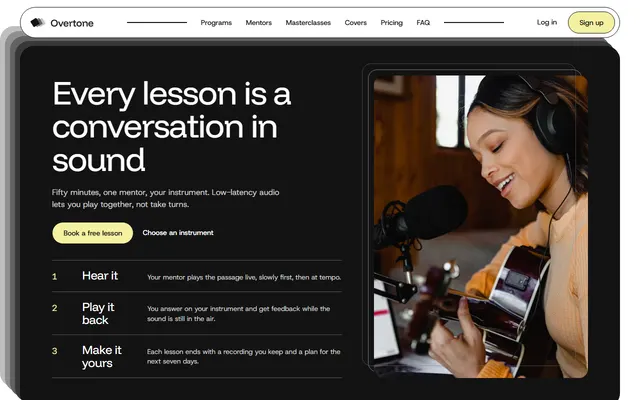
Online music school: programs, mentors, masterclass tickets and plans.
Aquarium: galleries, residents, daily talks, tickets with prices, membership and school visits.