What comes with the surf school website template
- index.html: the pure HTML and CSS version, one single HTML file, 125 KB.
- index.gsap.html: the same design built with GSAP, ScrollTrigger and Lenis, for scroll motion in every browser, Firefox included.
- AGENTS.md: what a coding agent must keep and what to replace, so Claude Code, Codex or Cursor edit it without breaking the scenes.
- DESIGN.md: every colour, font, spacing and motion rule of this surf school website design.
- PROMPTS.md: the agent prompt and the design prompt below.
- CREDITS.md and LICENSE.md: the photos and fonts with their licenses, and the 8B license.
- Updates to this template, at no extra cost.
Yours to edit: one index.html with no build step, so you or a coding agent can change the words, prices and photos and upload it to any static host. Not a coder? Describe your business in one sentence to 8B's AI website builder and it designs a new site for you, with more pages when you need them. Designing is free; publishing with hosting is $9 a month, billed yearly. It also works inside Claude and ChatGPT.
Premium template · $39, one-time license · Made by 8B, an AI website builder · Updated November 2026 · Plain text: longshore-surf-school.md
About this surf school website template
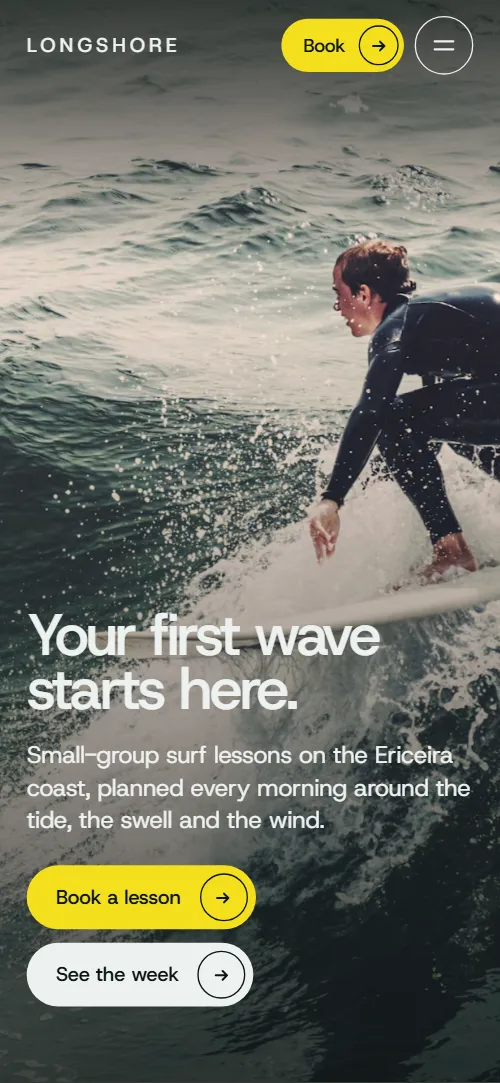
Surf school website template for a small school that teaches by the week: one HTML file with six skills laid out Monday to Friday, five beaches with their level and conditions, a lesson day planned around the tide, four coaches, a week grid of programmes with prices and a booking request form. The first screen is a dark full-bleed wave that contracts into a card as the page lightens to sea mist, and the card lands on a beginner's wave. It is a single HTML file in pure HTML and CSS, and a GSAP version of the same page comes with it.
At a glance, November 2026. One 125 KB index.html: a single HTML file in pure HTML and CSS with a few lines of built-in JavaScript, 12 sections, 20 Unsplash photos, Host Grotesk. A GSAP build of the same page, 109 KB, comes with it.
It suits a surf school, a surf camp, a kitesurf or paddleboard school, or any outdoor lesson business whose day depends on the sea and the weather. Surf school websites mostly need four things: what a beginner learns and in what order, where the lessons happen and why, who the coaches are and what a week costs, and how to ask for a place. This page gives each its own section, and adds the parts that reassure a nervous first-timer: a lifeguard story, a day with times from the forecast to high water, and an honest line on the one break nobody is taught at.
The demo business is Longshore, an invented surf school in Ericeira, Portugal, with an invented story, coaches, prices and phone number. Every name, beach, time and price is demo copy to replace. The breaks section holds five beaches, each with a photo, a level line and a note, so a school on another coast swaps in its own spots and conditions; the week grid has four programmes with the days they run, a price and a Book link, and fits a camp, a kids' course or a private lesson list just as well.
If you would rather not edit HTML at all, 8B, the AI website builder designs a site from one sentence about your business, with more pages when you need them. This template is for people who want this exact design in their own hands: one index.html with its CSS and its motion inside, which you or a coding agent can edit and host anywhere.
Good for:
What a surf school website needs
Surf school websites that win bookings answer the same questions before a visitor writes. Here is how this template covers each of them.
- What a beginner will learn. Six skills from Monday to Friday, each with a day, a name and a one-line note, in the order the sea asks for them.
- Where the lessons happen. Five beaches with a photo, a level line such as beginners or improvers and a note on what the break is like.
- What a day looks like. A morning in six timed steps, from the forecast to high water, so a nervous first-timer knows what happens when.
- Who is in the water with you. Four coaches with names and roles, a statement on lifeguard training, and the group size stated in the first screen's facts.
- Prices and programmes. A week grid with the days each programme runs, its number of sessions and its price, plus a note on private coaching and board hire.
- Answers to the usual worries. Six questions on swimming ability, what to bring, bad conditions, water temperature, hotel pickup and age.
- A way to ask for a place. A request form with dates, people and programme, the shop's phone, email and hours, and a Call the shop button. Connect the form before you go live.
What it does not have is a live booking calendar, availability by day or online payment: the form is a request that you answer by email, and a booking page of your own can take over the Book buttons.
Surf school website design and motion
Palette
#edf1ef the sea mist page ground, text on dark sections and the ring of focus outlines#0c1615 the green-black ink: text, the dark buttons, and the ground of the first screen, the breaks section, the menu and the footer#f4df1c the single accent: the booking buttons, beach level lines, filled session cells, the route marker and the hover fill of the second buttons#5b6764 grey-green secondary text on the light ground: leads, skill notes, coaches' roles, table labels and the skill lines that are not active#a3b0ac secondary text on the dark grounds, beach names and levels before the route reaches them, the drawn route line and the swell alerts placeholder#0e3a3c the deep sea ground of the day section and the tide that spreads over it#7d8a87 the grey of skill names that are not active#c7d0cd hairlines, form borders, empty session cells and the ground behind photos before they load#2c3c39 the resting route line under the drawn one, the footer's rules and the border of the swell alerts fieldFonts
- Host Grotesk: every headline, label, button, table, form field and the width-filling wordmark, set in one neutral grotesque at tight spacing
A cool sea mist page with green-black type in a single neutral grotesque, set large and tight. The first screen is a full-bleed photo with the heading bottom left and two pill buttons; the second sits on the light ground with a statement, four plain facts and a rounded card. Skills are large lines beside one sticky card, the breaks section is dark with beaches scattered left and right along a thin route line, the day is a deep sea green ground with six timed steps, and the courses are a real table with a column for each day of the week. Corners are rounded, buttons are pills with a circled arrow, and on phones the card sits above the statement and the lists stack in one column.
The idea behind the page is that the school reads the sea before it teaches. The dark wave becomes the school's light page, the route line joins the beaches into one coast, the tide reaches the day's steps one by one in the order of the morning, and the lineup photo slides in one band at a time, the water first and the sky last. The yellow marks the booking buttons and what is lit or chosen: the level line of a lit beach, the route marker, a filled session in the week.
What is on the surf school website page
- NavigationHeader with the wordmark, three links left, two links and a Book button right; on narrower screens a menu button opens the full list with the shop address and phone
The header stays fixed at the top, clear over the first screen and a solid light bar once the page moves; it slides away when you scroll down past the first 120 pixels and comes back as soon as you scroll up. On narrower screens the menu button opens a full-screen list of sections with the shop address and phone.
- Your first wave starts here.Two screens: Your first wave starts here over a dark full-bleed wave that contracts into a card, then We teach the ocean, not just the board with four facts and a beginner's wave in the card
On load the photo settles from a slight zoom, the heading rises and the lead and buttons follow a moment later, while the photo pans slowly sideways and back. On scroll the full-bleed picture closes in with rounded corners toward the card of the second screen, the ground turns from ink to sea mist, the first copy lifts away and the statement arrives; the frame lands on the card and crossfades to a beginner's wave.
- Six things you learn in a week.Six skills from Monday to Friday as large lines with a note each, beside one sticky card whose photo changes with the active line
The section sticks while the list moves one line at a time: the active skill turns ink and the rest grey, and the card's photo wipes up from the bottom while it settles from a slight zoom, so the picture always matches the skill you are reading.
- Some people wait for a perfect day. We teach you to read the one you've got.A full-bleed winter wave photo with a two-sentence statement, the founders' story and a button to the coaches
The heading rises line by line out of a mask and the big wave photo drifts at its own speed as you scroll.
- Five breaks, one coast.Five beaches scattered left and right with a photo, a level line and a note each, along a route line with a travelling marker
A thin route line is drawn through the five beaches as you scroll, a yellow marker rides its end, each beach's name and level line light up as the line reaches it, and the photos drift at different speeds.
- The day follows the tide.A Tuesday in six timed steps from the forecast to high water, with the tide advancing down the section
A deep sea field spreads down from the top edge behind the steps, like the tide advancing up a beach, and each step turns light as the water reaches it, in the order of the morning.
- Taught by surfers. Run by lifeguards.A two-column statement on lifeguard coaches and four portraits of different heights with name and role
The heading rises line by line, and the four portraits, cut to different heights and aligned at the bottom like a lineup, drift with their names at different speeds as you scroll.
- Pick your week.A week grid of four programmes with Monday to Sunday session cells, a price column and a Book link, with a note on private coaching and board hire
The heading rises line by line. On desktop a playhead sweeps the week from Monday to Sunday, each session cell fills with yellow just after it passes and the day headings darken; on phones each programme fills its own week day by day as its row crosses the screen.
- Before you come.Six questions as native details beside the heading and a line on how to reach a coach
The heading rises line by line; the questions open and close without any script.
- Be first in the lineup.A sunset lineup photo in five bands with the group price, the deposit, a Book button and a Call the shop button
The sunset photo arrives as five horizontal bands sliding in from the right one after another, the water at the bottom first and the sky last, and as the picture comes whole the heading, price line and buttons rise and fade in over it.
- Come and surf.Come and surf with the shop address, phone, email and hours, a framed photo and the booking request form
The heading rises line by line and the framed photo closes in from a wider frame while its picture settles from a slight zoom.
- FooterDark footer with Paddle out with us and a Book button, contacts, school links, social links, a swell alerts field and the wordmark across the width
The wordmark across the footer rises line by line as it comes into view.
Before you publish the surf school website site
- Replace social preview image, favicon, phone number, email address, contact form (sends nothing yet) and social media links and the invented demo facts (names, prices, areas, quotes). AGENTS.md lists them.
- Book buttons in the menu bar, the first screen, the lineup section and the footer, and Book in the menu lead to
#contactnow; point them to your online booking page, or keep #contact once the form is connected. - See the week button on the first screen and the Book links in the week grid lead to
#courses and #contactnow; point them to keep as they are. - How a week with us works, Meet the coaches and Ask for dates lead to
#skills, #coaches and #contactnow; point them to keep as they are. - Call the shop button, phone links in the menu, contact section and footer lead to
tel:+351000000000now; point them to your shop's number, in the link and in the visible text. - Email links in the contact section and footer lead to
hello@longshore.examplenow; point them to your school's email, in the link and in the visible text. - Instagram, YouTube and Facebook in the footer lead to
the home pages of each networknow; point them to your own profiles. - Scroll-driven animation runs when the browser supports it (Chrome, Edge and Safari today; Firefox does not yet) and the visitor has not asked for reduced motion. Otherwise each section shows its finished layout, and the route line in the breaks section is not drawn while every beach is lit; the GSAP build, index.gsap.html, also plays the scroll motion in Firefox.
- The booking request form and the swell alerts field send nothing: connect them to a form service or your booking system. Without a page script there is no thank-you line after sending; add one or send the visitor to a thank-you page.
- The skills list is built for six skills, the week grid for four programmes and the lineup photo for five bands: a different count needs its layout and scene adjusted.
- The five beaches, their levels, the tide times of the day and the water temperatures are for Ericeira in Portugal: replace them with your own coast, and keep the beach count the route line was drawn for or adjust it.
Questions about this surf school website template
What do I get for $39?
The surf school website template as a single HTML file, index.html, in pure HTML and CSS, a GSAP build of the same page as index.gsap.html, a DESIGN.md with every colour, font and motion rule, an AGENTS.md for coding agents, the agent prompt and the design prompt from this page, and CREDITS.md for the photos and fonts. Updates to this template are included.
Can I use this surf school template for client sites?
Yes. One purchase lets you build as many sites as you like with it, for yourself or for clients, and change anything. What it does not allow is selling or giving away the template itself, as a template, theme or kit, or putting its source in a public repository.
Does the booking form take bookings or payments?
No. The form is a request: name, email, dates, number of people, programme and a note about level, followed by the line that no payment is taken now and that you confirm by email. It sends nothing until you connect a form service such as Formspree or Netlify Forms, or your own booking system. The pure HTML and CSS version shows no thank-you line after sending, so point the form at a thank-you page or add one. The swell alerts field in the footer needs a mailing list service in the same way.
How do I change the beaches, the skills and the prices?
Replace the text of each beach, keeping its level line and a photo, and keep five beaches so the route line meets them all; the skills list is built for six, with a photo for each, and the week grid for four programmes. In the week grid, mark the days a programme runs and change the price and sessions in its last columns. The tide times in the day section are plain text, so set them for your own beach.
Will it work with Claude Code, Codex or Cursor?
Yes. Put index.html and AGENTS.md in your project and give the agent the prompt that comes with the template. AGENTS.md says which attributes the scroll motion reads, what to keep and what to replace, so the agent changes copy, prices, photos and colours without breaking the scenes.
What do visitors see in Firefox or with reduced motion?
Firefox does not support scroll-driven animations yet, so it shows every section in its finished layout, as does any browser when the visitor asks for reduced motion. The route line in the breaks section is not drawn then, and every beach is lit. If the scroll motion must also play in Firefox, use the GSAP build, index.gsap.html, which loads GSAP, ScrollTrigger and Lenis from a CDN.
More templates for outdoor and sports businesses
Other designs for businesses that run on the weather, the water or the week.
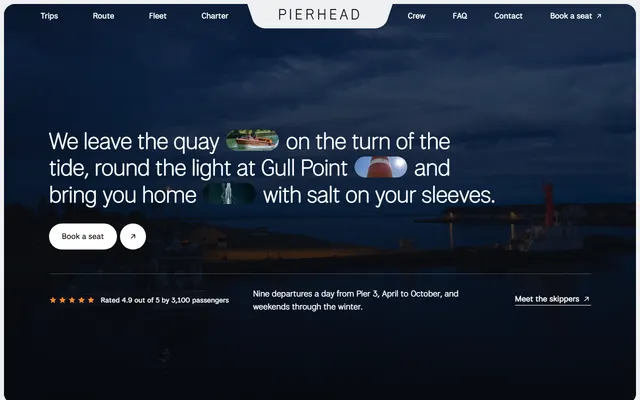
Harbour boat trips: three trips with fares and times, places along the route, skippers, charter and a contact block.
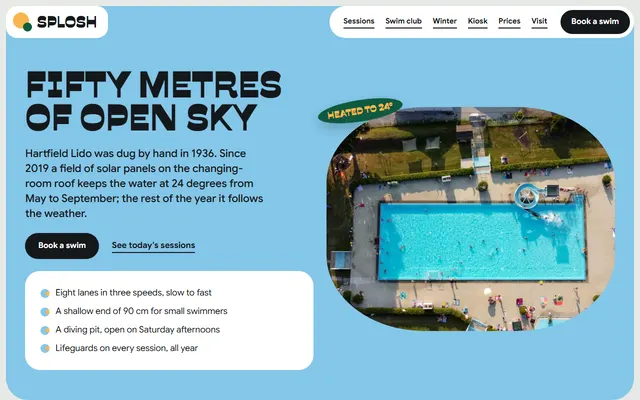
Community outdoor pool: lane sessions, a swim club with four levels, winter swimming, ticket prices and a visit board.
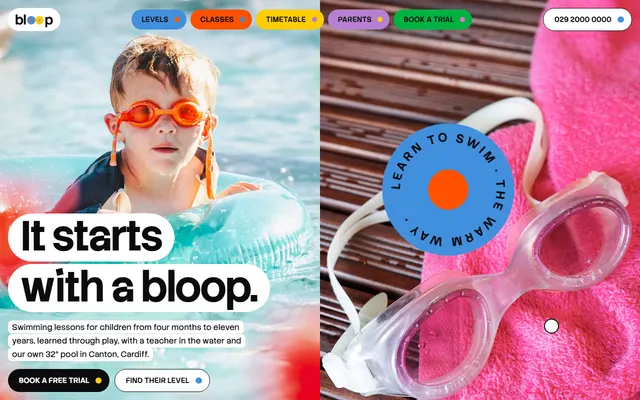
Children's swim school: six levels with prices, the pool, a timetable, a free trial and a booking form.
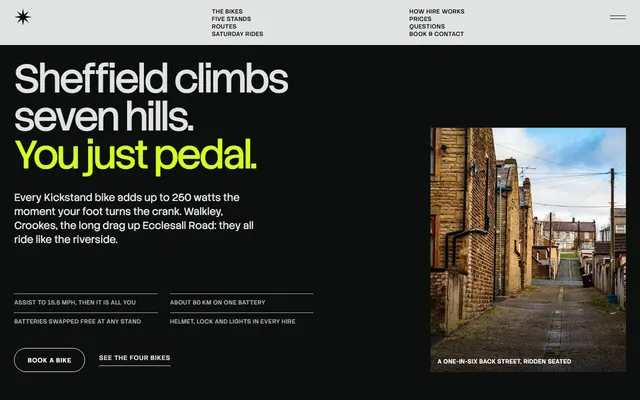
E-bike hire: bikes shown one at a time, routes, three booking steps, a price table and a booking form.
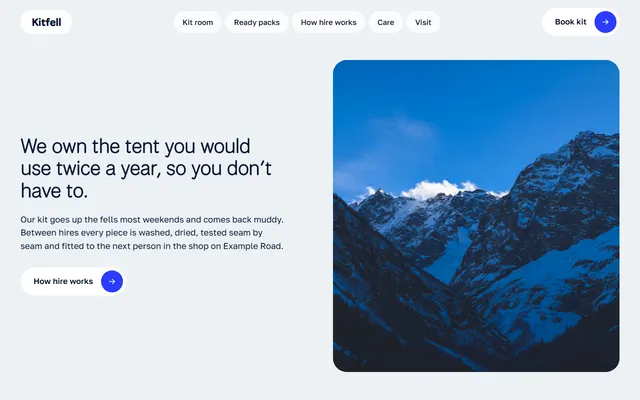
Mountain kit hire: shelves of kit with nightly prices, ready packs, hire steps and a fitting section.
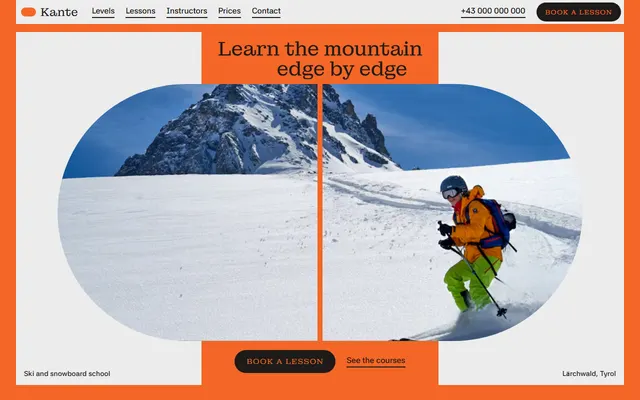
Ski and snowboard school: levels, courses, instructors, a week plan, prices and a booking form.
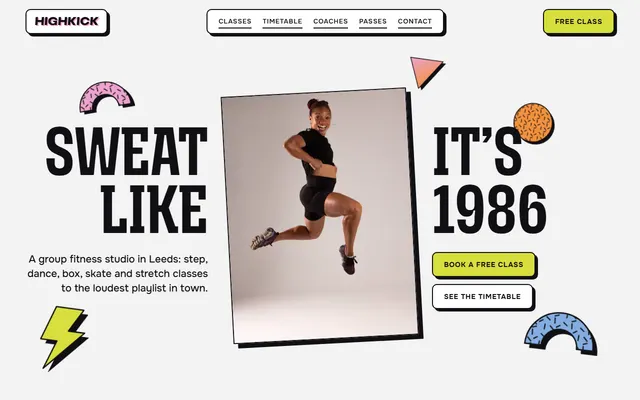
Group fitness studio: seven classes, a week timetable, four coaches, three passes and a free-class form.
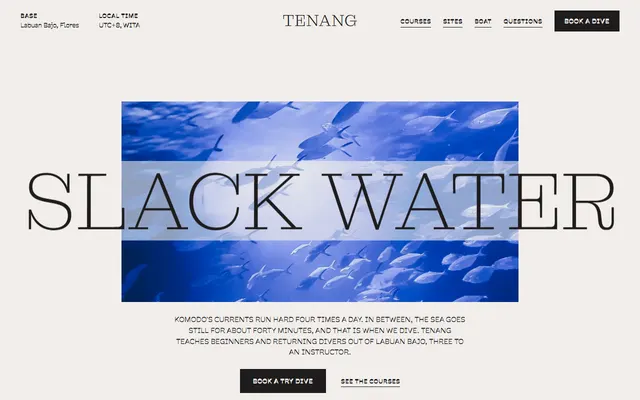
Scuba diving school: dive sites, courses with prices, the boat, instructors and a booking form.