What comes with the roofing company website template
- index.html: the pure HTML and CSS version, one single HTML file, 111 KB.
- index.gsap.html: the same design built with GSAP, ScrollTrigger and Lenis, for scroll motion in every browser, Firefox included.
- AGENTS.md: what a coding agent must keep and what to replace, so Claude Code, Codex or Cursor edit it without breaking the scenes.
- DESIGN.md: every colour, font, spacing and motion rule of this roofing company website design.
- PROMPTS.md: the agent prompt and the design prompt below.
- CREDITS.md and LICENSE.md: the photos and fonts with their licenses, and the 8B license.
- Updates to this template, at no extra cost.
Yours to edit: one index.html with no build step, so you or a coding agent can change the words, prices and photos and upload it to any static host. Not a coder? Describe your business in one sentence to 8B's AI website builder and it designs a new site for you, with more pages when you need them. Designing is free; publishing with hosting is $9 a month, billed yearly. It also works inside Claude and ChatGPT.
Premium template · $39, one-time license · Made by 8B, an AI website builder · Updated November 2026 · Plain text: pitchline-roofing.md
About this roofing company website template
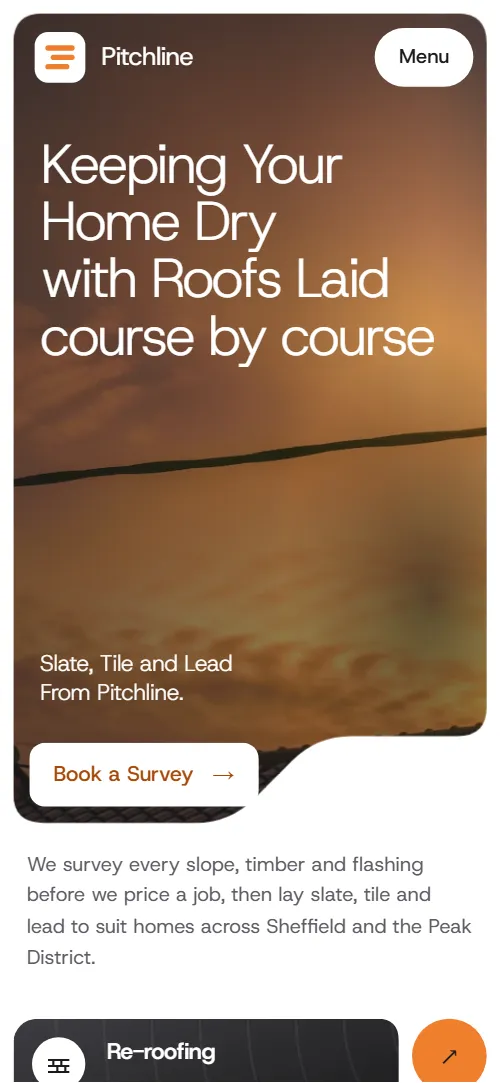
Roofing company website template for a slater, tiler or roofing contractor who prices a job only after surveying it: one HTML file with six roofs laid as lapped courses, a four-step roof survey, weather notes, four finished jobs, in-roof solar, a written guarantee, a storm night line and a survey request form. It opens on a golden-hour photo panel carved at its bottom right with three service cards on the shelf, and as you scroll the panel spreads to the whole screen and turns to dusk. It is a single HTML file in pure HTML and CSS, and a GSAP version of the same page comes with it.
At a glance, November 2026. One 111 KB index.html: a single HTML file in pure HTML and CSS with a few lines of built-in JavaScript, 13 sections, 18 Unsplash photos, Host Grotesk. A GSAP build of the same page, 97 KB, comes with it.
It suits a roofing company, a slating and tiling firm, a roofer who also does leadwork and chimneys, or a repair crew with a storm callout number. Roofing company websites mostly need the same things on one scroll: what you lay, how you work out a price, proof of finished jobs, a guarantee and a number to ring when water is coming in, and this page gives each its own section. A roofing website built from it also gets what separates a local firm from a lead-generation site: the survey with photos, the weather of your own hills and the fifteen-year guarantee in writing.
The demo business is Pitchline Roofing, an invented firm in Sheffield with fourteen roofers. Every street, place, job, quote, time and number is demo copy to replace. The materials, projects and weather notes read as Sheffield and the Peak District, so a roofer in another region swaps the six coverings for the ones it lays, the four jobs for its own, and the Pennine wind, rain, frost and snow notes for the weather its customers know.
If you would rather not edit HTML at all, 8B, the AI website builder designs a site from one sentence about your business, with more pages when you need them. This template is for people who want this exact design in their own hands: one index.html with its CSS and its motion inside, which you or a coding agent can edit and host anywhere, next to the booking tool or quote form you already use.
Good for:
What a roofing website needs
People who look for a roofer want to know what you lay, how you price it, whether you finish what you start and who to ring when it leaks. Here is how this template covers each of them.
- What you do, straight away. Three cards on the first screen: re-roofing, repairs and storm calls, and leadwork and chimneys, each with a short line.
- The coverings you lay. Six roofs from Welsh slate to a rubber flat roof, each with a photo, where it suits and how long it lasts.
- How a price is reached. A four-step survey from the street to the chimney stack, then the loft, with a written quote and photos promised afterwards.
- Proof of finished jobs. Four jobs with a photo, the place, how long it took or how many houses, and a line on what was done, plus three review slips with the neighbour's name and the job.
- A guarantee. Fifteen years in writing with four terms: workmanship, insurance backing, transfer to the next owner and a check after the first winter.
- A number for emergencies. A night band with the phone number in fill-width type and a call disc, plus notes on the hours and the area covered.
- An easy way to ask for a survey. A form with name, phone, postcode, what is needed and what was noticed, with the yard address, hours and email beside it.
The page does not have prices, an online quote calculator, a booking calendar or a gallery of every job: it is built for a firm that quotes after a survey and shows a handful of its best roofs. Put your price guide in the text, link the survey button to your booking tool if you use one, and keep the extra jobs on a page of your own.
Roofing company website design and motion
Palette
#ffffff page ground and text on the dark panels#1c1c1e charcoal: body text and the cards, statement panels and bands#ef7f2d the single accent: discs, step markers, the call disc and hover fills#141a28 dusk: the grade over the opening photo and the storm band at its darkest#ececef quiet fills: badges, form fields and dividersFonts
- Host Grotesk: every word on the page: light display headings, body text, labels, buttons and form fields
A white page with charcoal surfaces, one orange accent and a deep dusk blue for the darkest bands. The first screen is a rounded photo panel inset from the screen edges, with its bottom right carved away by a 45 degree step into a shelf that holds three service cards, while a three-line heading in light type, a two-line caption and a Book a Survey button sit on the photo. The same carved shape returns on the weather, projects, guarantee and contact photos. The six roofs are wide courses offset like a broken bond, the survey is a tall photo beside four steps, and the reviews are three light slips with orange quote discs. On phones the cards stack as rows under the panel, the course list and the survey keep their order, and the reviews fall into one column.
The idea behind the page is course by course: a roof is read before it is priced and laid in overlapping strips from the eaves up. The carved corner reads as a roof pitch without drawing a roof, the courses lap over one another, the survey photo is walked from the street to the chimney stack, and the page closes on the shape it opened with.
What is on the roofing company website page
- NavigationHeader with the logo tile and wordmark, five links with an arrow on the current one, a Menu button and a menu with the night line
The brand and links sit straight on the opening photo and take a charcoal ground once the page has moved past 40 pixels; past the first 80 pixels the header hides when you scroll down and comes back when you scroll up.
- Keeping Your Home Dry with Roofs Laid course by courseTwo screens: a carved golden-hour photo panel with a three-line heading, caption, Book a Survey button and three service cards, then a dusk statement with a roofers photo and an orange disc
On load the photo settles from slightly larger, the three heading lines rise and the cards rise one after another; the photo drifts sideways and a warm glow moves across the sky. On scroll the carved panel spreads to the screen edges while its shelf closes, the photo sinks and a dusk grade deepens, the heading, caption and button drift up and fade while the cards sink apart, and the dusk statement arrives with rings spreading from the orange disc.
- Six roofs we lay, course by courseSix roofs laid as lapped courses, each with a photo, where it suits and how long it lasts
The first course is in place and the other five arrive spread apart, tilted and out of bond; while the list is held, each one slides up into its lap under the one above.
- How we read a roofA roof photo held in place beside four survey steps, an orange step disc on its edge and a Book a Survey button
The roof photo is held while its crop moves from the whole roof to the eaves, the slopes and the chimney stack, an orange disc travels down a notch cut into the photo edge and shows the step number, and the step being read is marked.
- Built for Pennine weatherA storm photo carved at its corner with a charcoal panel of wind, rain, frost and snow notes
The heading rises, the shelf of the storm photo opens from a plain rounded panel to its carved shape, and the charcoal panel of four notes slides up and settles.
- Roofs we finished this yearFour finished roofs stacked in one panel, each with a caption card: title, place, a short note such as the weeks it took, and a line on the work
The four jobs are stacked in one held panel; the pitch step on each top photo grows until it has carved the whole photo away, lifting its caption card off, and the next job shows underneath.
- Panels that sit flush with your slates or tiles.In-roof solar: a three-row heading, a paragraph, three short points and a photo of an array
The three heading rows start out of line and slide into one flush left edge while the frame of the photo opens from a narrow strip to its full width.
- Fifteen years, in writingA charcoal sheet with a fifteen-year guarantee, four terms and a carved black and white photo with a stamp
The heading rises, the block of four terms slides up and settles, and the corner of the black and white photo opens to its carved shape.
- Storm damage tonight?A night band with the storm line in fill-width type, an orange call disc with rings and three notes
As the band crosses the screen the storm photo drifts across, the ground of the band deepens from charcoal to night, and rings spread out of the orange call disc across the band to the phone number.
- What the neighbours saidThree review slips with the neighbour's name, place and job
The three slips arrive lying in one rotated pile and fan out into a row as the section scrolls up.
- Questions we get on the doorstepSix questions in folding rows, with the office phone number beside them
The heading rises and each folding row slides up and settles as it arrives.
- Book a roof surveyA dusk photo with the yard address, phone, email and hours on its shelf, and a survey request form with name, phone, postcode, need and message
The heading rises, the shelf of the dusk photo rises along the pitch from a sliver to its full size and carries the contact card up with it while the photo settles from a slight zoom.
- RoofsFooter with the logo, a one-line description, Roofs, Company and Contact columns and the company line
The three link columns slide up and settle.
Before you publish the roofing company website site
- Replace social preview image, favicon, phone number, email address and contact form (sends nothing yet) and the invented demo facts (names, prices, areas, quotes). AGENTS.md lists them.
- Book a Survey buttons on the first screen and after the survey steps, and the Ask which suits your house link lead to
#contactnow; point them to your booking page, or keep #contact once the form is connected. - Header, menu, footer and in-page links (Roofs, Survey, Our work, Questions, Guarantee, In-roof solar and the card and disc arrows) lead to
#opening, #materials, #survey, #projects, #solar, #guarantee, #faq, #contactnow; point them to keep as they are. - Call links: the night line in the menu, the storm band and the footer, and the office line in the questions, contact card and footer lead to
tel:+441140000000 and tel:+441140000001now; point them to your night line and your office number. - Email links in the contact card and the footer lead to
hello@pitchline.examplenow; point them to your own email address. - Scroll-driven animation runs when the browser supports it (Chrome, Edge and Safari today, including Safari 26.2 and later; Firefox does not yet) and the visitor has not asked for reduced motion. Otherwise each section shows its finished layout; the GSAP build, index.gsap.html, also plays the scroll motion in Firefox.
- The survey form sends nothing: connect it to a form service, your CRM or your booking system. Its error line appears once a required field is left empty or invalid, but there is no thank-you line after sending; point the form at a thank-you page.
- The first screen is built for three service cards, the roofs for six lapped courses, the projects for four stacked jobs and the survey for four steps: a different count needs its layout and scene adjusted.
- The copy, weather notes and place names are for Sheffield and the Peak District, the page lists no prices, and the carved shapes fall back to plain rounded panels in a browser without clip-path shape().
Questions about this roofing company website template
What do I get for $39?
The roofing company website template as a single HTML file, index.html, in pure HTML and CSS, a GSAP build of the same page as index.gsap.html, a DESIGN.md with every colour, font and motion rule, an AGENTS.md for coding agents, the agent prompt and the design prompt from this page, and CREDITS.md for the photos and fonts. Updates to this template are included.
Can I use this roofing template for client sites?
Yes. One purchase lets you build as many sites as you like with it, for your own roofing firm or for clients, and change anything. What it does not allow is selling or giving away the template itself, as a template, theme or kit, or putting its source in a public repository.
How do I change the roofs, jobs and service area?
Each of the six roofs is one block with a photo, a name, where it suits and how long it lasts, and each of the four jobs is one block with a photo, a title, a place with a short note such as the weeks it took, and a line on the work. With Claude Code, Codex or Cursor you say it in a sentence, such as swap zinc for single-ply and make the third job a barn in Bakewell, and the agent edits the blocks; by hand you change the words and the photo addresses. The sections are built for six roofs and four jobs, so a different count also needs its layout and scene adjusted. If your jobs change every week, add a gallery page of your own and link to it from the projects section. If you want a site with more pages that you edit without code, 8B, the AI website builder makes one from a sentence about your firm.
Does the survey form send requests?
Not yet. The form asks for a name, phone number, postcode, what the visitor needs and what they have noticed, but it sends nothing until you connect a form service such as Formspree or Netlify Forms, or your CRM. The pure HTML and CSS version shows an error line when a required field is left empty, but no thank-you line after sending, so point the form at a thank-you page or add one. The night line and the office number are phone links, so a visitor on a phone can call straight from the page.
Will it work with Claude Code, Codex or Cursor?
Yes. Put index.html and AGENTS.md in your project and give the agent the prompt that comes with the template. AGENTS.md says which attributes the scroll motion reads, what to keep and what to replace, so the agent swaps materials, jobs, places, quotes and photos without breaking the scenes.
What do visitors see in Firefox or with reduced motion?
Firefox does not support scroll-driven animations yet, so it shows every section in its finished layout, as does any browser when the visitor asks for reduced motion. If the scroll motion must also play in Firefox, use the GSAP build, index.gsap.html, which loads GSAP, ScrollTrigger and Lenis from a CDN.
More templates for trades and building
Other designs for firms that work on homes.

Plumbing and heating: services with prices, a fixed price board, how a visit goes and a call-back form.
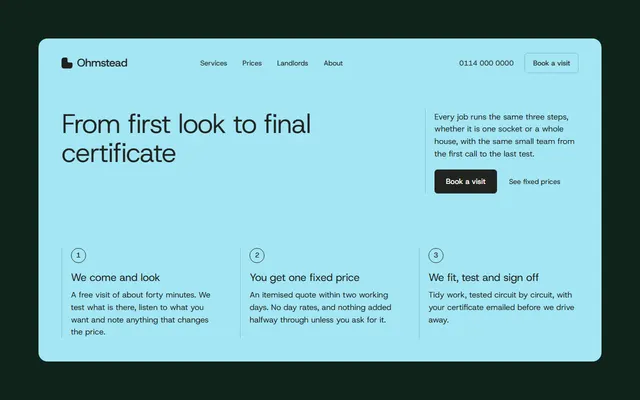
Home electrician: a three-step process, jobs room by room, a fixed price list and a visit form.
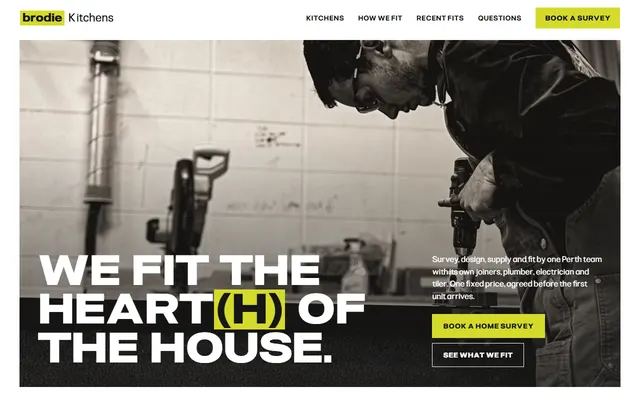
Kitchen company: five kinds of job, in-house trades, a five-step fit, recent fits and a survey form.
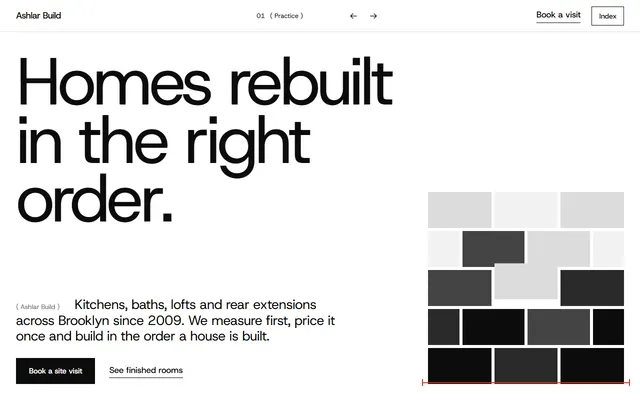
Construction company: services with prices, finished work, crew and a site-visit form.
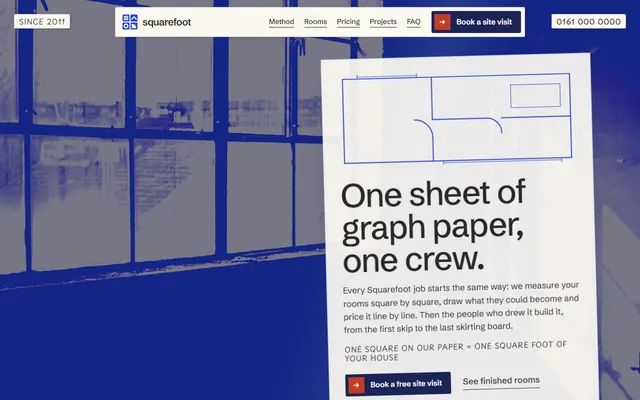
Home renovation: a four-stage method, services as rooms of a plan and prices per square foot.
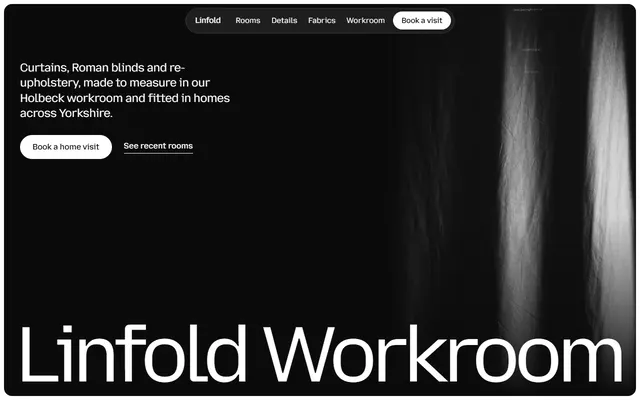
Curtain and upholstery workroom: recent rooms, fabrics, how a job runs, linings and a home visit form.
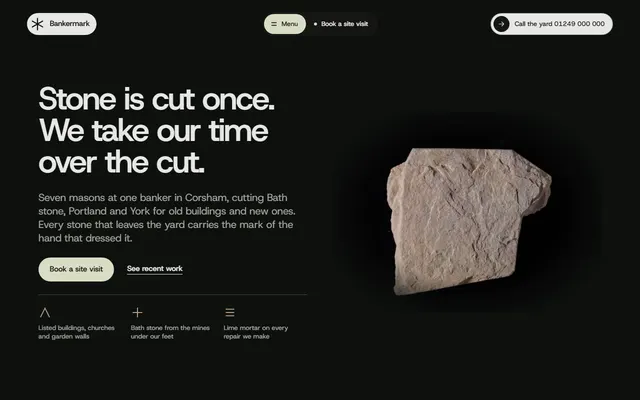
Stonemason for stone yards and masons, lettering prices.
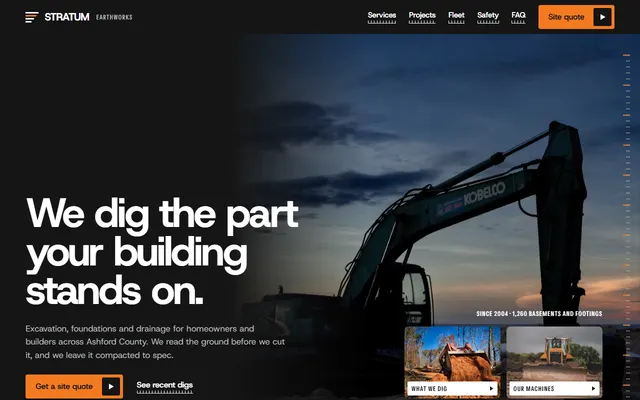
Excavation contractor: services with depths, recent digs, fleet, service area and a site-visit form.