What comes with the bathroom showroom website template
- index.html: the pure HTML and CSS version, one single HTML file, 98 KB.
- index.gsap.html: the same design built with GSAP, ScrollTrigger and Lenis, for scroll motion in every browser, Firefox included.
- AGENTS.md: what a coding agent must keep and what to replace, so Claude Code, Codex or Cursor edit it without breaking the scenes.
- DESIGN.md: every colour, font, spacing and motion rule of this bathroom showroom website design.
- PROMPTS.md: the agent prompt and the design prompt below.
- CREDITS.md and LICENSE.md: the photos and fonts with their licenses, and the 8B license.
- Updates to this template, at no extra cost.
Yours to edit: one index.html with no build step, so you or a coding agent can change the words, prices and photos and upload it to any static host. Not a coder? Describe your business in one sentence to 8B's AI website builder and it designs a new site for you, with more pages when you need them. Designing is free; publishing with hosting is $9 a month, billed yearly. It also works inside Claude and ChatGPT.
Premium template · $39, one-time license · Made by 8B, an AI website builder · Updated November 2026 · Plain text: calepin.md
About this bathroom showroom website template
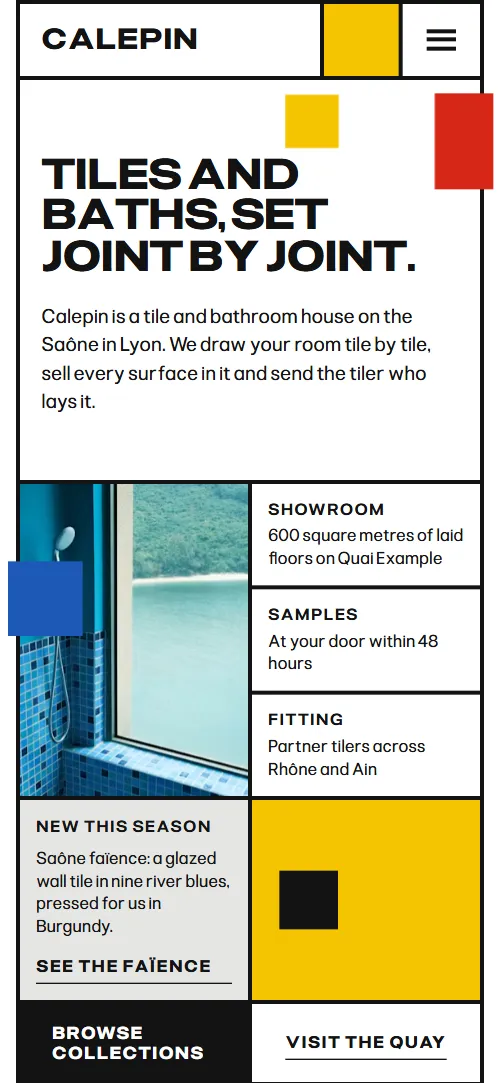
Bathroom showroom website template for a tile and bathroom house: one HTML file with four tile families, five formats, a bathroom fittings product sheet, three grout joints, a five-step process, finished projects, showroom hours, client quotes and a plan request form. The first screen is a grid of white cells over black joints with blue, yellow and red tiles, and the three colour tiles travel down the page into a drawing of joints. It is a single HTML file in pure HTML and CSS, and a GSAP version of the same page comes with it.
At a glance, November 2026. One 98 KB index.html: a single HTML file in pure HTML and CSS with a few lines of built-in JavaScript, 13 sections, 11 Unsplash photos, Pliant. A GSAP build of the same page, 90 KB, comes with it.
It suits a bathroom showroom, a tile shop with its own floors on show, a bathroom fittings retailer, a bathroom design studio or a renovation supplier that works with tilers and architects. Bathroom showroom websites mostly need five things on one scroll: the surfaces you sell with prices, the sizes they come in, the fittings that go with them, how an order runs and where the showroom is, and this page gives each its own section. A site built from it also shows what a showroom has over a web shop: a drawing of the room before anything is bought, joints compared side by side and finished rooms with their details.
The demo business is Calepin, an invented tile and bathroom house on the Saône in Lyon. Every address, price, product, project and quote is demo copy to replace. The collections, formats and fittings sheet are plain blocks of HTML, so a showroom in any city or country fills in its own surfaces, makers, prices in its own currency and delivery terms.
If you would rather not edit HTML at all, 8B, the AI website builder designs a site from one sentence about your business, with more pages when you need them. This template is for people who want this exact design in their own hands: one index.html with its CSS and its motion inside, which you or a coding agent can edit and host anywhere, next to the shop or catalogue you already run.
Good for:
What a bathroom showroom website needs
A bathroom showroom website works when a visitor can see what you sell, how it fits and how to reach you in a few scrolls. Here is how this template covers each need.
- The surfaces you sell, with prices. Four tile families in a grid of photos, each with a line about it and a from price per square metre.
- Sizes and formats. Five formats from a 2 by 2 cm mosaic to a 120 by 280 cm slab, each with its size and where it suits, and a tile beside the list that takes each proportion.
- Fittings that go with the tiles. A product sheet of one basin mixer: photo, details, delivery and fitting rows, four finishes, the price and a reserve button.
- Help choosing grout and finish. Three joints compared on a tile field, with the width and colour of each and what it does to the room.
- A clear way from visit to fitting. Five steps with a timing label each, from the first visit and the drawing of the room to samples, delivery and fitting.
- Proof from finished rooms and clients. Four bathrooms with a caption each and four quotes from clients, an architect and a tiler.
- Where and when to come. The address, the opening hours, the phone and a plan request form that asks for the room and its size, with the questions customers ask most in an accordion.
What it does not have is a cart, product search or a stock feed: it is built for a showroom that shows a few collections and a featured piece and takes the rest through a visit, a call or a plan request. Link the collections and the sheet to your catalogue if you sell the full range online.
Bathroom showroom website design and motion
Palette
#ffffff the cells, page ground and text on the dark and coloured fills#131313 near-black: text, the thick joints between cells and the grout anthracite#1d58b5 cobalt: the Book a visit cell, the opening tile, the ground of the grout tile field, the stepping fill in the reviews#f5c400 saffron: the yellow square in the header, the strip the shuttle tile runs along and the footer cell#d62718 red: the escaped tile in the opening, the tile in the projects heading and one of the contact tiles#e6e6e4 light grey: the quiet cells, the active rows and the pearl grout#555555 grey text: prices, sizes, plan labels and the legal lineFonts
- Pliant: every word on the page: the wide heavy uppercase headings, body text, labels, navigation, buttons and form fields, in different weights and widths
A grid of white cells separated by thick near-black joints, the same on every section, with flat cobalt, saffron and red tiles and light grey for the quiet cells as the only fills. Headings are set in a wide, heavy uppercase sans; labels are tiny uppercase. The first screen is a calepin of cells: a portrait photo, a wide heading cell, a details column, an action strip and a yellow strip with a black shuttle tile. Collections are a 2 by 2 grid of photos with text plates in the corners, formats are a list beside a sticky tile, the process is a row of panels, and the projects are an uneven grid of four photos. On phones the cells stack, the menu opens as an overlay and the first screen sets the heading above the photo and the details.
The idea behind the page is the joint as the drawing: tilers call the plan of a wall or floor a calepin, so the black joints are the grid of every section and the colour tiles travel along them. In the opening the three tiles land in the empty slots of a plan, in the collections the crossing of the joints moves so each family takes the large window in turn, and in the grout section the width and colour of the joint change the whole tile field.
What is on the bathroom showroom website page
- NavigationHeader as a row of cells: wordmark, a yellow square, the six links, a blue Book a visit cell and a menu button on phones
- Tiles and baths, set joint by joint.Two screens: a grid of cells with a portrait photo, the heading and details, then a drawing of joints with empty colour slots
On load the photo opens from its left joint, the heading and lead rise and the blue cell wipes in; a black tile shuttles back and forth along the yellow strip and the photo pans slowly. On scroll the blue, red and yellow tiles of the first screen travel down across the page and land in the empty slots of the joint drawing on the second screen.
- Four families of surface.Four tile families, Mosaic, Faïence, Cement and Terracotta, in a 2 by 2 grid with a photo, text and a from price each
A sticky stage holds the four families while the crossing of the two joints travels round the grid, so Mosaic, Faïence, Cement and Terracotta each take the large window in turn before the grid settles into four equal cells; the text plates stay in the corners.
- Choose the format before the colour.Five formats from mosaic to slab, each with its size and a line, beside one sticky colour tile
One colour tile stays in view beside the list and, as each row reaches the middle, takes that format's proportion and colour, from the small square of the mosaic to the tall slab.
- The bathroom, down to the tap.A product sheet of a basin mixer: photo, details accordion, four finish squares, price and a reserve button
The cells of the mixer sheet are laid one by one as the section comes into view.
- The joint is half the floor.Three grout joints, 2 mm pearl, 8 mm anthracite and 5 mm saffron, beside a sticky tile field
A sticky tile field changes the width and colour of its joint as each of the three explanations is read, from a 2 mm pearl joint to an 8 mm anthracite one and a 5 mm saffron one, and the heading's width follows the joint.
- From a sketch to a sealed joint.Five steps from visit to fitting as a horizontal track of panels with a timing label each
The section pins and the five step panels move sideways along a horizontal track as you scroll.
- Rooms we have laid in Lyon.Four finished Lyon bathrooms in a grid of photos with captions, and a red tile in the heading cell
The four project cells are laid one by one as the grid comes into view, and the red tile in the heading cell drifts as you scroll.
- The showroom on the Saône.The address as two huge rows around a photo, opening hours and the reserve and phone actions
The two address rows slide in from opposite sides and lock into line, and the photo settles from slightly higher, as the section scrolls into view.
- Said on site.Four quotes from clients, an architect and a tiler, in cells with one blue fill
One blue fill steps from quote to quote as you scroll, and the active quote turns white on blue.
- Before you tile.Five questions about samples, quantities, delivery, returns and underfloor heating in an accordion
The question rows are laid one by one as the list comes into view.
- Bring us your floor plan.Plan request form with name, email, room, size and a message, beside the email and reply days, with a column of three colour tiles
Three colour tiles drop one after another into the three cells of the column beside the form, red first, then blue, then yellow; on phones the column is a band above the text.
- FooterFooter with the wordmark across the width, a line about the house, three links and a yellow cell
Before you publish the bathroom showroom website site
- Replace social preview image, favicon, phone number, email address and contact form (sends nothing yet) and the invented demo facts (names, prices, areas, quotes). AGENTS.md lists them.
- Header links Collections, Formats, Bathrooms, Projects, Showroom and Contact lead to
#sections of this pagenow; point them to keep them, or point them to your own pages. - Book a visit in the header, Visit the quay, Reserve a time and See them working lead to
#showroom and #contactnow; point them to keep them once the form or your booking tool is connected. - Browse collections, See the faïence lead to
#collectionsnow; point them to your catalogue or shop pages, if you have them. - Reserve at the showroom on the mixer sheet lead to
#contactnow; point them to your product page, enquiry form or reservation tool. - Trade accounts and Delivery and returns in the footer lead to
#contact and #faqnow; point them to your own trade and delivery pages. - Legal notice in the footer lead to
#footer, the page has no legal page of its ownnow; point them to your legal notice page. - Phone and email links lead to
tel: and mailto: with neutral demo contactsnow; point them to your own phone and email. - Scroll-driven animation runs when the browser supports it (Chrome, Edge and Safari today; Firefox does not yet) and the visitor has not asked for reduced motion. Otherwise each section shows its finished layout; the GSAP build, index.gsap.html, also plays the scroll motion in Firefox.
- The plan request form sends nothing: connect it to a form service, your email or your CRM. The pure HTML and CSS version shows no thank-you line after sending.
- It is one page with no shop: there is no cart, product search or stock feed. The mixer sheet is one product, the finish squares only change which one is selected, and the reserve button goes to the contact form. The legal notice, trade accounts and delivery links in the footer point to sections of this page.
- The collections scene is built for four families, the formats scene for five formats, the grout scene for three joints, the process track for five steps and the projects grid for four photos: a different count needs its layout and scene adjusted.
Questions about this bathroom showroom website template
What do I get for $39?
The bathroom showroom website template as a single HTML file, index.html, in pure HTML and CSS, a GSAP build of the same page as index.gsap.html, a DESIGN.md with every colour, font and motion rule, an AGENTS.md for coding agents, the agent prompt and the design prompt from this page, and CREDITS.md for the photos and fonts. Updates to this template are included.
Can I use this bathroom showroom template for client sites?
Yes. One purchase lets you build as many sites as you like with it, for your own showroom or for clients, and change anything. What it does not allow is selling or giving away the template itself, as a template, theme or kit, or putting its source in a public repository.
How do I add my own tiles, prices and bathroom fittings?
Each tile family is one block of HTML with a photo, a line of text and a from price, and each format is one list row. With Claude Code, Codex or Cursor you say it in a sentence, such as replace Terracotta with Porcelain from 44 euros per sq m and make the plank 30 by 120 cm, and the agent edits the blocks; by hand you change the words. The fittings sheet shows one product, a basin mixer with four finish squares and a price, and you can repeat it for a few featured pieces. There is no shop, cart or stock feed on the page: if you sell the full range online, link the sheet and the collections to your catalogue or shop pages.
Does the plan request form send anything?
Not yet. The form has fields for name, email, the room, its size and a message, but it sends nothing until you connect a form service such as Formspree or Netlify Forms, or your own email or CRM. The pure HTML and CSS version shows no thank-you line after sending, so point the form at a thank-you page or add one.
Will it work with Claude Code, Codex or Cursor?
Yes. Put index.html and AGENTS.md in your project and give the agent the prompt that comes with the template. AGENTS.md says which attributes the scroll motion reads, what to keep and what to replace, so the agent swaps collections, prices, projects and photos without breaking the scenes.
What do visitors see in Firefox or with reduced motion?
Firefox does not support scroll-driven animations yet, so it shows every section in its finished layout, as does any browser when the visitor asks for reduced motion. If the scroll motion must also play in Firefox, use the GSAP build, index.gsap.html, which loads GSAP, ScrollTrigger and Lenis from a CDN.
More templates for tiles, interiors and building
Other designs for businesses around the home.
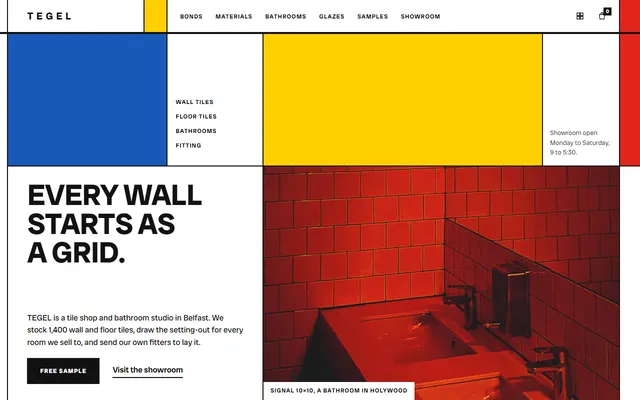
Tile shop: an opening grid, three tile bonds and a set of materials.

Tile studio: thirteen glazes, four floor patterns and a tile designer.
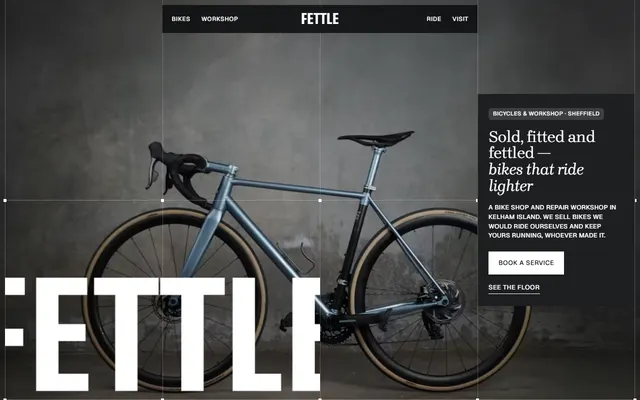
Bike shop and repair workshop: bikes on the floor, service prices, mechanics, a Saturday ride and visit details.
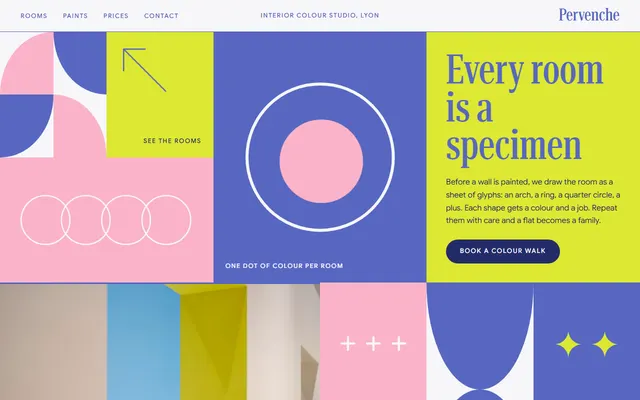
Interior colour studio: a mosaic of tiles with the method and the meeting steps.
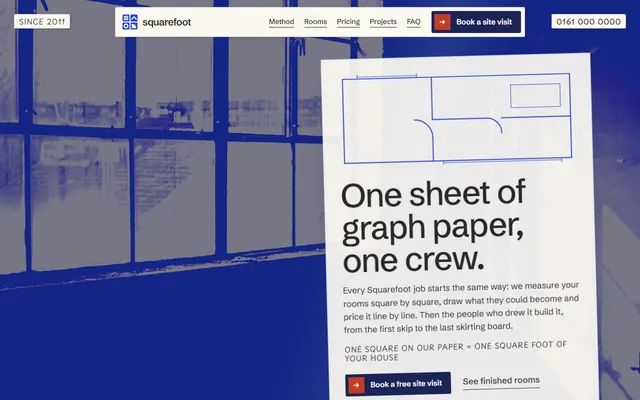
Home renovation: a four-stage method and services as the rooms of a plan.
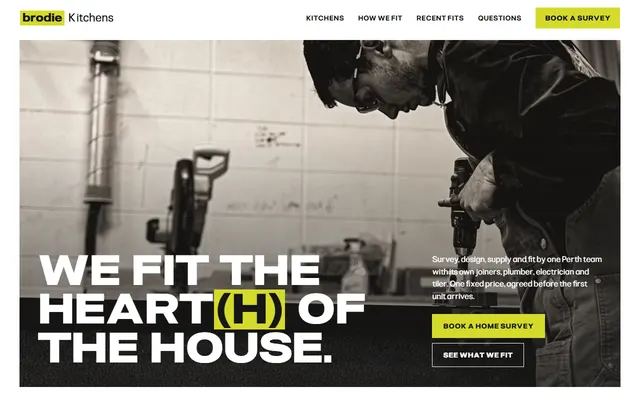
Kitchen company: five kinds of job, in-house trades, a five-step fit, recent fits and a survey form.
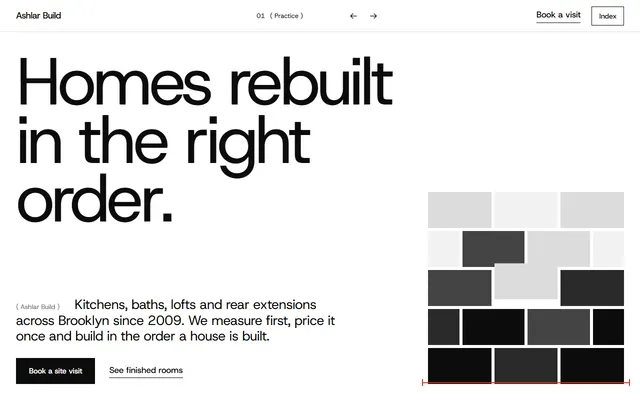
Construction company: kitchens, bathrooms and lofts with a site-visit form.

Picture framer: a wall of framed work, mounts, mouldings, glass, workshop steps and a print room.