What comes with the soup shop website template
- index.html: the pure HTML and CSS version, one single HTML file, 97 KB.
- index.gsap.html: the same design built with GSAP, ScrollTrigger and Lenis, for scroll motion in every browser, Firefox included.
- AGENTS.md: what a coding agent must keep and what to replace, so Claude Code, Codex or Cursor edit it without breaking the scenes.
- DESIGN.md: every colour, font, spacing and motion rule of this soup shop website design.
- PROMPTS.md: the agent prompt and the design prompt below.
- CREDITS.md and LICENSE.md: the photos and fonts with their licenses, and the 8B license.
- Updates to this template, at no extra cost.
Yours to edit: one index.html with no build step, so you or a coding agent can change the words, prices and photos and upload it to any static host. Not a coder? Describe your business in one sentence to 8B's AI website builder and it designs a new site for you, with more pages when you need them. Designing is free; publishing with hosting is $9 a month, billed yearly. It also works inside Claude and ChatGPT.
Premium template · $39, one-time license · Made by 8B, an AI website builder · Updated November 2026 · Plain text: supu.md
About this soup shop website template
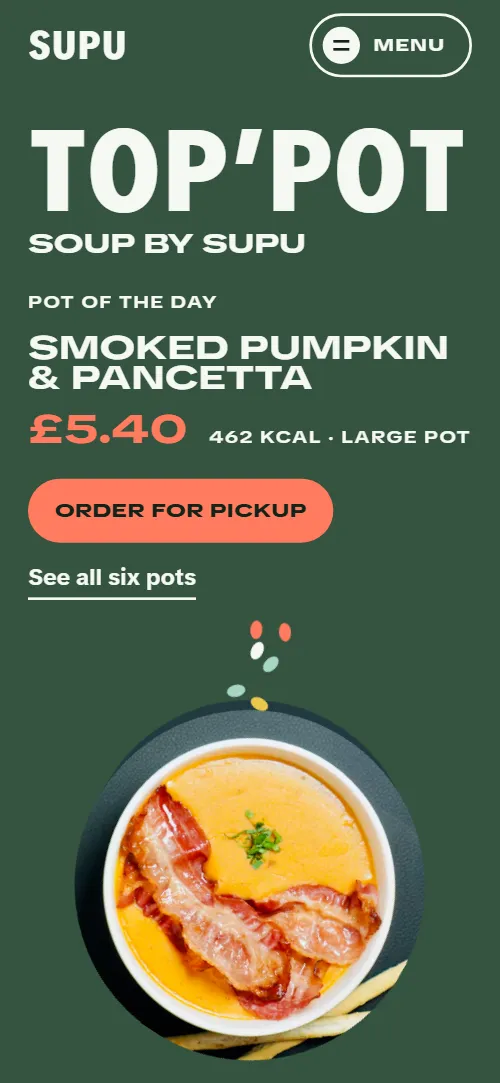
Soup shop website template for a soup counter brand: one HTML file with six daily pots, a pot builder with a ticket, the broth day in seven times, the farms by distance, a timetable of counters with their hours, office pots in three sizes and a contact form. The first screen is a poster: a giant headline, the pot of the day with its price and a round overhead bowl that turns while seeds fall into it, and as you scroll the bowl's own slate ground floods out over the green into a second screen about toppings. It is a single HTML file in pure HTML and CSS, and a GSAP version of the same page comes with it.
At a glance, November 2026. One 97 KB index.html: a single HTML file in pure HTML and CSS with a few lines of built-in JavaScript, 12 sections, 11 Unsplash photos, TikTok Sans. A GSAP build of the same page, 87 KB, comes with it.
It suits a soup bar, a soup counter with takeaway pots, a ramen or broth shop with a few set bowls, or a lunch counter with a short daily menu and toppings. Soup shop websites mostly need the same things on one scroll: what is in the pots today and what they cost, how to order, where the counters are and when they open, and whether you can feed an office. This page gives each of those its own section, and adds the parts that make a stranger trust a pot of soup: the broth day hour by hour, the farms it comes from and the allergens answered in plain words.
The demo business is Supu, an invented soup brand with six counters in London. Every pot, price, topping, farm, address and time is demo copy to replace. The six pots are six colour bands, so a shop with four or eight pots changes the band colours and adjusts the stack's scene to the new count; the counters are rows with an opening and closing hour that sets the length of the bar, so a business in another city swaps in its own streets, phones and hours, and each bar follows the two values on its row.
If you would rather not edit HTML at all, 8B, the AI website builder designs a site from one sentence about your business, with more pages when you need them. This template is for people who want this exact design in their own hands: one index.html with its CSS and its motion inside, which you or a coding agent can edit and host anywhere.
Good for:
What a soup shop website needs
Soup shop and soup counter websites that bring people through the door answer the same questions in the first minute. Here is how this template covers each of them.
- What is in the pots today. The first screen shows the pot of the day with its price and calories, and an index of all six pots with prices sits at the top of the pots section.
- Prices, sizes and allergens. Each pot band carries its price, calories and allergen tags, and the builder lists a cup, a large pot and a big pot with their price change.
- A way to pick and order ahead. A pot builder with pills for pot, size and toppings and a ticket you can read out at the counter or by phone, with an Order button in the menu.
- Where the counters are and when they open. A timetable gives each counter its address, its phone and an hours bar drawn on one shared scale, so you see at a glance who opens early.
- Why the soup is good. A broth day in seven times, from 05:00 to 19:00, and three farms placed on distance rings show what happens before the pot reaches the counter.
- Catering for an office. Three pot sizes drawn as discs of their volumes, with price, servings and delivery terms, and a button that goes to the contact form.
- Answers about diets and a direct line. Six questions on vegan, gluten, containers, heat, delivery and allergens, then the kitchen's phone, email and address with a message form.
What it does not have is online payment or a live order queue: point the Order button at your pickup ordering page and keep the pot ticket as the way people say what they want, as most soup counters do.
Soup shop website design and motion
Palette
#35533f the poster ground, a deep sage green behind the first screen, the manifesto and the contact section#f4f8f3 text and the headlines on every dark ground#14231a the darkest ground, the page background and text on light colours#ff7b5e the one warm accent: coral for actions, the pot of the day's price, the builder price, the second manifesto line and the farm pins#22393f slate, the bowl's own ground that floods the second screen#a8d6c4 mint: the coconut pot's band, the light builder and office grounds, the counter hours bars and the wordmark in the contact section#bf412c the roast tomato pot's band#ec8b3b the carrot pot's band#edc84c the miso pot's band#5b4434 the mushroom pot's band#2a1d15 the shoyu pot's band, near black#e9b04f the light end of the amber broth that fills the broth stage#c97f2c the deeper end of the broth as it fills#dde8de a pale cool green ground for the farms and the questionsFonts
- TikTok Sans: the only family, set in three widths: condensed black for headlines, extended heavy for pot names, prices, calories and labels, and normal width for body text
A deep sage green poster page with white type in very condensed black capitals that fill the width, and a second voice in wide extended capitals for pot names, prices, calories and labels. The first screen stacks TOP'POT, Soup by Supu and a product block (pot of the day, price in coral, calories and two buttons) beside a large round bowl that stays on screen through two screens. Each of the six pots then takes a full 100 percent screen band in its own colour, alternating the side of its round bowl photo. Pot, size and topping choices are pills, the broth is a stage of seven timed lines, the counters are a timetable and the office pots are three discs. On phones the bowl sits under the text, the pot photos sit under their descriptions and the farm map goes under the list.
The brief behind the page treats the poster as the whole site: the bowl sits on a ground of its own colour, and things fall into it. Seeds fall into the hero bowl, toppings drop into their list, the choices and rows drop into place and the footer wordmark's letters fall into a row. One warm coral marks the actions, the prices and one line of the manifesto; everything else is cold greens, the soups' own colours and the broth's amber.
What is on the soup shop website page
- NavigationBar with the SUPU wordmark, six links and an Order button, and a Menu button that opens a full-screen list on phones
The bar sits clear on the poster at the top and takes its dark ground after the first scroll; it hides when you scroll down and returns on any scroll up. On phones the Menu button opens a full-screen list of sections.
- Top’potTwo screens: the poster with TOP'POT, Soup by Supu and the pot of the day beside a turning bowl with seeds falling in, then Topped at the counter on a slate ground with eight toppings
On load the headline rises, the product block slides in and the bowl scales up with a small turn. The bowl keeps turning slowly and bobbing, and seven seeds fall into it on a loop. On scroll a slate disc grows from behind the bowl over the green, the bowl grows and its edge dissolves into the slate, and the toppings fall from the top right into their list.
- Six pots, every dayAn index of six pots with prices, then six full-screen colour bands, each with name, description, price and calories, diet and allergen tags and a bowl disc
Each pot band slides up over the last as a sticky poster. Its bowl disc rolls in from the side and its text drops into place with a small turn, while the band underneath shrinks back.
- Build a potPot, size and topping pills with a sticky ticket that names the pot, size, toppings, price and calories
As each group of choices comes into view its pills fall in one after another. The ticket stays in view beside the form on wide screens; in the GSAP build, where the ticket follows your choices, each topping you pick drops onto it.
- Fourteen hours on the stoveFourteen hours on the stove: seven times of one broth day beside a photo of the stock pot, with an amber level rising through the stage
The stage holds while an amber level rises through the seven times a step at a time and deepens. Each step turns dark on amber as the level pours over it, the photo of the stock pot sinks under the same level and the title goes under last.
- Hot soup can’t wait. Neither should you.A poster statement in four lines, Hot soup can't wait. Neither should you., beside a photo of a hand sprinkling
The four lines of the statement fall in one after another.
- Greens from sixty milesThree farms with county, miles and crops beside a map of 20, 40 and 60 mile rings with each farm on its ring
The distance rings open out from the fields in the centre, smallest first, and each farm orbits round to its own angle and lands on its ring.
- Six countersSix counters as timetable rows with address, phone and an hours bar on one 07 to 22 scale
The counter rows fall into place one after another, each with its hours bar set on the shared 07 to 22 scale.
- Pots for the officeTerms and a button beside three discs for 3, 6 and 10 litre office pots with prices and servings
The three pots start as equal discs and grow to sizes that follow their volumes, so 3, 6 and 10 litres are seen rather than read; the shared table photo opens inside the largest.
- Asked at the counterSix questions about vegan pots, gluten, containers, heat, delivery and allergens as native details
The questions fall in one after another and open and close without any script.
- Say helloDirect lines and a message form on the poster green, with the SUPU wordmark under them
The letters of the SUPU wordmark under the form drop from different heights with a turn and land in one row as the page ends.
- FooterFooter with the wordmark, three link columns and the company line
Before you publish the soup shop website site
- Replace social preview image, favicon, contact form (sends nothing yet), phone number, email address and social media links and the invented demo facts (names, prices, areas, quotes). AGENTS.md lists them.
- Order and Order for pickup buttons in the menu and on the first screen lead to
#build, the pot builder on the pagenow; point them to your pickup ordering page, or keep #build once the ticket is connected to your order flow. - See all six pots link on the first screen and the six names in the pot index lead to
#pots and the pot bands (#pot-tomato to #pot-shoyu)now; point them to keep as they are. - Find a counter button on the pot ticket lead to
#countersnow; point them to keep as it is. - Ask for a pot button in the office section lead to
#contactnow; point them to your office catering order page or a form for businesses. - Phone links on each counter row and in the contact section lead to
tel:+442000000000now; point them to each counter's own number, in the link and in the visible text. - Email links in the contact section and footer lead to
mailto:hello@supu.examplenow; point them to your own address, in the link and in the visible text. - Instagram and TikTok links in the footer lead to
the home pages of instagram.com and tiktok.comnow; point them to your own profile pages. - Menu list in the full-screen overlay and the footer links lead to
#pots, #build, #broth, #counters, #office and #contactnow; point them to keep as they are. - Scroll-driven animation runs when the browser supports it (Chrome, Edge and Safari today; Firefox does not yet) and the visitor has not asked for reduced motion. Otherwise each section shows its finished layout; the GSAP build, index.gsap.html, uses GSAP 3.13.0 with ScrollTrigger and also plays the scroll motion in Firefox.
- The pot builder is a form with no order behind it. In the GSAP build the ticket follows the choices and adds up the price and calories from the data-price, data-add, data-factor and data-kcal attributes, and each picked topping drops onto it; in the pure HTML and CSS version the ticket shows the default pot until you add that small script. Neither version sends an order.
- The contact form sends nothing: connect it to a form service. Without a page script there is no thank-you line after sending; add one or send the visitor to a thank-you page.
- The pot stack is built for six pots, the broth day for seven times, the farm map for three farms and the office discs for three sizes: a different count needs its layout and scene adjusted. The counter hours bars run on a 07 to 22 scale, and the hours written on each bar are text to change with its --open and --close values.
- The pots, prices, counters, farms and allergen notes are for a London soup brand: replace them with your own.
Questions about this soup shop website template
What do I get for $39?
The soup shop website template as a single HTML file, index.html, in pure HTML and CSS, a GSAP build of the same page as index.gsap.html, a DESIGN.md with every colour, font and motion rule, an AGENTS.md for coding agents, the agent prompt and the design prompt from this page, and CREDITS.md for the photos and fonts. Updates to this template are included.
Can I use this soup shop template for client sites?
Yes. One purchase lets you build as many sites as you like with it, for yourself or for clients, and change anything. What it does not allow is selling or giving away the template itself, as a template, theme or kit, or putting its source in a public repository.
Does the pot builder take orders?
No. The builder has pills for the pot, the size and eight toppings, and a ticket that names the choice, the price and the calories. In the GSAP build the ticket follows the pills, adding up the price and calories from the data attributes on each choice. In the pure HTML and CSS version the ticket shows the default pot until you add the same small script. Neither version sends an order: point the Find a counter button, or the whole ticket, at your own pickup ordering page or order form.
How do I change the pots, counters and opening hours?
Each pot is one band with a name, a description, a price, calories, allergen tags and a photo, so a new pot is a copy of a band with its own colour; keep six unless you also adjust the stack. Each counter is one row with an address, a phone and an opening and closing hour, and the hours bar is drawn from those two numbers on the 07 to 22 scale, so a counter that opens at 9 and closes at 17 needs those two values and the hours written on the bar changed.
Will it work with Claude Code, Codex or Cursor?
Yes. Put index.html and AGENTS.md in your project and give the agent the prompt that comes with the template. AGENTS.md says which attributes the scroll motion reads, what to keep and what to replace, so the agent changes copy, prices, photos and colours without breaking the scenes.
What do visitors see in Firefox or with reduced motion?
Firefox does not support scroll-driven animations yet, so it shows every section in its finished layout, as does any browser when the visitor asks for reduced motion. If the scroll motion must also play in Firefox, use the GSAP build, index.gsap.html, which loads GSAP, ScrollTrigger and Lenis from a CDN.
More templates for food and drink businesses
Other designs for counters, kitchens and tables.
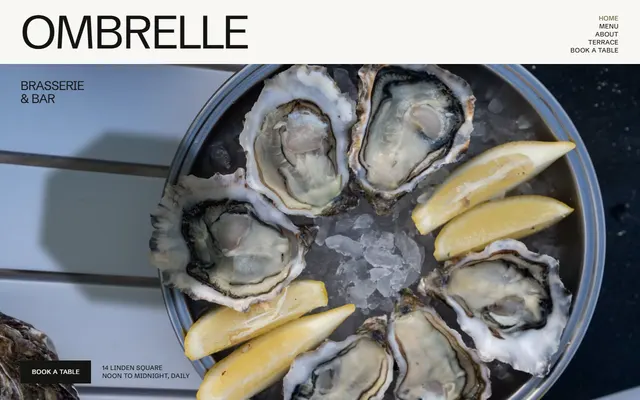
Brasserie and bar: menu with prices, service times, the bar card, seating areas and a booking form.
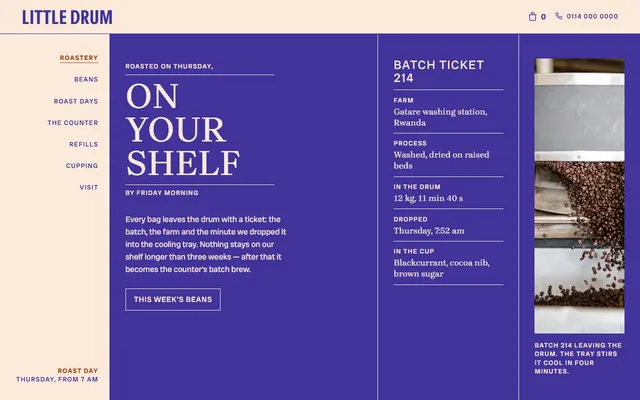
Micro-roastery with a coffee counter: a ticket for roast day, five bean listings and the steps of roast day.
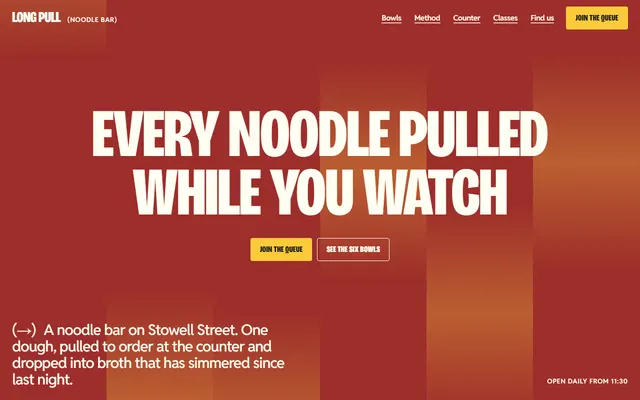
Noodle bar: a bowl menu with prices, sides, a counter, regulars, classes and hire, and a queue by text.
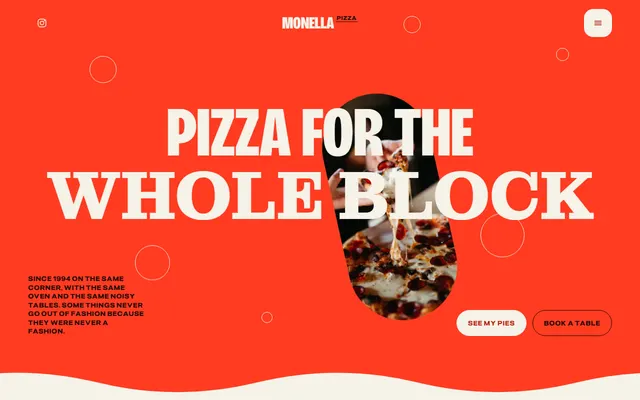
Neighbourhood pizzeria: the dough in five steps, four pies, a slice window and opening hours.
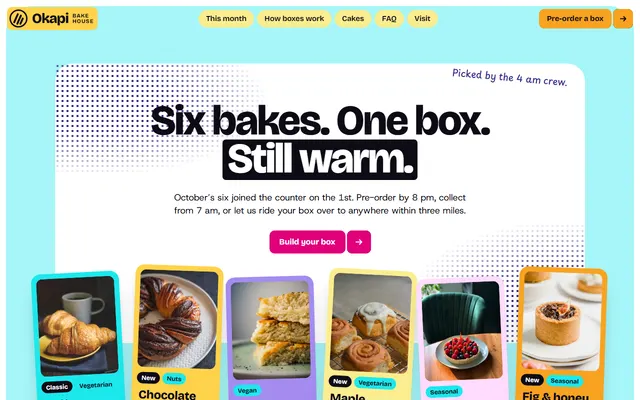
Bakery: a monthly box with prices, a long list of morning bakes and pre-order steps.
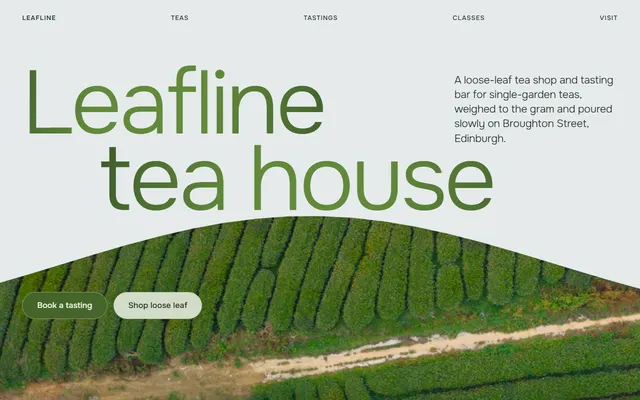
Tea house: five gardens, a tea shelf with prices, tasting flights, classes and a booking form.
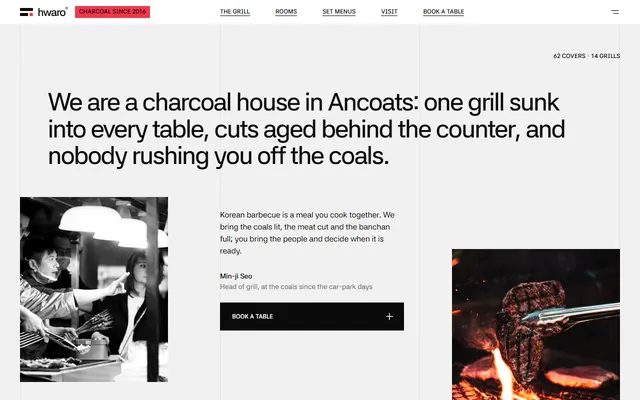
Korean charcoal barbecue: four fires on the menu, four rooms and the steps of grilling.
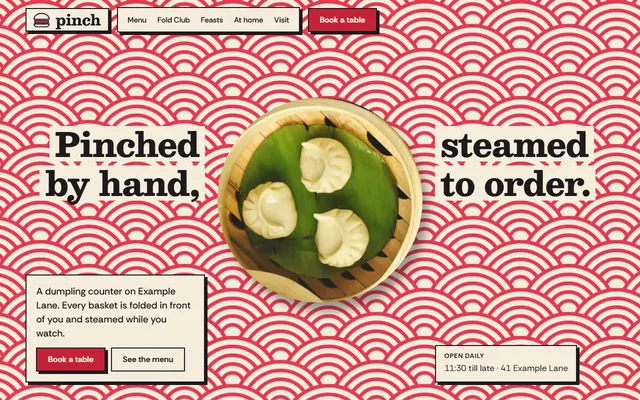
Dumpling restaurant: how it is made, menu with prices, cooking classes, set menus and a table form.