What comes with the noodle bar website template
- index.html: the pure HTML and CSS version, one single HTML file, 102 KB.
- index.gsap.html: the same design built with GSAP, ScrollTrigger and Lenis, for scroll motion in every browser, Firefox included.
- AGENTS.md: what a coding agent must keep and what to replace, so Claude Code, Codex or Cursor edit it without breaking the scenes.
- DESIGN.md: every colour, font, spacing and motion rule of this noodle bar website design.
- PROMPTS.md: the agent prompt and the design prompt below.
- CREDITS.md and LICENSE.md: the photos and fonts with their licenses, and the 8B license.
- Updates to this template, at no extra cost.
Yours to edit: one index.html with no build step, so you or a coding agent can change the words, prices and photos and upload it to any static host. Not a coder? Describe your business in one sentence to 8B's AI website builder and it designs a new site for you, with more pages when you need them. Designing is free; publishing with hosting is $9 a month, billed yearly. It also works inside Claude and ChatGPT.
Premium template · $39, one-time license · Made by 8B, an AI website builder · Updated November 2026 · Plain text: long-pull.md
About this noodle bar website template
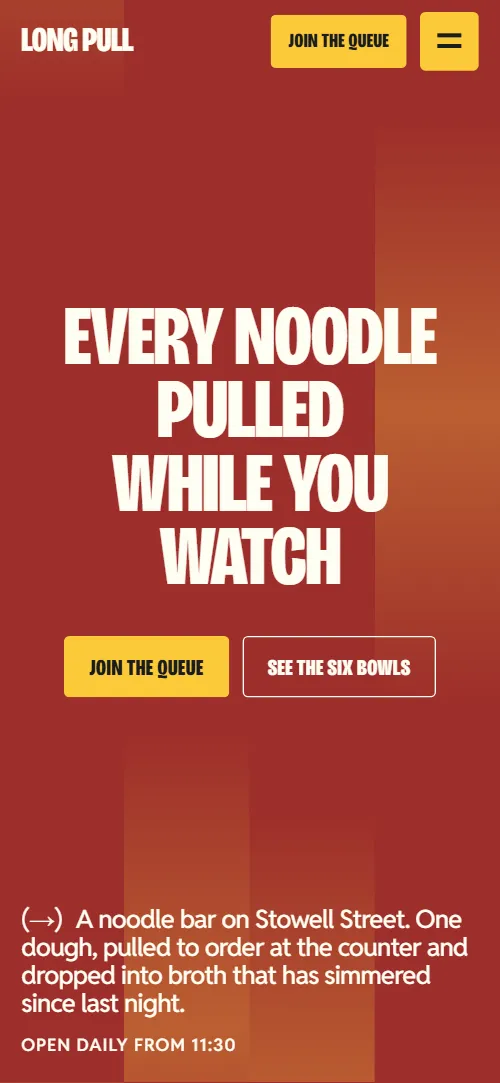
Noodle bar website template for a counter-service restaurant: one HTML file with a numbered list of six bowls and their prices, a price list of sides and drinks, a counter section, three regulars, a pulling class and counter hire, six questions, a queue by text message and the address with hours. The first screen is a brick red type poster over a row of strands that scrolling pulls thin, and three full-screen colour panels stack on top of each other to show how a bowl is made. It is a single HTML file in pure HTML and CSS, and a GSAP version of the same page comes with it.
At a glance, November 2026. One 102 KB index.html: a single HTML file in pure HTML and CSS with a few lines of built-in JavaScript, 12 sections, 18 Unsplash photos, Bricolage Grotesque and Reddit Sans. A GSAP build of the same page, 85 KB, comes with it.
It suits a noodle bar, a ramen shop, a dumpling and noodle counter or any small restaurant with a short menu and a queue at the door. Noodle bar websites mostly need the same few answers on one scroll: what is in each bowl and what it costs, how you get a seat, how the food is made, when you are open and where the door is. This page gives each of them a section, and adds the parts that make a stranger walk in: a photo that follows the menu row being read, regulars with a name, a job and a quote, and a class and a private hire offer for the quiet days.
The demo business is Long Pull, an invented hand-pulled noodle bar on Stowell Street in Newcastle: twenty-two stools, no bookings, you pay when you order and text to join the queue. Every name, price, hour, quote and photo is demo copy to replace. The bowls are six numbered rows with a photo each, so a bar with a different menu keeps six dishes or adjusts the list and its photo frame together; the sides and drinks are plain lists that take as many lines as you need.
If you would rather not edit HTML at all, 8B, the AI website builder designs a site from one sentence about your business, with more pages when you need them. This template is for people who want this exact design in their own hands: one index.html with its CSS and its motion inside, which you or a coding agent can edit and host anywhere.
Good for:
What a noodle bar website needs
Noodle bar and counter-service restaurant websites that fill stools answer the same questions in the first minute. Here is how this template covers each of them.
- What you make, in one line. The first screen says every noodle is pulled while you watch, with a Join the queue button, the opening hours and a line about the broth that has simmered since last night.
- The menu with prices. Six numbered bowls with a description and a price each, beside a photo that changes with the row being read, then a price list of sides and drinks.
- How the food is made. Three full-screen panels explain pulling, the overnight broth and the finish at the counter, each with a mark that changes as it arrives.
- How to get a seat. A queue section explains the text message system with a button that texts your number and a button that calls, and a counter section says how many stools there are and who can sit together.
- Answers about diets, heat and takeaway. Six questions as plain details cover bookings, noodle width, a meat-free broth, how hot the chili oil is, seating and taking noodles home.
- Proof from people who come back. Three regulars with a portrait, a name, a job and a quote, under one word that fills the width.
- Where and when. The contact section has the address with a maps link, a yellow hours block, the phone and email and a photo of the window.
What it does not have is a booking engine, online ordering or payment: link the buttons to your own reservation or ordering service when you add one.
Noodle bar website design and motion
Palette
#fffef3 the warm cream page ground, and text on the red and ink panels#1b1d1d text, the near-black method panel, the counter ground and the night photo veil#9d2e2b brick red: the first screen strands, the first method panel and the footer#fcca3a broth yellow: the Join the queue buttons, the last method panel, the row fill in the bowl list, the portrait frames, the plus buttons and the hours blockFonts
- Bricolage Grotesque: the compressed black capitals of every headline, the bowl numbers and prices, the button labels, the wordmark and the footer word
- Reddit Sans: body text, leads, bowl names, navigation links and the questions
A warm cream page with near-black type in compressed black capitals set at poster size. Colour comes in whole fields rather than small accents: the first screen and the footer are brick red, the middle panel of the method is near-black and the last is broth yellow, and the counter section sits on an ink ground. The menu is an outlined, numbered list with one photo frame beside it, the sides and drinks are two staggered price lists, the regulars are three portraits in yellow frames under one word that fills the width, and the class section is split by a thin vertical rule. On phones the headline breaks into short stacked lines, the menu photo frame sticks near the top while the rows pass under it, and the counter photos fall into two columns.
The brief behind the page starts from the verb in the name: one field is pulled into strands. The red ground of the first screen is a row of strands that narrow until they are the thin red rules of the second screen, a strand of a night street photo opens to full width near the end, the photos of the regulars and the contact section open from a thin strip at their centre, and the buttons fill with stripes that rise on hover. Shapes made of capsules, rings and quarter discs, and a disc and a dome built from stripes, stand in for icons in the method and class sections.
What is on the noodle bar website page
- NavigationHeader with the wordmark and (Noodle bar), a yellow Join the queue button and a Menu square that opens the five section links as a full-screen red overlay on phones and tablets
The header sits transparent over the red first screen, turns cream once you scroll, hides while you scroll down and returns on any scroll up. On phones the Menu square opens the section links as a full-screen overlay.
- Every noodle pulled while you watchTwo screens: a red type poster, Every noodle pulled while you watch, over a row of strands, then a cream screen with the band Pulled, Boiled, Slurped, a photo of noodles on chopsticks two bracketed side notes and the idea paragraph, with six red rules hanging from the top
On load the two headline lines settle from a vertical stretch while the buttons, caption and opening hours rise a few pixels, and a lighter red sheen runs down each strand at its own speed. On scroll the strands narrow one after another into thin lines, the headline is pulled apart to the left and right, the buttons, caption and hours sink and fade, and the second screen with its band, photo and paragraph rises over them while each strand comes to rest on one of the red rules. The word band slides in from the right and settles filling its width.
- Three moves, one bowlThree moves, one bowl: three full-screen panels (red, near-black, yellow) for pulling, simmering overnight and finishing at the counter, each with a step number, a paragraph, a link or button and a mark
The heading settles from a stretch. Each of the three panels sticks to the screen and the next slides over it while the previous one shrinks slightly toward its top edge and darkens. As each panel arrives its mark changes: three capsules stretch up, three rings open from the centre, and four quarter discs fly in and close into one disc.
- Six bowls. No swaps.Six bowls. No swaps.: an outlined list of six numbered bowls with descriptions and prices beside one sticky photo frame
The heading settles from a stretch. As each row crosses the middle of the screen a yellow fill rises behind it and falls when the next row arrives, and that row's bowl wipes up into the photo frame while easing out of a zoom.
- On the sideOn the side: two staggered price lists, six dishes to share and five drinks, with two photos set off the grid
The heading settles from a stretch and the two photos open from a thin strip at their centre as they come into view.
- A counter, not a dining roomA counter, not a dining room: four photos and two copy cells on one held screen, with the copy about the twenty-two stools and the no-bill rule
The four photos start as one tight mosaic in the centre, slightly enlarged and covering the copy. Scrolling pulls them apart to their cells at staggered moments, and the heading and the two texts appear in the gaps. On desktop the screen is held while this happens; on phones the grid is two columns and the photos are pulled apart as it enters.
- RegularsThe word Regulars across the width, a one-line lead and three portraits in yellow frames with a name, a job and a quote
The word Regulars slides in sideways and comes to rest filling the width, and each portrait opens from a thin strip at its centre.
- Learn the pullLearn the pull / Take over the counter: two columns split by a rule, a Saturday pulling class and Monday counter hire, each with a striped mark, three facts and an email button
The two headings start overlapped at the centre of the section and part to the left and right edges. In each column the stripes of the mark slide in from alternate sides to form a disc and a dome.
- Before you queueBefore you queue: six questions as native details beside the heading, with yellow plus squares that turn to a minus when open
The heading settles from a stretch; the questions open and close without any script, and each plus turns to a minus when its answer is open.
- Pull up a stoolPull up a stool: a night street photo under an ink veil, the queue by text message and two buttons, text to join and call the counter
The night street photo starts as a thin strand in the middle of the ink ground and is pulled open to full width while it eases down from a zoom, and the two lines of the heading close in from both sides.
- Find the counterFind the counter: address with a maps link, a yellow hours block, phone and email, and a wide photo of lanterns in a window
The heading settles from a stretch and the lantern photo opens from a thin strip at its centre.
- FooterRed footer with the wordmark filling the width, five links, the company line with allergens and Instagram, and a back-to-top square
The wordmark settles from a stretch as it comes into view.
Before you publish the noodle bar website site
- Replace social preview image, favicon, email address, phone number, map and social media links and the invented demo facts (names, prices, areas, quotes). AGENTS.md lists them.
- Header and footer section links, the wordmark and the back-to-top square lead to
#bowls, #method, #counter, #class, #contact, #sides, #queue and #openingnow; point them to keep as they are. - Join the queue buttons in the header, on the first screen and in the third method panel lead to
#queuenow; point them to keep as it is; it scrolls to the queue section. - See the six bowls button on the first screen, Choose your bowl link in the first method panel lead to
#bowlsnow; point them to keep as it is. - Ask about the meat-free broth link in the second method panel lead to
#faqnow; point them to keep as it is. - Text to join the queue button lead to
sms:+441910000000 with the body QUEUE 2now; point them to your queue or takeaway number, or your own waiting list link. - Call the counter button and the phone link in the contact section lead to
tel:+441910000000now; point them to the counter's number, in the link and in the visible text. - Book a place button (pulling class) and Ask about a Monday button (counter hire) lead to
mailto:class@longpull.example and mailto:hello@longpull.example with a subject linenow; point them to your own addresses, or a booking page for classes. - Open in maps link in the contact section lead to
a Google Maps search for the addressnow; point them to your venue's own map link. - Allergens on request link in the footer lead to
#contactnow; point them to an allergen page or a menu PDF. - Instagram link in the footer lead to
https://www.instagram.com/now; point them to your own profile. - Scroll-driven animation runs when the browser supports it (Chrome, Edge and Safari today; Firefox does not yet) and the visitor has not asked for reduced motion. Otherwise each section shows its finished layout; the GSAP build, index.gsap.html, also plays the scroll motion in Firefox (GSAP 3.13).
- There is no form. The queue is a text message link (sms:) and a call button, and the class and hire buttons open an email; connect them to your own number, addresses or booking page.
- The method section is built for three panels, the bowls list and its photo frame for six bowls with six photos, the counter grid for four photos and two copy cells and the class section for two columns: a different count needs its layout and scene adjusted.
- The bowls, prices, hours, stools, class and hire terms, the Monday closing and the regulars are demo facts for a Newcastle noodle bar; the six strands of the first screen are four on phones.
Questions about this noodle bar website template
What do I get for $39?
The noodle bar website template as a single HTML file, index.html, in pure HTML and CSS, a GSAP build of the same page as index.gsap.html, a DESIGN.md with every colour, font and motion rule, an AGENTS.md for coding agents, the agent prompt and the design prompt from this page, and CREDITS.md for the photos and fonts. Updates to this template are included.
Can I use this noodle bar template for client sites?
Yes. One purchase lets you build as many sites as you like with it, for yourself or for clients, and change anything. What it does not allow is selling or giving away the template itself, as a template, theme or kit, or putting its source in a public repository.
Does the template take bookings?
It is built for a bar with no bookings: the queue section has a button that opens a text message to your number with QUEUE and a group of two filled in and a button that calls the counter. The pulling class and the Monday hire buttons open an email. There is no booking form or calendar, so if you take table bookings, point those buttons at your reservation page or add a form from a form service.
How do I change the bowls, prices and photos?
Each bowl is one row with a number, a name, a short description and a price, and each row has a matching photo in the frame beside the list. Edit the text and the prices in place and swap the photo for the same row. The list and the frame are made for six bowls; for a different number, change rows and photos together and adjust the bowls scene. The sides and drinks lists have no fixed length.
Will it work with Claude Code, Codex or Cursor?
Yes. Put index.html and AGENTS.md in your project and give the agent the prompt that comes with the template. AGENTS.md says which attributes the scroll motion reads, what to keep and what to replace, so the agent changes copy, prices, photos and colours without breaking the scenes.
What do visitors see in Firefox or with reduced motion?
Firefox does not support scroll-driven animations yet, so it shows every section in its finished layout, as does any browser when the visitor asks for reduced motion. If the scroll motion must also play in Firefox, use the GSAP build, index.gsap.html, which loads GSAP and ScrollTrigger from a CDN.
More templates for restaurants and food
Other designs for places that sell food and drink across a counter or a table.
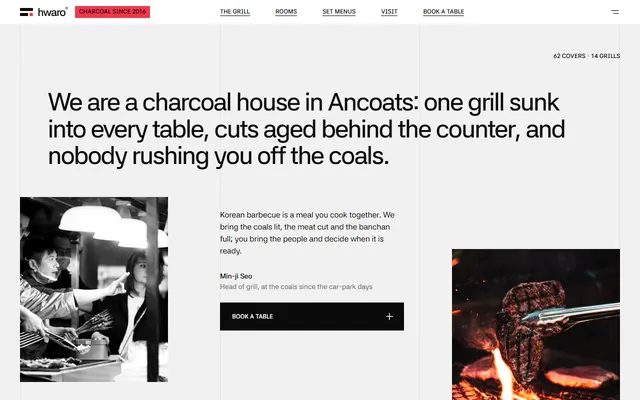
Korean charcoal barbecue: an opening statement, four fires on the menu, four rooms and a booking form.
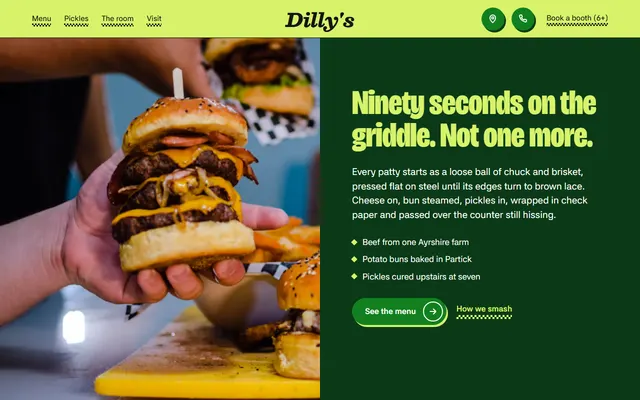
Smash-burger bar: a menu of six burgers and six sides, five cooking moves and house rules.
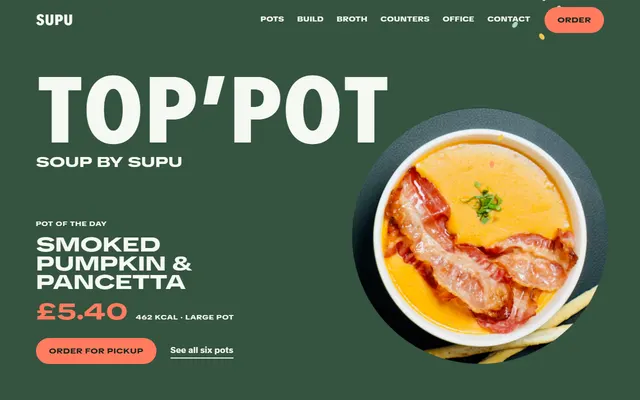
Soup shop or soup counter: daily pots, a pot builder, counters with hours, office orders and a form.
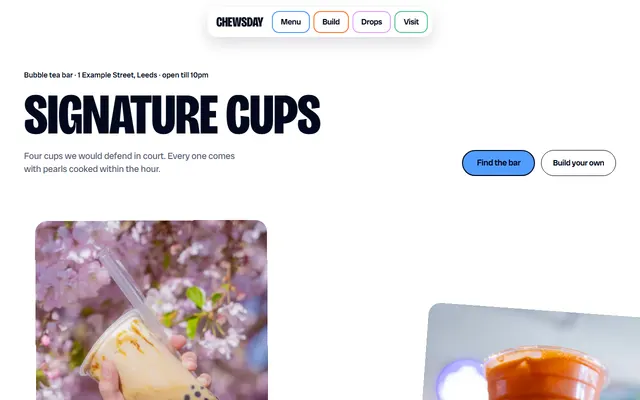
Bubble tea bar: signature cups, a drink builder, a pearls section and a three-step ordering ritual.
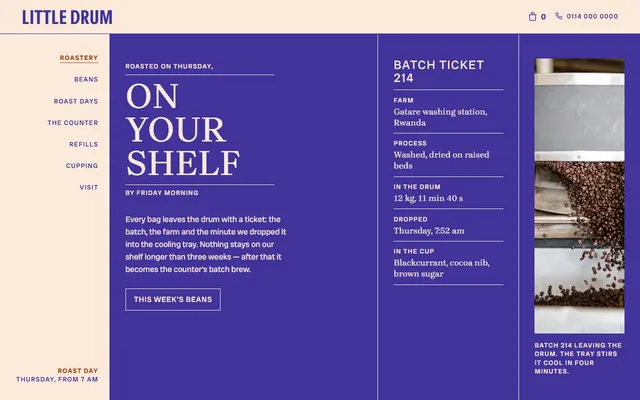
Coffee roaster: a roast-day ticket, bean listings beside a turning photo frame and the steps of the roast.
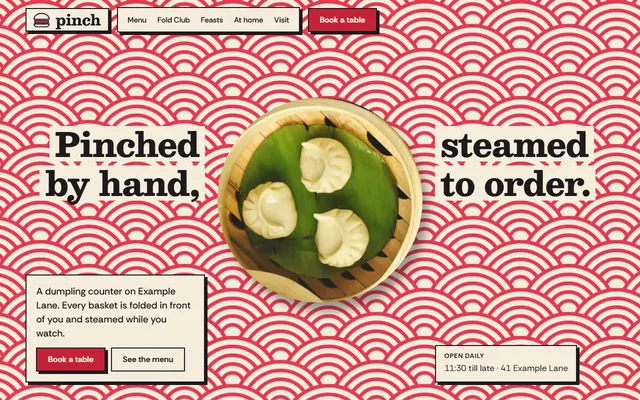
Dumpling restaurant: how it is made, menu with prices, cooking classes, set menus and a table form.
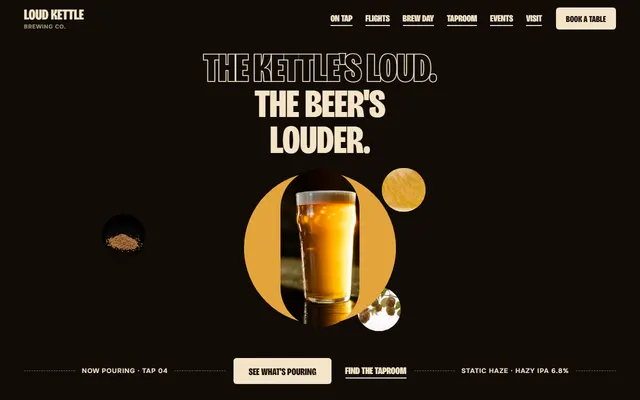
Craft brewery with a taproom: a tap list, a flight builder, events and a booking form.
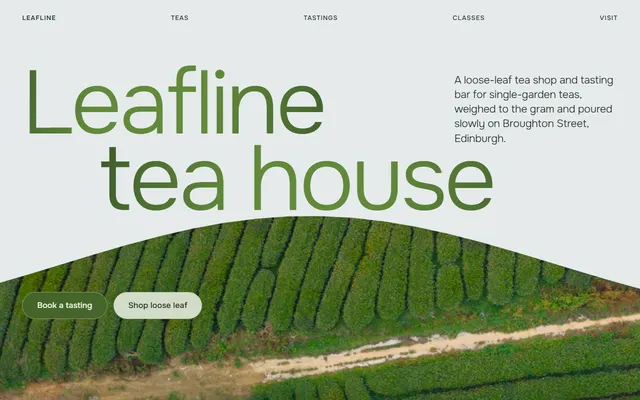
Tea house: five gardens, a tea shelf with prices, tasting flights, classes and a booking form.