What comes with the bridal shop website template
- index.html: the pure HTML and CSS version, one single HTML file, 125 KB.
- index.gsap.html: the same design built with GSAP, ScrollTrigger and Lenis, for scroll motion in every browser, Firefox included.
- AGENTS.md: what a coding agent must keep and what to replace, so Claude Code, Codex or Cursor edit it without breaking the scenes.
- DESIGN.md: every colour, font, spacing and motion rule of this bridal shop website design.
- PROMPTS.md: the agent prompt and the design prompt below.
- CREDITS.md and LICENSE.md: the photos and fonts with their licenses, and the 8B license.
- Updates to this template, at no extra cost.
Yours to edit: one index.html with no build step, so you or a coding agent can change the words, prices and photos and upload it to any static host. Not a coder? Describe your business in one sentence to 8B's AI website builder and it designs a new site for you, with more pages when you need them. Designing is free; publishing with hosting is $9 a month, billed yearly. It also works inside Claude and ChatGPT.
Premium template · $39, one-time license · Made by 8B, an AI website builder · Updated November 2026 · Plain text: selvedge.md
About this bridal shop website template
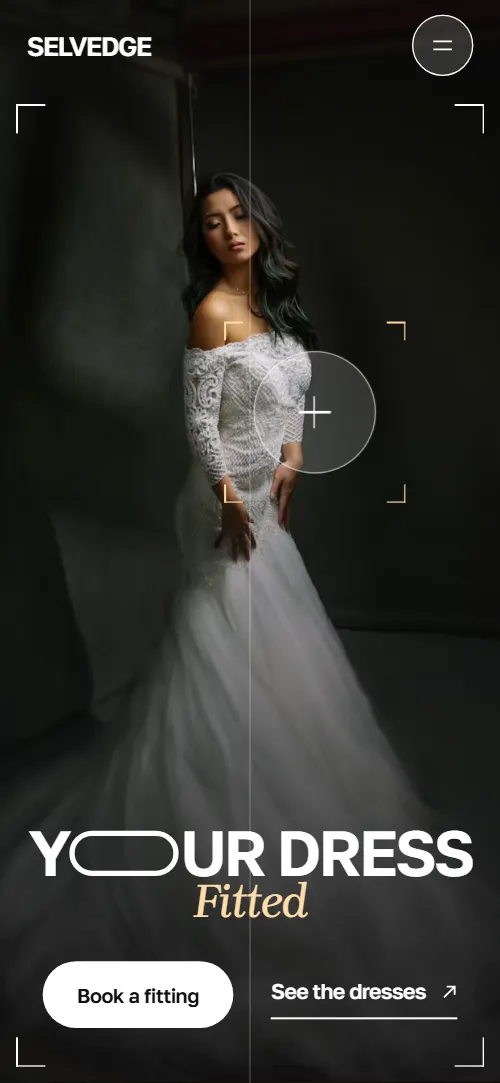
Bridal shop website template for a boutique that sells dresses and finishes them in its own atelier: one HTML file with six dress shapes and their prices, a private appointment, finishing pieces, three fittings, nine real weddings, a sample rail, a restyling service, questions and a fitting request form. It opens on a camera viewfinder over a dark studio portrait, with a focus circle that hunts across the photo, and the portrait is then taken in to a pill beside the manifesto. It is a single HTML file in pure HTML and CSS, and a GSAP version of the same page comes with it.
At a glance, November 2026. One 125 KB index.html: a single HTML file in pure HTML and CSS with a few lines of built-in JavaScript, 13 sections, 31 Unsplash photos, Brygada 1918 and Golos Text. A GSAP build of the same page, 113 KB, comes with it.
It suits an independent bridal boutique, a wedding dress shop, a bridal alterations atelier, a seamstress who also sells dresses or any small shop that sells by private appointment. Bridal shop websites mostly need the same few things on one scroll: the shapes you carry with what they cost, how an appointment goes, what alterations involve and how long they take, proof from real brides and a simple way to ask for a fitting, and this page gives each its own section. A bridal boutique website built from it also keeps what sets a small shop apart: the price of alterations fixed at the first fitting, a dress held for a week with no pressure to buy and a sample rail that changes every Saturday.
The demo business is Selvedge, an invented boutique in Bath. Every street, price, maker, bride's name and quote is demo copy to replace. The dress shapes show a description and a from price in pounds, the sample rail shows was and now prices with UK sizes, and the wedding places are towns around Bath, so a shop in another city or country changes the currency, the sizes and the places to its own.
If you would rather not edit HTML at all, 8B, the AI website builder designs a site from one sentence about your business, with more pages when you need them. This template is for people who want this exact design in their own hands: one index.html with its CSS and its motion inside, which you or a coding agent can edit and host anywhere, next to the booking tool or the shop system you already use.
Good for:
What a bridal shop website needs
Bridal boutique websites that bring in appointments answer the same questions quickly. Here is how this template covers each of them.
- The dresses and what they cost. Six shapes, A-line, column, ball gown, fit and flare, separates and jumpsuit, each with a description and a from price, beside a photo frame that follows the row you are reading.
- What an appointment is like. A bento explains it: a private suite for ninety minutes, up to three guests, eight to ten dresses pulled before you arrive and nobody selling on the day.
- A way to ask for a fitting. Book a fitting buttons in the menu, the opening and the bento lead to a form with the wedding date and the best time of the week.
- Alterations and how long they take. Three fittings, Pinned, Adjusted and Pressed, at twelve, six and two weeks before the wedding, with the price of alterations set at the first fitting.
- Proof from real brides. A sheet of nine real weddings with each bride's name, place and month, and a long quote with two short ones.
- Accessories, samples and restyling. Four finishing pieces with from prices, a sample rail with was and now prices and sizes, and a restyling service for wearing the dress again.
- Answers to the usual questions. Six questions in disclosure rows, from how far ahead to book to bringing a dress bought elsewhere, with the address, hours and phone next to the form.
What it does not have is a live booking calendar, an online shop with a basket or a stock count of samples: it is built for a boutique that books by request, replies with times and sells in the shop. Link the Book a fitting buttons to your booking tool if you use one, and keep the sample rail as a list you update in a sentence.
Bridal shop website design and motion
Palette
#f0f0f0 light page ground and the ground the opening photo is taken in to#111112 ink: text on light grounds and the dark section grounds#ffffff cards, white sections and text on dark grounds and photos#626266 secondary text on light grounds#ffdca8 warm apricot, the one accent: the italic word over the opening photo, the stylist's chat replies, the dress prices, the hemline of the fittings, the free-appointment card and button hover fills#a2a2a7 secondary text on the dark groundsFonts
- Golos Text: everything but the italic word and the long quote: display type, labels, body copy, navigation, buttons and form fields
- Brygada 1918: the one italic word of the opening, and upright for the long quote of the testimonials
Light grey and white grounds alternate with near-black grounds that carry a fine film grain. Every section below the opening starts with a header made of a full-width rule, a small label on the left and a short note on the right. The opening is two screens: the first is a viewfinder with corner brackets, a focus circle and thin vertical grid lines that split it into four columns (two on phones) over a full-bleed portrait; the second is a manifesto with a tall pill-shaped photo slot, a short paragraph and a bride's quote. The dress shapes are a list of six rows on the left of a held photo frame; the appointment is a bento of seven pieces with rounded corners; the finishing pieces are four items set at different heights on the page columns; the real weddings are a contact sheet of nine frames, one of them twice the size of the others. A tick ruler, like a tape measure, runs along the top of the opening's second screen and at the top of the footer. Buttons are pills. On phones, while the scroll motion runs, the photo frame stays under the header while the dress rows scroll beneath it; the bento becomes two columns, with the suite photo, the chat and the free-appointment card across both.
The idea behind the page is a fitting seen through a camera: the brand is the finished edge of a cloth, and the page shows a dress being focused, pinned, adjusted and pressed. So the viewfinder frames the opening and the footer, the corner marks close in on photos across the page, the pill from the headline becomes the shape of the buttons and of the opening photo, and the tick ruler slides sideways as you scroll.
What is on the bridal shop website page
- NavigationHeader with the wordmark, a tag line, five links and Book a fitting; below 1080 px the links and the button move into a full-screen menu behind a menu button
The header sits clear over the opening photo, takes a solid ground once the page has moved a few pixels and hides when you scroll down, coming back when you scroll up. Below 1080 px the menu button opens a full-screen dark panel that uncovers from the top, with the five links set large and Book a fitting.
- Y O ur dress FittedTwo screens: a viewfinder over a dark studio portrait with the headline YOUR DRESS Fitted, then a manifesto with a pill-shaped photo slot and a bride's quote
On load the two lines of the headline and the buttons rise out of their boxes, the grid lines draw, the corner brackets close in and the focus circle starts to hunt between points of the portrait, its marks snapping at each stop. On scroll the first screen fades, the portrait is taken in from the sides and the top into a tall pill that settles on the photo slot of the manifesto, and then it dissolves into the fitting photo in the slot.
- Six shapes we carrySix dress shapes on a dark ground, each with a description and a from price, beside one held photo frame
The row that crosses the middle of the screen comes sharp and white while the others dim, and on wide screens with a mouse the others also blur slightly. The held photo frame swaps to that shape's photo with a shutter that runs in the direction of the scroll, and its corner marks snap.
- An appointment, not a shopping tripA bento of seven pieces: a suite photo, a stylist chat, a photo of friends, a promise, what is pulled before you arrive, a mirror photo and a free-appointment card
The seven pieces arrive spread out from the centre with a few degrees of turn and are drawn together into one block with narrow gaps as the bento reaches the middle of the screen; the four chat messages come in one by one as it gathers.
- The last ten per centFour finishing pieces, veils, combs and vines, pearls and shoes, each with a framed photo, a line and a from price
The section rule draws, the heading and the paragraph lift into place and each photo settles from a slight enlargement while its corner marks close in.
- Three fittings, then it’s yoursThree fittings, Pinned, Adjusted and Pressed, each with a photo, the weeks before the wedding and a short text
The three fittings become one held frame: an apricot hemline rises through the photo for each next fitting, the next photo appears below the line and the text of that fitting replaces the last.
- Nine weddings, nine fittingsA contact sheet of nine real weddings with the bride's first name, place and month, on a dark ground
The sheet opens on one wedding filling the screen and pulls back, frame by frame, until all nine sit on the screen and the names and places come in.
- Tried on, never wornThe sample rail: five dresses with shape, size and was and now prices, beside a tall photo of a rail
The section rule draws, the heading and the paragraph lift and the photo settles with its corner marks closing in.
- Wear it againRestyling after the wedding: a paragraph, how long it takes and what it costs, and a card showing the gown with a train and the same dress shortened
As the section crosses the screen the card turns over: the long gown with its train swings away edge-on and the same card comes round showing the dress shortened below the knee.
- Any questions?Six questions as native disclosure rows beside a note and a link to the form
The section rule draws and the heading lifts into place; the six answers are native disclosure rows that open on a click.
- WordsOne long bride's quote and two short quotes on a dark ground
The long quote is laid in faintly and fills in word by word while it is read on its way up the screen, finishing before it reaches the middle.
- Book a fittingFitting request form beside the boutique address, hours, shop floor phone and a framed photo of the shop
The section rule draws, the heading lifts and the photo of the shop settles with its corner marks closing in.
- FooterDark footer with a tick ruler, corner marks, the email, the atelier phone, social links, a back to top button and the brand in two lines
The tick ruler at the top slides sideways with the scroll, like the one under the opening.
Before you publish the bridal shop website site
- Replace social preview image, favicon, phone number, contact form (sends nothing yet), email address and social media links and the invented demo facts (names, prices, areas, quotes). AGENTS.md lists them.
- Book a fitting buttons in the menu, the appointment bento and the first screen lead to
#contactnow; point them to your online booking page, or keep #contact once the form is connected. - See the dresses link on the first screen and the menu links Dresses, Appointments, Atelier, Real brides and Visit lead to
#silhouettes, #appointment, #atelier, #brides and #contactnow; point them to keep as they are. - Meet the atelier link on the second screen lead to
#ateliernow; point them to keep as it is. - Ask for a sample appointment, Ask about restyling and Ask a question links lead to
#contactnow; point them to keep them pointing at the form, or at your booking page. - Phone links in the visit section (shop floor) and the footer (atelier) and the email link in the footer lead to
tel:+441225000000, tel:+441225000001 and hello@selvedge.examplenow; point them to your shop's and atelier's numbers and your email, in the link and in the visible text. - Instagram and Pinterest links in the footer lead to
the networks' home pagesnow; point them to your own profiles, or remove them. - Scroll-driven animation runs when the browser supports it (Chrome, Edge and Safari today; Firefox does not yet) and the visitor has not asked for reduced motion. Otherwise each section shows its finished layout; the GSAP build, index.gsap.html, also plays the scroll motion in Firefox.
- The fitting request form sends nothing: connect it to a form service, your booking system or your email. The pure HTML and CSS version shows no thank-you line after sending (the text waits in the form's data-sent attribute, and only the GSAP version's script shows it), so point the form at a thank-you page or add one.
- There is no live calendar, shop or sample stock: the dresses, the sample rail and the appointment times are text you edit. It suits a boutique that books by request and replies with times.
- The dress list is built for six shapes and six photos that go in pairs, the bento for seven pieces, the fittings for three and the contact sheet for nine weddings: a different count needs its layout and scene adjusted, adding a shape means adding a row and a photo together.
- The sheet of weddings opens on its centre frame at about twice its rest size, so on very dense screens that first frame can look slightly soft.
Questions about this bridal shop website template
What do I get for $39?
The bridal shop website template as a single HTML file, index.html, in pure HTML and CSS, a GSAP build of the same page as index.gsap.html, a DESIGN.md with every colour, font and motion rule, an AGENTS.md for coding agents, the agent prompt and the design prompt from this page, and CREDITS.md for the photos and fonts. Updates to this template are included.
Can I use this bridal shop template for client sites?
Yes. One purchase lets you build as many sites as you like with it, for your own boutique or for clients, and change anything. What it does not allow is selling or giving away the template itself, as a template, theme or kit, or putting its source in a public repository.
Can brides book an appointment on the site?
They can ask for one. The form takes a name, an email, the wedding date, the best time from a short list and a message about the shapes they love, and it is built for a boutique that replies within a day with two or three times. The form sends nothing until you connect a form service such as Formspree or Netlify Forms, or your email. The pure HTML and CSS version shows no thank-you line after sending (only the GSAP version shows the one written in the form), so point the form at a thank-you page or add one. If you take bookings in a calendar tool, point the Book a fitting buttons at your booking page and keep the form for questions.
How do I change the dresses, prices and sample rail?
Each dress shape is one row with a name, a line and a from price, each sample is one row with a name, a shape and size and a was and now price, and each finishing piece is one short block. With Claude Code, Codex or Cursor you say it in a sentence, such as change the ball gown to from £2,600 and add a sample called Willow in UK 12, and the agent edits the row; by hand you change the words. The list is built for six shapes with a photo for each, so adding a seventh means adding a row and a photo together, and the agent knows to do both. There is no shop, stock count or checkout, which suits a boutique that sells by appointment.
Will it work with Claude Code, Codex or Cursor?
Yes. Put index.html and AGENTS.md in your project and give the agent the prompt that comes with the template. AGENTS.md says which attributes the scroll motion reads, what to keep and what to replace, so the agent swaps dresses, prices, places and photos without breaking the scenes.
What do visitors see in Firefox or with reduced motion?
Firefox does not support scroll-driven animations yet, so it shows every section in its finished layout, as does any browser when the visitor asks for reduced motion. If the scroll motion must also play in Firefox, use the GSAP build, index.gsap.html, which loads GSAP, ScrollTrigger and Lenis from a CDN.
More templates for weddings, jewellery and beauty
Other designs for businesses around weddings and personal style.
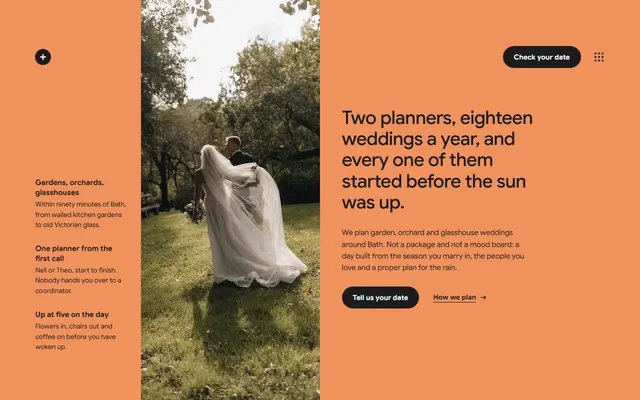
Wedding planning studio: three planning packages with prices, a timed wedding day, past weddings, couples' notes and an enquiry form.
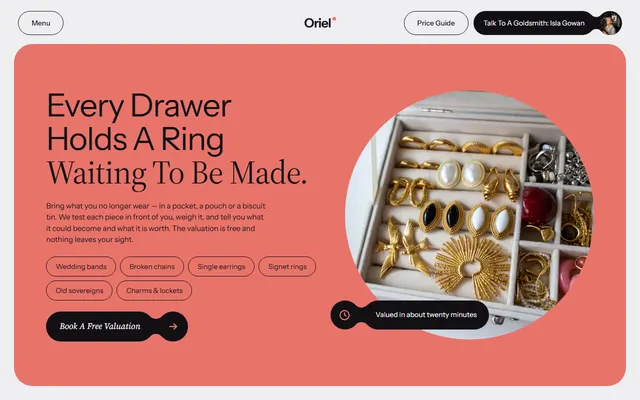
Independent goldsmith: what the bench makes with prices, five sittings from sketch to hand-over, questions and a booking form.
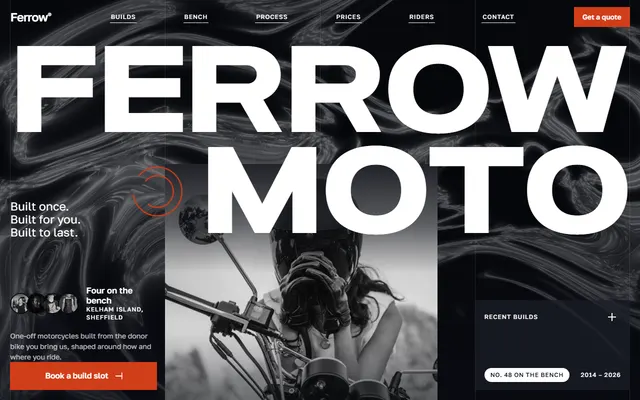
Custom motorcycle workshop: recent builds, services, build process, prices and a quote form.
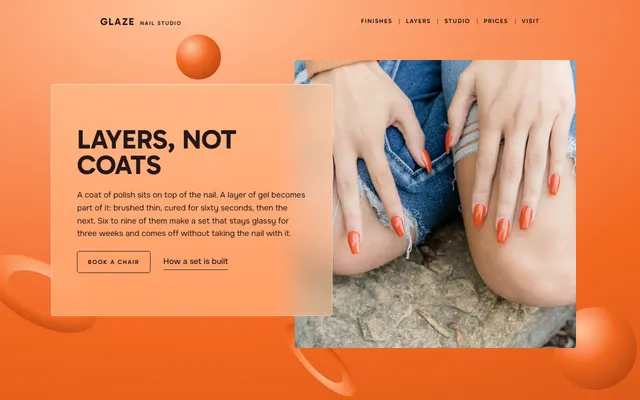
Gel nail studio: six finishes with prices, a four-layer process, four artists, a price list and a booking form.
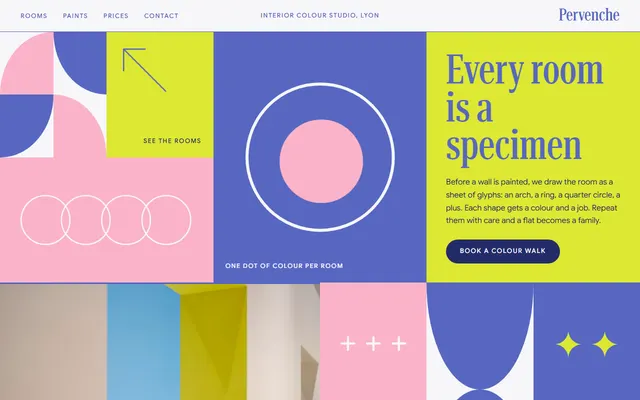
Interior colour studio: a mosaic of tiles, a glossary, six projects, a price list and four meeting steps.
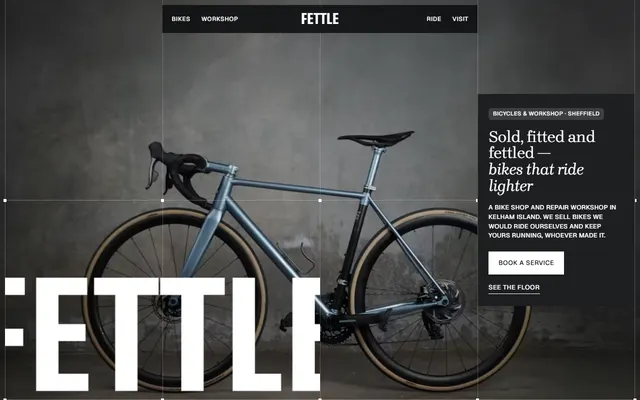
Bike shop and repair workshop: bikes on the floor, service prices, mechanics, a Saturday ride and visit details.
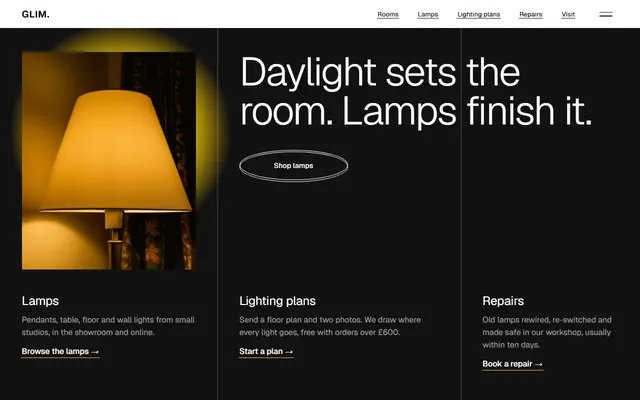
Lighting store for lamp shops: priced lamp list, repairs.
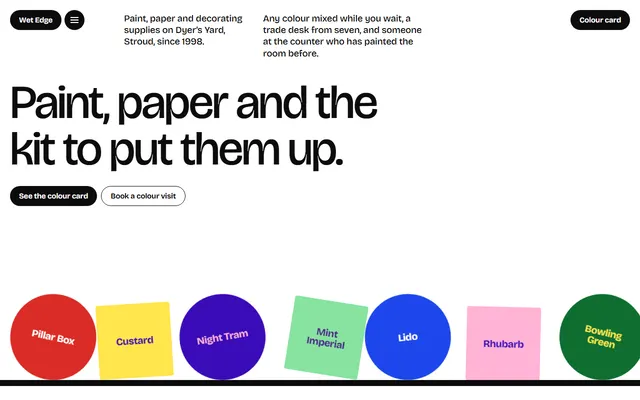
Paint and decorating shop: colour card, colour matching, finishes, tools, wallpaper and a trade desk.