What comes with the ferry website template
- index.html: the pure HTML and CSS version, one single HTML file, 126 KB.
- index.gsap.html: the same design built with GSAP, ScrollTrigger and Lenis, for scroll motion in every browser, Firefox included.
- AGENTS.md: what a coding agent must keep and what to replace, so Claude Code, Codex or Cursor edit it without breaking the scenes.
- DESIGN.md: every colour, font, spacing and motion rule of this ferry website design.
- PROMPTS.md: the agent prompt and the design prompt below.
- CREDITS.md and LICENSE.md: the photos and fonts with their licenses, and the 8B license.
- Updates to this template, at no extra cost.
Yours to edit: one index.html with no build step, so you or a coding agent can change the words, prices and photos and upload it to any static host. Not a coder? Describe your business in one sentence to 8B's AI website builder and it designs a new site for you, with more pages when you need them. Designing is free; publishing with hosting is $9 a month, billed yearly. It also works inside Claude and ChatGPT.
Premium template · $39, one-time license · Made by 8B, an AI website builder · Updated November 2026 · Plain text: morrow-sound.md
About this ferry website template
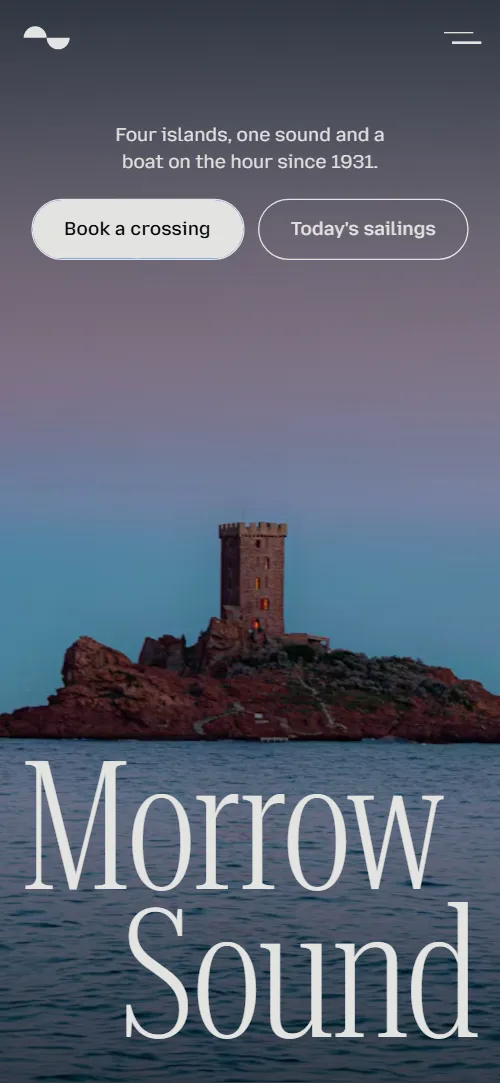
Ferry website template for a family line or a small operator that crosses water to islands: one HTML file with four routes as split rows, a timetable from the quay and from each island, an evening sailing, the fleet, what can come aboard, questions, a fare board and a booking office form. It opens on a twilight sea photo under a two-word wordmark that parts to the edges while a cobalt statement screen opens through the gap, and the evening sailing, the boats and the fares each get a scene of their own. It is a single HTML file in pure HTML and CSS, and a GSAP version of the same page comes with it.
At a glance, November 2026. One 126 KB index.html: a single HTML file in pure HTML and CSS with a few lines of built-in JavaScript, 13 sections, 25 Unsplash photos, Mozilla Text and Roboto Serif. A GSAP build of the same page, 97 KB, comes with it.
It suits a ferry line, a water taxi, a passenger boat or a car ferry with a few fixed routes, run by a family, a community company or a harbour office. Ferry websites mostly need the same five answers on one scroll: where the boats go and how long it takes, when they leave, what it costs, what can come aboard and how to reach the office, and this page gives each one its own section. A ferry company website built from it also keeps what makes a small line trusted: the one evening boat people plan a day around, the names of the boats and the family that has run them for decades.
The demo business is Morrow Sound, an invented family line sailing from Annick Quay to four islands. Every island, time, fare, boat and name is demo copy to replace. The routes show crossing time, sailings a day and whether cars are taken, the timetable lists times from the quay and back, and fares are in pounds with single and return prices, so a line in any country swaps in its own routes, currency, seasons and rules.
If you would rather not edit HTML at all, 8B, the AI website builder designs a site from one sentence about your business, with more pages when you need them. This template is for people who want this exact design in their own hands: one index.html with its CSS and its motion inside, which you or a coding agent can edit and host anywhere, next to the ticket system or the booking page you already use.
Good for:
What a ferry website needs
Ferry company websites that work for passengers answer the same questions quickly. Here is how this template covers each of them.
- Where the boats go. Four routes as large rows, each with a photo, the crossing time, the number of sailings a day and whether cars are taken.
- When the boat leaves. A timetable with a band per route: times from the quay and from the island, the seasons in a note and the evening sailing marked.
- What it costs. A fare list with foot passenger, car and driver, bicycle, dog and a monthly islander card, with single and return prices and a note on children.
- What can come aboard. Four deck lanes for cars, bikes, dogs and foot passengers, each with a one-line rule, and an answer on cars to the small piers.
- Trust in the boats and the crew. A fleet row with year built, capacity and routes of each boat, and a short story of the family that has run the line since 1931.
- Answers about weather, food and access. Five questions in expanding rows: booking, weather, cars to the small islands, food on board and step-free access.
- A way to reach the office. The booking office section has the phone first, email, quay address, summer and winter hours and an enquiry form with a route field. Connect the form before you go live.
What it does not have is a ticket engine, seat availability, a live tide or cancellation feed or a map: it is built for a line with a few fixed routes that sells tickets on board, by phone or in its own booking system, and the buttons can point at that system.
Ferry website design and motion
Palette
#0148c6 cobalt: the statement screen, the timetable, the family story, the footer, the phone menu and the lit fare#07090d near-black night: the header bar, the photo columns and open-sea frame, the deck lanes, the fares and the end of the evening scene#e3e3e0 mist grey: light grounds, and text on cobalt and on night#2a363d slate: text on the mist grounds#ff9a1f lamp orange: only the dot that marks the 20:40 blue-hour sailingFonts
- Roboto Serif: the thin condensed display headings, the wordmark, island, boat and fare names, prices, questions and the phone menu
- Mozilla Text: body text, captions, times, labels, the desktop navigation, buttons and form fields
A page that moves between cobalt, near-black and light mist grey in hard cuts, with a thin condensed serif in huge sizes against small captions in a plain sans. The opening is two screens: the photo with the wordmark split to the left and right edges, then a cobalt screen with a short caption, a long hairline and a two-line statement. Routes are four rows with the island name at the left, its photo in the gap and the facts at the right; the timetable is one band per route with two lines of times; the fleet is a row of four portrait frames; the fares are a list of outlined rows, with a large board beside it while the motion runs. On phones the two words of the wordmark stack, the route photos sit under the names, the fleet becomes a grid and the fare board is dropped while each row lights up as it crosses the middle of the screen.
The idea behind the page is the hour between: the boat on the hour, the last boat in the blue hour and the day that slows down on forty minutes of water. So the first screen parts like a hull leaving the quay, the evening sailing is the only thing marked in orange, and a dusk photo arrives as shifted bands that settle into one picture like a reflection on still water.
What is on the ferry website page
- NavigationHeader with the two half-disc mark between Routes, Sailings and Fleet on the left and Fares and Book on the right; on phones a menu button opens the five links
The header sits clear over the first screen and takes a night ground after a short scroll; it hides as you scroll down and comes back as you scroll up. On phones the menu opens as a full-screen cobalt panel with the five links.
- Morrow SoundTwo screens: a twilight island photo under the split wordmark Morrow and Sound with the tagline and two buttons, then a cobalt statement shore to shore with a hairline
On load the two words of the wordmark slide out from the centre to the edges and the tagline and buttons rise a few pixels, while the photo rolls slowly from side to side like a deck. On scroll the words part past the edges, a blue veil settles over the photo, the photo pushes in and the cobalt second screen opens from a central channel to the full width; its two statement lines slide in from opposite sides and a hairline draws and tilts.
- Forty minutes with nothing to do but lookThree columns of deck photos on black that slide up at different speeds while one open-sea frame opens to the full screen with Forty minutes with nothing to do but look
On a held screen the three columns of photos rise into place at three speeds, the centre one the fastest, carrying a window in the empty top slot of the centre column. Then that window opens to the full screen, the open-sea photo in it settles from enlarged, and the line of copy fades in as its lines slide into place.
- Four crossings from Annick QuayFour split rows, Tarran, Holm, Skerra and Little Fenn, each with a photo and crossing time, sailings a day and car rule
In each row the island name and its facts start close together and part to the two sides while the photo opens from the middle.
- Today's sailingsA band per route with the crossing time and the times from the quay and from the island, the 20:40 marked with an orange dot, and a seasons note
The heading lines slide in from opposite sides and the hairline beside the seasons note draws itself and tilts to its angle.
- The last boat leaves in the blueA dusk deck photo that arrives as shifted bands on a cobalt ground turning to night, with The last boat leaves in the blue and a note on the 20:40
The dusk photo arrives cut into horizontal bands, each shifted sideways by a different amount, while the ground goes from cobalt to night; the bands slide back into one picture, the statement lines meet and a hairline draws and tilts. There are nine bands on desktop and six on phones.
- Four boats, all named for seabirdsFour boats named for seabirds with a photo and year built, capacity and routes
The four boats ride a swell as the section scrolls in, each offset and rolled by a wave that travels along the row and dies down until the row sits still.
- One family at the wheel since 1931A portrait of the old skipper tied by a tilted hairline to One family at the wheel since 1931 and two paragraphs
The portrait rises into its frame from the bottom edge, a hairline draws and tilts toward the statement, and the statement lines slide in from opposite sides.
- Bring the car, the bike and the dogFour deck lanes, cars, bikes, dogs and on foot, each with a photo and a one-line rule
The four lanes roll on one after another from alternating sides and stop in place, nose to tail.
- Before you sailFive questions in expanding rows: booking, weather, cars to Skerra, food and step-free access
The heading lines slide in from opposite sides; the answers open in place.
- What a crossing costsFive fares in a list, foot passenger, car and driver, bicycle, dog and islander card, with single and return prices and a big board that follows the lit fare
The section holds on one screen while each fare in turn lights up in cobalt in the list and a large board beside it shows that fare's name and first price, sliding the previous one out. On phones there is no board and each row lights up as it crosses the middle of the screen.
- Ring the quayBooking office with phone, email, quay address, summer and winter hours, a photo and an enquiry form with a route field
The heading lines slide in from opposite sides and the photo rises into its frame from the bottom edge.
- FooterFooter with a booking office link, Instagram, the quay address, conditions link and the full-width wordmark with the mark between the words
The two words of the footer wordmark slide from the centre out to their places and the two halves of the mark between them slide into register.
Before you publish the ferry website site
- Replace social preview image, favicon, phone number, email address, contact form (sends nothing yet) and social media links and the invented demo facts (names, prices, areas, quotes). AGENTS.md lists them.
- Book a crossing in the opening and Book in the menu lead to
#contact, the booking office formnow; point them to your booking system or ticket page, or keep it once the form is connected. - Today's sailings in the opening, the mark in the header (back to the top), Routes, Sailings, Fleet and Fares in the menu lead to
#sections of the same pagenow; point them to keep as they are. - The booking office link in the footer and Conditions of carriage lead to
#contact and #faqnow; point them to your conditions of carriage page. - Instagram link in the footer lead to
the Instagram home pagenow; point them to your own profile, or remove it. - Phone and email in the booking office lead to
tel: and mailto: links with neutral demo numbersnow; point them to your office phone and email. - Scroll-driven animation runs when the browser supports it (Chrome, Edge and Safari 26.2 and later; Firefox does not yet) and the visitor has not asked for reduced motion. Otherwise each section shows its finished layout; the GSAP build, index.gsap.html, also plays the scroll motion in Firefox (GSAP 3.13, ScrollTrigger and Lenis from a CDN).
- The booking office form sends nothing and the page has no booking engine, seat count or live availability: connect the form to a form service or your mail, or point the buttons at your ticket system.
- The timetable is plain text in the page: times, seasons and the 20:40 mark are edited by hand or by an agent, and there is no tide, weather or cancellation feed.
- The fleet row is built for four boats (each boat has its own swell) and the deck scene for four lanes on its held screen, so another count needs those scenes adjusted; the routes, the timetable bands and the fare list take more or fewer rows, and the fare board reads the number of rows itself.
- The evening scene cuts the dusk photo into nine bands on desktop and six on phones; a new photo keeps the same bands.
Questions about this ferry website template
What do I get for $39?
The ferry website template as a single HTML file, index.html, in pure HTML and CSS, a GSAP build of the same page as index.gsap.html, a DESIGN.md with every colour, font and motion rule, an AGENTS.md for coding agents, the agent prompt and the design prompt from this page, and CREDITS.md for the photos and fonts. Updates to this template are included.
Can I use this ferry template for client sites?
Yes. One purchase lets you build as many sites as you like with it, for your own line or for clients, and change anything. What it does not allow is selling or giving away the template itself, as a template, theme or kit, or putting its source in a public repository.
How do I change the timetable, routes and fares?
The timetable is plain text: each route is one band with a list of times from the quay and a list from the island, and the evening sailing is one time with an orange dot beside it. Routes and fares are short blocks of HTML. With Claude Code, Codex or Cursor you say it in a sentence, such as move the Holm boat to 10:45 and add a Sunday-only sailing to Skerra, and the agent edits the lists; by hand you change the times and prices in place. The seasons note and the winter wording are one line each. Routes, timetable bands and fares take more or fewer rows, and the fare board counts the rows itself; the fleet row is built for four boats and the deck for four lanes, so another number there has those scenes adjusted with the agent.
Can passengers book a crossing on the page?
The page carries the booking office: phone, email, quay address, summer and winter hours and an enquiry form with a route field. The form sends nothing until you connect a form service such as Formspree or Netlify Forms, or point it at your mail. The pure HTML and CSS version shows no thank-you line after sending, so point the form at a thank-you page or add one. Seats and live availability are not part of the page: if you sell tickets in a booking system, point the Book a crossing buttons at it and keep this page as the line's front door.
Will it work with Claude Code, Codex or Cursor?
Yes. Put index.html and AGENTS.md in your project and give the agent the prompt that comes with the template. AGENTS.md says which attributes the scroll motion reads, what to keep and what to replace, so the agent swaps islands, times, boats and fares without breaking the scenes.
What do visitors see in Firefox or with reduced motion?
Firefox does not support scroll-driven animations yet, so it shows every section in its finished layout, as does any browser when the visitor asks for reduced motion. If the scroll motion must also play in Firefox, use the GSAP build, index.gsap.html, which loads GSAP, ScrollTrigger and Lenis from a CDN.
More templates for boats, the coast and travel
Other designs for businesses on the water and around trips and stays.
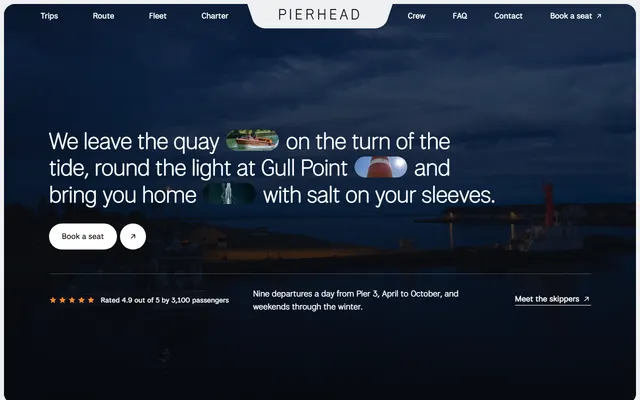
Harbour boat firm: three trips with fares and times, places on the route, boats and a charter block.
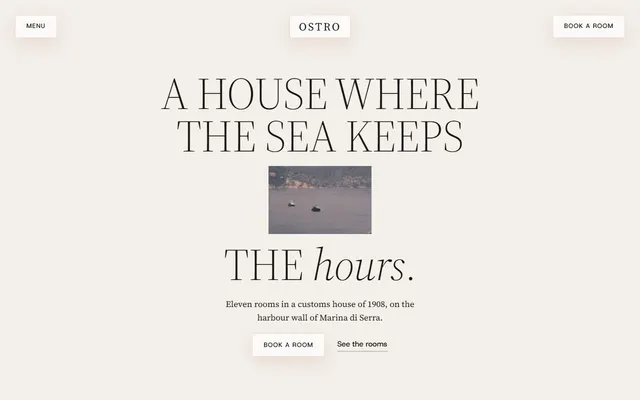
Harbour hotel: house history, three kinds of room with prices, an hour-by-hour day and an enquiry form.
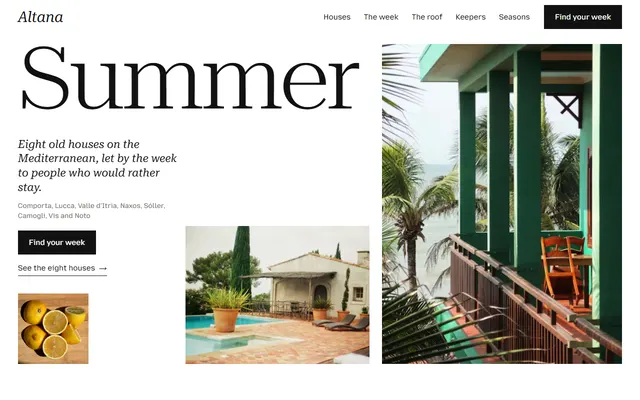
Holiday home rental: eight houses with weekly prices, a week timetable, seasons, keepers and an enquiry form.
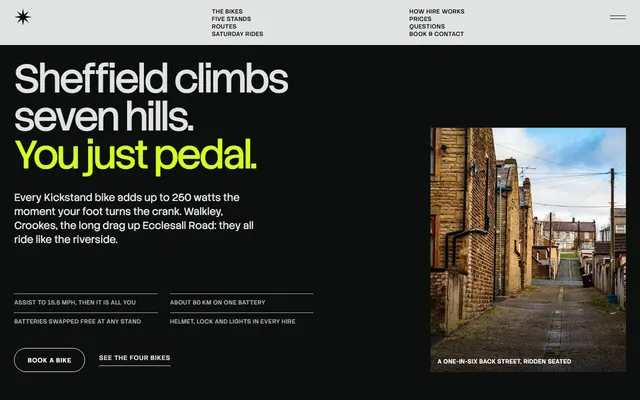
E-bike hire: bikes one at a time, routes, booking steps, a price table and a booking form.
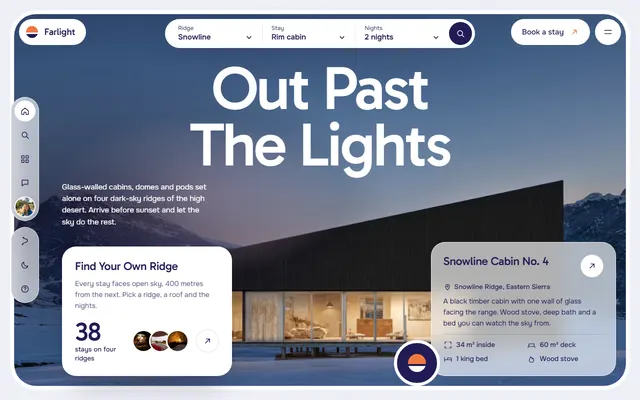
Glamping: four ridges and four kinds of stay, one night in five stages and a booking request form.
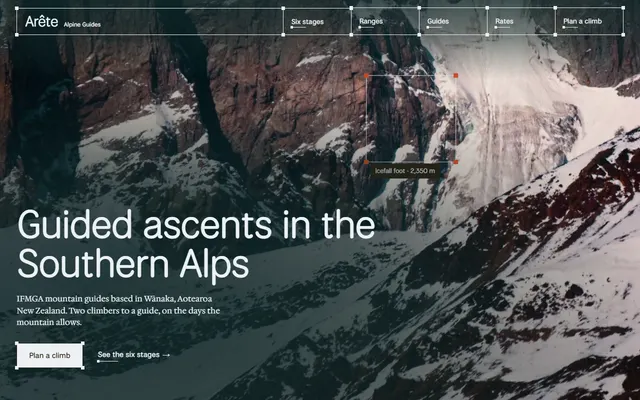
Mountain guiding company: six climb stages, three ranges, kit lists, guides and a rate table.
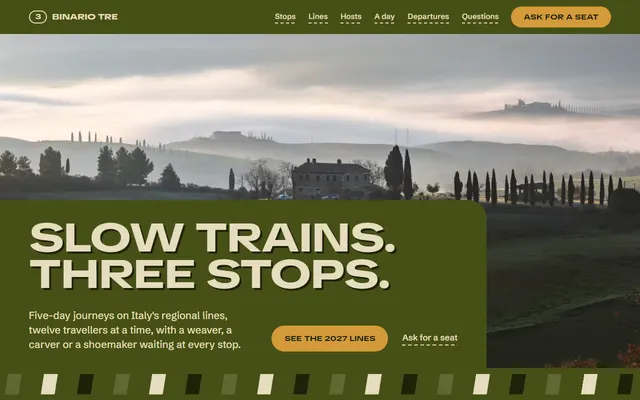
Travel agency for small group tour operators.
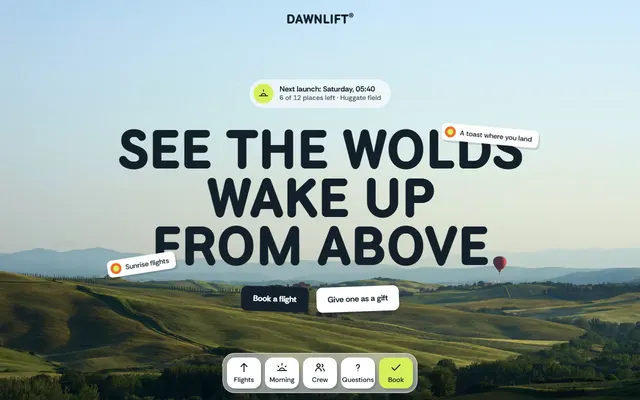
Hot air balloon company: flights with prices, the morning step by step, crew, gift vouchers and a booking form.