What comes with the basketball tournament website template
- index.html: the pure HTML and CSS version, one single HTML file, 108 KB.
- index.gsap.html: the same design built with GSAP, ScrollTrigger and Lenis, for scroll motion in every browser, Firefox included.
- AGENTS.md: what a coding agent must keep and what to replace, so Claude Code, Codex or Cursor edit it without breaking the scenes.
- DESIGN.md: every colour, font, spacing and motion rule of this basketball tournament website design.
- PROMPTS.md: the agent prompt and the design prompt below.
- CREDITS.md and LICENSE.md: the photos and fonts with their licenses, and the 8B license.
- Updates to this template, at no extra cost.
Yours to edit: one index.html with no build step, so you or a coding agent can change the words, prices and photos and upload it to any static host. Not a coder? Describe your business in one sentence to 8B's AI website builder and it designs a new site for you, with more pages when you need them. Designing is free; publishing with hosting is $9 a month, billed yearly. It also works inside Claude and ChatGPT.
Premium template · $39, one-time license · Made by 8B, an AI website builder · Updated November 2026 · Plain text: hold-court.md
About this basketball tournament website template
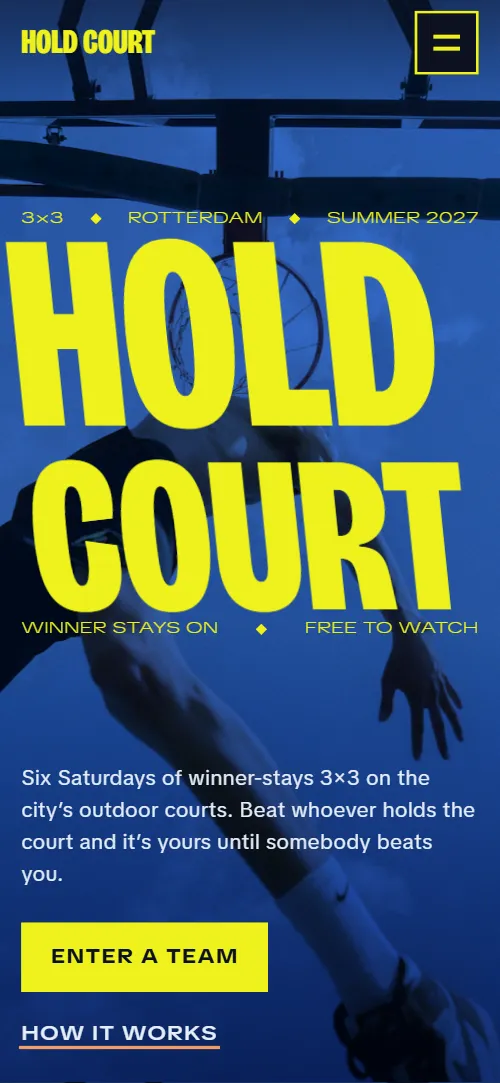
Basketball tournament website template for a street league, a 3x3 series or a one-off cup: one HTML file with a winner-stays board, courts with their dates, divisions with fees and prizes, a final night with a running order, last season's streaks, kids clinics and a team entry form. It opens on a blue-toned poster photo with the name filling the width, which stretches tall until the screen turns lemon yellow and the one rule appears. It is a single HTML file in pure HTML and CSS, and a GSAP version of the same page comes with it.
At a glance, November 2026. One 108 KB index.html: a single HTML file in pure HTML and CSS with a few lines of built-in JavaScript, 12 sections, 19 Unsplash photos, Bricolage Grotesque and TikTok Sans. A GSAP build of the same page, 91 KB, comes with it.
It suits a street basketball league, a 3x3 tournament, a summer series on outdoor courts, a community cup or a club that runs several divisions and a final. Basketball tournament websites mostly need four things on one scroll: how the games work, where and when they are played, who can enter and for how much, and a way to put a team down, and this page gives each its own section. A tournament site built from it also gets what makes a street event feel like one: a board that shows the rule in motion, courts with a character each and last season's longest streaks.
The demo event is Hold Court, an invented winner-stays series in Rotterdam with six Saturdays and a final on a roof. Every court, date, fee, prize and team is demo copy to replace. The courts show date, neighbourhood and one line, the divisions show age, fee and prize, so an organiser in any city fills in its own courts and categories; the prices are in euros, which you change to your own currency and your own entry rules.
If you would rather not edit HTML at all, 8B, the AI website builder designs a site from one sentence about your event, with more pages when you need them. This template is for people who want this exact design in their own hands: one index.html with its CSS and its motion inside, which you or a coding agent can edit and host anywhere, next to the results page or the registration sheet you already use.
Good for:
What a basketball tournament website needs
A tournament website that gets teams to enter answers the same questions quickly. Here is how this template covers each of them.
- The rule in one place. The second screen states the rule in two lines, and the board shows it step by step: ten minutes or first to 21, winners stay, losers go to the back.
- Where and when. Six courts, each with its date, neighbourhood and one line, from the opener to the final, on a track of photos.
- Who can enter and what it costs. Five divisions, each with a row of age, fee and prize, or free entry and what is provided, under a line on team size; the entry deadline and fees sit again beside the form.
- The big night. A final night section with the date, the venue and a four-line running order from doors to the last game.
- Proof that it is a real event. Last season's six longest streaks with team, streak length and court, beside a team photo.
- What a spectator or a parent needs. Sideline lines for the DJ, the food and entry, rows for water, first aid and step-free access, and a clinics section for kids.
- A way to enter. An entry form with team name, captain's email, division and first Saturday, the deadline and contact details. Connect the form before you go live.
What it does not have is brackets, live scores, standings, team accounts or online payment: it is built for a series where teams are put on a board at the court and the entry is a form and a fee. Keep results on a sheet or a results page and link to it from the text.
Basketball tournament website design and motion
Palette
#eef21c lemon yellow: giant headings on dark grounds, the grounds of the rule screen, the divisions, the FAQ and the footer, and the buttons#0c1120 ink: the board, sidelines, final night and contact grounds, and the text on the yellow, apricot and haze sections#2b61c2 sky blue: the courts ground, the tint over the opening photo and the starting colour of the final night#f29d62 apricot: the clinics ground, the hover underlay of text links and the focus outline#e6edf6 haze: the last season's holders ground and the text on dark sectionsFonts
- Bricolage Grotesque: the giant heavy headings, court and division names and the wordmark
- TikTok Sans: body text, the thin fact rows, navigation, buttons and form fields
A poster of flat colour fields: ink, sky blue, lemon yellow, haze and apricot, one per section, with heavy uppercase headings, the biggest filling the full width, and thin wide rows of facts between the words, separated by small diamonds. The opening is two screens, a photo with the name across its width and a yellow screen with the rule in two huge lines and an action photo. The board is two columns, the team names beside four numbered steps; the courts are six photo panels in one row on a sideways track (a grid of three columns without motion); the divisions are a stack of giant names with a fact row and a photo; the final night puts a running order beside one wide night photo. On phones the name stacks in two lines, the board sticks to the top of the screen while the steps scroll under it, and most fact rows become short vertical lists.
The idea behind the page is the poster: giant words against thin wide rows, with photos interleaved with the type. The rows carry the real facts, dates, places and rules, so the page is read like a street poster. The second idea is the rule of the event, winner stays: the board shows it happening, and the whole page is built in short, hard sections that change colour like courts.
What is on the basketball tournament website page
- NavigationHeader with the wordmark, five links and Enter a team, and a menu button that opens the full list
The header sits clear over the opening photo, turns into an ink bar as you scroll and hides on the way down, coming back when you scroll up.
- Hold CourtTwo screens: a blue-toned poster photo with HOLD COURT filling the width and two rows of facts, then a lemon yellow screen with the rule Win, you stay. Lose, you watch.
On load the photo settles from slightly larger, the name grows from a squashed shape to full height, the rows slide in from the sides and the copy rises into place; the photo drifts slowly and the name leans left and right in a loop. On scroll the screen holds while the name stretches tall, the rows are blown off sideways, the copy sinks and the photo zooms, until the lemon yellow second screen rises over it and its two lines slide in from opposite sides as the action photo rises.
- How you hold the courtHow you hold the court: a board of six team names where winners keep the top line, beside four numbered steps
The board starts with five team names and the holder on the top line. As you scroll through the four steps a sixth name slides onto the end of the queue, the challenger stretches as it checks ball, loses and walks to the back while the queue moves up, and the next challenger takes the top line while the old holder drops to the end.
- Six Saturdays, six courtsSix courts with date, neighbourhood and one line each, on a sideways track of photos on a blue ground
The six courts sit on one row that travels sideways with the scroll while the screen stays pinned; each court name rides faster than its photo, trailing it as the panel arrives, lining up over it in the middle of the screen and running ahead as it leaves.
- Five divisions, one board eachFive divisions as giant names on yellow, each with a photo and a row of facts: age, fee and prize, or free entry and what is provided
Each division name arrives stretched tall and leaning, then settles, the fact row slides sideways against the scroll and the photo opens from a thin band.
- Final nightThe final night on a roof: date and venue, a four-line running order and a night photo that opens from a thin band
The ground darkens from sky blue to ink as the photo opens from a thin band to the full frame, the word NIGHT turns from ink to lemon and the four lines of the running order slide in from the right one after another.
- Last summer’s holdersLast summer's six longest streaks with team, streak and court, beside a team photo
The title arrives stretched tall and settles, the fact row under the list slides sideways and the team photo opens from a thin band.
- Sunday clinicsSunday kids clinics with sessions, ages and a Book a place button, beside a photo assembled from nine tiles
The photo is cut into nine tiles that start scattered and turned, and they assemble into the picture as the section scrolls into view.
- Free on the sidelinesThree lines of what spectators get, each with a photo window between its words, and a row of three practical notes
Each line starts with its words closed up; as it scrolls up the two halves part outward while a photo window opens between them from a thin slit: sideways on desktop, and on phones, where the words sit above and below the photo, up and down.
- QuestionsFive questions as accordions: who can enter, more than one Saturday, referees, rain and the ball
The title arrives stretched tall and settles; the questions are plain accordions.
- Got next?GOT NEXT? in giant letters over the team entry form, with the entry deadline, email, phone and office address
The giant heading words arrive stretched tall from above and settle as the form rises into place.
- PlayFooter with the name across the full width, a fact row, four link columns (Play, Watch, Ask and Follow with the social links) and a back-to-top link
The name across the footer arrives stretched tall and leaning, then settles, and the fact row under it slides sideways.
Before you publish the basketball tournament website site
- Replace social preview image, favicon, email address, contact form (sends nothing yet), phone number and social media links and the invented demo facts (names, prices, areas, quotes). AGENTS.md lists them.
- Header and menu links How it works, Courts, Divisions, Final night and FAQ, and the footer columns lead to
#board, #courts, #divisions, #finals and #faq on the same pagenow; point them to keep them, or remove a link together with its section. - Enter a team in the header, the menu and the first screen, Book a place in the clinics and the footer's Enter a team lead to
#contactnow; point them to keep them once the entry form is connected. - How it works button on the first screen lead to
#boardnow; point them to keep it. - The wordmark in the header and the menu, and Back to the top in the footer lead to
#openingnow; point them to keep them. - Email in the FAQ intro, the contact section and the footer; phone in the contact section lead to
mailto: and tel: links with example contactsnow; point them to your own email and phone number. - Instagram and TikTok links in the footer lead to
the networks' home pagesnow; point them to your own profiles, or remove them. - Scroll-driven animation runs when the browser supports it (Chrome, Edge and Safari today; Firefox does not yet) and the visitor has not asked for reduced motion. Otherwise each section shows its finished layout; the GSAP build, index.gsap.html (GSAP 3.13), also plays the scroll motion in Firefox.
- The entry form sends nothing: connect it to a form service, your own inbox or your registration sheet. Without a page script there is no thank-you line after sending.
- It is one page. There are no brackets, live scores or standings, no team accounts and no payment: the entry fee is written in the text and handled by the organiser.
- The board scene is built for six team names beside four steps, and the clinic photo for nine tiles; a different count there needs the scene adjusted. The courts track measures itself and the divisions, holders and FAQ lists take any count. The first-Saturday field lists five dates (the final is not an entry date), and the Book a place button of the clinics goes to the team entry form, which has no clinic field.
Questions about this basketball tournament website template
What do I get for $39?
The basketball tournament website template as a single HTML file, index.html, in pure HTML and CSS, a GSAP build of the same page as index.gsap.html, a DESIGN.md with every colour, font and motion rule, an AGENTS.md for coding agents, the agent prompt and the design prompt from this page, and CREDITS.md for the photos and fonts. Updates to this template are included.
Can I use this basketball tournament template for client sites?
Yes. One purchase lets you build as many sites as you like with it, for your own event or for clients, and change anything. What it does not allow is selling or giving away the template itself, as a template, theme or kit, or putting its source in a public repository.
How do I change the courts, dates and divisions?
Each court is one block of HTML with a photo, a name, a date, a neighbourhood and one line, and each division is one block with a name, a photo and a fact row. With Claude Code, Codex or Cursor you say it in a sentence, such as change the opener to Saturday 5 June at the Harbour Court and make Old Heads 40 and over, and the agent edits the blocks; by hand you copy a block and change the words. The courts track measures itself, so you can add or drop a court, and the divisions and holders lists take any count; only the board scene is built for six team names, so changing that number means adjusting its scene. If you want a site with more pages that you edit without code, 8B's AI website builder makes one from a sentence about your event.
Does the entry form register teams?
Not yet. The form asks for a team name, the captain's email, a division, a first Saturday and an open note, but it sends nothing until you connect a form service such as Formspree or Netlify Forms, your own inbox or a registration sheet. The first-Saturday field lists the five qualifying dates; the final is not one of them. The pure HTML and CSS version shows no thank-you line after sending, so point the form at a thank-you page or add one. The entry fee is written in the text; there is no payment on the page.
Will it work with Claude Code, Codex or Cursor?
Yes. Put index.html and AGENTS.md in your project and give the agent the prompt that comes with the template. AGENTS.md says which attributes the scroll motion reads, what to keep and what to replace, so the agent swaps courts, dates, fees, team names and photos without breaking the scenes.
What do visitors see in Firefox or with reduced motion?
Firefox does not support scroll-driven animations yet, so it shows every section in its finished layout, as does any browser when the visitor asks for reduced motion. If the scroll motion must also play in Firefox, use the GSAP build, index.gsap.html, which loads GSAP, ScrollTrigger and Lenis from a CDN.
More templates for sport, clubs and play
Other designs for sports and play venues.
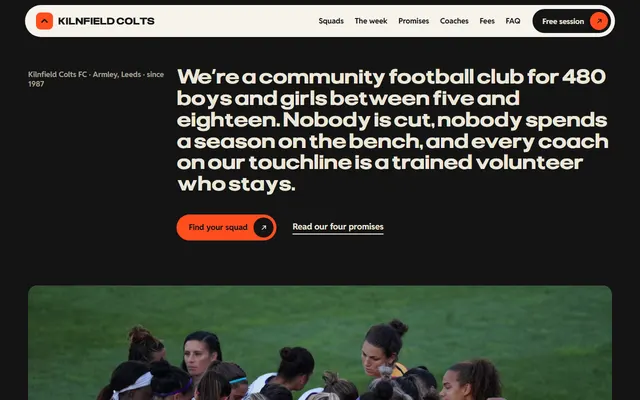
Youth football club: age-group squads, weekend fixtures, coaches, fee tiers and a session booking form.
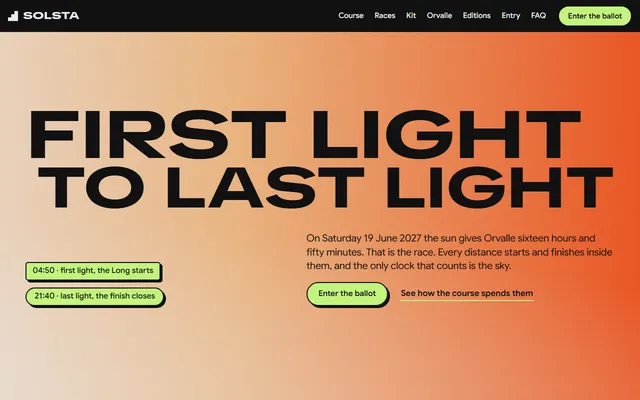
Yearly mountain race: the course, three races, the entry ballot and fees, and a race office form.
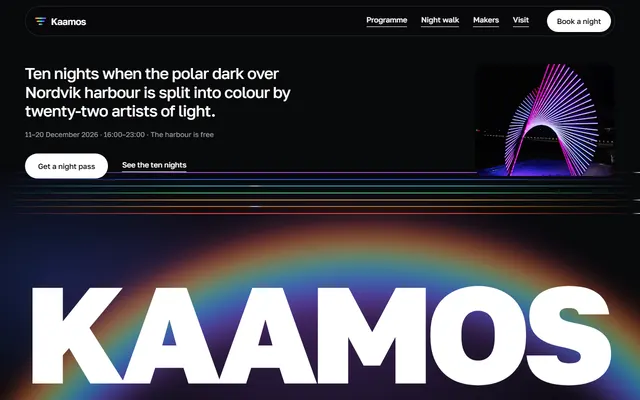
Light festival: ten nights programme, night walk route, makers, passes and an office form.
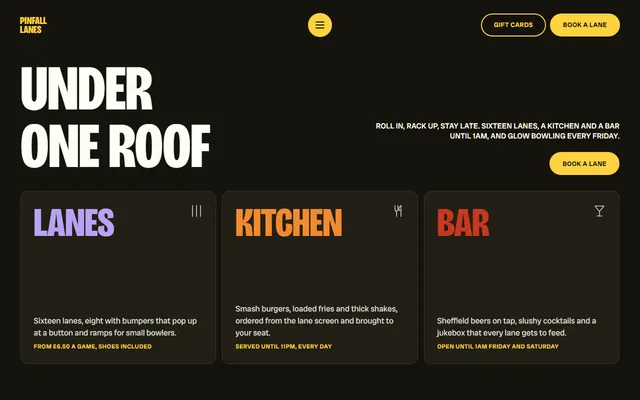
Bowling alley: lanes, three leagues, a leaderboard, party packages and an enquiry form.
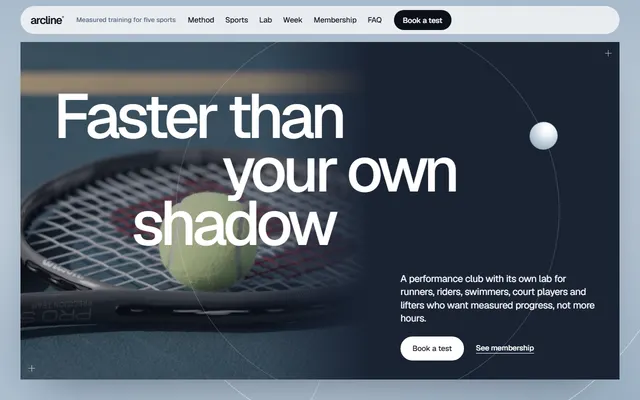
Training club: five sports, a test lab, a weekly schedule and a membership form.

Literary festival: five-day programme, featured writers, prize shortlist, venues and passes.
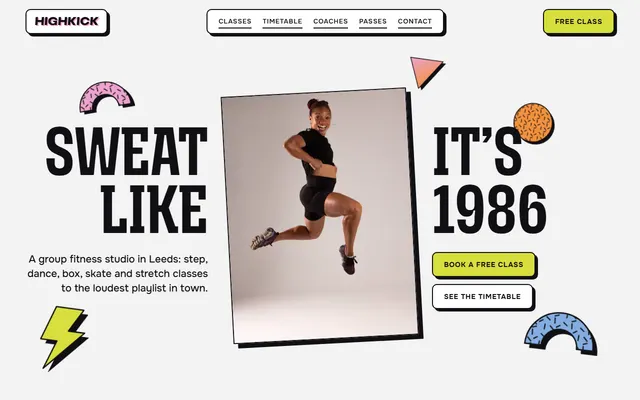
Group fitness studio: classes, a timetable, three passes and a class booking form.
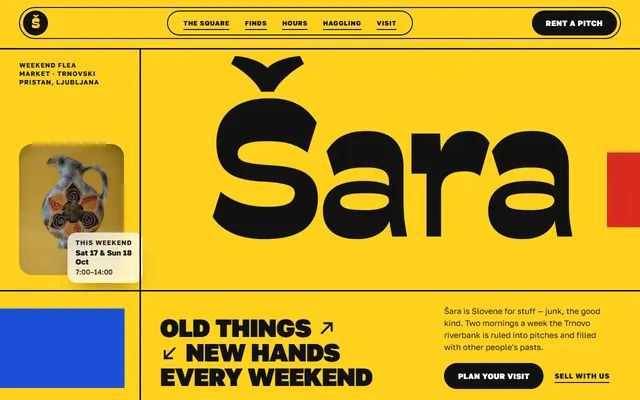
Flea market: four corners, finds with a filter, hours, regular traders and pitch prices.