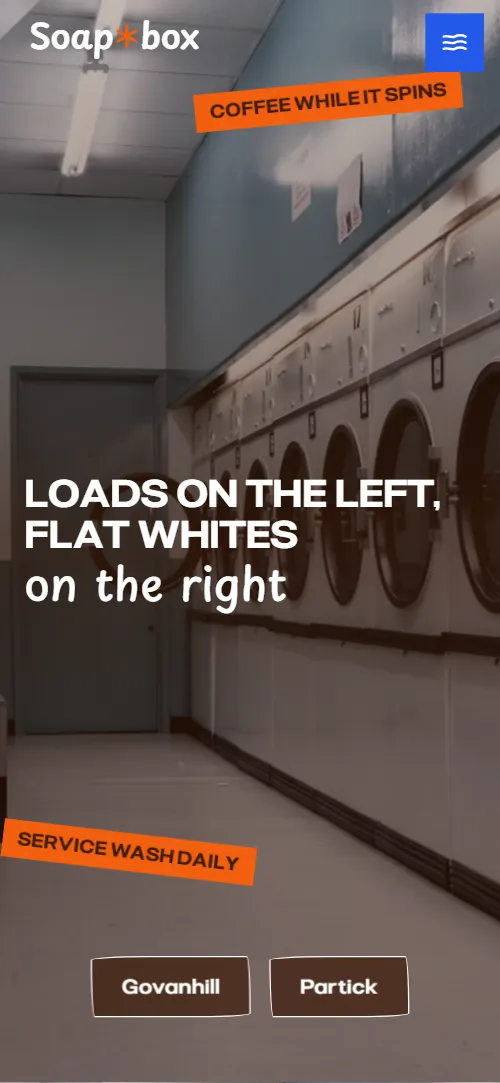
What comes with the laundromat website template
- index.html: the pure HTML and CSS version, one single HTML file, 123 KB.
- index.gsap.html: the same design built with GSAP, ScrollTrigger and Lenis, for scroll motion in every browser, Firefox included.
- AGENTS.md: what a coding agent must keep and what to replace, so Claude Code, Codex or Cursor edit it without breaking the scenes.
- DESIGN.md: every colour, font, spacing and motion rule of this laundromat website design.
- PROMPTS.md: the agent prompt and the design prompt below.
- CREDITS.md and LICENSE.md: the photos and fonts with their licenses, and the 8B license.
- Updates to this template, at no extra cost.
Yours to edit: one index.html with no build step, so you or a coding agent can change the words, prices and photos and upload it to any static host. Not a coder? Describe your business in one sentence to 8B's AI website builder and it designs a new site for you, with more pages when you need them. Designing is free; publishing with hosting is $9 a month, billed yearly. It also works inside Claude and ChatGPT.
Premium template · $39, one-time license · Made by 8B, an AI website builder · Updated November 2026 · Plain text: soapbox.md
About this laundromat website template
Laundromat website template for a launderette that is also a neighbourhood room: one HTML file with a wash cycle set beside cafe moments, a machine price board, a folded paper cafe menu, a service wash ticket, a weekly noticeboard, the people behind the counter, questions, three shop columns and a contact form. It opens on a launderette photo with the heading Loads on the left, flat whites on the right, and the photo folds twice like laundry until its back turns out to be the cafe. It is a single HTML file in pure HTML and CSS, and a GSAP version of the same page comes with it.
At a glance, November 2026. One 123 KB index.html: a single HTML file in pure HTML and CSS with a few lines of built-in JavaScript, 12 sections, 20 Unsplash photos, Montagu Slab, Playpen Sans and Pliant. A GSAP build of the same page, 113 KB, comes with it.
It suits a launderette or coin laundry that serves coffee, a cafe with a few machines, a wash and fold or service wash counter, or any local business with two or three shops and regulars. Laundromat websites mostly need four things on one scroll: what a wash costs and how long it takes, whether you can leave a bag, where the shops are and when they open, and this page gives each its own section. A launderette website built from it also gets what makes a corner shop worth walking to: the people behind the counter, a noticeboard of weekly events and a stamp card that rewards regulars.
The demo business is Soapbox, an invented launderette and cafe in Govanhill and Partick, Glasgow, with a third corner opening in spring. Every street, price, menu item, event and name is demo copy to replace. Prices are in pounds, the shops have their own opening hours and the third shop is marked as opening soon, so an owner in any city fills in its own machines, menu and corners; the dryer wording and the tariff rows adapt to your own market's units and currency.
If you would rather not edit HTML at all, 8B, the AI website builder designs a site from one sentence about your business, with more pages when you need them. This template is for people who want this exact design in their own hands: one index.html with its CSS and its motion inside, which you or a coding agent can edit and host anywhere, next to the payment, app or booking tools you already use.
Good for:
What a laundromat website needs
Laundromat and launderette websites that bring in regulars answer the same questions quickly. Here is how this template covers each of them.
- What a wash costs and how long it takes. A tariff board of four rows, each with what fits in the machine, the minutes and the price, from a small wash to a duvet and the dryer.
- How a visit works. Six wash steps paired with six cafe moments in two columns, from loading the bag to folding it on the big tables.
- A service wash option. A ticket with four steps, drop before ten and collect after four, and four prices by weight, duvet and collection from your close.
- Answers to the usual questions. Five questions in native details elements: coins, leaving a load, working there, dogs and duvets.
- Where the shops are and when they open. Three shop columns with a photo, an address, opening hours for each day group, a phone number and a Directions link; the third shop is marked as opening in spring.
- A reason to come back. A noticeboard of four weekly events and six stamps hidden in the sections with a stamp card in the footer, which fills as they are tapped in the GSAP version.
- A way to get in touch. A contact form with three request types, an email address and the shops' phone numbers. Connect the form before you go live.
What it does not have is online booking, machine status, payment or a loyalty app: it is built for a neighbourhood shop where the machines take contactless on the spot, and a booking or an order is a message you answer. If you use a booking or payment tool, link the buttons to it.
Laundromat website design and motion
Palette
#eef1f3 page ground, a cool near-white like fresh linen#2459ea cobalt: the opening's second screen, the right column of the cycle, the menu stage, the questions, the footer and the navigation blocks#f2600f signal orange: stickers, stamps and the Find us header block#3e1d0b dark brown: text, drawn rules and button text on orange#b9d0f5 pale blue: the noticeboard and shops grounds and the fill behind portraitsFonts
- Pliant: the wide uppercase headings, labels, prices, stickers, navigation and buttons
- Montagu Slab: body text, menu items, the machine and service wash wording, opening hours and form inputs
- Playpen Sans: handwritten notes, the logo, the phrase on the right in the first heading and the footer promise
A cool near-white page with dark brown text, broken by cobalt fields: the second screen of the opening, the right column of the wash cycle, the menu stage, the questions and the footer. Headings are wide uppercase capitals; notes are set in a handwriting face and pinned at a slight tilt next to photos and orange stickers. The machine prices are a tariff board of wide rows with dashed rules; the cafe menu is four pleats side by side; the noticeboard sits on a pale blue ground with typed cards, photos and handwritten notices, and the shops are three columns with photo, address and hours on the same pale blue. The outlined pill buttons use an irregular hand-drawn radius; the navigation links and the form button are solid blocks. On phones the wash cycle stays as two narrow columns, the menu pleats stack, and the noticeboard walk shows one pair of items per screen.
The idea behind the page is laundry folded and the street in it. A precise wide grotesque sits next to loose handwriting, so the heading and the notes feel typed and written by hand at once. The opening photo folds like a towel, the menu unfolds like a map, a long board is walked across by the page, and six asterisk stamps are hidden in the sections with a stamp card in the footer; in the GSAP version tapping them fills the card, and when it is full the page shows a line for a free coffee.
What is on the laundromat website page
- NavigationHeader with the handwritten Soapbox logo, four colour-block links and a menu button that opens a cobalt overlay
The header hides while you scroll down and comes back when you scroll up; past the first screen the logo takes a cobalt ground. On phones a menu button opens a cobalt overlay with the links.
- Loads on the left, flat whites on the rightTwo screens: a launderette photo with the heading Loads on the left, flat whites on the right and two shop buttons, then a cobalt statement with a story, notices and pinned photos
On load the photo settles from slightly larger, the outer parts of the heading slide apart from the centre while the middle one grows, and the two shop buttons rise, while two orange stickers tumble slowly on small paths. On scroll the held photo folds top over bottom and shows the cafe counter on its back, then folds right over left into a quarter showing a cappuccino while the heading words gather into a stack; then the cobalt second screen arrives and its notes and photos are pressed in one after another at their tilts.
- One wash lasts a coffee and a halfTwo columns, At the machine and At the bar, with six wash steps paired with six cafe moments
Each wash step starts a little lower than its cafe moment and both are faded; as the pair scrolls up they slide against each other and lock side by side at full colour.
- Twenty machines, three sizes, no coinsA tariff board of four rows with what fits, minutes and price, a handwritten note about powder and one photo
The tariff rows and the photo unfold from their top edge as they arrive, the handwritten note is pressed onto the page and the stamp presses in with a quarter turn.
- The bar on the right-hand wallA four-pleat paper menu on a cobalt stage: coffee, not coffee, toasties and cake, with prices
The menu starts as a narrow shaded zig-zag bundle in the middle of the stage and opens like a map into four flat pleats while the section is held. On phones the pleats stack and unfold downward.
- Leave it with us. Collect it folded.Service wash: a photo of folded stacks, a four-step ticket and four prices
The photo and the ticket unfold from their top edge, and the handwritten note is pressed onto the page.
- The noticeboard by the doorA noticeboard of four weekly events with notices and three photos, larger than the screen
The board is laid out as a long diagonal larger than the screen; as you scroll, the view walks down and to the right and each pair of cards, photos and notes passes through the middle, with photos drifting slower than the typed cards and the notes swaying closer. On phones one pair fills each screen.
- Who's behind the counterThree round portraits with name, role and a line about each person
The three round portraits start stacked at the left edge and roll out to their places, turning as they travel and landing upright. On phones each portrait rolls in from alternate sides.
- Before your first loadFive questions in native details elements
Each question unfolds from its top edge as it comes into view; each answer opens in place.
- Two corners, so farThree shop columns, two open and one opening in spring, with photo, address, hours and directions
The row of shops lies back on the pavement and the three columns stand up one after another while their photos pan; on phones each column stands up as it arrives.
- Ask us anything. We're usually by the dryers.A statement heading, a form with three request types, an email address and two photos
The two photos unfold from their top edge as they arrive.
- FooterA stamp card with six slots, a monthly letter signup, links and the copyright line
Before you publish the laundromat website site
- Replace social preview image, favicon, phone number, map, email address, contact form (sends nothing yet) and social media links and the invented demo facts (names, prices, areas, quotes). AGENTS.md lists them.
- Govanhill and Partick buttons on the first screen and the orange Find us block in the header lead to
#cornersnow; point them to keep them pointing at your shops section. - Machines, Café and Noticeboard links in the header and the menu lead to
#machines, #cafe and #boardnow; point them to keep them, or remove a link when you remove its section. - Book a collection and Hire the back room lead to
#contactnow; point them to keep them once the contact form is connected. - Directions links in the shops section lead to
a Google Maps search for the streetnow; point them to the exact map link of each of your shops. - Instagram link in the footer lead to
the network's home pagenow; point them to your own profile, or remove it. - Privacy and Terms links in the footer lead to
/privacy and /terms, pages the template does not containnow; point them to your own policy pages, or remove the links. - Scroll-driven animation runs when the browser supports it (Chrome, Edge and Safari 26.2 and later; Firefox does not yet) and the visitor has not asked for reduced motion. Otherwise each section shows its finished layout; the GSAP build, index.gsap.html (GSAP 3.13.0 with ScrollTrigger and Lenis), also plays the scroll motion in Firefox.
- The contact form and the street letter field send nothing: connect them to a form service, your email or your mailing list. In the pure HTML and CSS version there is no thank-you line after sending and the six stamps do not fill the footer card; the GSAP version shows both thank-you lines, fills the card as stamps are tapped and shows the free coffee line when it is full.
- It is one page: the Privacy and Terms links point to pages the template does not contain. There is no online booking, no machine status and no payment: every machine in the demo takes contactless at the machine.
- The opening fold is built around one photo and its two backs, the menu around four pleats, the noticeboard around four events and the stamp card around six stamps: a different count needs its layout and scene adjusted.
Questions about this laundromat website template
What do I get for $39?
The laundromat website template as a single HTML file, index.html, in pure HTML and CSS, a GSAP build of the same page as index.gsap.html, a DESIGN.md with every colour, font and motion rule, an AGENTS.md for coding agents, the agent prompt and the design prompt from this page, and CREDITS.md for the photos and fonts. Updates to this template are included.
Can I use this laundromat template for client sites?
Yes. One purchase lets you build as many sites as you like with it, for your own business or for clients, and change anything. What it does not allow is selling or giving away the template itself, as a template, theme or kit, or putting its source in a public repository.
How do I change the machine prices, the menu and the weekly events?
Each machine is one row with what fits, the minutes and the price; each menu item is one line; each event is one card. With Claude Code, Codex or Cursor you say it in a sentence, such as make the big wash 12 kg for 6.50 or add a quiz night on Wednesdays at 8, and the agent edits the block; by hand you copy a row or a card and change the words. The pleats are built for four menu groups and the noticeboard for four events, so a longer menu goes inside a pleat as more lines and a fifth event needs its place on the board adjusted. If you want a site with more pages that you edit without code, 8B's AI website builder makes one from a sentence about your business.
Does the contact form send messages, and can customers book a collection?
Not yet. The form asks for a name, an email, an optional phone number and a message, with three request types: a collection, the back room or something else. It sends nothing until you connect a form service such as Formspree or Netlify Forms, or your email, and the street letter field in the footer is the same; the pure HTML and CSS version shows no thank-you line after sending, the GSAP version does. A service wash booking is a message from this form that you answer between loads; if you take bookings in an app or a spreadsheet, point the Book a collection link at it. The stamp card in the footer fills as visitors tap the six stamps only in the GSAP version; in the pure HTML and CSS version the stamps and the card are there but do not fill.
Will it work with Claude Code, Codex or Cursor?
Yes. Put index.html and AGENTS.md in your project and give the agent the prompt that comes with the template. AGENTS.md says which attributes the scroll motion reads, what to keep and what to replace, so the agent swaps machines, prices, menu, shops and photos without breaking the scenes.
What do visitors see in Firefox or with reduced motion?
Firefox does not support scroll-driven animations yet, so it shows every section in its finished layout, as does any browser when the visitor asks for reduced motion. If the scroll motion must also play in Firefox, use the GSAP build, index.gsap.html, which loads GSAP, ScrollTrigger and Lenis from a CDN.
More templates for cafes, counters and neighbourhood shops
Other designs for local businesses with a counter and regulars.
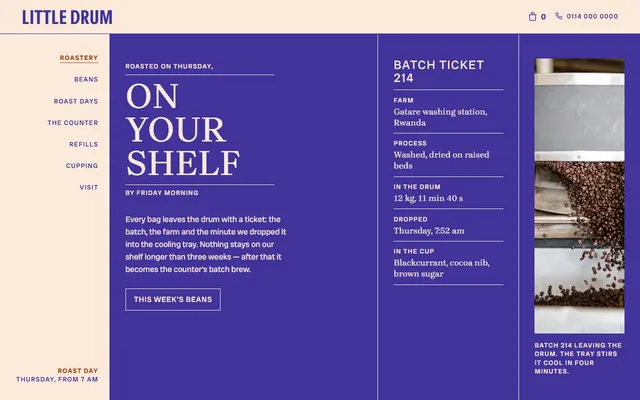
Micro-roastery with a coffee counter: a roast-day ticket, bean listings, a drinks board and a tin refill section.
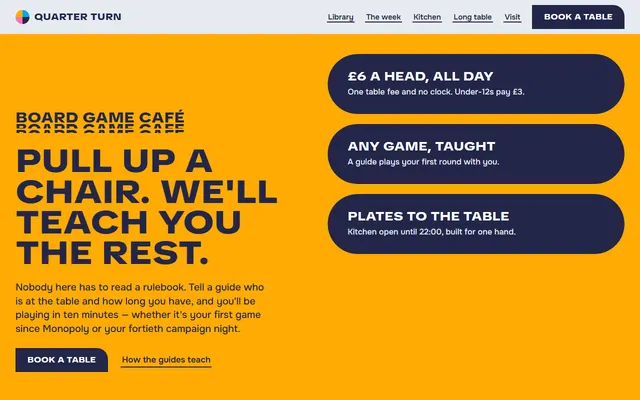
Board game cafe: a table fee, a game shelf, a seven-day week, a menu and private hire of a long table.
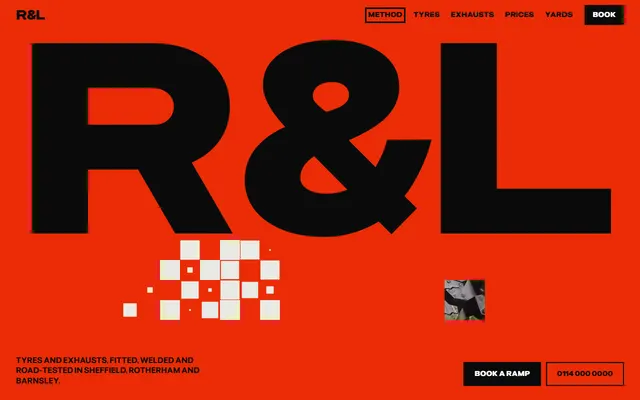
Tire and exhaust shop: method, tyre ranges, a price board, several yards and a booking form.
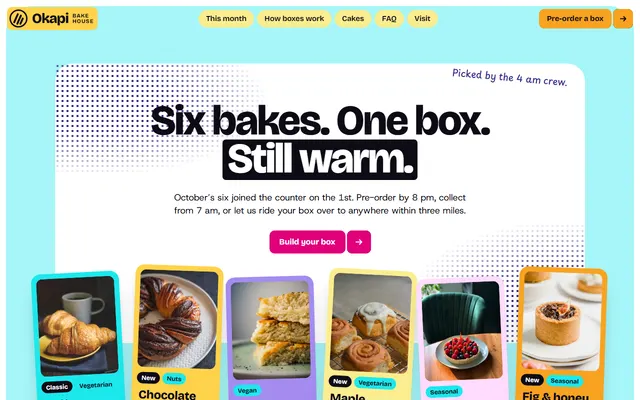
Bakery: a monthly box of six bakes, a morning list, pre-order steps and a FAQ.
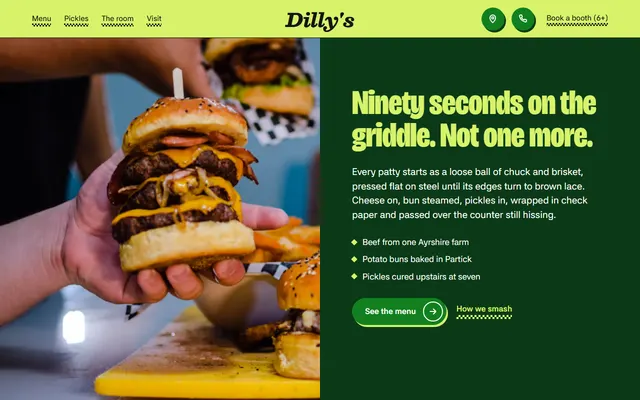
Burger bar in Glasgow: a griddle method, a menu, weekly nights and house rules.
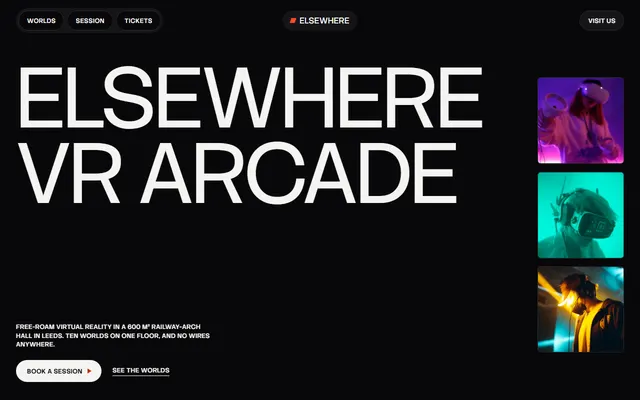
VR arcade: four worlds, ways to play, a session step by step, party hire, a price board and a league board.
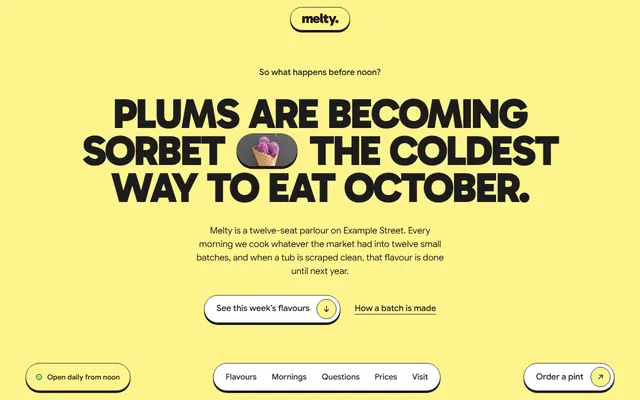
Ice cream shop for parlours and gelaterias: flavours, prices.
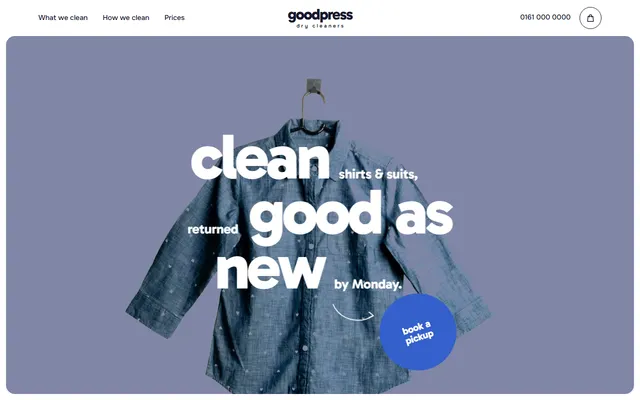
Dry cleaner: a garment rail, five-step process, stain picker, price list and pickup form.