What comes with the independent pharmacy website template
- index.html: the pure HTML and CSS version, one single HTML file, 88 KB.
- index.gsap.html: the same design built with GSAP, ScrollTrigger and Lenis, for scroll motion in every browser, Firefox included.
- AGENTS.md: what a coding agent must keep and what to replace, so Claude Code, Codex or Cursor edit it without breaking the scenes.
- DESIGN.md: every colour, font, spacing and motion rule of this independent pharmacy website design.
- PROMPTS.md: the agent prompt and the design prompt below.
- CREDITS.md and LICENSE.md: the photos and fonts with their licenses, and the 8B license.
- Updates to this template, at no extra cost.
Yours to edit: one index.html with no build step, so you or a coding agent can change the words, prices and photos and upload it to any static host. Not a coder? Describe your business in one sentence to 8B's AI website builder and it designs a new site for you, with more pages when you need them. Designing is free; publishing with hosting is $9 a month, billed yearly. It also works inside Claude and ChatGPT.
Premium template · $39, one-time license · Made by 8B, an AI website builder · Updated November 2026 · Plain text: pennant-pharmacy.md
About this independent pharmacy website template
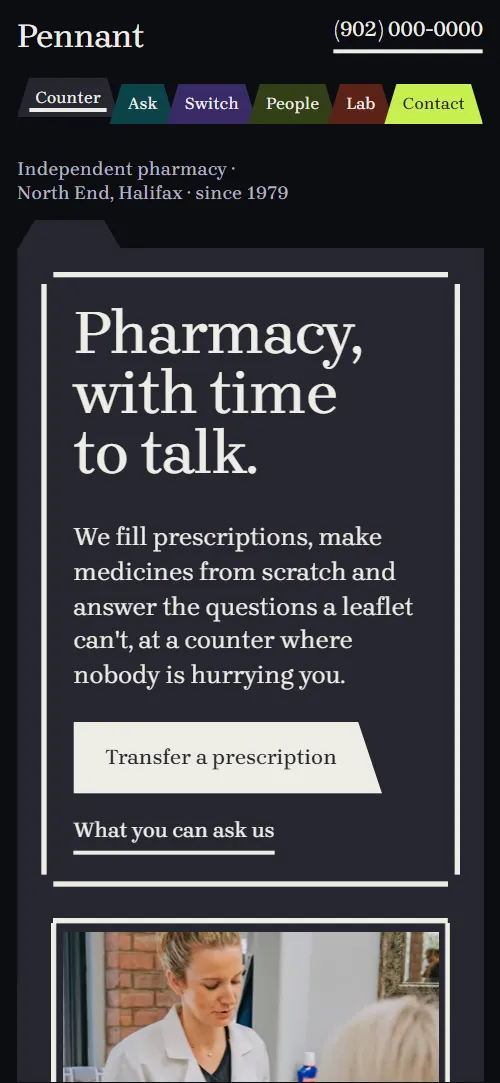
Independent pharmacy website template for a community pharmacy that wants to sound like the people at its counter: one HTML file with six customer questions and the services that answer them, a prescription transfer in three steps, weekly blister packs on a week grid, the team, compounding, bike delivery rounds, pharmacist notes, practical questions and a contact form. It opens on a graphite folder sheet with a bracketed headline, and four coloured divider sheets lie under it and open like a patient's file as you scroll. It is a single HTML file in pure HTML and CSS, and a GSAP version of the same page comes with it.
At a glance, November 2026. One 88 KB index.html: a single HTML file in pure HTML and CSS with a few lines of built-in JavaScript, 12 sections, 9 Unsplash photos, Brygada 1918. A GSAP build of the same page, 70 KB, comes with it.
It suits an independent community pharmacy, a compounding pharmacy, a family-owned pharmacy with a delivery round and a pharmacy that runs vaccinations and minor ailments from a private room. Independent pharmacy websites need a few things on one scroll: what you can ask the counter, how to move a prescription to you, what you offer beyond filling it, who the pharmacists are, when you are open and a way to get in touch. This page gives each its own section, and the large type reads the way a pharmacist talks across the counter, not like a leaflet.
The demo business is Pennant Pharmacy, an invented pharmacy in Halifax's North End. Every name, street, hour, service, delivery area and note is demo copy to replace. The services, renewals and minor ailments lines describe the demo's province, and the delivery rounds and neighbourhoods are Halifax ones, so a pharmacy in another city or country rewrites them with its own services, rules and areas; the structure stays the same.
If you would rather not edit HTML at all, 8B, the AI website builder designs a site from one sentence about your business, with more pages when you need them. This template is for people who want this exact design in their own hands: one index.html with its CSS and its motion inside, which you or a coding agent can edit and host anywhere, next to the pharmacy software and ordering tools you already use.
Good for:
What an independent pharmacy website needs
Customers of a community pharmacy want the same few answers quickly. Here is how this template covers each of them.
- What the pharmacy does besides filling prescriptions. Six counter questions, each answered by a service: medication review, compounding, renewals, minor ailments, vaccines and travel advice, and delivery.
- How to move a prescription over. A transfer section with three steps and a short Have these ready list, followed by a button to the contact form.
- Weekly packs for people on several medicines. A section that explains who the packs are for and how they are collected, beside a week grid of days and times of day.
- Who the pharmacists are. Four lines in plain language, such as which person to ask about travel shots, each with a portrait and a role.
- Delivery rounds and areas. Two rounds with their order deadlines, eight neighbourhood names, the delivery rules and two photos.
- Trust and clear answers. Three short pharmacist notes, five practical questions about drug plans, transfers, shots, vets and parking, and a line saying a pharmacist is on duty whenever the door is open.
- Opening hours, address and a way to ask. The contact section holds the address, the email, the opening hours for the week and a message form with a topic choice.
What it does not have is an online shop, prescription upload, a patient login or a refill portal: the buttons lead to the transfer steps and the contact form. Pharmacies that already run a refill app or an ordering page can link a button to it, and the template stays the front door that explains who you are.
Independent pharmacy website design and motion
Palette
#0c0d10 the near-black desk under every sheet: page ground and the header strip#eeede6 pale ink for text, bracket strokes, buttons and form borders#26262f graphite sheet: the opening, the week-packs section and the FAQ, also the form fields#382a66 deep violet sheet: the Listen divider, the transfer section and the first note colour; also the morning doses in the week grid#5c2219 deep oxblood sheet: the Check divider, the compounding section and the evening doses in the week grid#0c434a deep petrol sheet: the Make divider, the counter questions and the delivery section#323f17 deep moss sheet: the Bring divider, the team section, the footer and the midday doses in the week grid#c8ef4f bright acid-lime: the contact sheet, the Contact tab and the bedtime doses in the week grid#b4b3c2 secondary text: roles, dates, captions and introsFonts
- Brygada 1918: the only family: display headings, large questions and sentences, body text, labels, buttons and form fields
A near-black desk with folder sheets laid on it: a graphite sheet for the opening, violet, oxblood, petrol and moss sheets for the other sections and one bright acid-lime sheet for the contact section. Each sheet has a blank trapezoid tab on its top edge at a stepped position, like an index divider, and the header is a strip of six matching coloured tabs. The headline, the opening and compounding photos, the transfer steps, the delivery rounds, the notes, the questions and the contact block sit inside thick open-corner brackets whose strokes never meet. The opening is a bracketed headline beside a photo, then four dividers stacked below; the counter questions are rows with the service on the left and the question on the right on wide screens; the team is four large sentences with a pill-shaped portrait set inline; the delivery neighbourhoods run as one wrapping line of names. On phones the grids stack to one column, the six header tabs share the width and the questions sit above their answers.
The idea behind the page is a patient's file: the pharmacy keeps one folder per person and the page reads like turning its dividers. So the tabs sit at stepped positions, the dividers fan out one after another, the notes section changes colour from one divider to the next, and the brackets draw in and tighten the way a pharmacist checks a dose. The serif is set in medium weight at display sizes and regular in text, so it stays warm and plain next to the dark sheets.
What is on the independent pharmacy website page
- NavigationNear-black desk strip with the wordmark, the phone number and a row of six coloured tabs; the tab of the section on screen rises
The header stays at the top of the page and hides when you scroll down, coming back when you scroll up. Where the scroll motion runs, the coloured tab of the section on screen rises and gets an underline, and the others sit slightly lower until you hover them.
- Pharmacy, with time to talk.Two screens: a graphite sheet with the bracketed headline, a lede, a transfer button and a photo, then four divider sheets (Listen, Check, Make, Bring)
On load the headline block rises, its bracket draws in and the photo settles from slightly larger. The photo's bracket then breathes in and out on a loop. As you scroll, the four divider sheets, bunched under the first sheet with only their tabs showing, fan out one after another and straighten, each verb sliding out from its tab side, while the first sheet sets back a little.
- Ask us at the counter.Six counter questions in large type, each sliding off the service that answers it
Each question starts pushed over its answer and slides off it in turn as you scroll, turning graphite while it moves and back to petrol as it settles, so the six services open one after another. On wide screens the rows open in a stagger down the list; on phones each row opens as it crosses the middle of the screen, the answer unclipping from the top.
- Switching to us takes one phone call.Switching in three steps with a Have these ready list, a photo and a Start a transfer button
The heading and the photo slide out from the left behind a clip edge, and each of the three steps draws its bracket in as it arrives.
- Your week, sorted before it starts.Weekly packs copy with three facts, beside a 7 day by 4 time week grid in a bracket
The doses of the week grid grow into their slots from small and slightly turned, in a diagonal wave from Monday morning to Sunday bedtime, while each day's rule draws under its label. The section ends on a full week.
- Four people who will learn your name.Four lines such as Ask Joon about..., each with a portrait chip and a role
The heading and each of the four sentences slide out from the left behind a clip edge, each one as it arrives.
- Made in the back room, for one person.A bracketed capsule photo and a list of four things made in the back room
The bracket starts loose, well outside the photo, and tightens onto it while the photo settles from a close-up of the capsules, and the rule above each of the four list items draws in turn.
- Two rounds a day, by bike.Eight neighbourhoods set as one line, two bike rounds with order deadlines, delivery rules and two photos
The line of neighbourhoods and both photos slide out from the left behind a clip edge, and the two round boxes draw their brackets in.
- Notes from the counter.Three short pharmacist notes with author and month, on a sheet that changes colour
The sheet changes colour from violet to oxblood to petrol as each note reaches the middle of the screen, and the note being read is clamped by its bracket, which starts a little looser.
- Before you come in.Five practical questions as disclosure rows ruled like file dividers
The heading slides out from the left and the bracket around the questions draws in. The plus signs turn into crosses when a question opens.
- Come by the counter, or write to it.Acid-lime sheet with the address, email, opening hours and a message form to the counter
The bracket starts tight around the heading in the top corner of the sheet and opens out to take in the address, the hours and the form, while the two columns rise into place.
- FooterOne sentence about the pharmacy, four links to sections and the company line
The bracket around the closing sentence and the links draws in as the footer arrives.
Before you publish the independent pharmacy website site
- Replace social preview image, favicon, phone number, email address and contact form (sends nothing yet) and the invented demo facts (names, prices, areas, quotes). AGENTS.md lists them.
- Pennant brand link in the header lead to
#openingnow; point them to keep it, or point it to your home page. - Call the counter in the header lead to
tel: link with a 000 numbernow; point them to your pharmacy's phone number. - Six section tabs in the header (Counter, Ask, Switch, People, Lab, Contact) lead to
#opening, #ask, #switch, #people, #lab, #contactnow; point them to keep them, or rename the tabs after your own sections. - Transfer a prescription, What you can ask us, Start a transfer lead to
#switch, #ask, #contactnow; point them to keep them once the contact form is connected. - Ask about weekly packs and Ask the lab lead to
#contactnow; point them to keep them once the form is connected, or point them to a booking page. - Email link in the contact section lead to
mailto: link with an example addressnow; point them to your pharmacy's email address. - Footer links Weekly packs, Delivery areas, Pharmacist notes and Questions lead to
#packs, #rounds, #notes, #faq on the same pagenow; point them to keep them. - Scroll-driven animation runs when the browser supports it (Chrome, Edge and Safari today; Firefox does not yet) and the visitor has not asked for reduced motion. Otherwise each section shows its finished layout; the GSAP build, index.gsap.html, also plays the scroll motion in Firefox.
- The contact form sends nothing: connect it to a form service, your pharmacy system or your inbox. Without a page script the pure HTML and CSS version shows no thank-you line after sending, and the GSAP build shows its Sent line without sending anything, so point the form at a thank-you page or add one. Do not collect prescription or health details through a form that is not set up for them.
- It is one page: there is no online shop, prescription upload, patient login or refill portal. The buttons lead to the transfer steps and the contact form.
- The opening is built for four dividers, the questions for six rows, the team for four lines and the week grid for 7 days by 4 times of day: a different count needs its layout and scene adjusted. The prices, hours, services and rules in the demo (renewals, minor ailments, delivery fee) are Halifax demo copy and must match your own pharmacy and province or state.
Questions about this independent pharmacy website template
What do I get for $39?
The independent pharmacy website template as a single HTML file, index.html, in pure HTML and CSS, a GSAP build of the same page as index.gsap.html, a DESIGN.md with every colour, font and motion rule, an AGENTS.md for coding agents, the agent prompt and the design prompt from this page, and CREDITS.md for the photos and fonts. Updates to this template are included.
Can I use this independent pharmacy template for client sites?
Yes. One purchase lets you build as many sites as you like with it, for your own pharmacy or for clients, and change anything. What it does not allow is selling or giving away the template itself, as a template, theme or kit, or putting its source in a public repository.
Can customers transfer a prescription or ask for a refill on the site?
The page explains the transfer in three steps and has a Have these ready list, with a Start a transfer button that scrolls to the contact form. The form asks for a name, a phone or email, a topic (a transfer, a refill, a question for a pharmacist or a delivery) and a message, but it sends nothing until you connect a form service such as Formspree or Netlify Forms, or your own inbox. The pure HTML and CSS version shows no thank-you line after sending, so point the form at a thank-you page or add one. It is a way to ask for a call back, so keep prescription numbers and health details out of the fields unless your form service is set up to handle them. If you want a site with more pages that you edit without code, 8B's AI website builder makes one from a sentence about your pharmacy.
How do I change the services, hours and delivery areas?
Each counter question is one row: a question and a service with one sentence. Opening hours are three lines in the contact section, and the delivery areas are a list of eight names. With Claude Code, Codex or Cursor you say it in a sentence, such as replace the delivery round with a courier van on Tuesdays and Thursdays, and the agent edits the block; by hand you change the words in index.html. The counter questions scene is built for six rows, so keep six or ask the agent to adjust the scene.
Will it work with Claude Code, Codex or Cursor?
Yes. Put index.html and AGENTS.md in your project and give the agent the prompt that comes with the template. AGENTS.md says which attributes the scroll motion reads, what to keep and what to replace, so the agent swaps names, services, hours, areas and photos without breaking the scenes.
What do visitors see in Firefox or with reduced motion?
Firefox does not support scroll-driven animations yet, so it shows every section in its finished layout, as does any browser when the visitor asks for reduced motion. If the scroll motion must also play in Firefox, use the GSAP build, index.gsap.html, which loads GSAP, ScrollTrigger and Lenis from a CDN.
More templates for local care and wellbeing
Other designs for neighbourhood businesses that look after people.
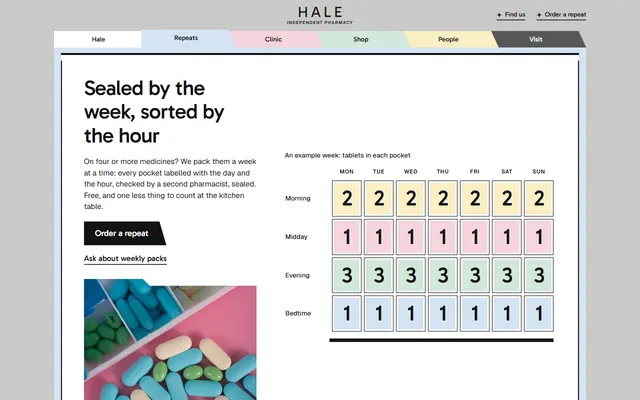
Neighbourhood pharmacy: weekly packs, a walk-in clinic with four conditions, a vaccination table, bike delivery and a repeat order form.
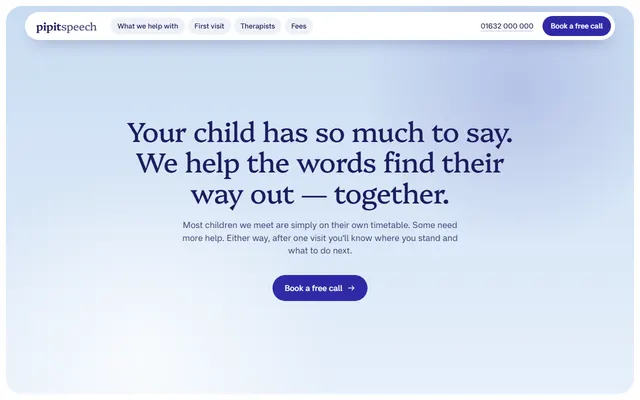
Speech and language therapy practice: five areas of help, a four-step first visit, therapists, fees and a call request form.

Opticians or eye care clinic: eye exams, frames, lenses, children's care, prices and a booking form.

Lakeside sauna and bathing house: the round of heat, cold and rest, rooms with temperatures, timed passes with prices and a day-request form.
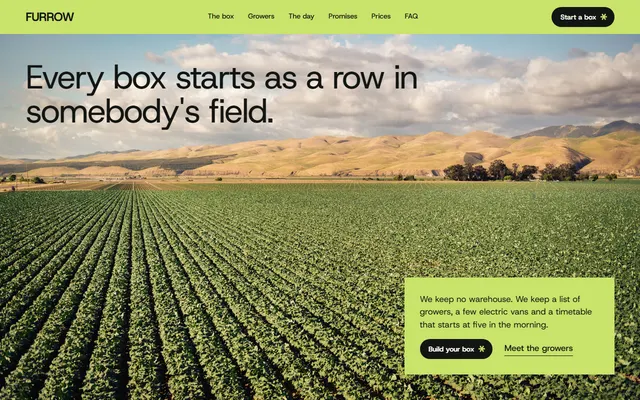
Veg box scheme: this week's vegetables, one delivery day, returnable crates, a box builder and a postcode check.

Skin clinic: a first visit plan, treatments with times and prices, doctors, a seasonal plan and a booking form.
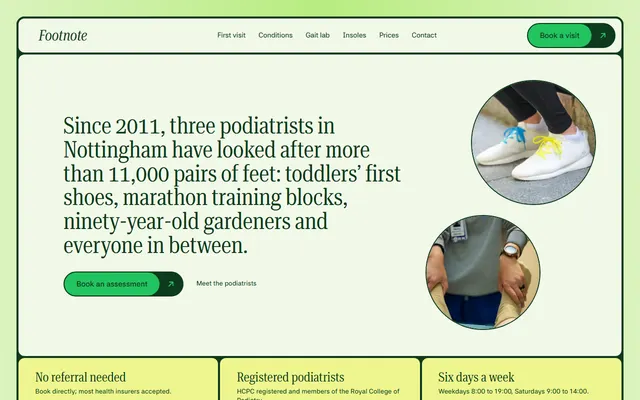
Podiatrist for foot clinics: prices, home visits.

Dental clinic: same-day crown steps, treatments with prices, team, fees and a visit request form.